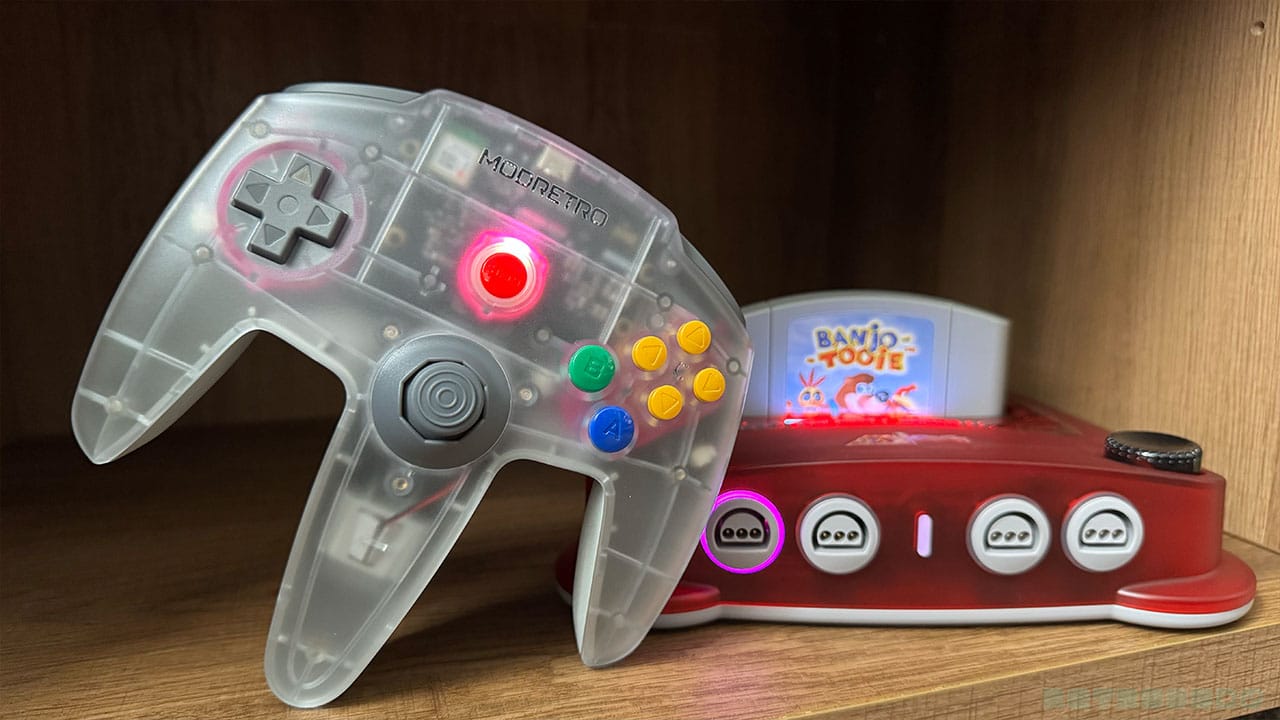
I grew up with the N64 controller glued to my hands. I would spend hours using this thing while defeating Shadow Ganon, serving Aces on Mario Tennis, and racing through Moo Moo Farm with my friends. When they talk about muscle memory, they talk about knowing something like the back of your hand; your fingers instantly lock back into a certain grip or hold something in a particular way without you even thinking. And when I picked up the M64 controller, that's exactly what happened, spanning three decades to the moment I turned on my N64 for the very first time.
When I picked up the ModRetro Chromatic for the first time, I called it the ultimate version of the Game Boy. I think my exact words were 'The Game Boy to end all Game Boys', the perfect version of a classic. It looks and feels like a Game Boy and oozes nostalgia, and if you gave it to someone who had a Game Boy in the 90s, they'd probably call it a bona fide Game Boy and load up Tetris with a smile. But it's got a premium touch that makes it the ultimate evolution, the last Game Boy you'll ever need.
It's no surprise, therefore, that ModRetro have taken that same line of thinking with their M64 controller. Holding this thing in my hands takes me back to my childhood, but in a way that makes me feel like a VR Trooper, an updated and enhanced version of my younger gaming self. This one's for seven-year-old me, and a misspent youth playing games coming to fruition in 2026.
N.B - This review won't be touching on the M64 console itself - I'm focusing solely on the M64 controller, how it feels, works, and compares to both the original remote and its main competition.
We've seen multiple game pads for the N64 over the years, but ModRetro have, in true form, dropped the mic and called the job done with their new controller. With the original N64 trident controller shape, an aluminium back, enhanced triggers, and a TMR thumbstick, its the controller we needed back in the 90s when spending hours on Super Mario 64 and Perfect Dark. ModRetro have created a channel back to our childhood with this gamepad, albeit one that makes us feel like supercharged Power Rangers in the process.
- Price - $89.99
- Launch Date - July 28th, 2026
- Available from - ModRetro
Shape and Feel
Familiar yet enhanced, the M64 remote has taken a classic and turned it into something even better than we could have imagined. I can remember looking at the N64 remote and thinking it looked like a bunch of bananas compared to the SNES controller. But the first time I held it in my hand, it fit like a glove.
I know that other companies like Retro Fighters and 8BitDo have turned to more of a modern pro controller feel with their remotes as of late, but ModRetro's main ethos is all about nostalgia. They were only ever going to enhance and improve the original controller, just like they enhanced and improved the Game Boy, and I'm very happy about it. It's instantly clear that ModRetro's employees love the N64 and have built and designed this controller based on their own experiences with the original.
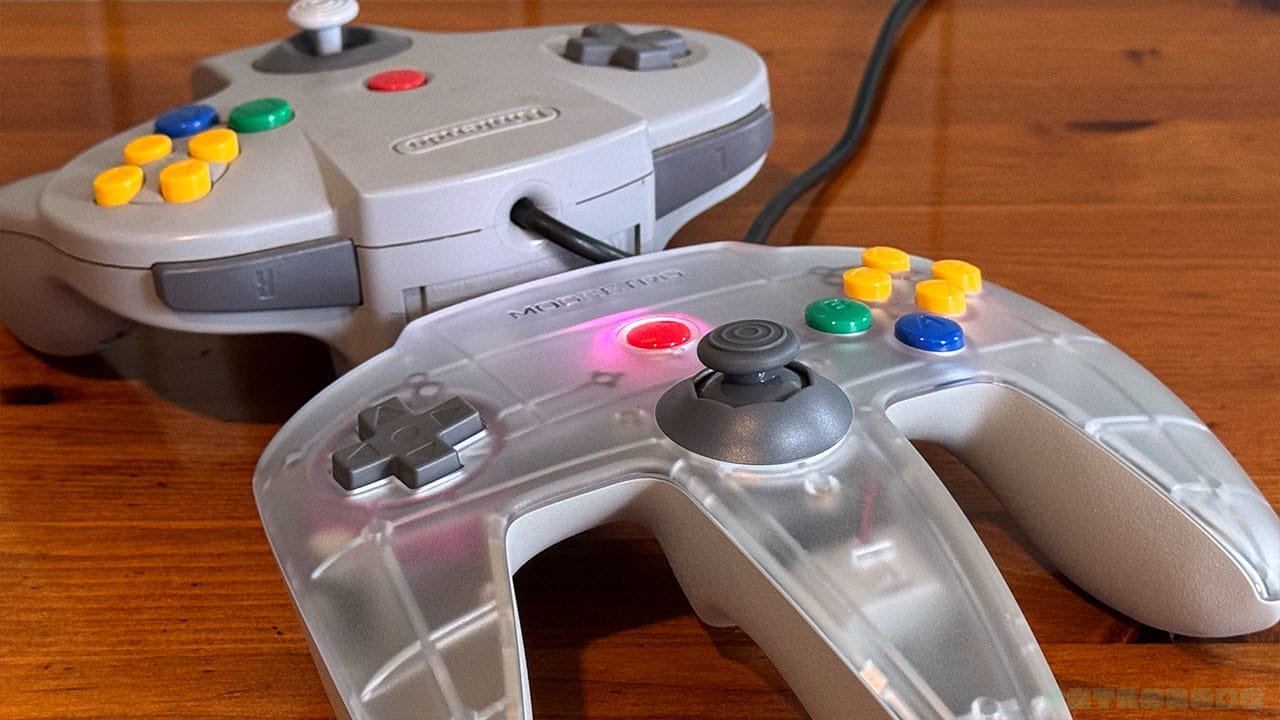
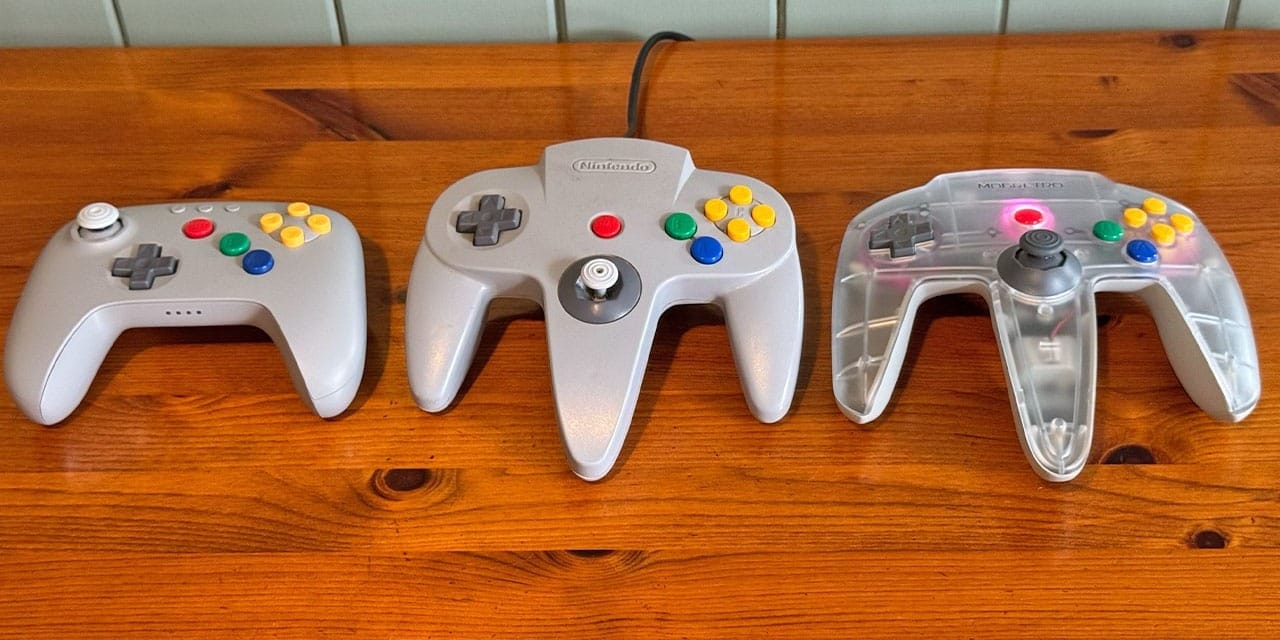
The first thing that you see when the controllers are side-by-side is that there has been a lot of attention to detail when it comes to overall shape and detailing. The ModRetro logo sits in the same place as the Nintendo logo on the original controller. Both pads have that classic trident shape, and the button layout is exactly as the original. The action and C-buttons are marginally smaller than the original, but it isn't anything that has hampered my playing sessions in the slightest.
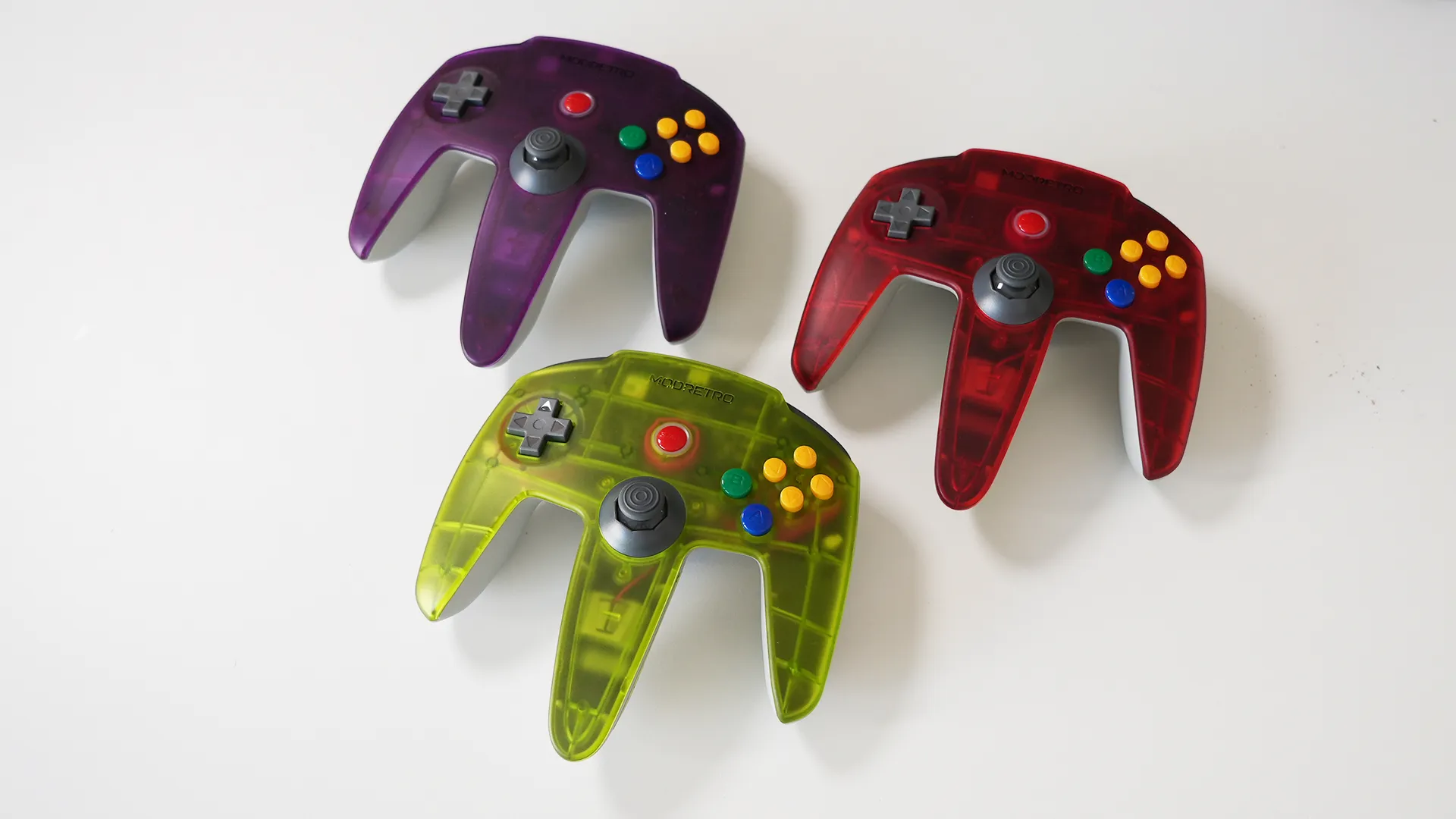
We all know how precarious the original joystick was on the N64. It used to get that weird gunk inside the pot, and then it would sometimes become loose and unresponsive. Not to mention the marks it caused on our hands when spinning it around playing Mario Party, something we all did despite Nintendo telling us not to. It's been replaced with a brand new TMR thumbstick that looks decidedly more substantial, like it could take multiplayer action until the end of time. It's super smooth too and doesn't feel like it would break under pressure.
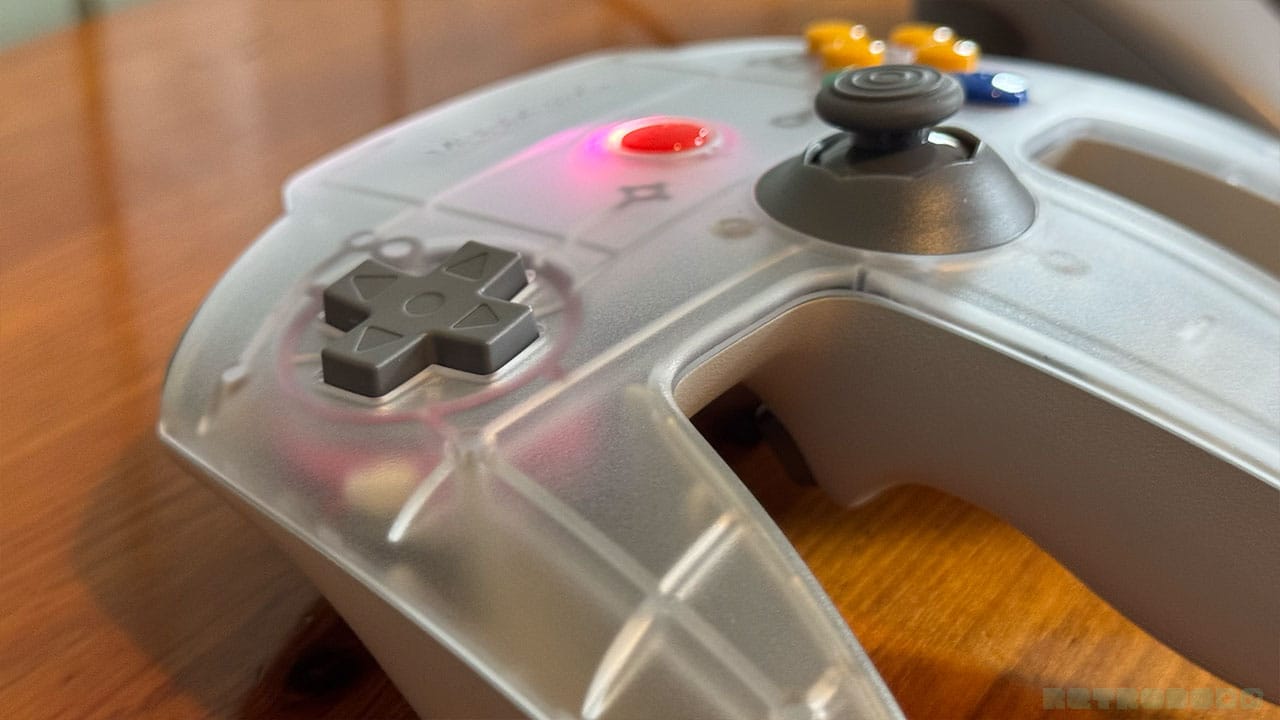
The D-pad is slightly curved, just like the original, and feels tactile when navigating menus. It's not often that I use it in games these days, but it's nice to know that ModRetro haven't just overlooked it and still class it as an important feature in the controller's architecture.
A Metal-backed Marvel
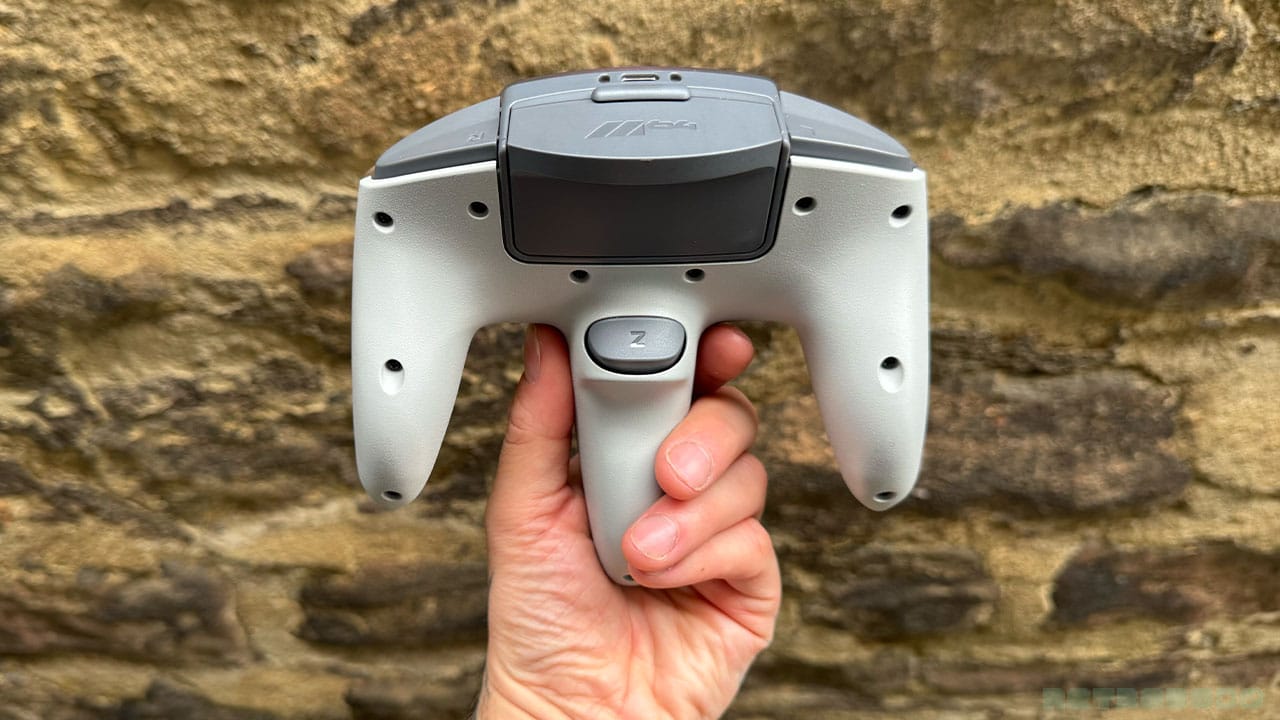
One of the reasons that the controller feels so premium is that it has an aluminium backplate. It makes it heavier than the original remote, but that's a plus point to me. It's nicely balanced in my hands when playing and feels like you can give it a good grip when working through tense moments. ModRetro state that they chose Aluminium for the best possible grip, and that the controller weighs just 30 grams heavier than an Xbox Pro Controller.
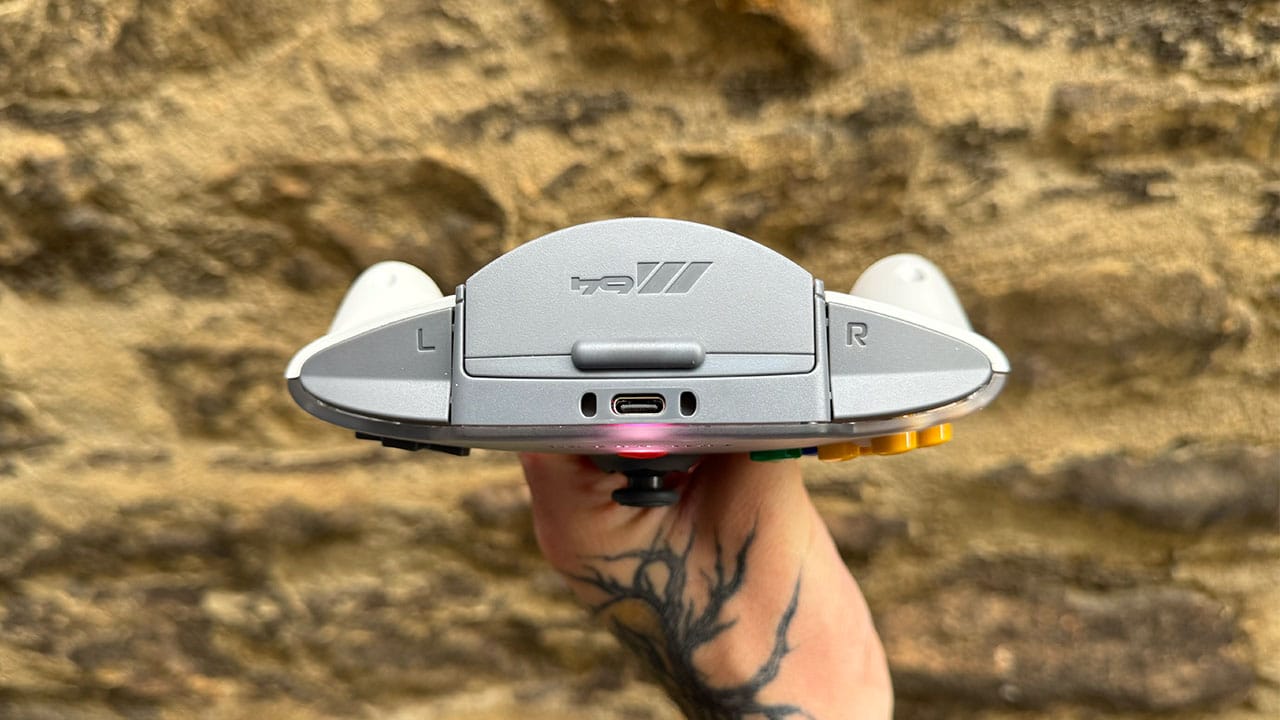
Another thing I love, and you'll notice this more in the image below in my next section, is the screw holes in the back of the controller. For the most part, they're positioned in the same place as the original, though there are a couple more added presumably for 'good measure'. The controller is designed to have swappable parts if you want to mod it, which is another reason ModRetro didn't just opt for a sealed controller that you can't take apart. Regardless of why, I just like that it looks very similar on the back at a base level, though there are some improvements to the triggers that are more than welcome.
Improved Z & Shoulder Buttons
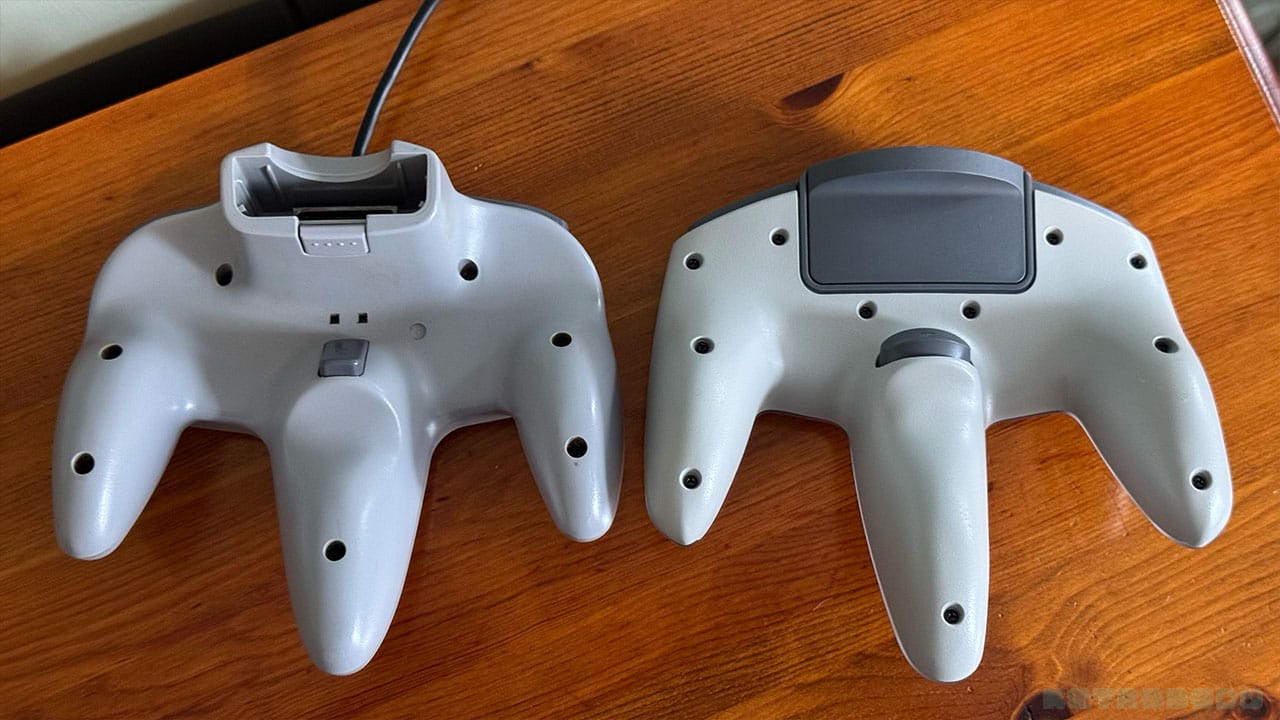
A wider Z button makes sense; the Z button on the original was so thin, and I know it was designed to feel more like a trigger, but this chunkier button makes gaming much more comfortable, especially when Z-targeting on games like Ocarina of Time. It's nice when accessing Kazooie's moves on Banjo-Tooie too.
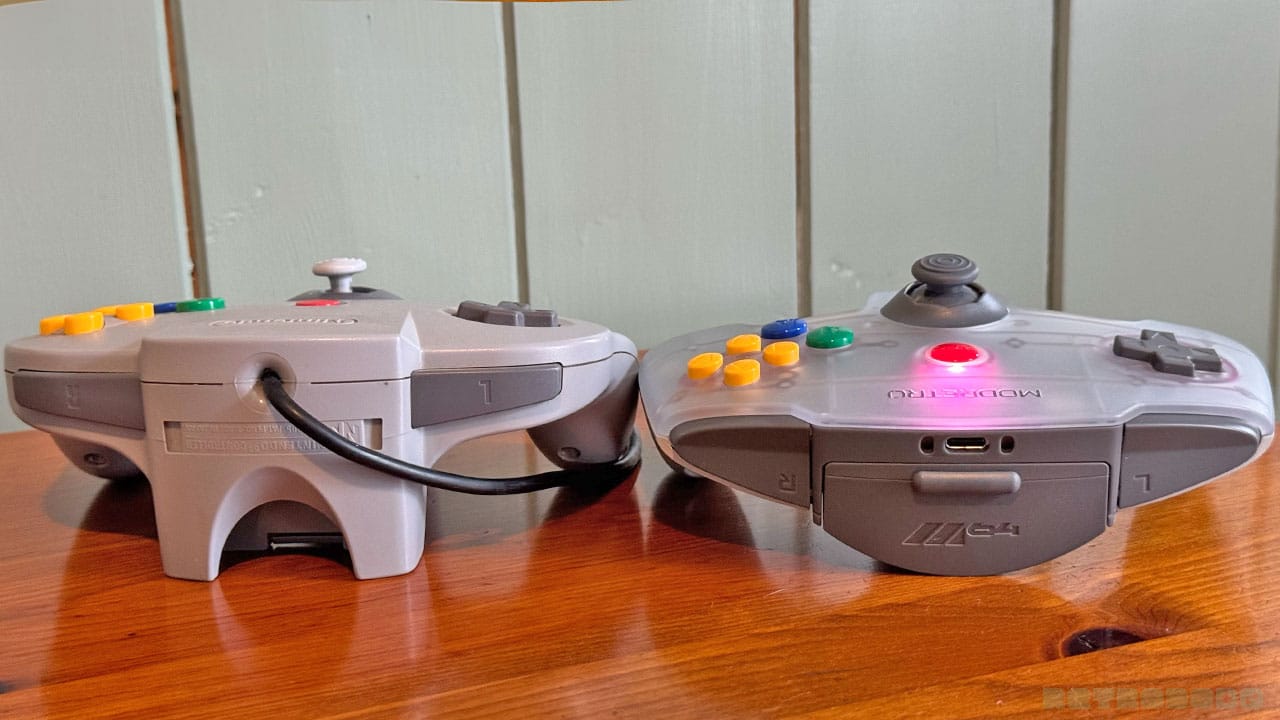
Then there are the L and R shoulder buttons, which now take up the full space available at the top of the controller. Your finger sits in a bit of a notch now which is very nice, and it doesn't matter where you press the button down, it registers easily with the slightest touch. When you look at the original now, you wonder why Nintendo didn't just fill the available space up in the same way. It just makes sense.
Customisation Options
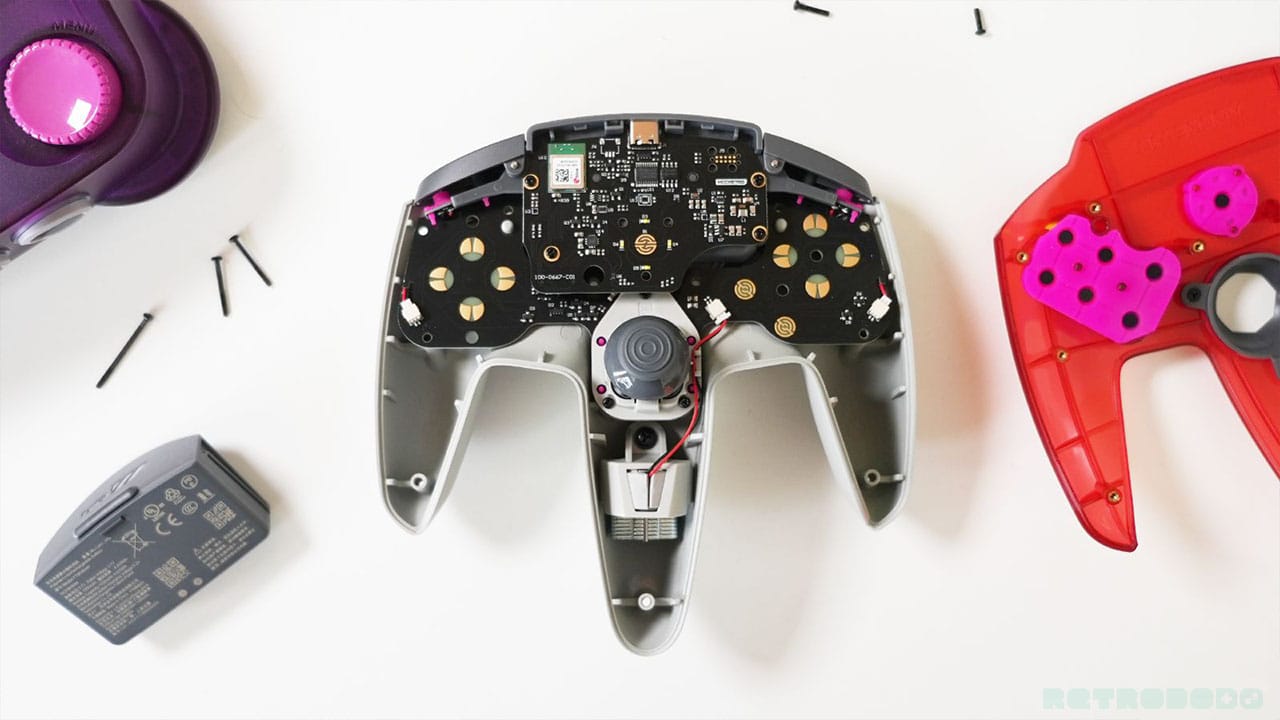
Another thing I love about this controller is how easy it is to take apart and customise. Removing the screws from the back opens up the shell, allowing you to swap out buttons and your thumbstick for different styles and colours. You can also swap out the 8-way gate for a 6-way gate, etc.
I honestly don't think it will be long until ModRetro release a customisation or mod pack for the Trident Pro Controller, just like they did with the Chromatic. While I love the classic button format, it would be cool to add in different colours to spice things up or change the height and feel of the shoulder buttons, etc. They've created a truly customisable controller that N64 fans can create their ultimate pad with, and I'm all for it.
Connectivity
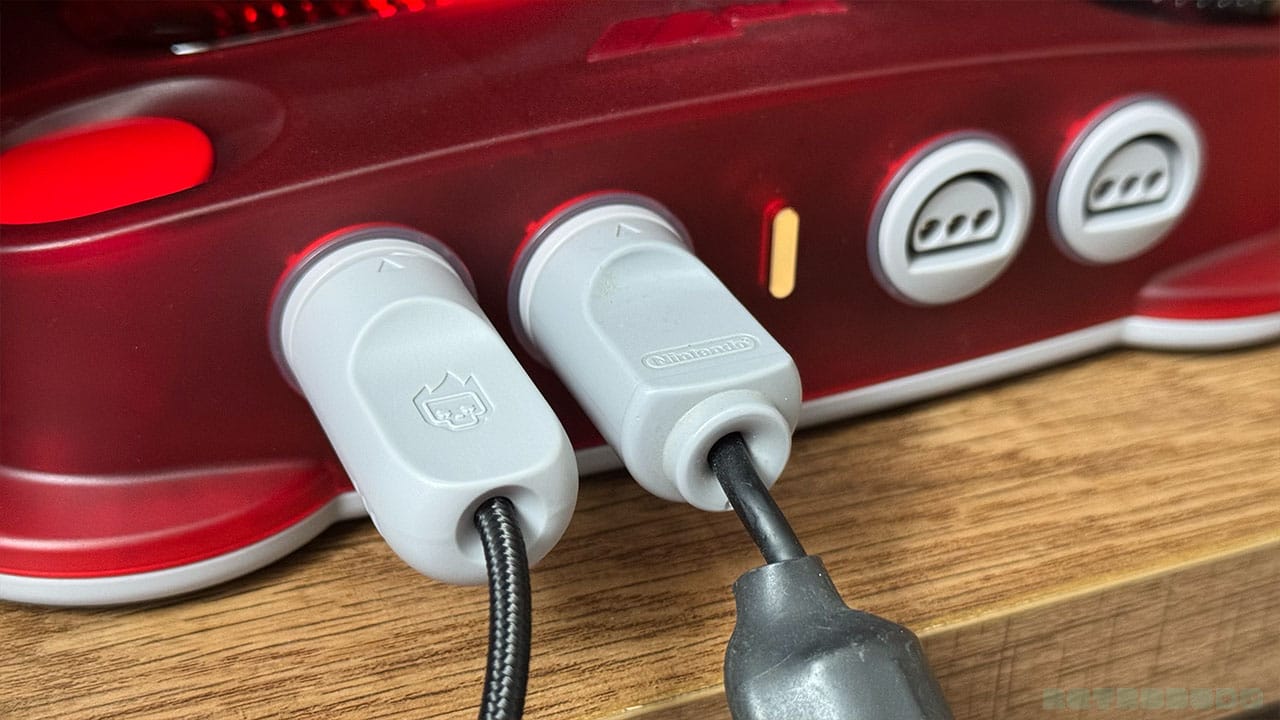
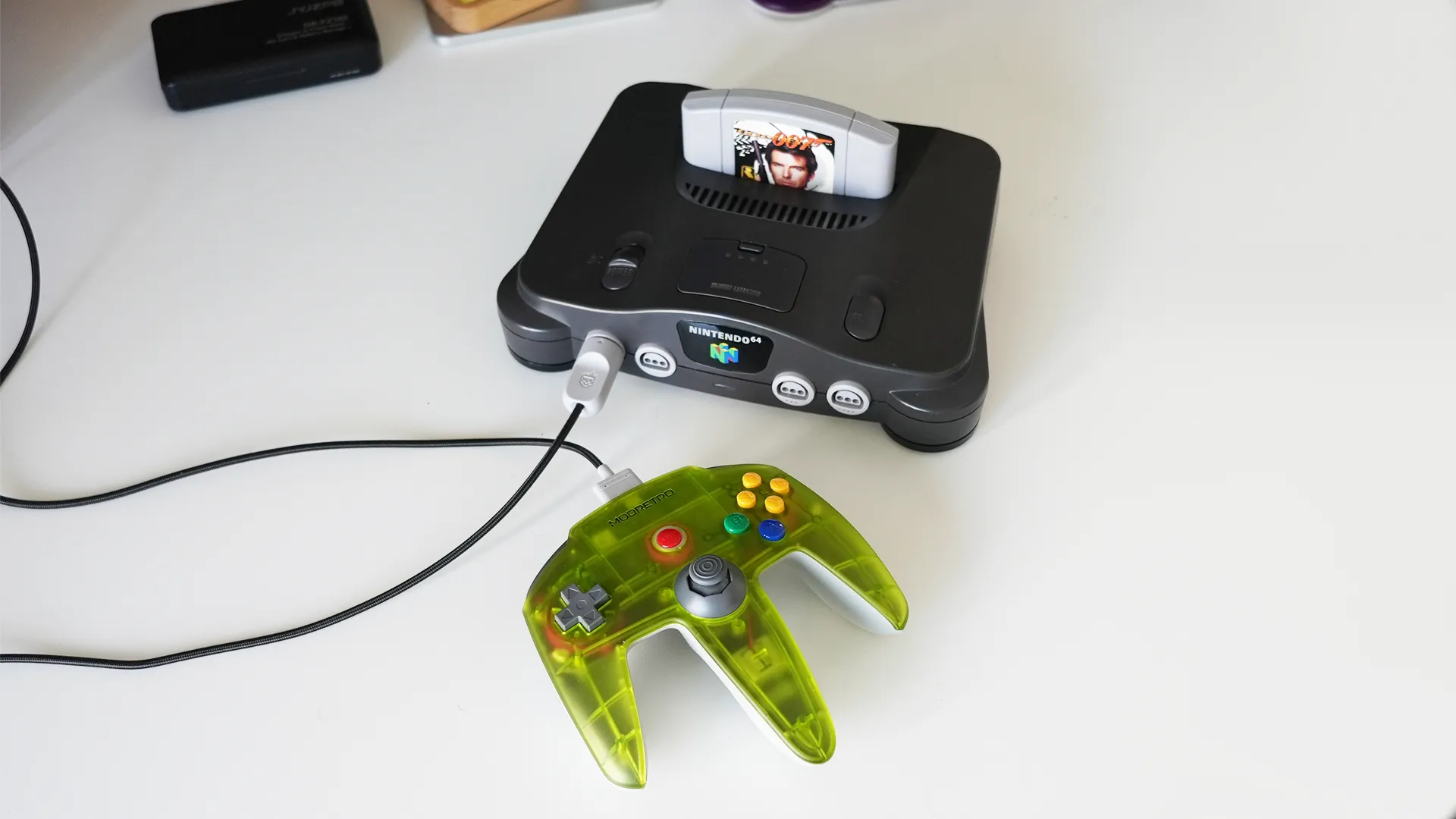
One of the best bits about the M64 controller is that it comes with a wire that plugs straight into the controller port on the M64. The cable is braided, and the adapter is designed very similarly to the original. Whether you own an N64 or an M64, you can plug the M64 controller in and use it without the need for a battery pack.
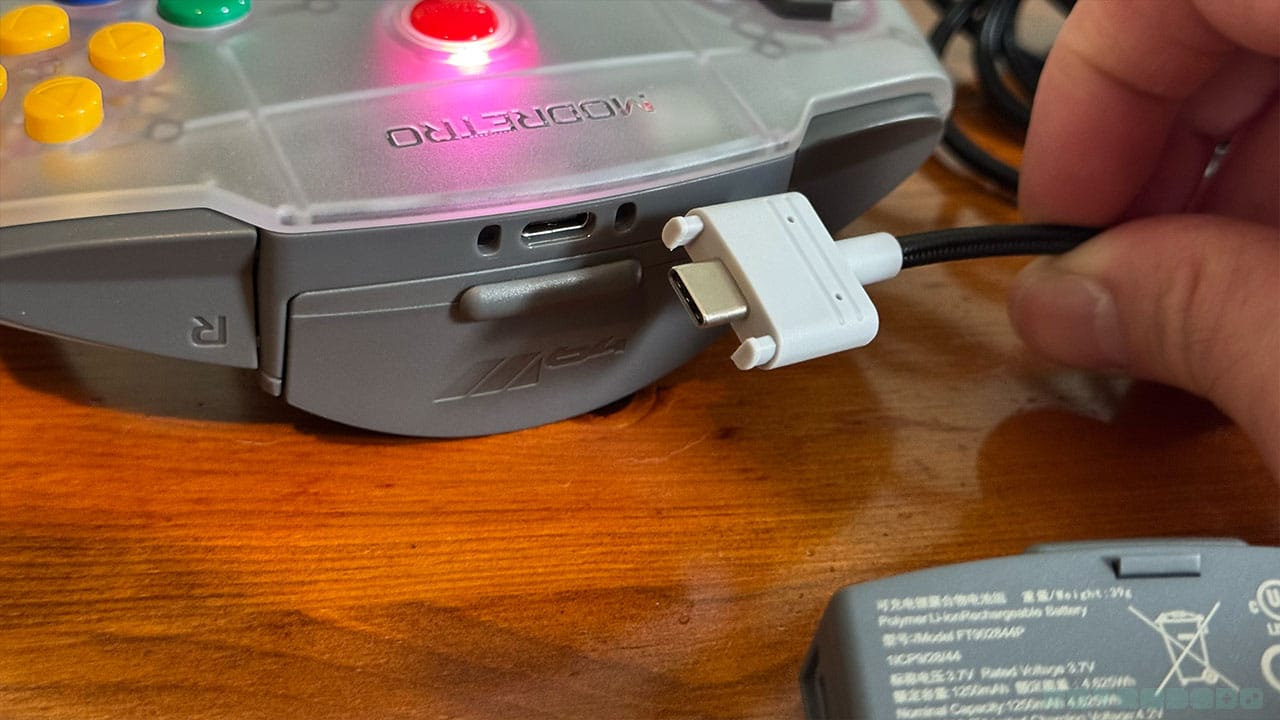
The cable has two little plastic prongs on it that slot into the controller to make for a secure connection. This is good if you're in the habit of sitting on your controller wire or the dog has a penchant for knocking cables out when he trots past. It also means that if the dog or your child runs past while you're gaming, the controller is going flying across the room rather than the cable popping out like it does with MagSafe chargers. MagSafe wasn't a thing back in the day when we had the N64, so I'm inclined to say that common sense is what's needed here. With the controller cable in, it looks and feels more like a wired controller, and that's the feel that ModRetro have aimed for with this attachment. I like it how it is, and it feels more authentic this way.
Controller Wires
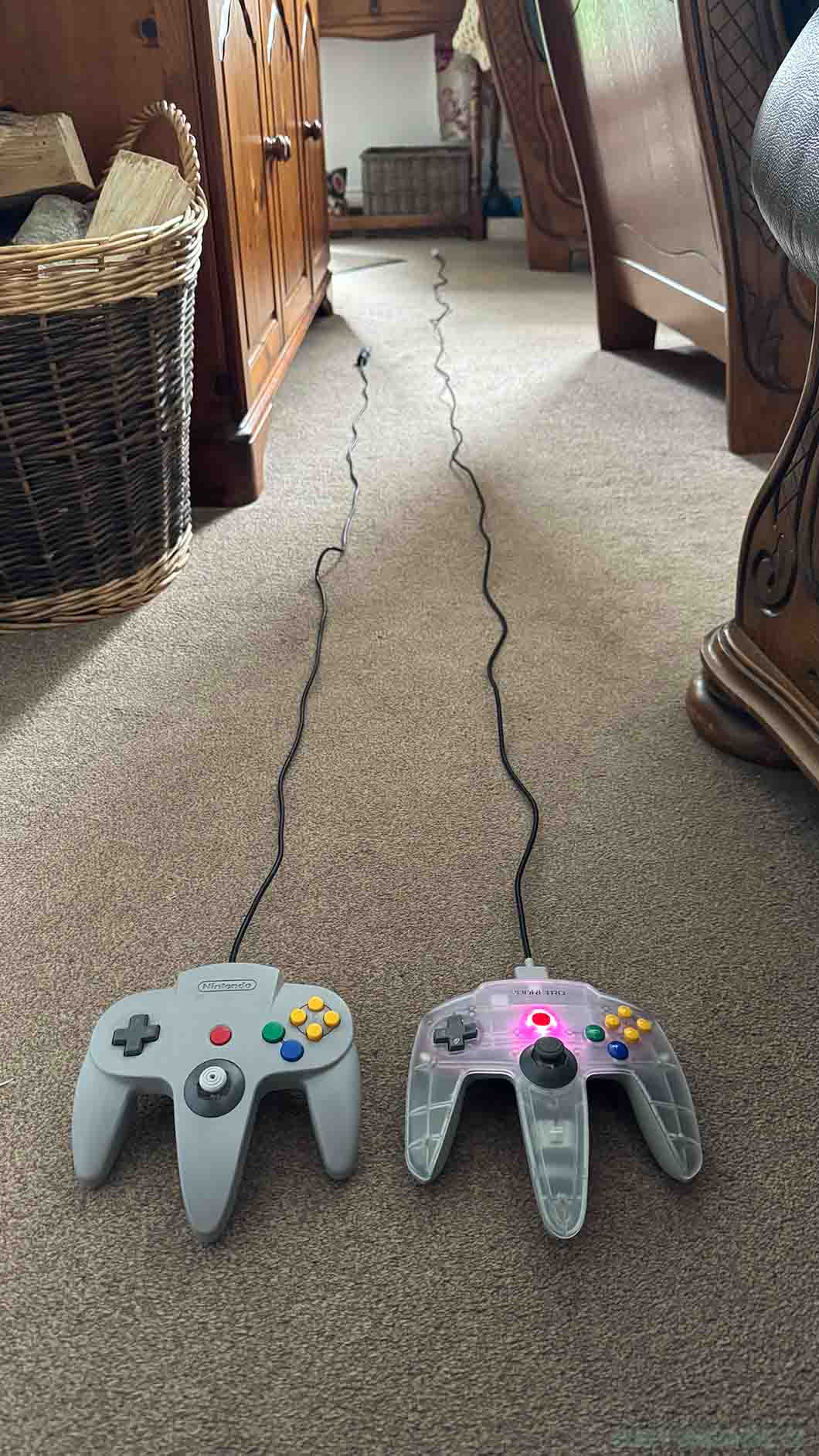
I wanted to take a picture of both controller wires stretched to give you an idea of the difference between them rather than just writing it down, because the visual element will bring a lot of memories back to the original players.
I couldn't ever reach the sofa when I got the N64 back in the day. We had to move an armchair closer to the TV for when someone was playing, but more often than not, we'd just sit on the floor as far back as we could get, especially when playing with friends. That extra length on the M64 controller is what we all wished we had back in the day, and seeing the picture above just makes me think of the comfort I could have had!
The Original N64 controller has a wire that stretches to 1.8m/6 feet. The M64 offering reaches just over 3 meters/10 feet, which makes gaming while tethered much more appealing.
Wireless Connectivity & Battery Packs
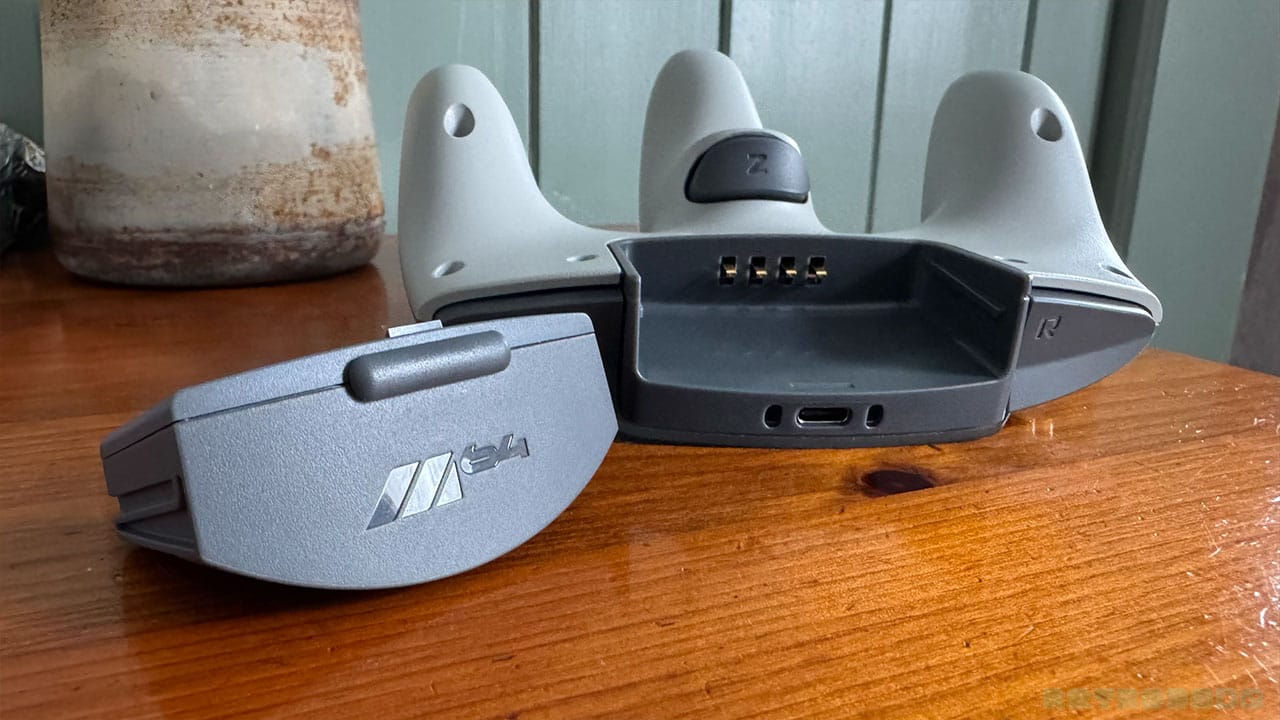
This is 2026, however, and wireless controllers exist. The M64 controller allows you to play wirelessly with either a rechargeable battery pack or a battery pack that runs on AA batteries for that extra nostalgic touch. When you purchase the controller, you'll get both options in the box so you can choose.
The battery pack is easy to slide out of the controller, revealing the next evolution of the port on the back of the original N64. This opens up the possibility for other accessories coming from M64 at a later date that can slot in here, which for a Nintendoid like me is very exciting.
How Easy Is It To Use
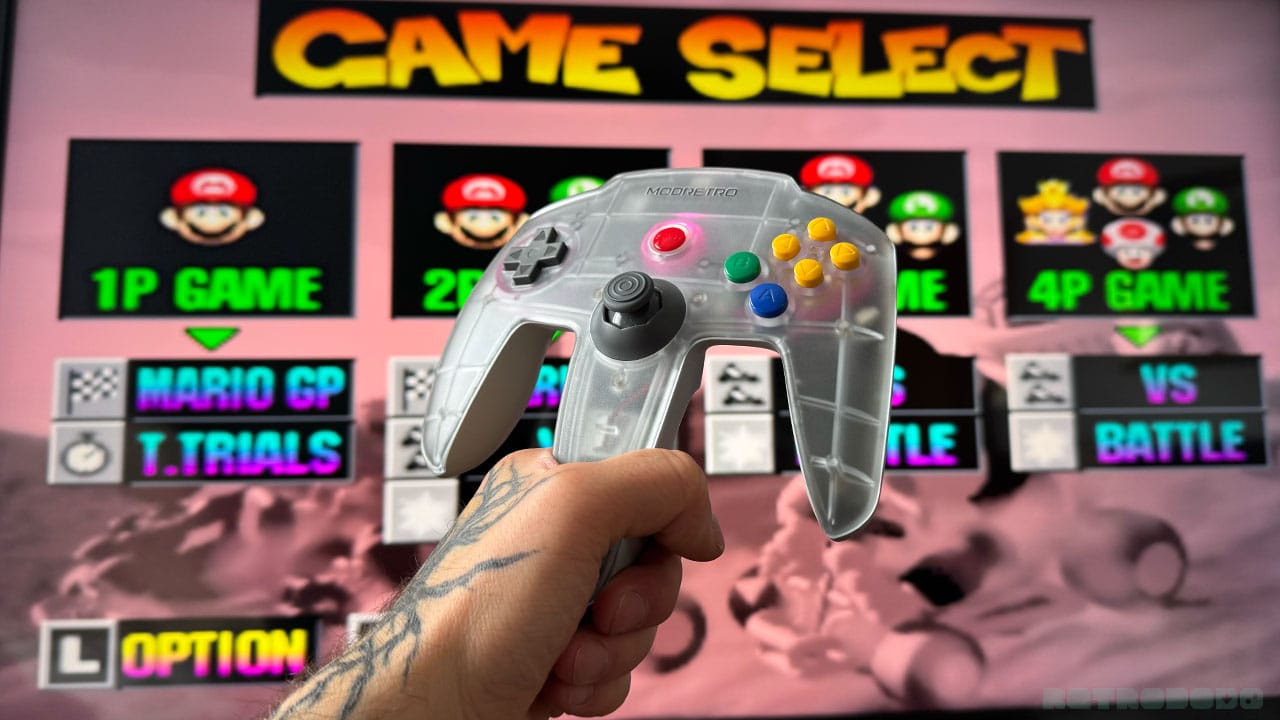
Honestly, it's a breeze to use. As I said, I grew up with this controller shape, so it's a joy to hold and use. The buttons are in the same place, the stick is perfect, and it's weighted just right.
Turning the controller on is as simple as holding the Start button, and you can navigate to the pairing screen on the M64 using the dial on the console itself. The controller paired straight away, and I was gaming in seconds.
Accessing menus is easy too - pressing Z + Start brings up the same menu as the console dial, and you can use the L and R buttons to navigate different settings. The C buttons can be used to change parameters for the different screen settings.
Is it easier to use than the original? Yes, and that's because of the enhanced trigger buttons. Shape-wise, it's the same, but the fact that it has rumble built in and wireless capabilities means it surpasses its predecessor.
M64 vs 8BitDo
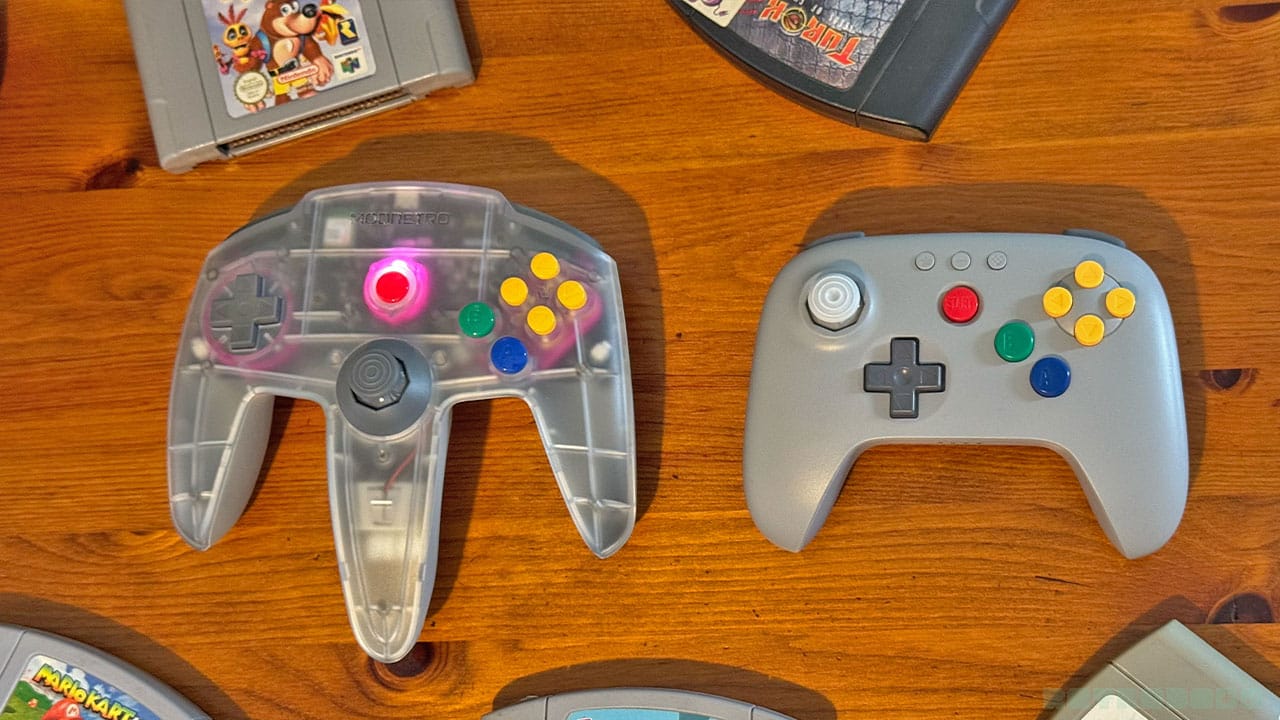
The difference between the M64 offering and the 8BitDo's Analogue 3D controller is stark. Both have their plus points, and I'm not here to slate either of them. Both are modern controllers, both have new features and design elements, and both have features that pay homage to the original remote.
Some people class the 8BitDo 3D controller as being sacrilege, while some think of it as a much easier way to play their favourite games in a way that we've grown to feel familiar with over the years. For the purists, however, the M64 controller is 'the ultimate' way to play, with those same feelings and hand holds (including the claw) that we used back in the day.
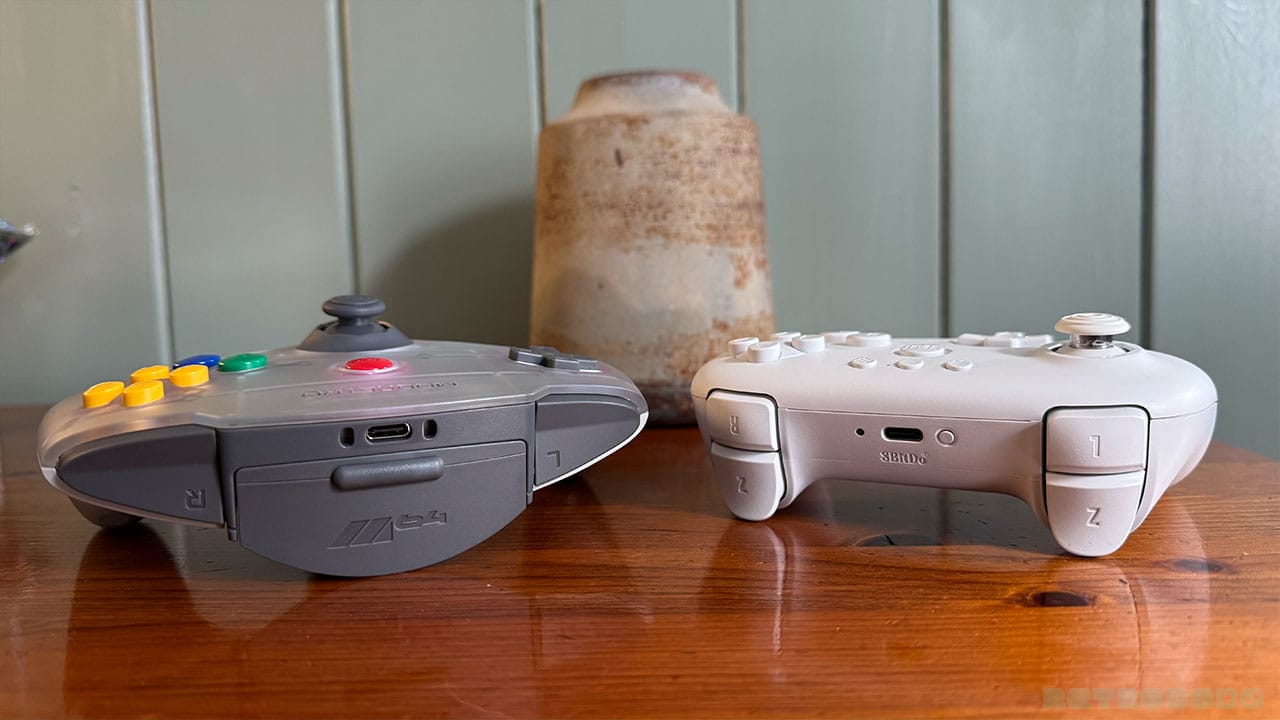
The choice of double Z-buttons as triggers or a single Z button in the original location is, again, down to personal preference. I'll be honest, I like both, but I prefer the L and R button shape on the M64 controller. They're chunky, and you can hit them hard with a satisfying click without worrying about missing them. And the shape of the shoulder buttons is pleasant to just sit your finger in too.
The M64 controller feels sturdier and more substantial than the 8BitDo offering, mainly because of the aluminium backing. It also has buttons and features that can be swapped in and out at your leisure as mentioned further back up this article. You can swap shells on the 8BitDo controller, but the process isn't as straightforward.
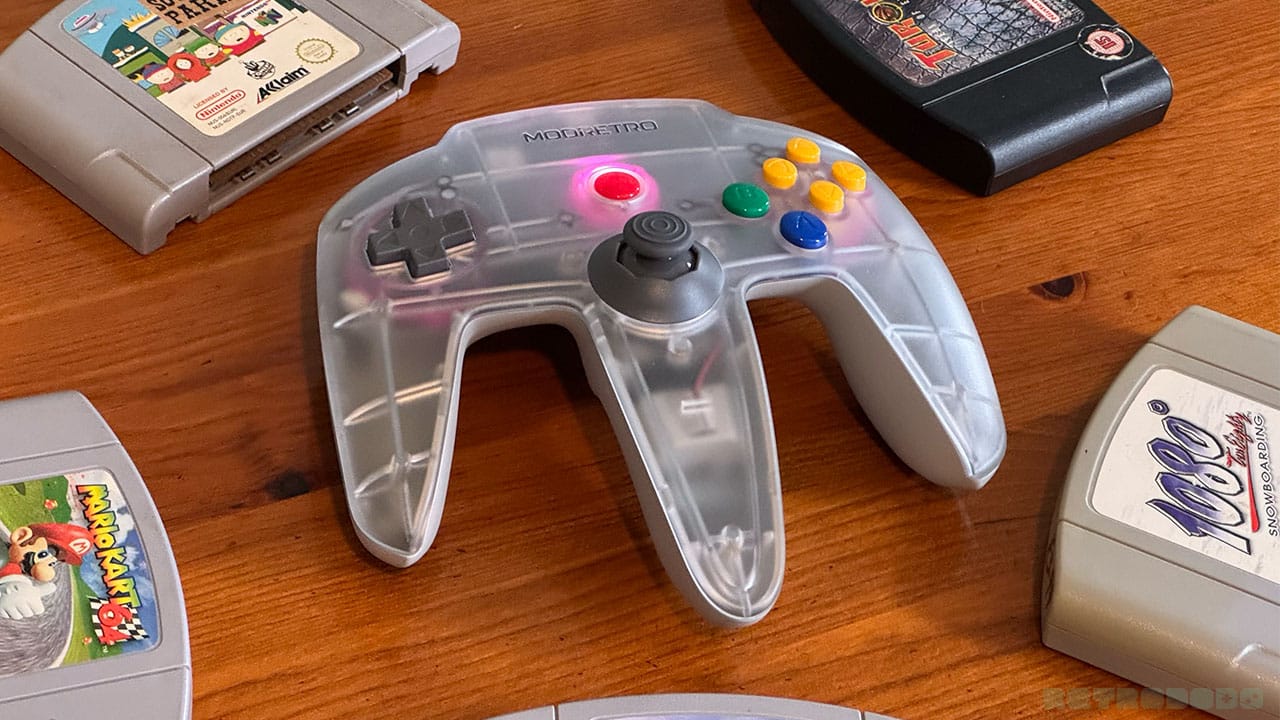
The rumble on both controllers is impressive, but I would say the M64 has the edge when it comes to rattling my fingers while gaming. I had it on the worktop while taking pictures, and the noise it made against the wood was like a hundred woodpeckers when the motor kicked in.
Again, I'll remind you that the M64 controller doesn't work with the A3D, but the 8BitDo works perfectly with the M64. I played Mario Kart with my mum (just like the good old days), with me using the M64 Trident and her using the 8BitDo controller, and both worked great.
Final Thoughts
- Nostalgic design that instantly feels familiar to those gamers who grew up with the N64
- Aluminium back gives it a premium feel and a solid grip.
- Wireless compatibility is seamless and comes with 2 choices of battery pack.
- Wired option adds 4 feet to the original cable length
- Brilliant rumble and improved trigger buttons
- The price is almost double the 8BitDo offering, but the controller feels more premium and nostalgic
Even if you don't plan on buying an M64 because you're happy with your original N64, I would recommend buying the M64 controller. Wireless or wired, it's a comfortable, premium version of the N64 iconic remote that can withstand whatever you throw at it, and it stays true to the design that we know and love from the 90s.
If (and I say if and not 'when' because I know Analogue might not want to open the console up to M64 peripherals) the M64 controller does get A3D compatibility and you already own one, then it will become the best way to play on all three systems. As it stands, it works perfectly for the M64 and the N64, and that extra 4 feet of cable when playing wired does wonders for your back by allowing you to actually relax while playing.
Let's talk about the price, because some of you might be saying '$89.99 is a lot for a controller. Nintendo currently sells their Pro Controller for $79.99 RRP, and 8BitDo sell their standard Ultimate 2 controllers for $69.99. When you look at the metallic back, the two options for battery packs, and the braided cable that comes with it, as well as the TMR stick upgrade compared to the original, I think $89.99 is a good price to pay for those looking for a premium pro controller, especially as the designs pair so well with the M64 consoles themselves.
All in all, I'm very impressed. As I said way up above, it feels like a controller made by N64 enthusiasts, and I love that. The N64 space needs to be pushed and cared for by enthusiastic fans, and I'm looking forward to playing updated versions of my favourite games and discovering new titles with this controller over the coming months and years!