


I've loved the Nintendo 64 ever since I was a child. I lived and breathed Ocarina of Time, immersed myself in Donkey Kong 64, and put more hours into Space Station Silicon Valley than I did my schoolwork. This console shaped me, made me the gamer and writer I am today - I guess you could say I'm an N64 nerd, fanboy, or obsessive... and you'd be right.
I've spent a week with the M64 now, getting to understand the console, liaising with the team on update features, testing out the controller, checking out my favourite games, and playing till my thumbs are sore. I'm not going to lie - it's been a great week, and I've poured all my thoughts and feelings about this console into this extensive review.
If I had drawn my own version of the N64 back when I was a kid, it would have looked like this. It's a console that exudes fun but boasts power, allowing me to play my favourite N64 games on my 4K TV with a bunch of cool, customisable features. It manages to look stylish while feeling toy-like, bringing a smile to my face whenever I see it. With a high game compatibility list and upcoming features and updates, it's a force to be reckoned with and the perfect console to usher in a new age of N64 gaming.
- Price: $229.99 for the console, $89.99 for the controller
- What's In the Box: M64 console, USB-C Cable, USB-C Plug with regional adapters
- Controller: ModRetro Trident Pro Controller, Hyperkin Captain Premium Wired Controller. Also works with the 8BitDo 64 Controller
- Dimensions: 160mm D x 222mm W x 52mm H
- Weight: 740g
- Available From: ModRetro Website
What's In The Box?
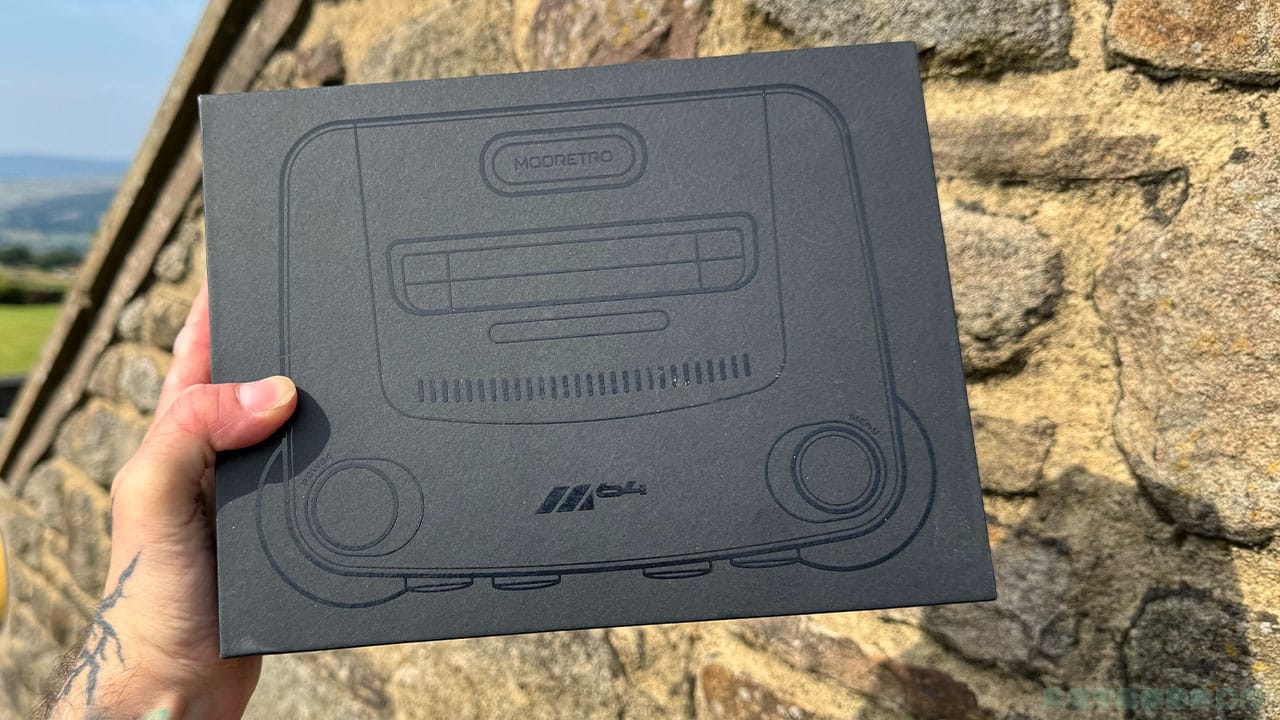
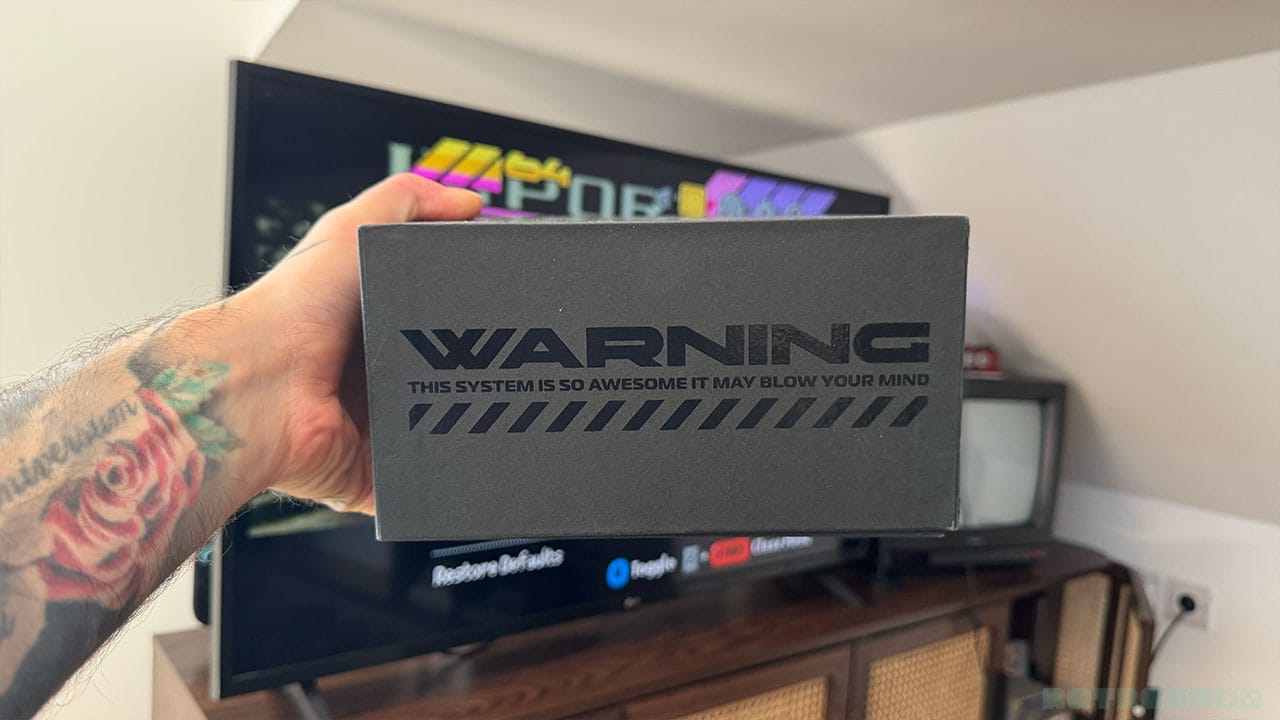
I know it might be weird to say that a box is satisfying, but this one really is. I like how small it is - it has the right amount of space to keep the console safely padded, but it isn't trying to be ostentatious in size or anything to impress the consumer. I also want to add that on the side of the box there's a warning that tells you that the system is so awesome it might blow your mind, which is definitely the kind of thing I would have seen the guys from Nintendo Official Magazine writing back in the day. At this point, I'm not sure whether these features are going to be present in the final design, but if this is anything to go by, I'm very pleased with how it's all packaged and presented.
When you take the console out of the box, you're met with something that shows ModRetro have thought about the global appeal of their product - a box with a USB plug and different adapter ends on it. You can twist off the US plug end and attach a UK three-prong plug or an adapter for other regions very easily, meaning you don't have to scout around the house for a compatible UK plug like I did for the Analogue 3D.
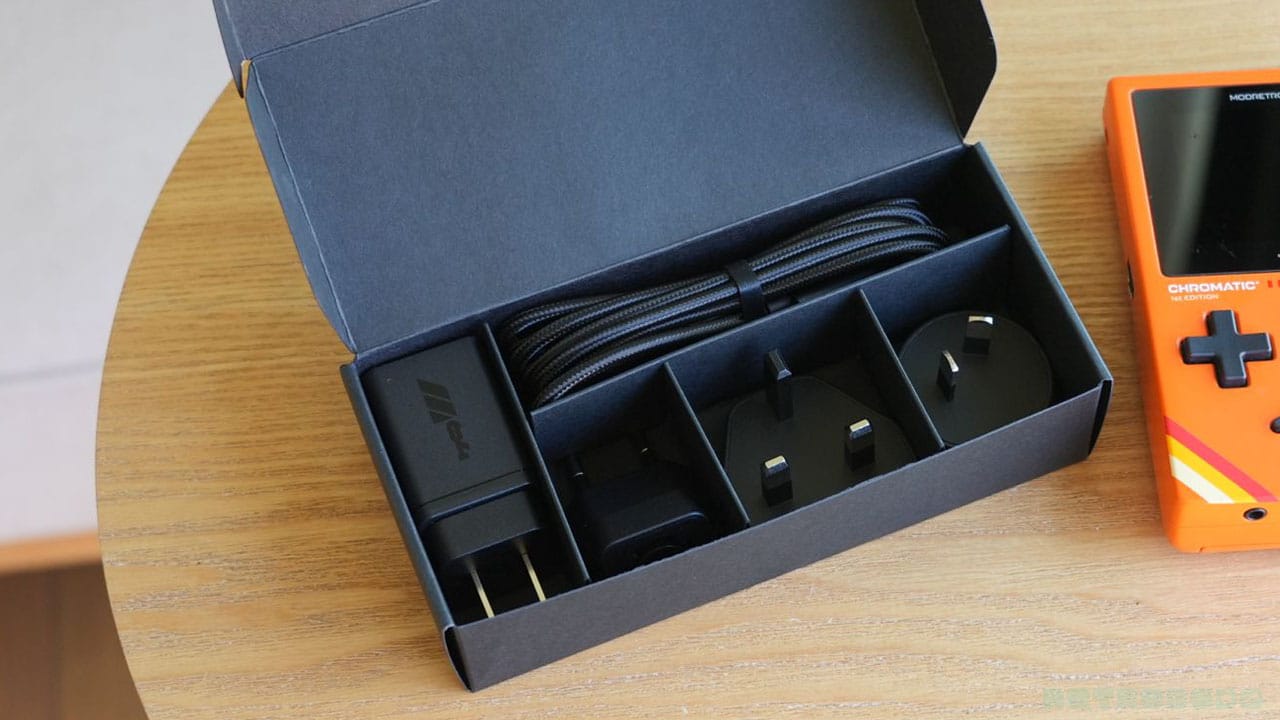
You'll also find a USB cable in there to power it up with, but no HDMI cable. In all honesty, we all have far too many in our houses, and they're pretty big and bulky, so I can see why. I currently have three consoles with HDMI cables behind my TV, so it's not a massive issue.
Console Features
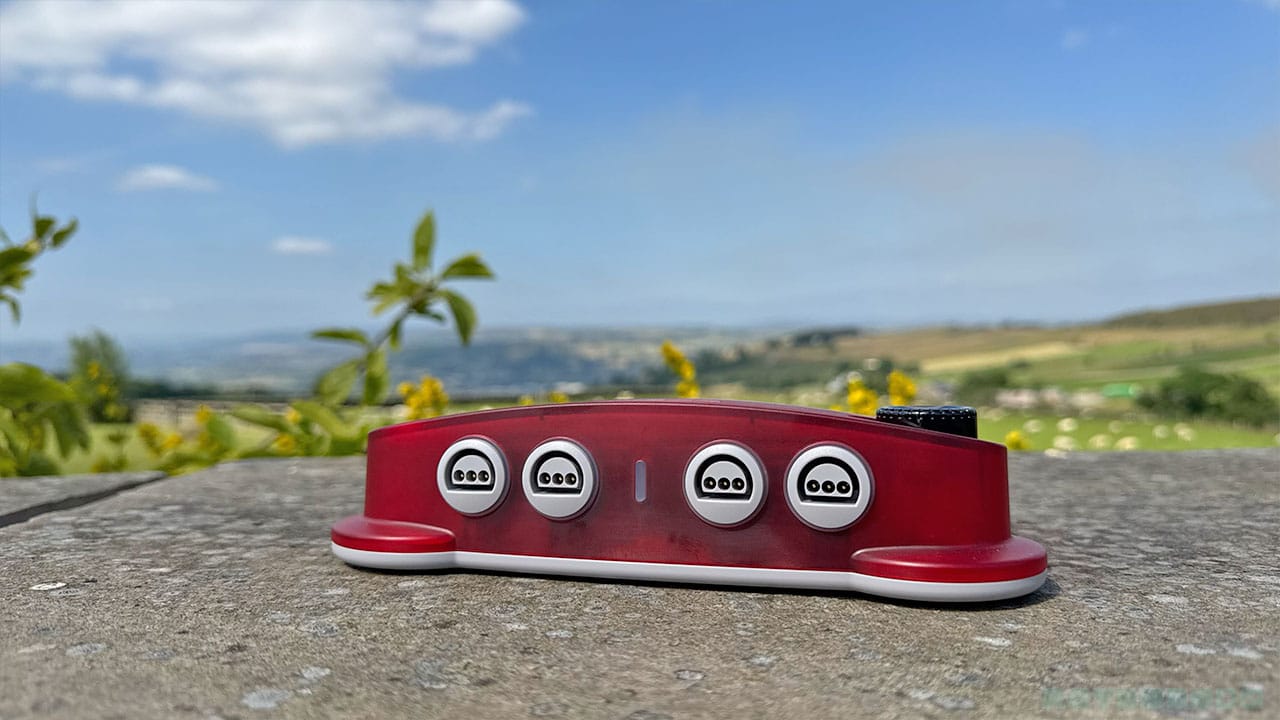
I love the look of this console so much. I always imagined that the original N64 had feet, what with the little rounded parts at the front of the console near the controller ports. The M64 also has that same feeling and looks like it has little platypus-style feet on it too. It feels and looks like a fun toy, something that I would have picked up as a kid and never wanted to put down. And to be honest, that's the feeling I have as an adult too.
The ModRetro design team have done their best to pay homage to the original machine in as many ways as possible, and it shows.
The front of the console has the usual 4 controller ports. They look a lot like the N64 controller ports, but I'm going to get onto comparisons in a minute, so hold tight for now.
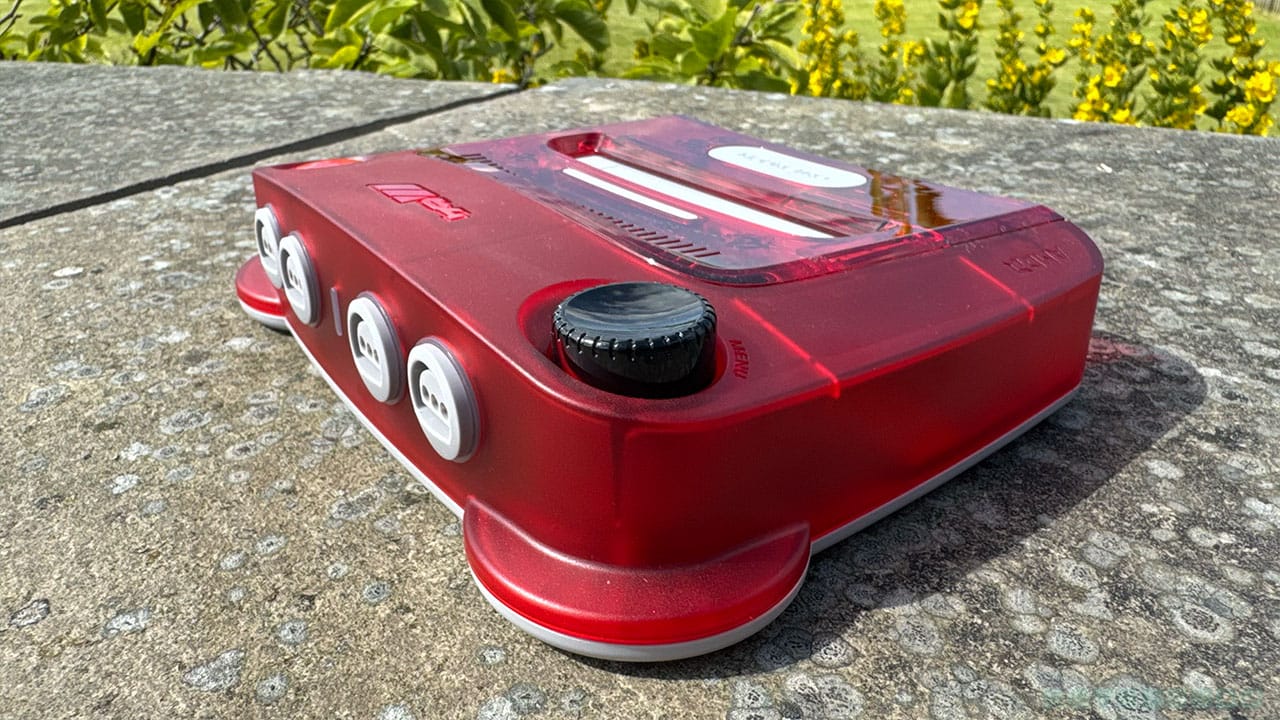
One of the most exciting tactile features is the turn wheel. Instead of using your controller to navigate the menu and change settings, you can use the turn wheel on the console. Pushing it down selects different settings, and you can turn left and right to scroll up and down or change parameters. This is useful for when you're hooking up controllers for the first time, or if you're already sitting on the floor like the good old days and about to change a game over.
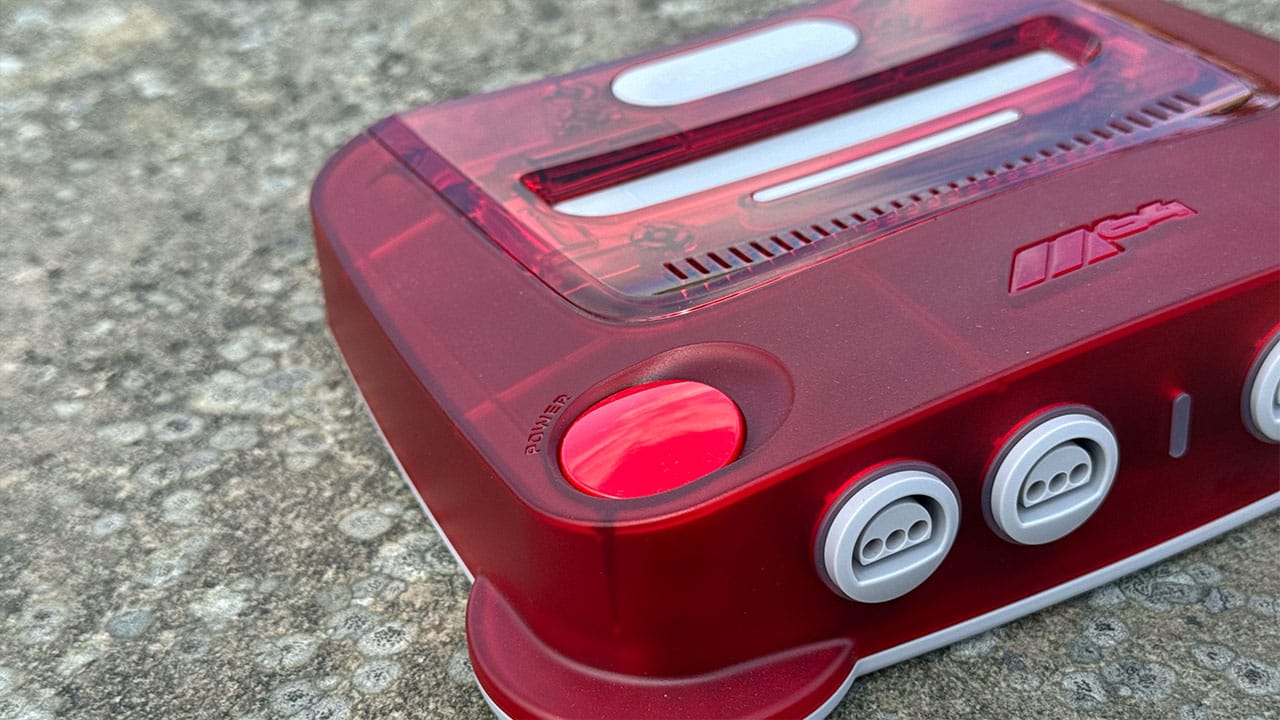
Instead of a power-on switch like on the original N64, the M64 has a large power button. It's a solid colour, unlike the translucent shell, and again, it just calls out to that inner kid inside me to press it. Short pressing the power button acts as a game reset, while holding it for a couple of seconds actually powers off the console.
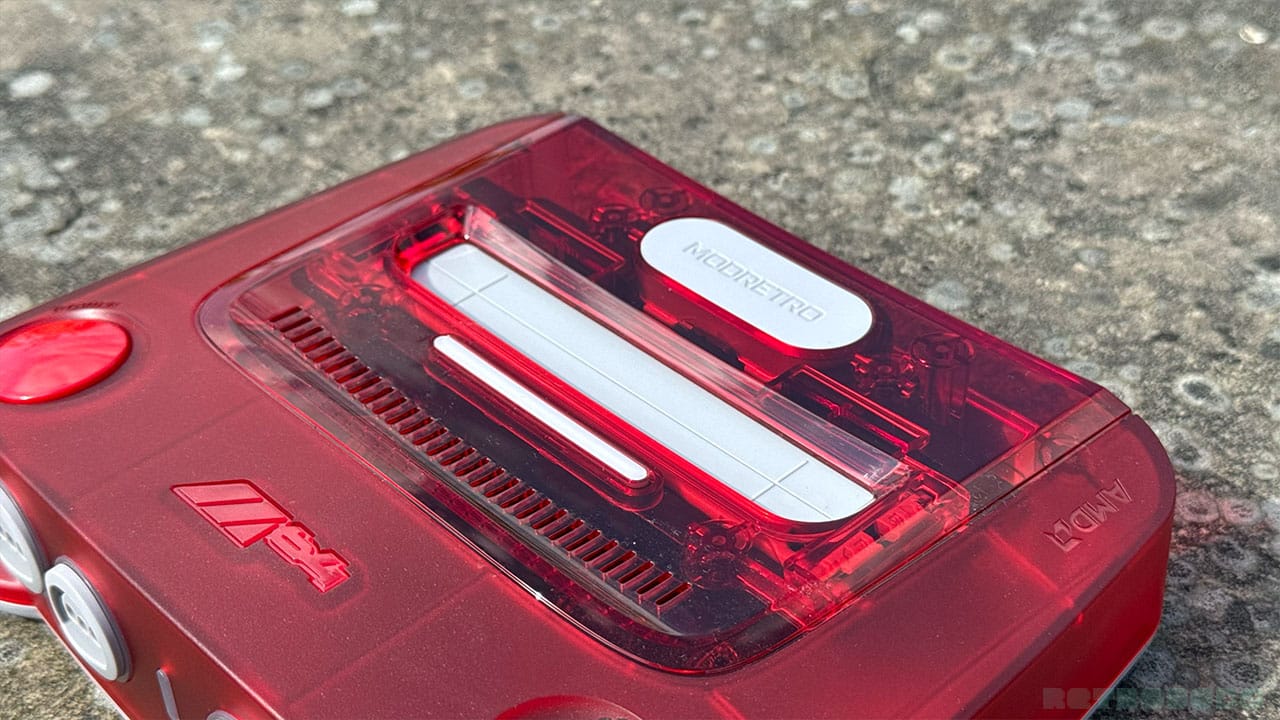
Now, here's something I really like - the cartridge slot. You can see from the picture above that there are small features on either side of the slot. The thin white line is actually a cartridge art light that illuminates your game cart when you're playing at night, or if your M64 is sitting inside a cupboard or a shadowy corner. It's an amazing little feature that just helps to show off the game's label and give it a bit of a spotlight while playing. It's a small feature, but I like it. The cartridge art light also indicates if your console is updating and shows its progress. It means you can switch channels on your TV and keep an eye on it without constantly watching the updating screen.
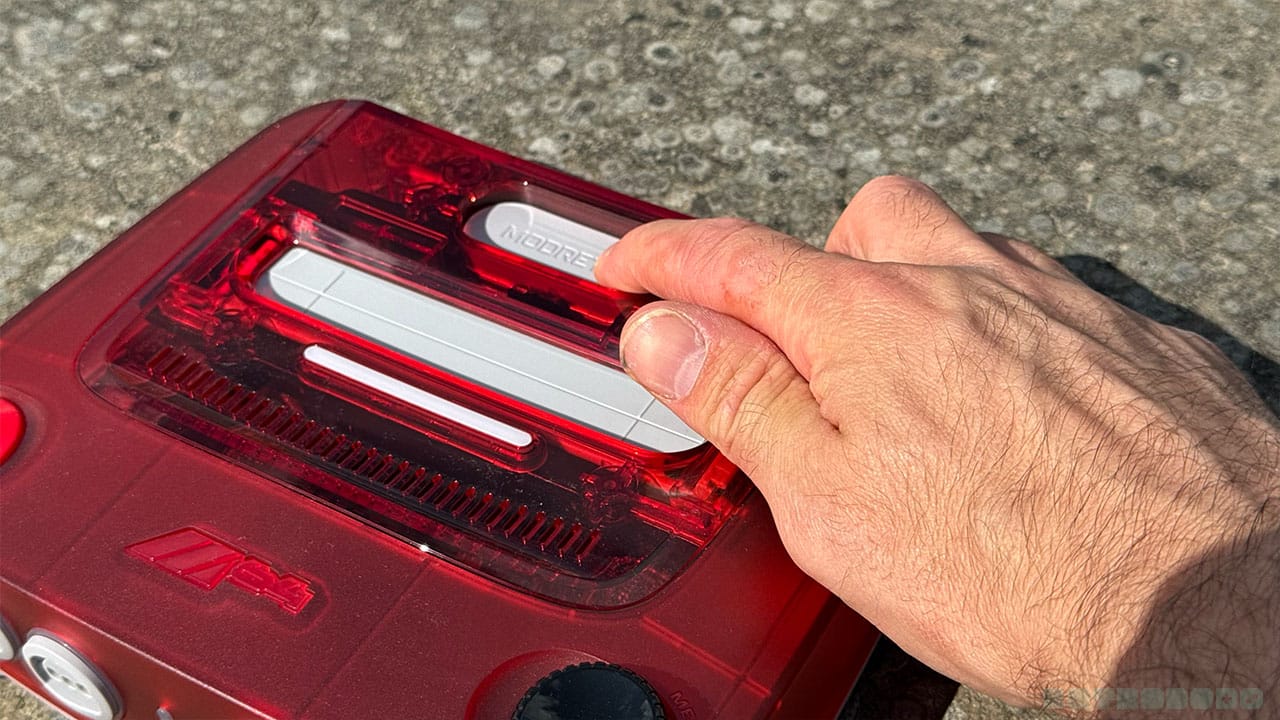
Then there's the eject button, which I think we can all agree is very cool. This allows you to take out your game cart out with just one hand, pushing down on the eject button and launching your cart up into your palm. It means you don't have to get both hands to your cartridge or feel like you're going to pull the top of the system off along with it because of your super strength.
And, you can also practice doing a cool cart grab like Brandon did on our Instagram reel below!
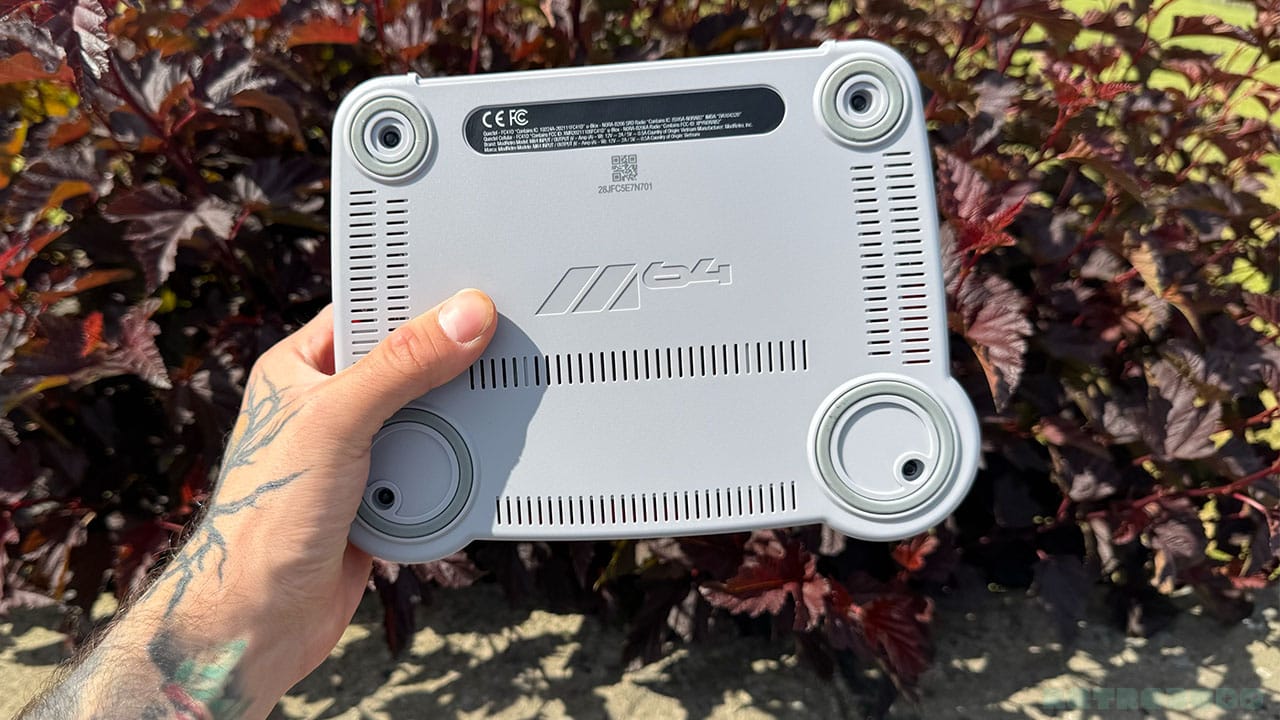
The bottom of the console is pretty minimal, but it does exactly what it needs to. It's got four rubber feet to stop it slipping on surfaces, and the M64 logo underneath, as well as some 'important information' that you'll probably never read. (I'm kidding, you should definitely read it.)
Comparing To The N64
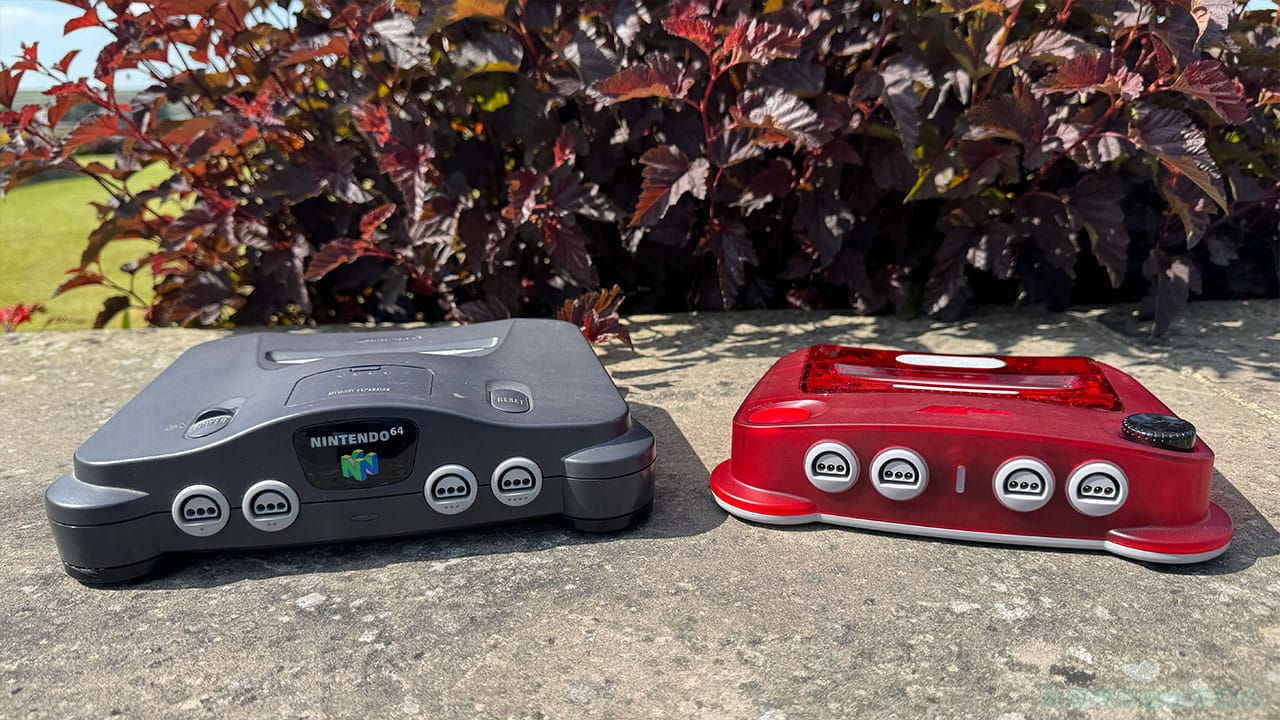
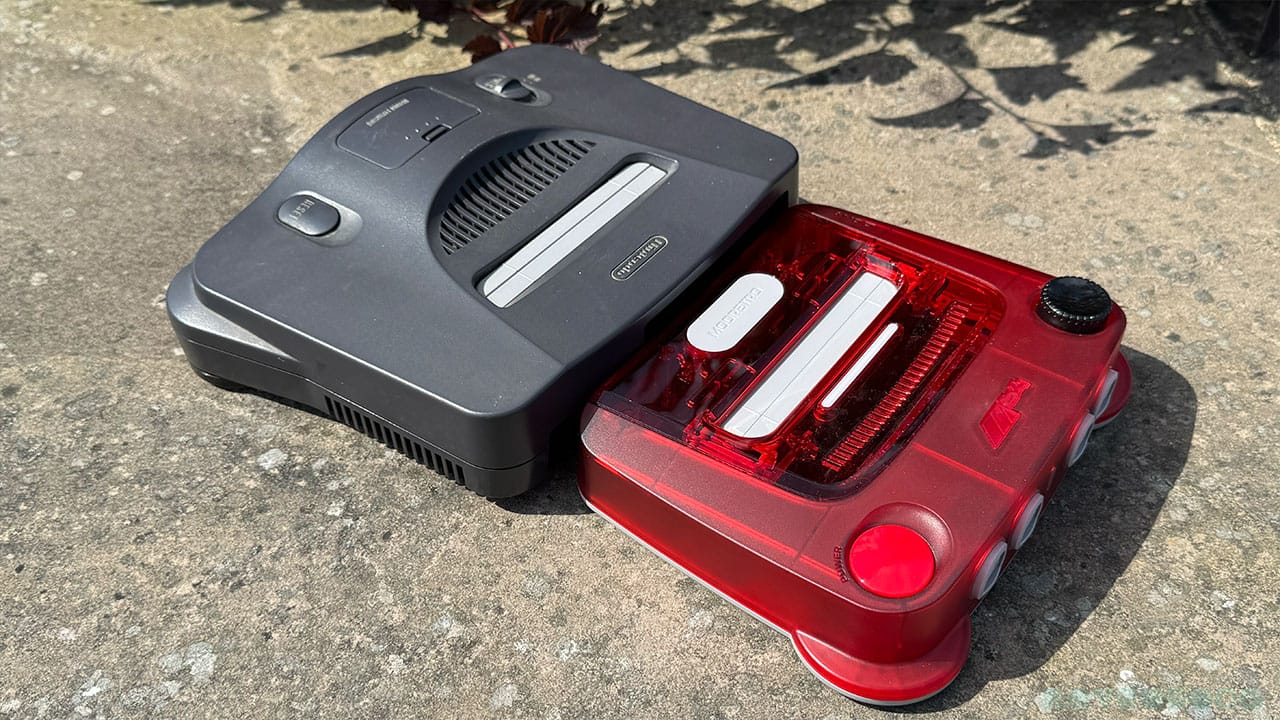
This wouldn't be a proper review of a console that aims to replicate the original N64 experience without bringing the original N64 into the equation. See what I meant when I was talking about the feet earlier? They both look like they could step forward like little characters. The M64 kind of looks like it's been fused with a Pokémon in that sense - it just exudes a sense of fun that other consoles don't. It also has a lower trim just like the original, although in this case it's white as opposed to black.
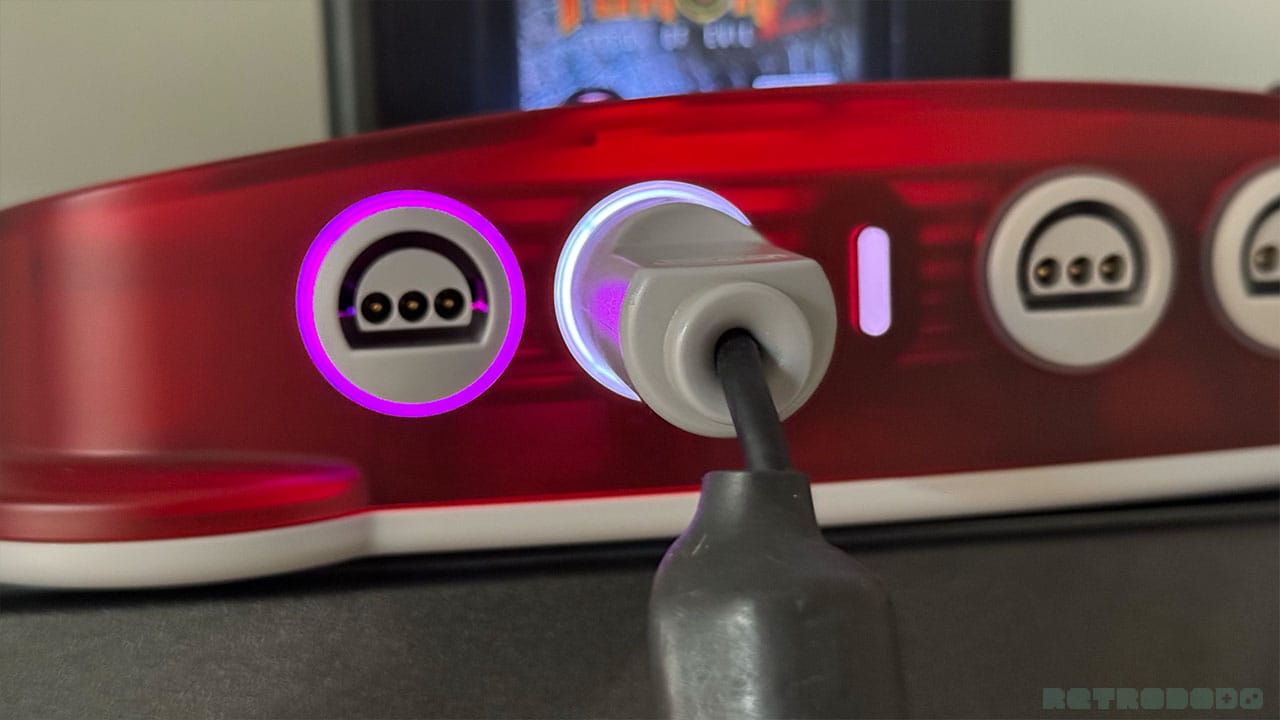
The controller ports are nearly identical; both stick out from the shell of the console, giving that 90's chunky tech look that we all know so well. The M64 doesn't have dots under the ports to show which controller is which, but it does have LED rings around each of the controller ports to show you whether you have a wireless controller hooked up (purple) or a plug-in controller that's currently operational (white).
Let's talk about size too. When you put the Analogue 3D and the N64 side by side, they're pretty much identical in size. The M64 is smaller, however. It almost looks like the N64's child - young, fresh-faced, and ready to take on the world. The M64 weighs 740 grams, whereas the N64 comes in at 979 grams, so while that's not a massive difference, you can tell it's lighter when holding them in each hand.
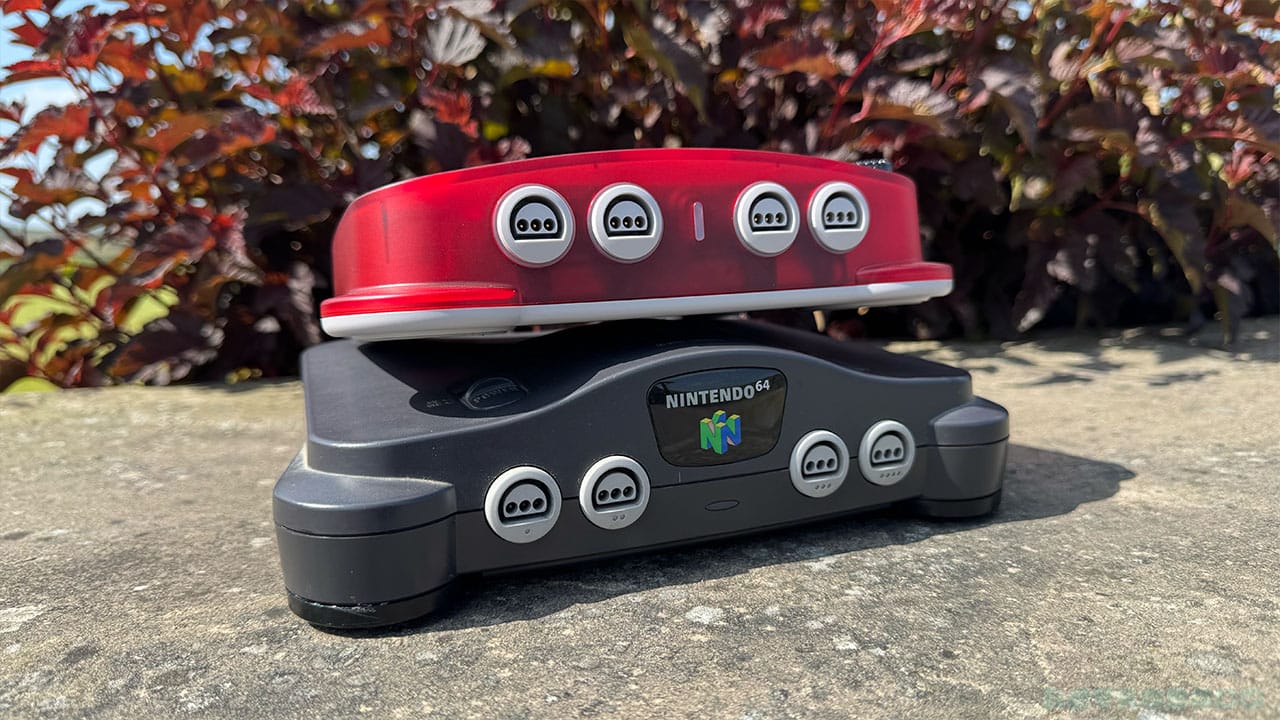
The M64 has an overall lower profile than the N64 too, but when you look at it from the top down, you can tell that the ModRetro design team have done their best to pay homage to the original machine in as many ways as possible, and it shows.. The logo on the eject button is in the same place as the Nintendo logo on the original, the cart slot is the same shape, and the grill and curve of the console hood are situated in the same place, albeit the grill being a little thinner and the curve being elongated. But just like with the Chromatic paying tribute to the Game Boy, the M64 is a console that willingly takes the torch from the 30-year-old home console workhorse while letting everyone know its roots at the same time.
The Frontend User Experience
I'm a visual person; I like to have graphics I can interact with up on the screen, coloured tabs and settings that I can see are either on or off depending on my preferences. The M64 uses a retro colour scheme for these settings, lots of oranges, yellows, purples, and pinks - the kinds of colours you might expect to see on a retro sports game on the SNES or NES.
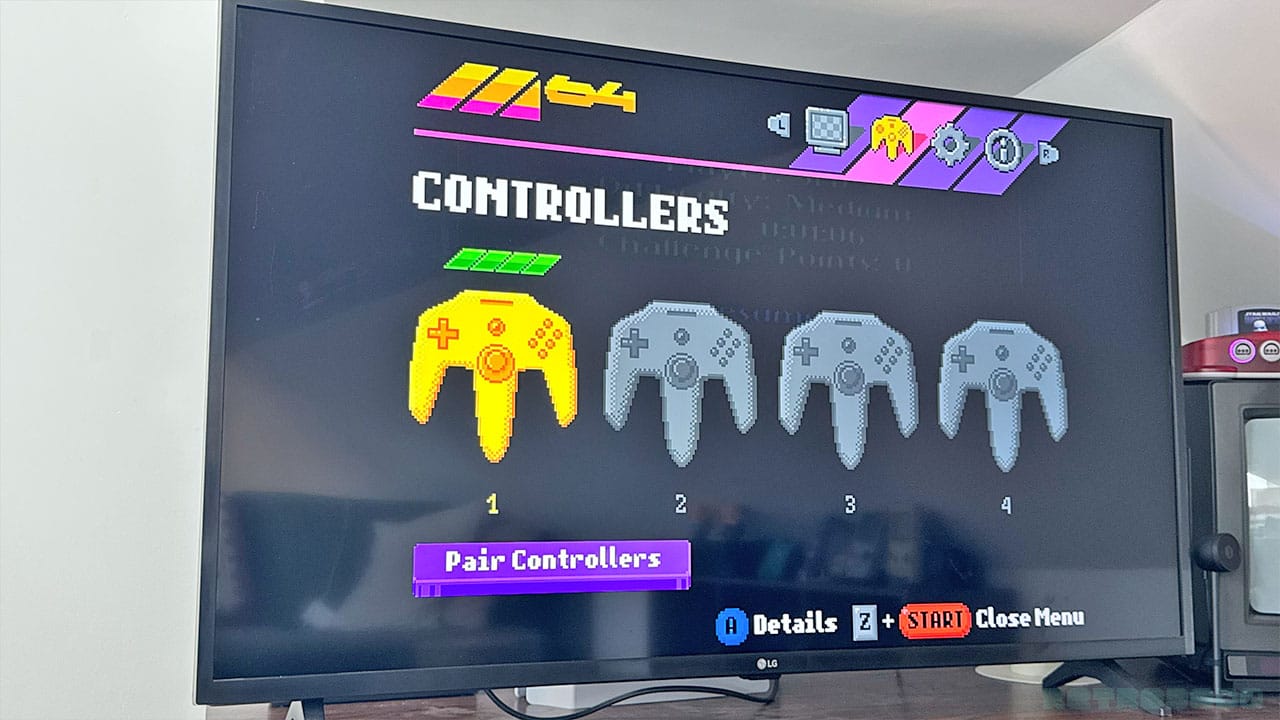
There are four main screens - Display, Controllers, System, and About. As I've mentioned above, you can either toggle through them using the turn wheel on the M64, or you can move through them using your controller after pressing Z and Start. It's worth noting that pressing the two together won't pause or unpause your game like Start normally does, so you don't have to worry about losing progress while you're messing around with settings.
See what I mean about the controller graphic above? This is a new console, but everything feels super retro on it. I'm using a wireless Trident controller, and I can see the charge bar on the screen above, but it somehow feels like I'm looking at something from the 90s, which means that ModRetro have succeeded in their mission.
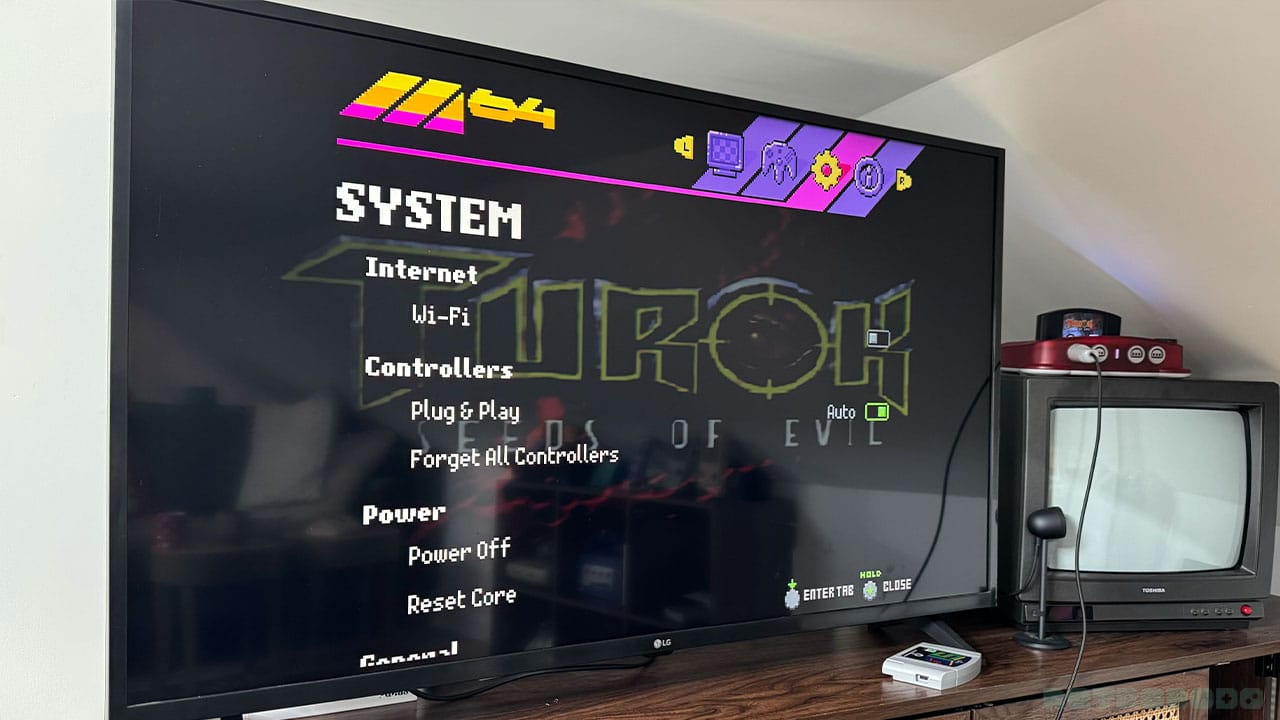
When it comes to system settings, everything is simple to use too. What I like about this Frontend is that it's easy to navigate through and use. There are more settings available to us than with the 3D, but not too many to make you overwhelmed. Although you might get a little confused with all of the experimental display settings, I'll get onto those in a second.
From System Settings, you'll be able to change WiFi settings, forget controllers, power off and reset the console, change the LED brightness around the controller port (adjustable to 10 points), erase your console settings, and change overclock modes.
The Controller
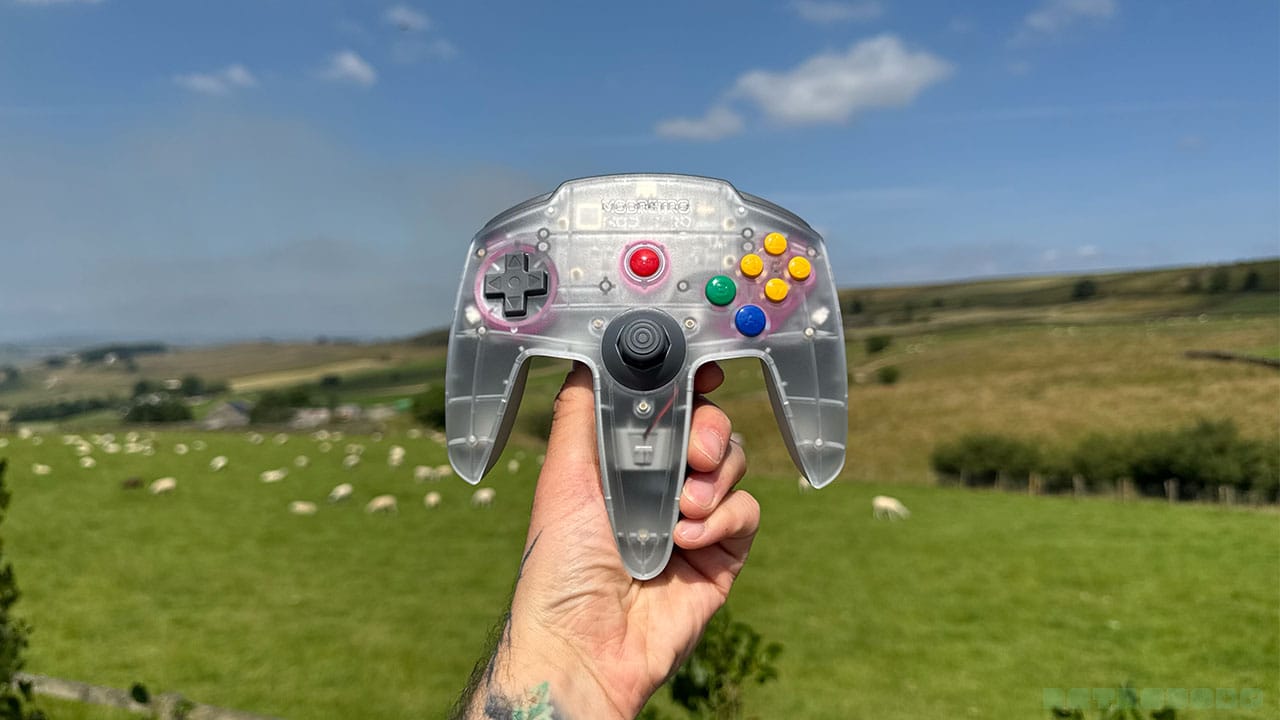
I can't really go any further before talking about the controller, because I absolutely love this thing. It's one of the greatest controllers I've ever used, and I don't say that lightly.
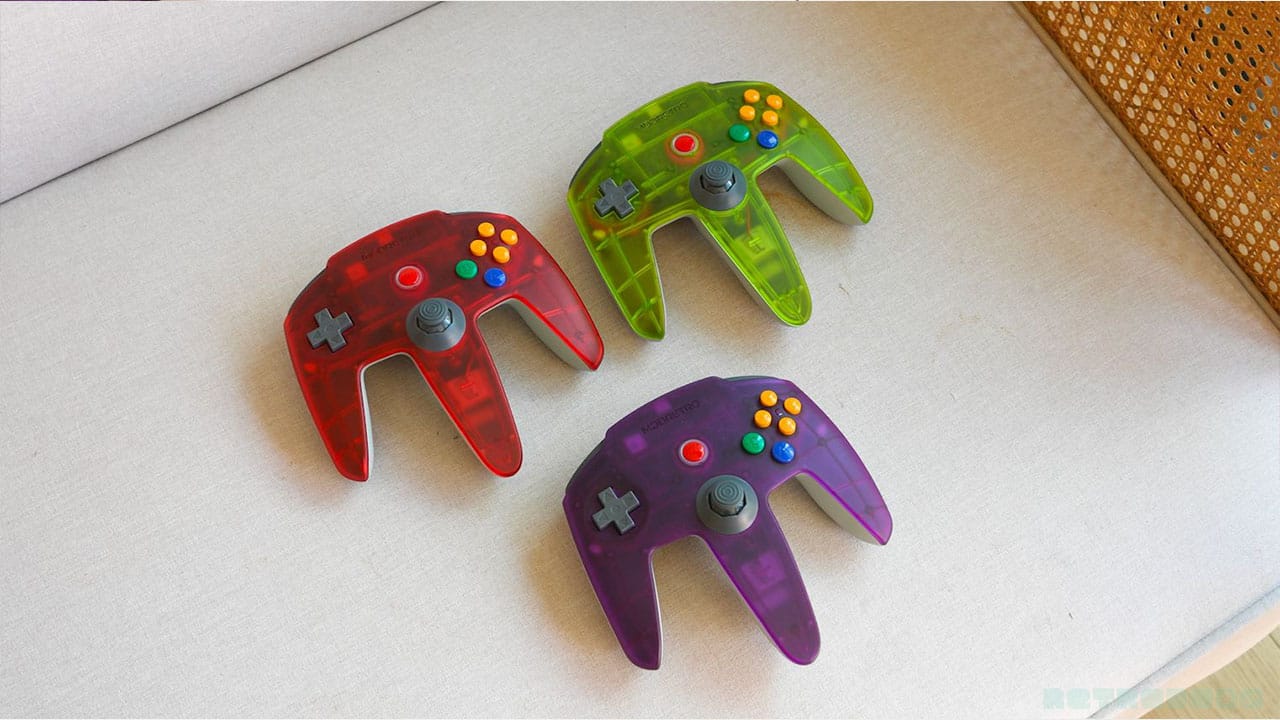
I grew up with the N64 controller glued to my hands. I defeated Ganon with it, I thwarted Gruntilda with it, and I racked up hundreds of hours on Mario Kart 64 with it. It's an iconic controller, and while I've said before that I used to get aches from the claw hand style I held it with, it's still one of my favourite remotes.
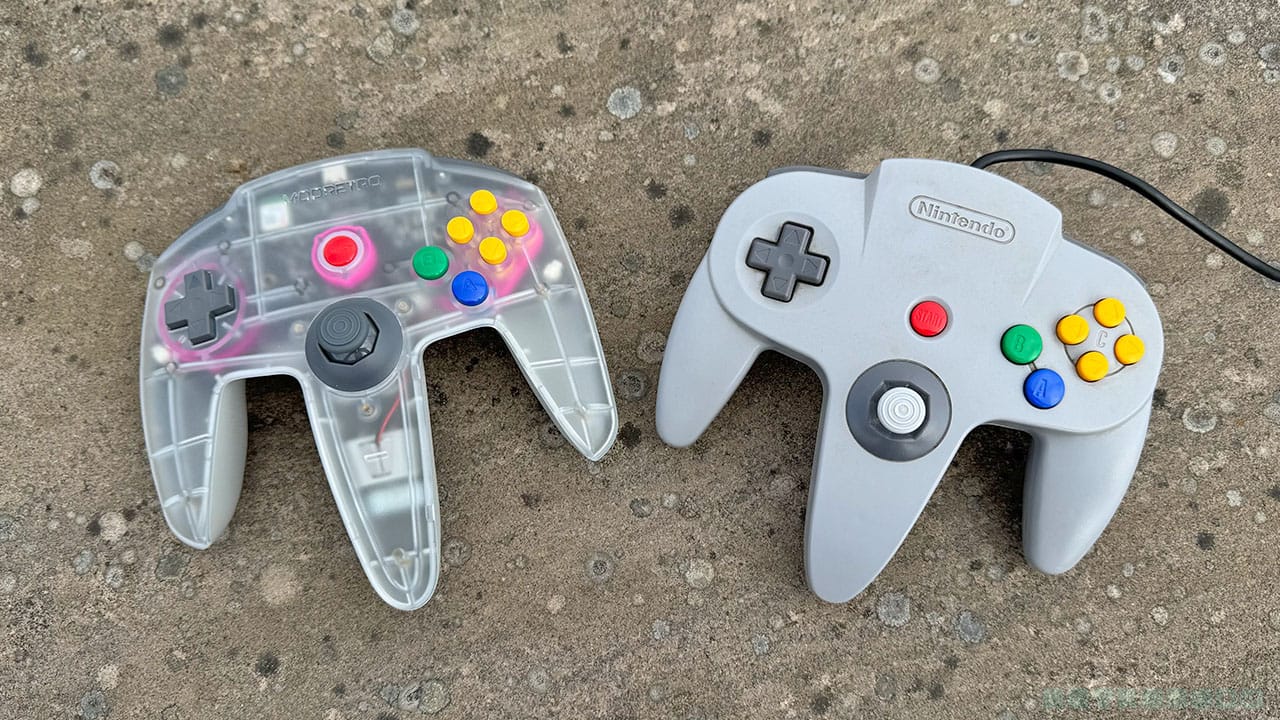
If you're going to create a console that pays homage to the N64, then you've got to pay homage to the original controller, right? There are plenty of companies like 8BitDo and Retro Fighters that make remotes that look more like the standard Pro Controller style we've come to know and love, but ModRetro are trying to recreate nostalgia here. They've brought back the Trident controller, now wireless, and with an aluminium back for a premium feel. And honestly, it's incredible.
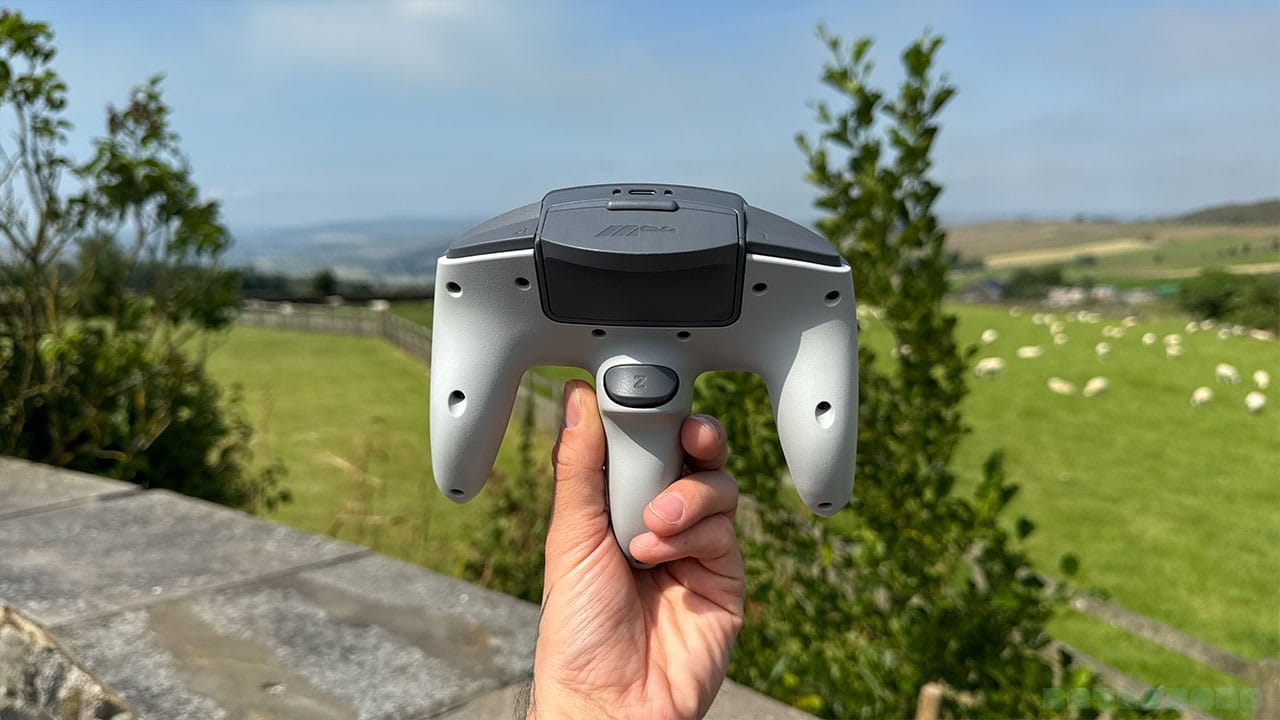
You can play wirelessly while kicking back on the sofa, or tethered to the M64 (or your original N64) with a 10-foot wire that also allows you to kick back on the sofa. Honestly, I wish I had that luxury back in the 90s instead of sitting in the middle of the living room floor! And when it comes to charging, you can charge it up using a USB-C cable in the back of the console or from any USB-C cable and plug.
Customising Your Controller
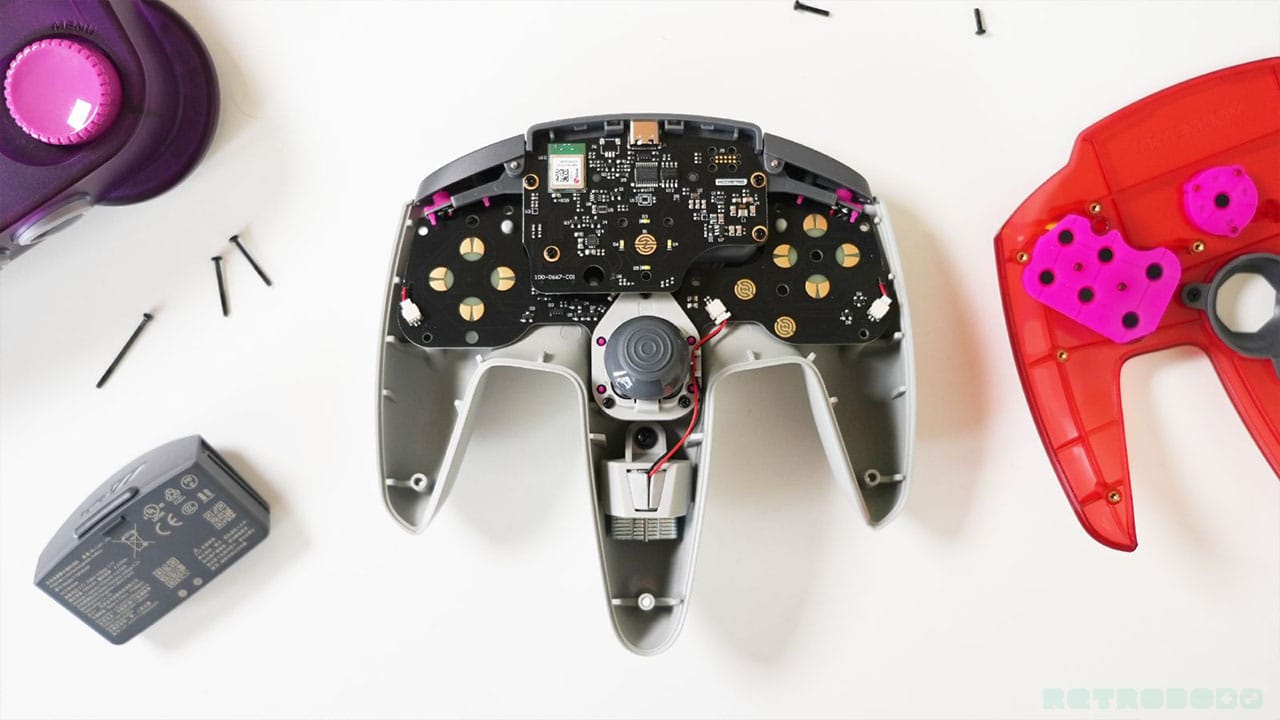
You might have noticed all of those screws on the back of the controller; it's incredibly easy to take it apart to get to the gubbins on the inside, which means you can very easily swap out your thumbstick for a different joystick should you wish. I don't think it will be long until ModRetro release customisation packs like they have for the Chromatic, with new coloured joysticks and buttons.
You can see how simple it is to take the stick out in the video above, and you can also change up the joystick gate from an 8-way gate to a 6-way gate, etc, should you wish. This is a pro controller in every sense of the word, giving serious N64 fans a way of creating their ultimate gamepad.
I won't talk too much about the controller here; you can read my in-depth review on it for more details about how it feels, the TMR thumbstick, the buttons/triggers, and more. But for now, let's get onto the specs.
Let's Talk About Specs
So let's talk about the main specs of the M64. ModRetro stated early on that there would be a 5-second maximum boot-to-game time, and that's stayed true in the main console release. Games instantly load without having to find them on a user menu, giving you that authentic hardware experience. The M64 also uses a fanless (noiseless) thermal design, so it won't sound like a jumbo jet is taking off after half an hour of gaming. The console features a 16nm process node AMD Ultrascale+ FPGA, and the PSRAM inside the M64 also allows for the M64 to unlock significantly higher overclocking than other machines.
The M64 does a very good job of recreating the feel of a CRT, with a deep, rich colour palette to the games.
While the M64 Trident controller doesn't have integration for the existing Transfer Pak like the original N64 controller, ModRetro are working to bring Chromatic Transfer Pak capabilities after launch, as well as Chromatic Video Passthrough. The FPGA core is set to be open-sourced at launch too.
What Is FPGA?
I want to give a little note on FPGA before we go any further, because some of you might not know what it is or how the M64 actually works. FPGA stands for Field-Programmable Gate Array, and it uses a 16nm process node AMD Ultrascale+ FPGA to recreate the hardware of the N64 digitally.
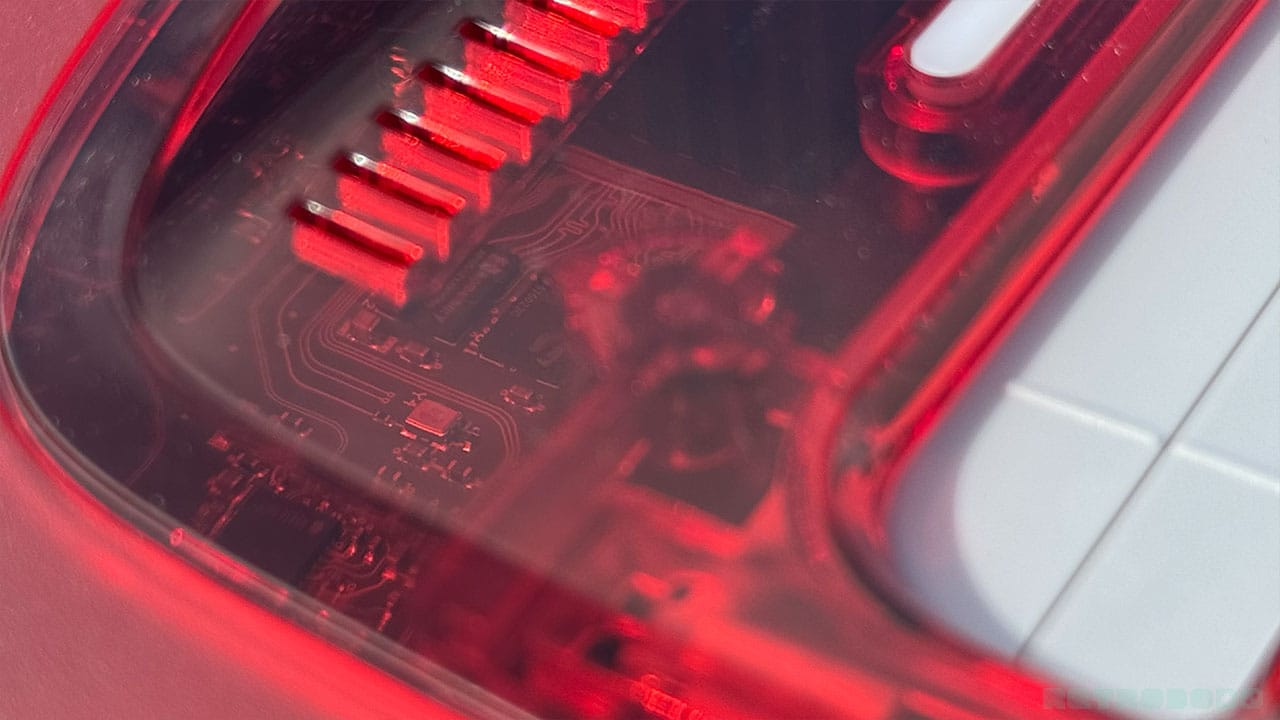
In essence, this machine behaves just like an N64 at a core circuit level. Everything runs and behaves like the N64 would have done back in the day - there's zero lag with virtually instant hardware processing. The M64 displays your games from 720p up to 4K, and you could certainly argue that it's more reliable than a 30-year-old console that might have been battered around in someone's attic. And now that overclocking has arrived, it can output more power than an N64 would have been able to 30 years ago too. You can find out more about how the overclocking features work when we get to the gameplay section.
Updating Via WiFi
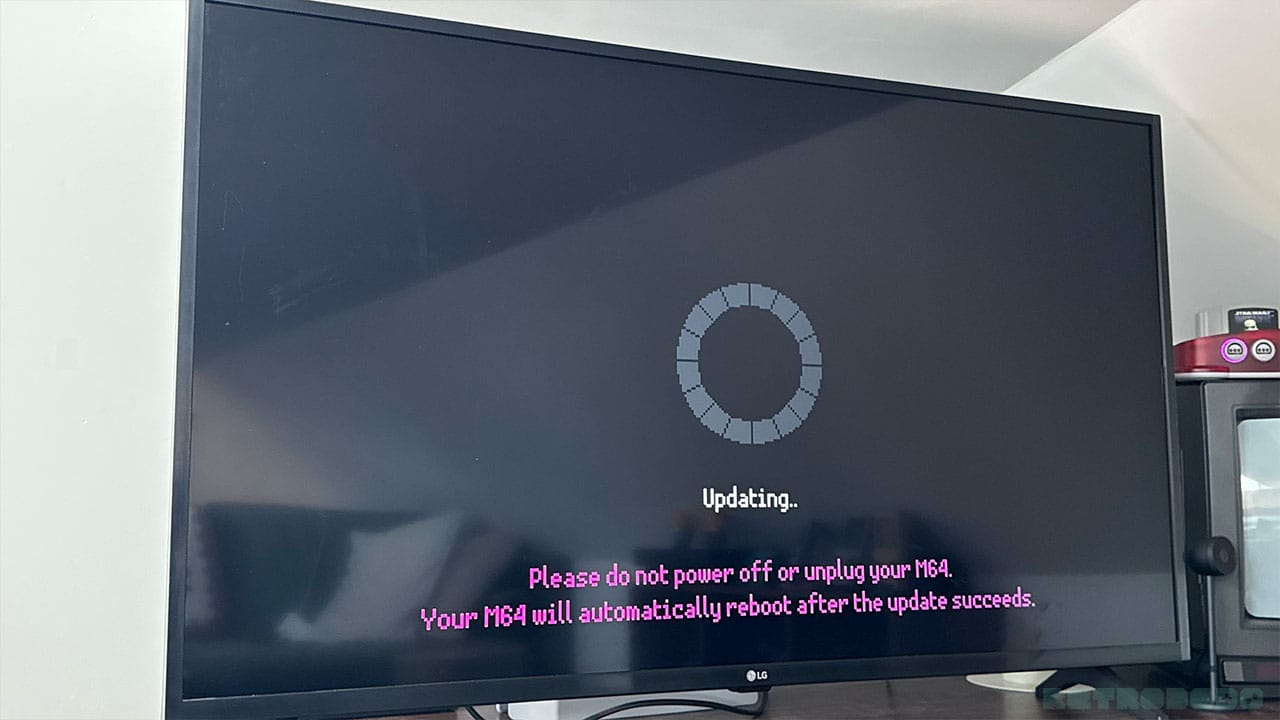
This is an absolute godsend and something that the Analogue 3D doesn't currently have. I've said it multiple times, but I don't want to update my console by taking out an SD card, plugging it into my computer, and then plugging it back into the console again. I know you can hook up the A3D to your computer via a USB cable to update it, but I don't want to do that either. I never had to update my N64, so if I have to update its successor, I want to do it as easily and quickly as possible. Thankfully, ModRetro have provided the solution.
You'll see a circular wheel on the screen set into segments, which will turn pink to show you your updating progress. You have the choice of updating from the SD card if you do prefer doing things the old-fashioned way, but updating via WiFi is so simple that you'd be mad to even consider taking the SD card out of the back. The console restarts once the update is complete, and you can check your latest firmware settings in the About section of the menu.
Over-the-air (OTA) updates take around 10-12 minutes on average. Mine took 10 minutes to update, so I'm saying this is an accurate representation of what you'll experience with production units. In essence, updating via SD card is more fiddly but could well end up being quicker, so I guess it's swings and roundabouts. I have a habit of losing small things, so I'll be going for OTA.
Hooking Up Original Peripherals
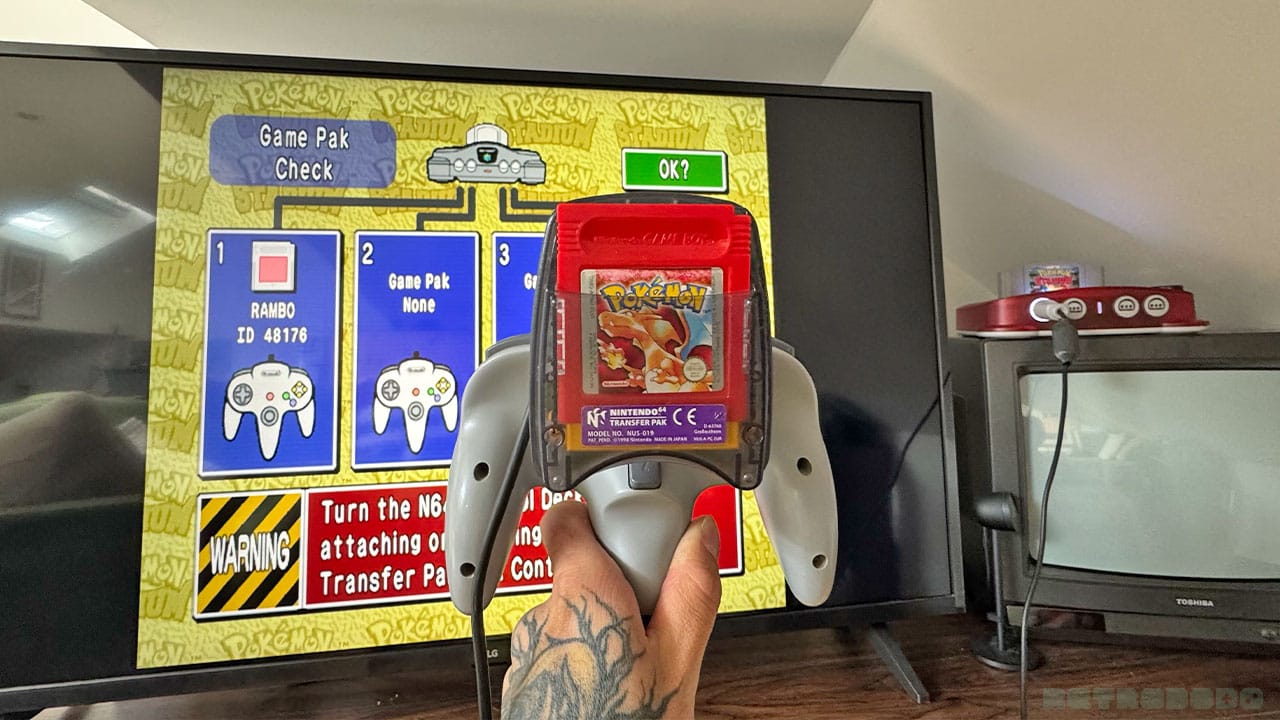
I know I've already mentioned this, but looking at the back of the M64 remote is enough to show you that your original N64 accessories aren't going to fit into the controller. There is, however, the option to hook up an existing N64 controller to one of the front ports and use your original peripherals, including Rumble, Transfer, and Controller Paks.
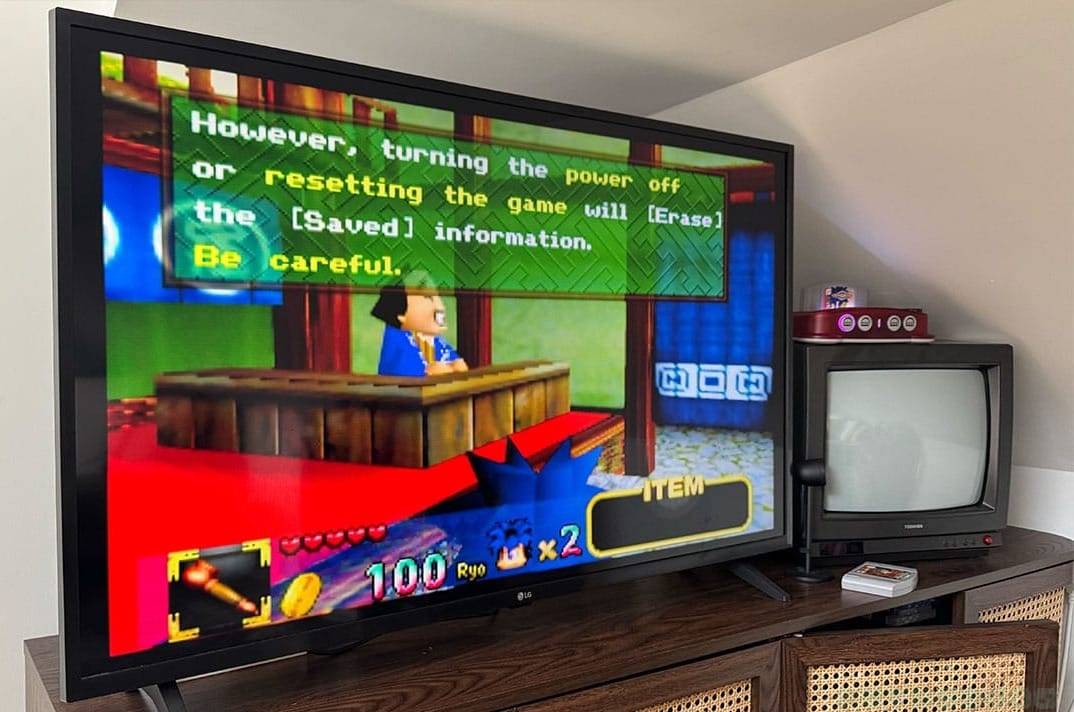
Currently, the M64 doesn't have save states - it's something that's coming after launch. So, if you want to play games like Mystical Ninja starring Goeman or any other game that requires you to save your progress on a Controller Pak, then you'll need to have an N64 remote (original or third party) and a Controller Pak to slot into it.
I'm not going to lie, it's a shame that ModRetro didn't just hold off a little bit and launch with save states as a standard feature. I would love to play Goeman or Chameleon Twist 2 with the M64 controller out of the box, but for the time being, I'm going to have to remain tethered to the wire and my old Controller Pak.
Gaming From Every Region
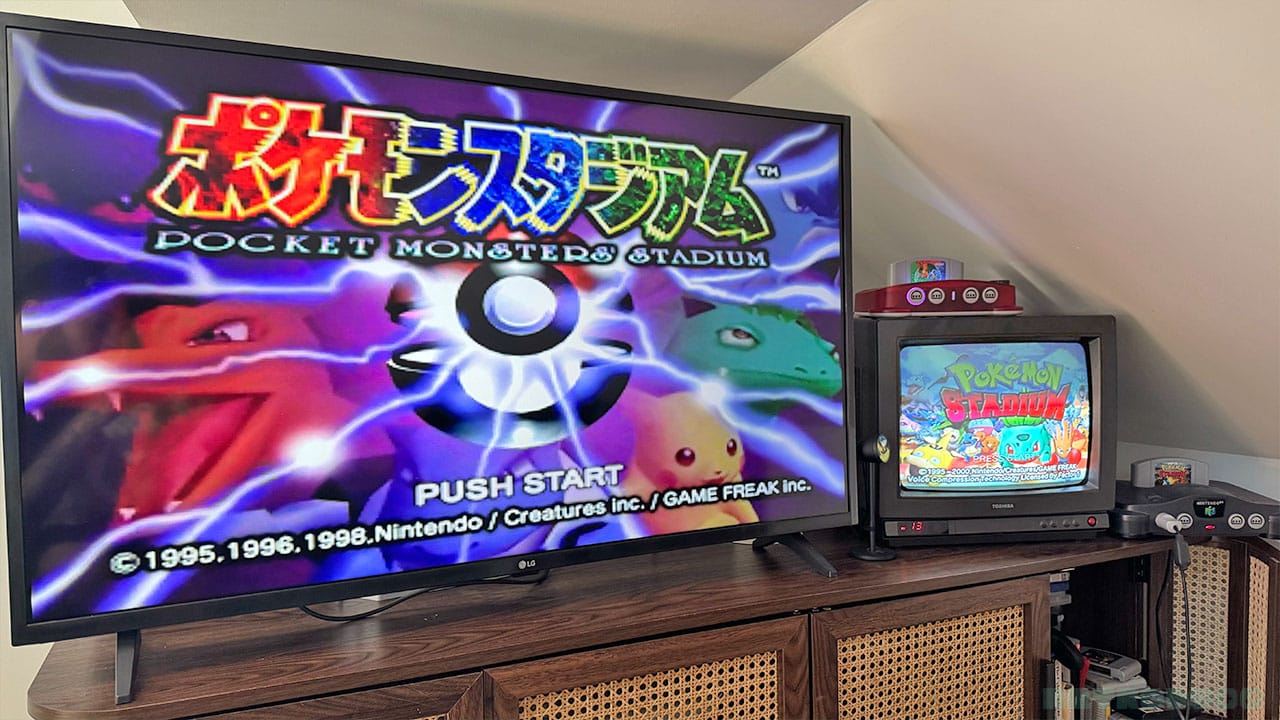
There are some games that I've owned before the FPGA N64 resurgence that I've not been able to play on my console due to them being from different territories. The M64 can play any cartridge regardless of whether it's PAL, NTSC, or J-NTSC, as you can see from the shot above of me running Pocket Monsters Stadium and Pokémon Stadium side-by-side. Ok, the menus are all in Japanese, and I don't know what's going on, but the fact that I can play it is still very cool, and I can always hold up Google Translate to help me out if I need it!
Visuals & Picking The Best Settings
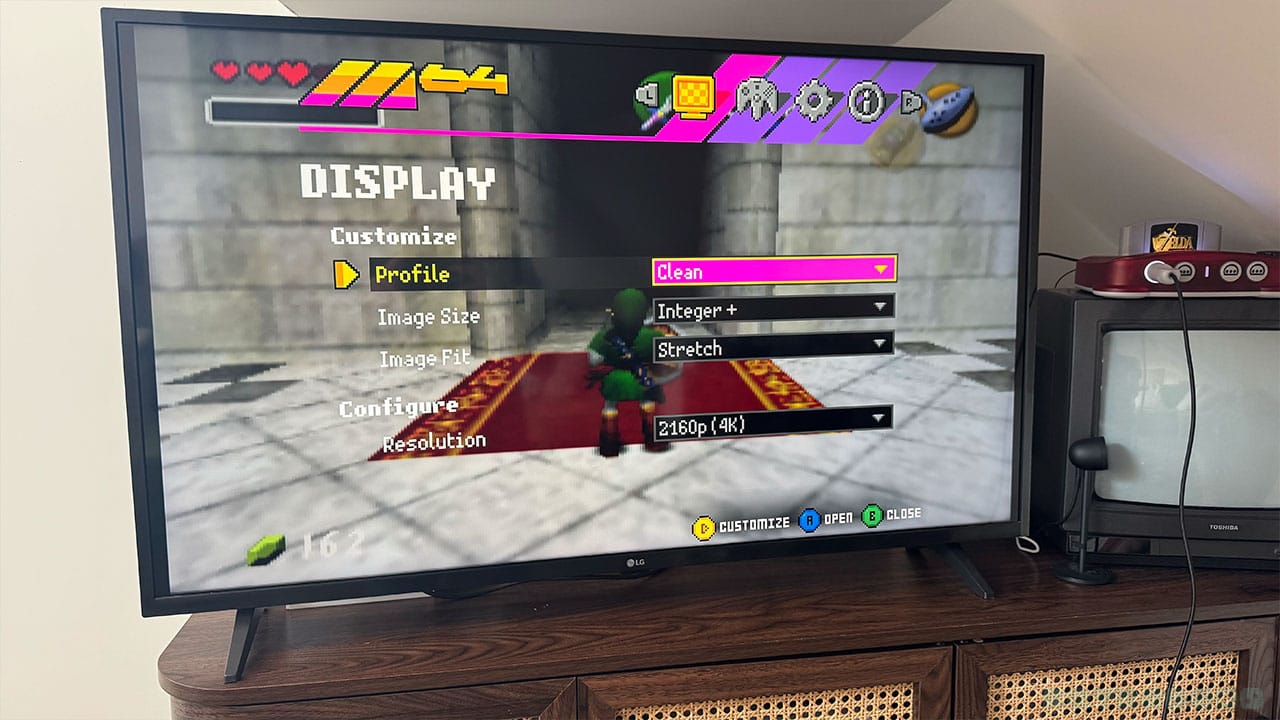
Here's the bit you've all been waiting for - how well can it play your games?
The answer - very well. I like how easy it is to pull open the menu on the M64 and choose from the different settings available. It's easy to navigate through the different sections, even if you don't know what they all mean to start with.
In terms of display settings, you'll have access to:
- Clean
- Scanlines
- CRT
- Custom
Clean makes everything look very smooth. I'm not trying to mention the competition a lot in this article, but I really do like the clean setting on the M64 better than the A3D. I've played Banjo-Kazooie and Banjo-Tooie on both, and I just think the M64's clean setting is more 'no-nonsense '.
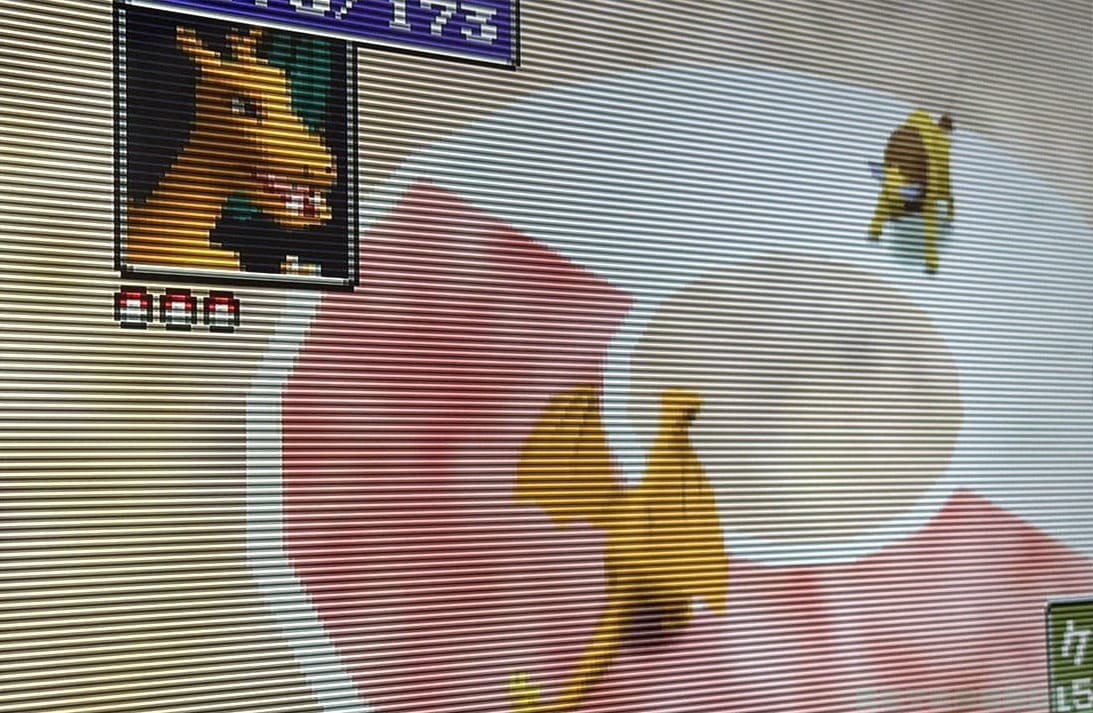
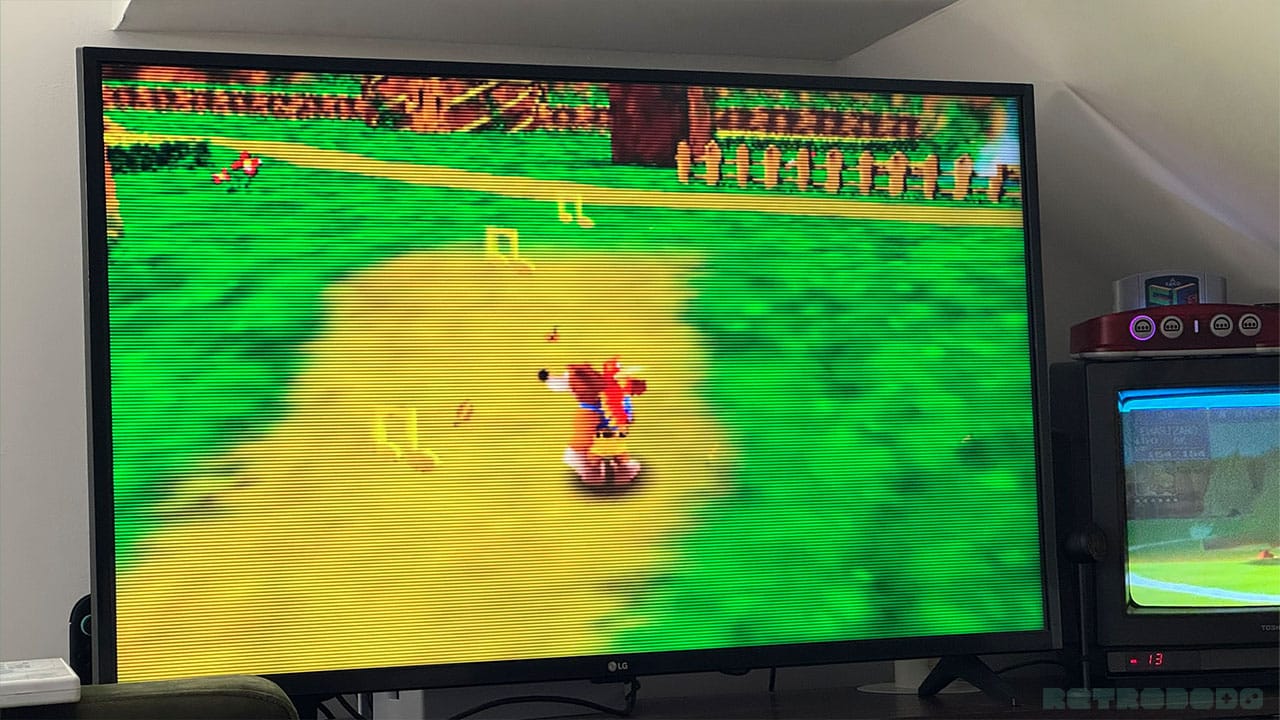
For those of you wondering what Scanlines are, I've taken a close-up picture of my TV for you here to show you. I've over-exaggerated these a little in custom settings so you can see them clearly, but these are little lines that give the display that same feeling of a retro TV.
To be honest, I don't see much of a difference between the Scanlines and CRT settings here bar CRT being slightly darker. Having said that, I think keeping it to three options is fine - sometimes choice paralysis can be overwhelming, and just keeping to a few main display settings is a smart idea for new users or those who simply just want to play without anything else impeding their nostalgic experience.
In terms of Image Size, you can choose between 'Default' and 'Integer+'. With Image Fit, you can pick between 'Native' and 'Stretch'. For gaming like 'the good old days', Default and Native give you the screen size you would have used when playing on an old CRT, using the same display size that N64 games were designed to be played at.
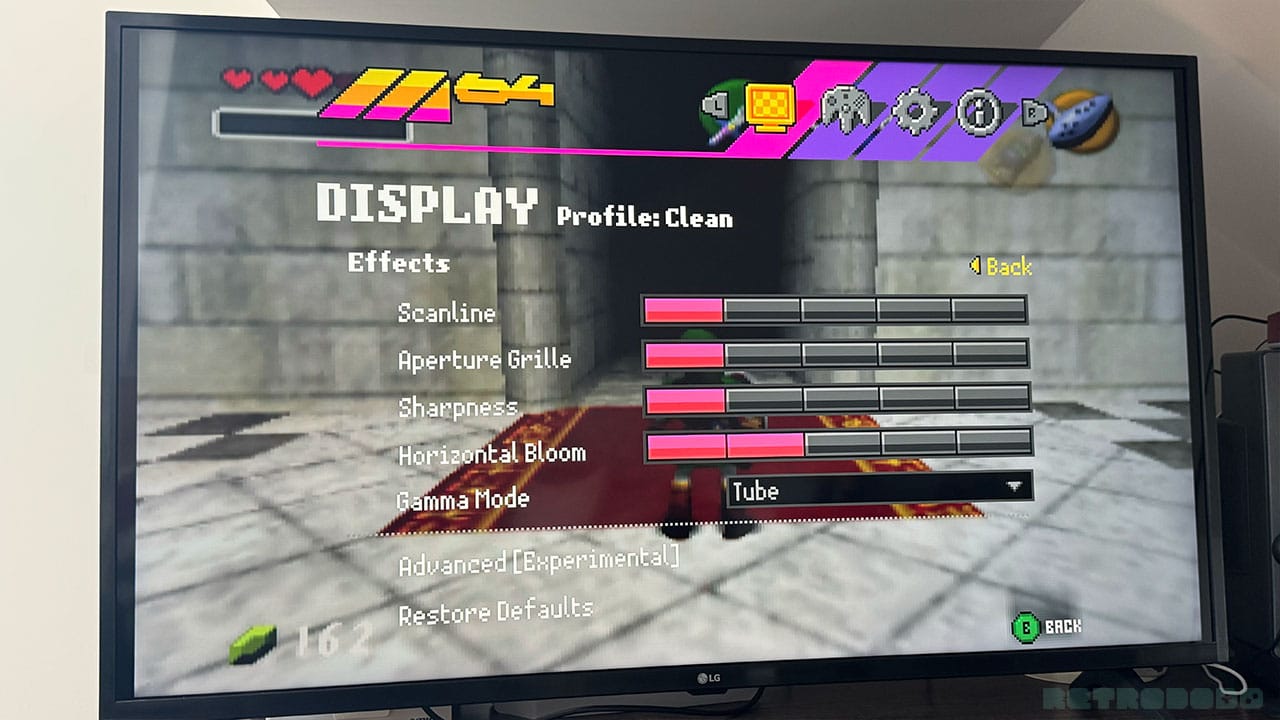
When it comes to custom, you get another bunch of effects parameters that you can change to mess around with the current settings of the Clean, Scanlines, and CRT display modes. These include:
- Scanline (Adjustable to 5 points) - Changes how clear the image is or the strength of the scanline.
- Aperture Grille (Adjustable to 5 points) - Changes the strength of the vertical lines. An aperture grille is something that sits behind the screen of a CRT and is composed of lots of little tiny wires.
- Sharpness (Adjustable to 5 points) - Adjusts how sharp the image is.
- Horizontal Bloom (Adjustable to 5 points) - Changes how bright the image is.
- Gamma Mode - Tube/Modern
Gamma Correction Mode allows you to change to either Tube or Modern. Tube has a brighter look to the display, whereas Modern gives it a darker look.
In all honesty, this is probably enough in terms of settings changes for most N64 lovers. It gives you enough to be working on and to change your image up without getting too lost. It also allows you to revert your TV back to an old CRT without having to actually go out and source one from a second-hand store or online. But if you're after creating the ultimate retro experience, then you can also dive into the Experimental Settings menu.
My Personal Settings
In terms of the best settings, I honestly have been playing everything on Clean mode. I've not had to mess about with any sharpness settings or change parameters on my favourite games - it's just been plain sailing. Because I grew up in the 90s, I have an affinity with the smaller CRT screen, so I've played Mario Kart 64 and Rogue Squadron in their native display formats more for the nostalgia than anything else. If you're new to the N64, however, you'll more than likely go for clean and stretch to make full use of your widescreen TV.
Experimental Settings
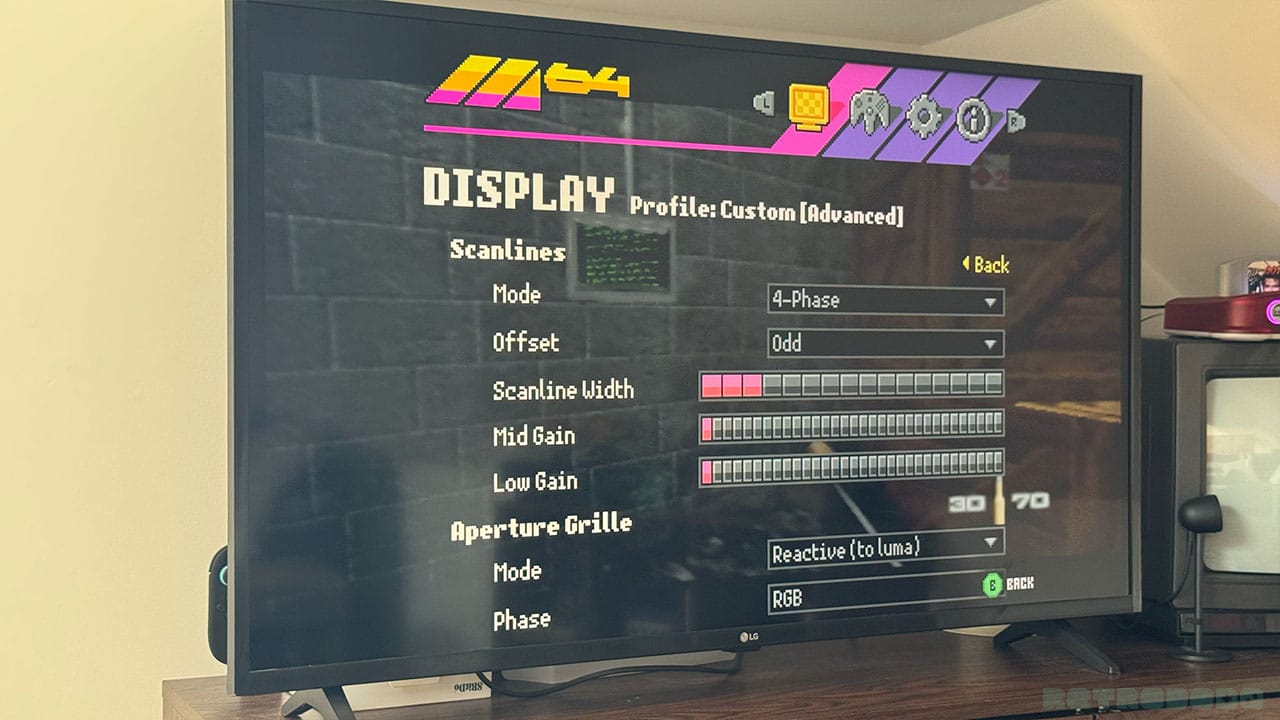
Both the A3D and M64 have extra beta or experimental features that you can use to significantly change your display settings, but the M64 is the clear winner when it comes to choice of changeable parameters. There's more going on here than I even knew was possible, with the chance to change everything from your Scanline Mode to Grill Width and Horizontal Bloom. Here's a full list of the experimental settings below:
- Scanlines
- Scanline Mode
- 2-Phase
- 4-Phase
- 6-Phase
- Scanline Offset
- Odd
- Even
- Scanline Width (Adjustable to 16 points)
- Mid Gain (Adjustable to 32 points)
- Low Gain (Adjustable to 32 points)
- Scanline Mode
- Aperture Grill
- Mode
- Static
- Reactive (to luma)
- Phase
- RGB
- GBR
- BRG
- Grill Width (Adjustable to 7 points)
- Bright Gain (Adjustable to 32 points)
- Dim Gain (Adjustable to 32 points)
- Mode
- Sharpener
- Sharp Clamp (Adjustable to 32 points)
- Sharp Threshold (Adjustable to 32 points)
- Sharp Gain (Adjustable to 32 points)
- Horizontal Bloom
- Bloom Clamp (Adjustable to 32 points)
- Bloom Threshold (Adjustable to 32 points)
- Bloom Gain (Adjustable to 32 points)
- Video
- Scaler
- Integer
- Integer+
- Bilinear
- Lanczos-Integer
- Lanczos-Bilinear
- Scaler
- Bilinear
- Deblur
- Gamma Correction
- Dithering
- Force Dithering
- Anti-Alliasing
- Divot Filter
- Noise Filter
- 7-Bit Color
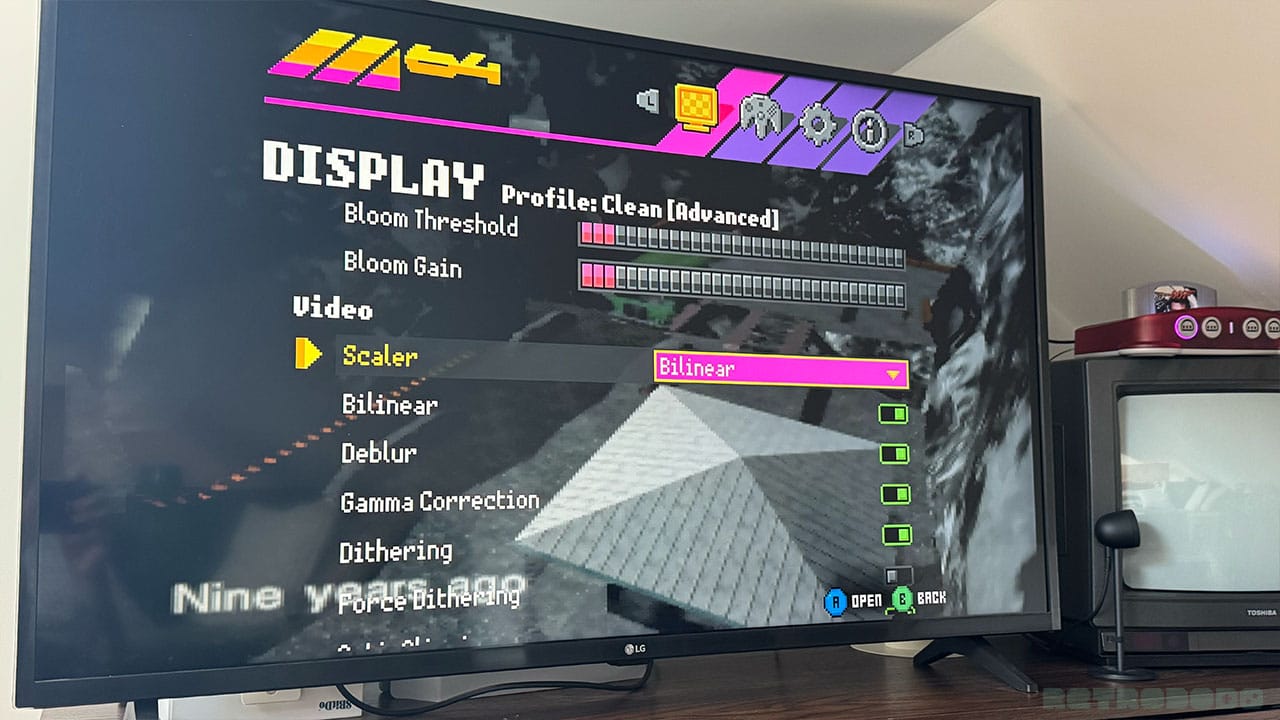
Most of the time, you'll probably end up playing with the gain and width of your scanlines to create your desired custom CRT effect. I'm not sure how much use the standard player wanting to have a bash on Mario Kart 64 will get from Divot Filter and Force dithering settings, but if you are a display connoisseur and want the option to mess around with these intricate settings, then they're there for you to play around with at your leisure.
Gameplay
When it comes to gameplay, everything works smoothly just like it did on the N64. As I've said before, the FPGA recreates the inner workings of the console digitally, meaning that it runs just as an N64 would have back in the day. Your games will play as smoothly as they did on the original system, just as long as they're fully compatible with the M64.
I've tested out The World Is Not Enough and Banjo-Kazooie here for you so you can see some examples of gameplay, and we've also covered other games in our reviews and coverage of the system so far. I've had fun playing on Ocarina of Time and GoldenEye with the M64 too, the latter of which has really seen some improvements thanks to overclocking.
Overclocking
Overclocking is one of the things we wanted to see on the system before it launched. The A3D has it, so the fact that the M64 was going to launch without it just seemed like a shame. Well, ModRetro have worked tirelessly this last few days to get it up and running as an experimental feature, and I've been messing around with it for the past 24 hours to get to grips with how it all works.
To give a brief explanation of overclocking, it forces processors to work faster, creating more cycles per second, thus increasing the clock speed of your system. It allows for faster and better performance, outdoing what the N64 can produce.
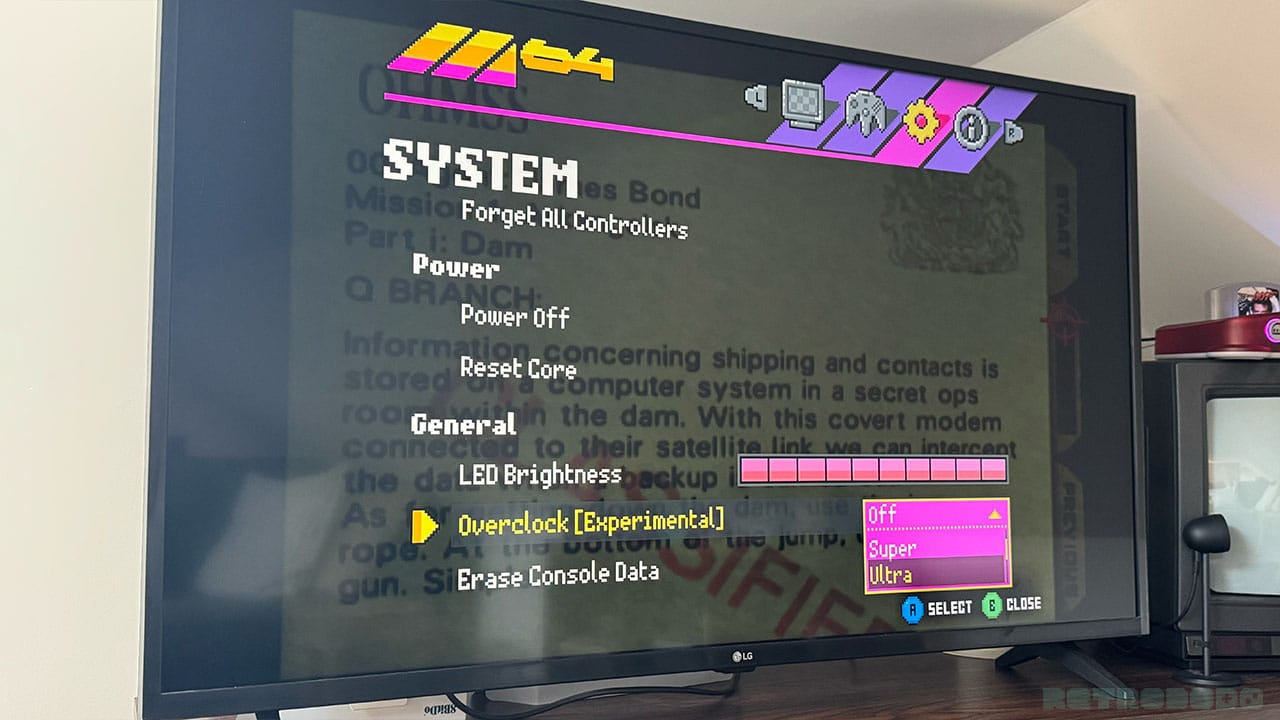
The Overclocking [Experimental] settings are:
- Off
- Super - 17% faster
- Ultra - 33% faster
- Extreme - 50% faster
- Insane - 67% faster
I've noticed some changes to games like GoldenEye and Turok when using overclocking; the performance of GoldenEye is a little bit slow and not wholly smooth without overclocking, but when turned on to ultra mode, I'm finding the gameplay much more enjoyable. Everything runs much more smoothly. The same goes for Turok 2 - upping the overclocking to Ultra seems to get rid of the FPS issues I've been seeing and makes the cutscenes and gameplay feel so much smoother.
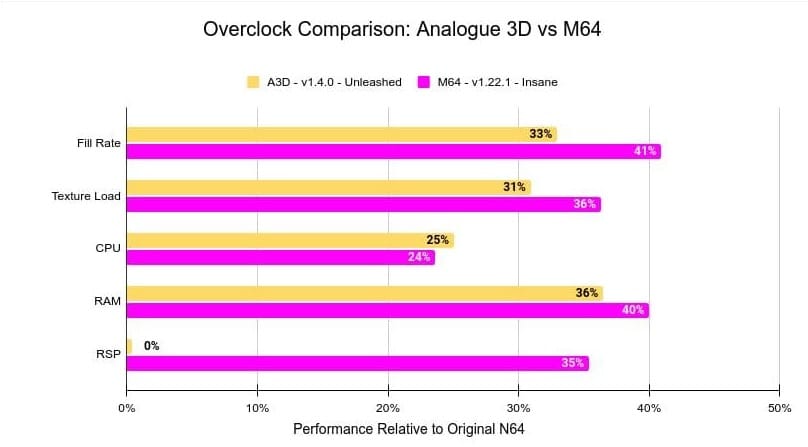
This is still an experimental feature, however, and I have noticed a few glitches when moving between overclocking settings. Changing between Extreme and Insane settings has brought up colourful pixels on my screen which make it hard to look at gameplay or settings. The same goes for changing to Insane mode, where I've had a black screen and distorted writing. It will also restart your game while it puts the new mode into place, so bear this in mind when you're playing and save before changing settings.
Game Compatibility List
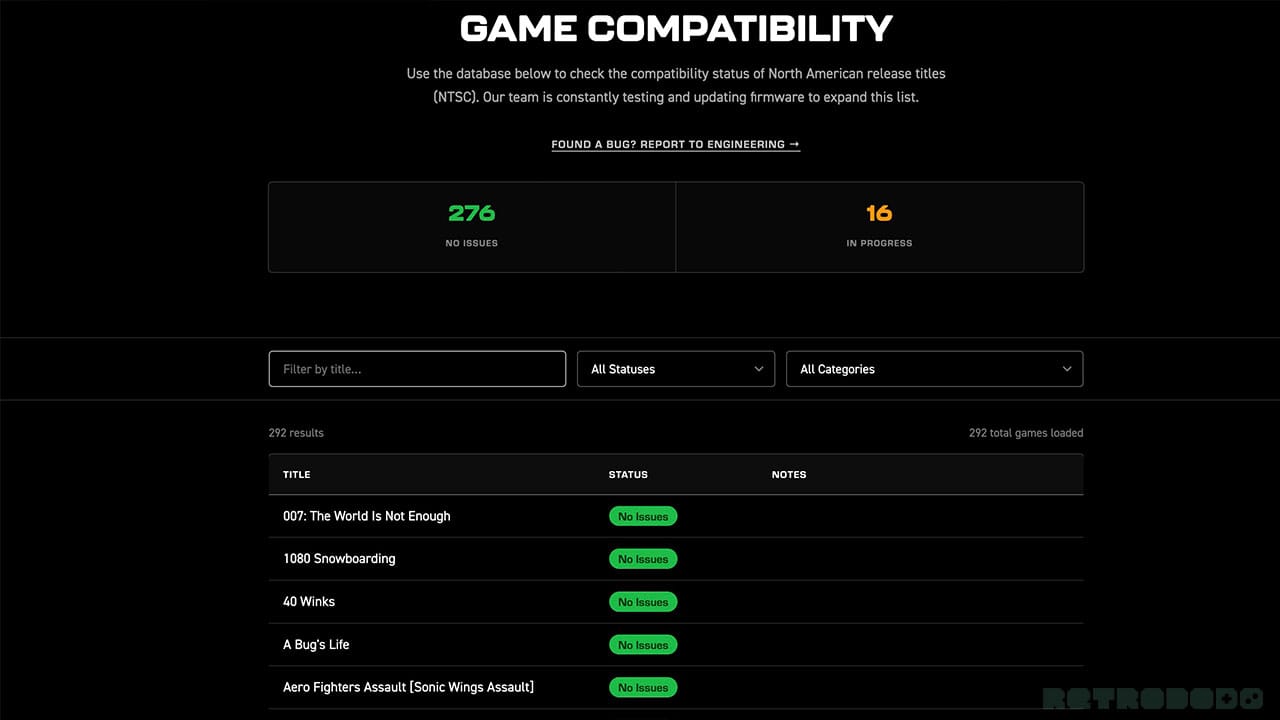
Not every game works smoothly with the M64 just yet, but ModRetro aren't hiding this fact. They have a game compatibility list that lets you know whether games play with no issues, or whether they're still 'in progress' and need a little work. As I've said already, I've tried Turok 2, which is currently in the 'in-progress' category, and I'm seeing dropped framerates and jittery cutscenes without overclocking on. But I know that ModRetro is actively working on this, so again, it doesn't feel too bad. Some of the other games on the in progress list are some of my all-time favourites like Donkey Kong 64 and Jet Force Gemini, but there are plenty of titles that already work perfectly for me to get stuck into.
There are 276 games with no issues, and 16 games that are still a work in progress. That's a total of 292 games and a compatibility rating of 94.52% of the games currently working for the system. That's up from 85.94% as of a couple of days ago, so ModRetro are putting the pedal to the metal when it comes to getting the full NTSC game list working with the M64. There are 296 games available for NTSC machines, which means there are currently 4 games unaccounted for.
How Does It Compare To A CRT?
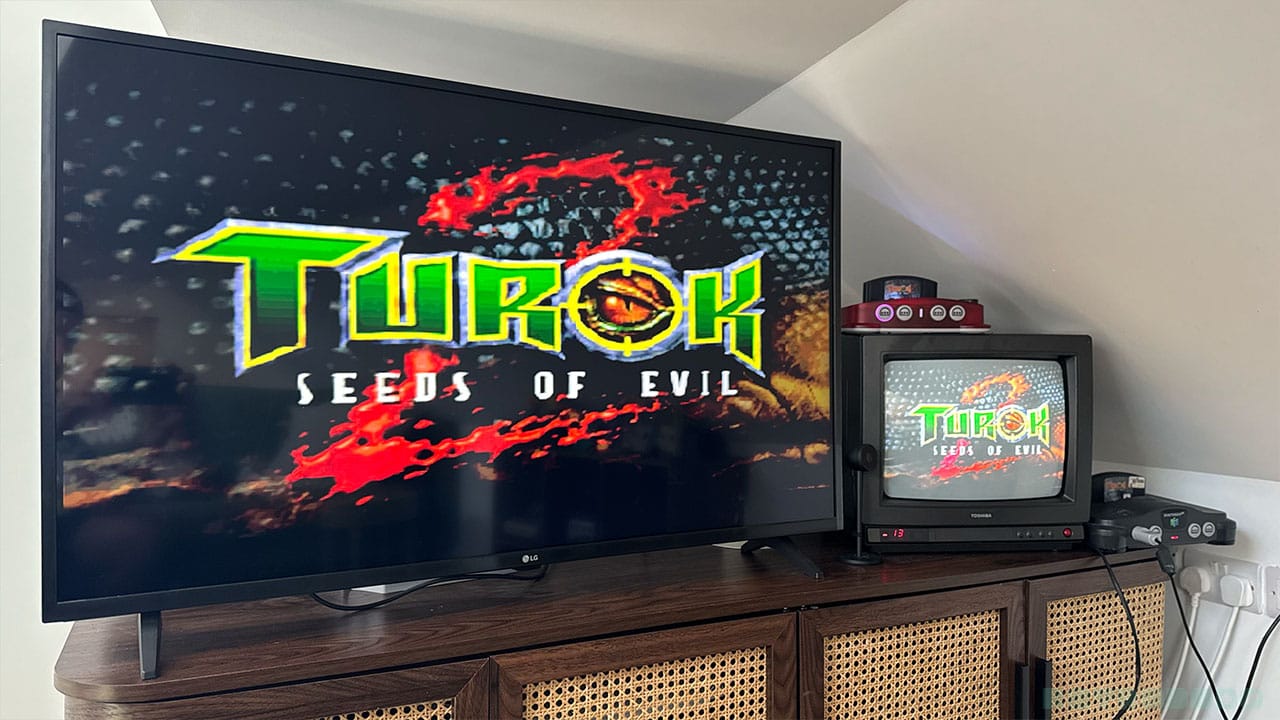
I grew up with CRTs, so I'm always going to be a little biased. Having said that, even I have to admit that the M64 does a very good job of recreating the feel of a CRT, with a deep, rich colour palette to the games. I'll also say that the CRT doesn't come up very well on photos, so while it looks a lot lighter on the pics here, it's actually closer to the colours you see on my LG TV.
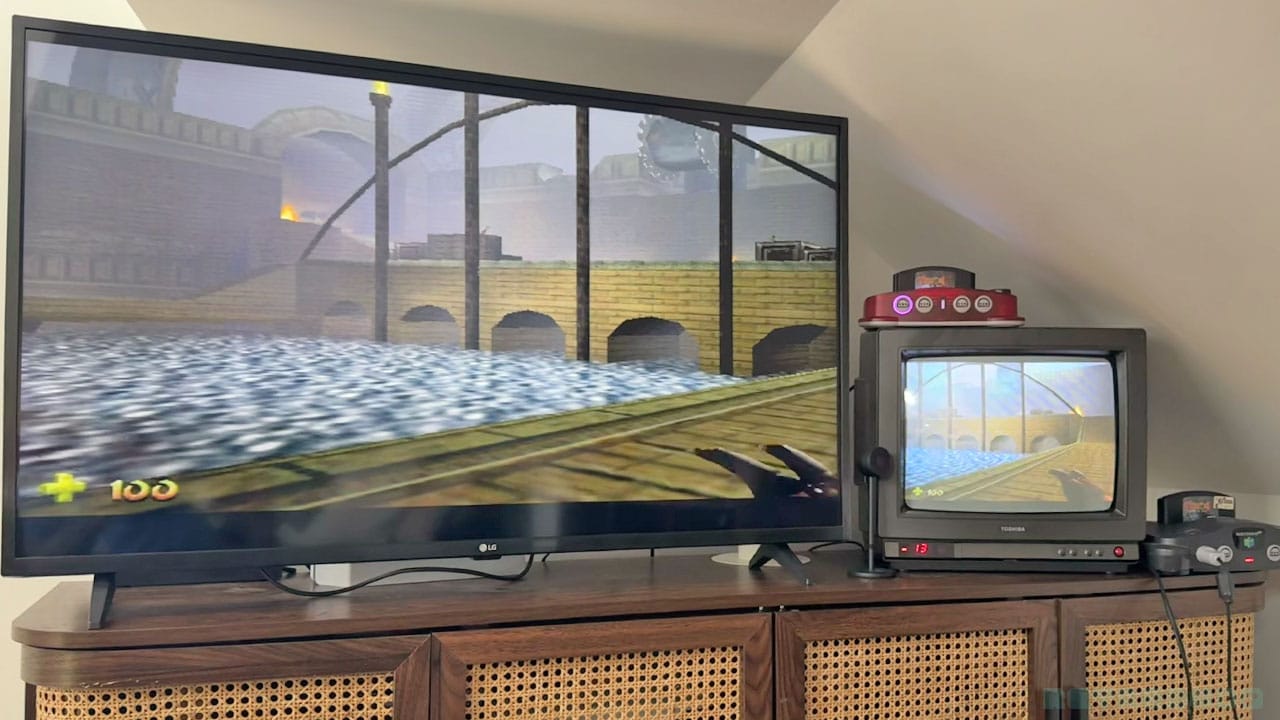
Obviously, these games were meant for a 4:3 format, so everything's going to look a little out of proportion on stretch mode when you compare the two side-by-side. But as you can see from the image above, it doesn't look ridiculous by any stretch of the imagination (pun intended).
Games like Ocarina of Time are always going to feel more nostalgic on a CRT, but that's just because that's how they were designed to be played. But playing in Native image fit does a great job of creating that same feeling, and I'm very aware that not everyone has access or the room to store a CRT in their living room either.
Playing ROMs via Flashcarts
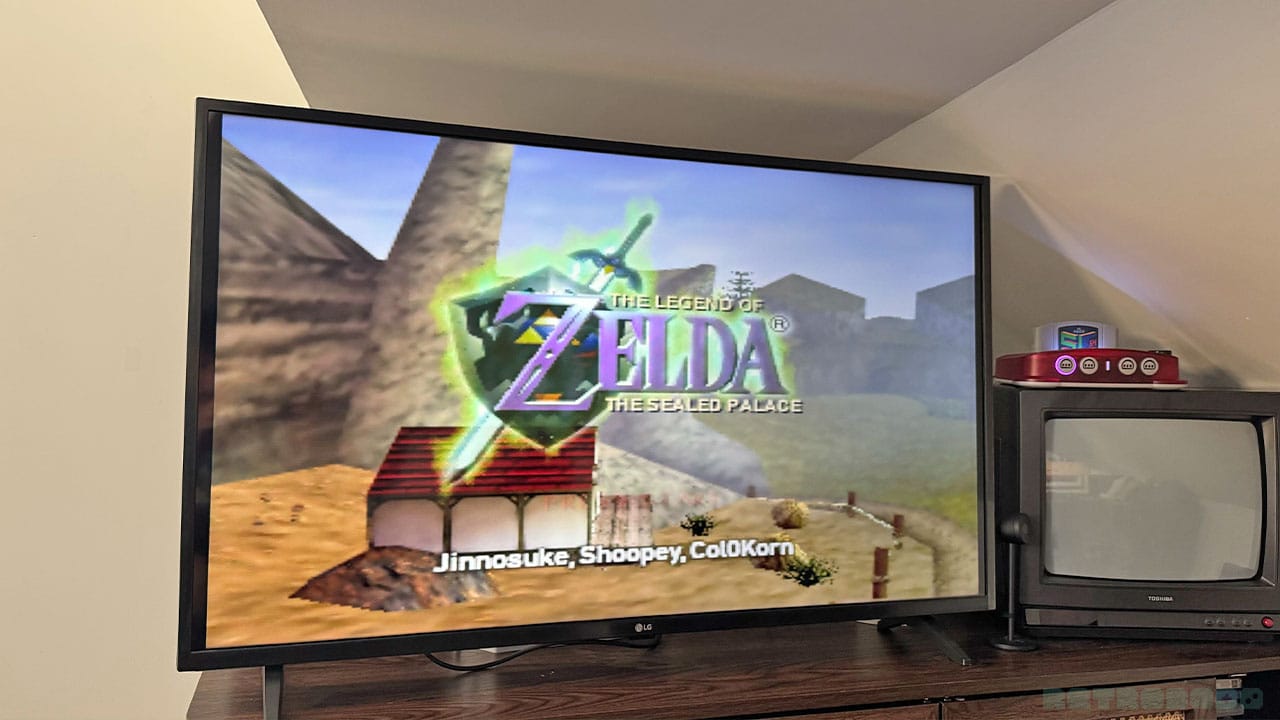
I'm a huge fan of the Summercart 64 and have spent a lot of time playing ROM hacks like The Sealed Palace and Jiggies of Time on the M64. It boots up the Summercart quickly, just like the original N64, and allows me to access all my games easily as it would on original hardware.
You can mess around with the display settings just like you would normal N64 games, changing scanline width and size and customising bloom, etc. But more than anything, it's just amazing to play N64 ROM hacks and fangames on a new version of the console with an updated Trident controller too. Games like Pokémon Kart 64 feel more like a real N64 game than ever before now.
The M64 works with the Summercart 64, EverDrive X5 and X7, so whatever Flash cart you're using, you'll be able to play some amazing games that were never released on the system.
Final Thoughts
- Encapsulates 90s nostalgia with a sleek yet fun, toy-like design
- Great new features and a retro UX that appeases my inner 90s kid
- Fantastic premium controller that can be played wirelessly or with a 10-foot wire
- Easy updates via WiFi
- Lots of changeable settings (both standard and experimental), including overclocking
- Small, lightweight, and reliable thanks to FPGA
- I would have loved save states to be a feature before the console shipped. It's coming, but being able to play Turok and Mystical Ninja Starring Goemon and save my progress straight out of the box would have been great
- I would love to see OTA updates reduced to under 5 minutes
Honestly, I find it hard to pick fault with the M64. It ships in fun, colourful colours as standard instead of bland black and white; it has a fun UX; it has a ton of exciting features with more on the way; and the game compatibility list is almost at 100%.
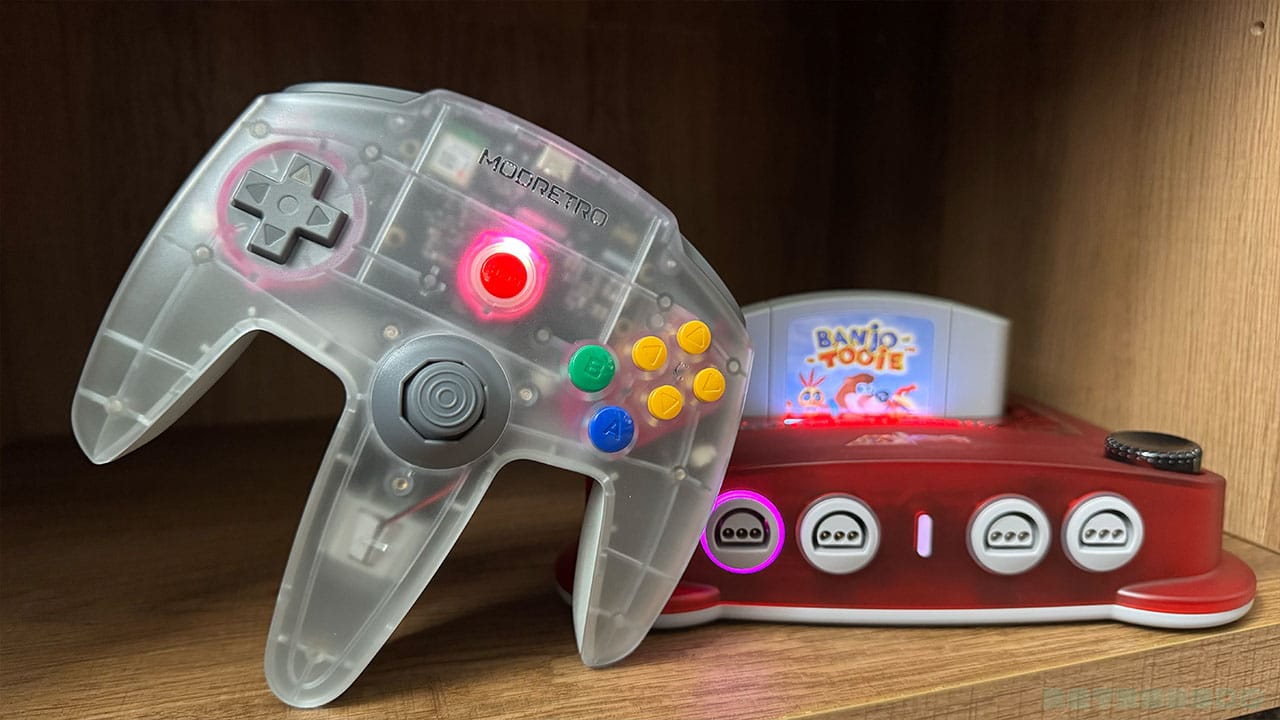
As I've said above, save states would have been something I wanted to have straight away, but they're coming. I'm more than happy playing all of the other games like Banjo and Ocarina that save to cart for now, knowing that I can just use my original N64 to save to a Controller Pak if needs be.
The fact that ModRetro are releasing new games for the system too is something I'm really excited about. This was a review of the hardware only, but you can rest assured that software reviews will be heading your way in the next couple of weeks.
The console officially ships on July 28th, exactly one week from now at the time of writing. I'm looking forward to seeing all of your thoughts on this console over the coming weeks and months. For now, it's time for me to beat Ganon all over again!


