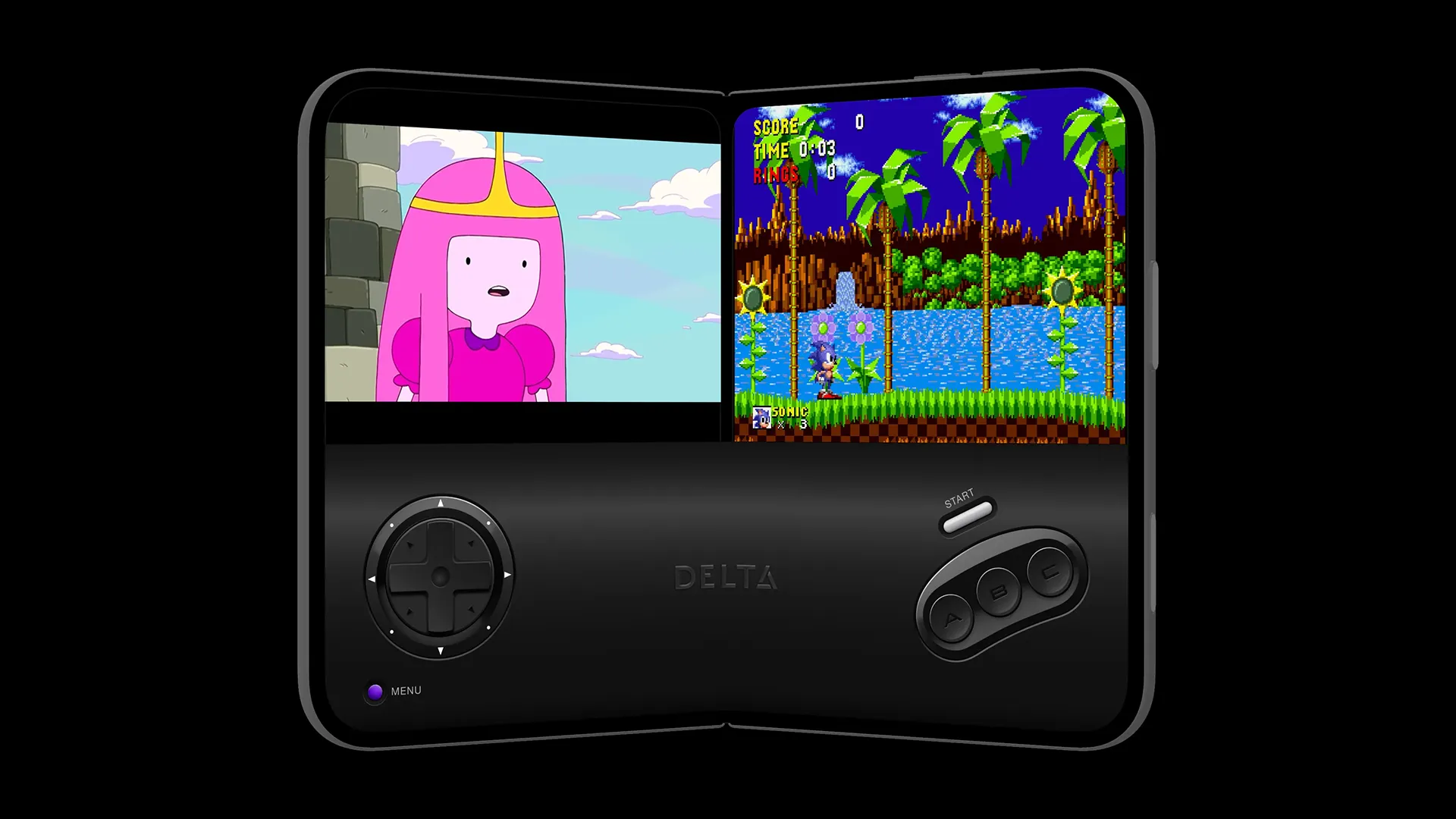
One of the most popular emulation applications on iOS has just got a major update, just in time for the iPhone Duo. And when I say one of the most popular, I really mean it, as Delta iOS has been downloaded over 20,000,000 times; that's absolutely bonkers and shows just how many retro gamers want to emulate on iPhone.
This new 2.0 update comes at the perfect time and takes full advantage of all of the new UI requirements for iPhone Duo and the Liquid Glass display, alongside the addition of a new console to emulate in the app, one of my favourites, in fact!
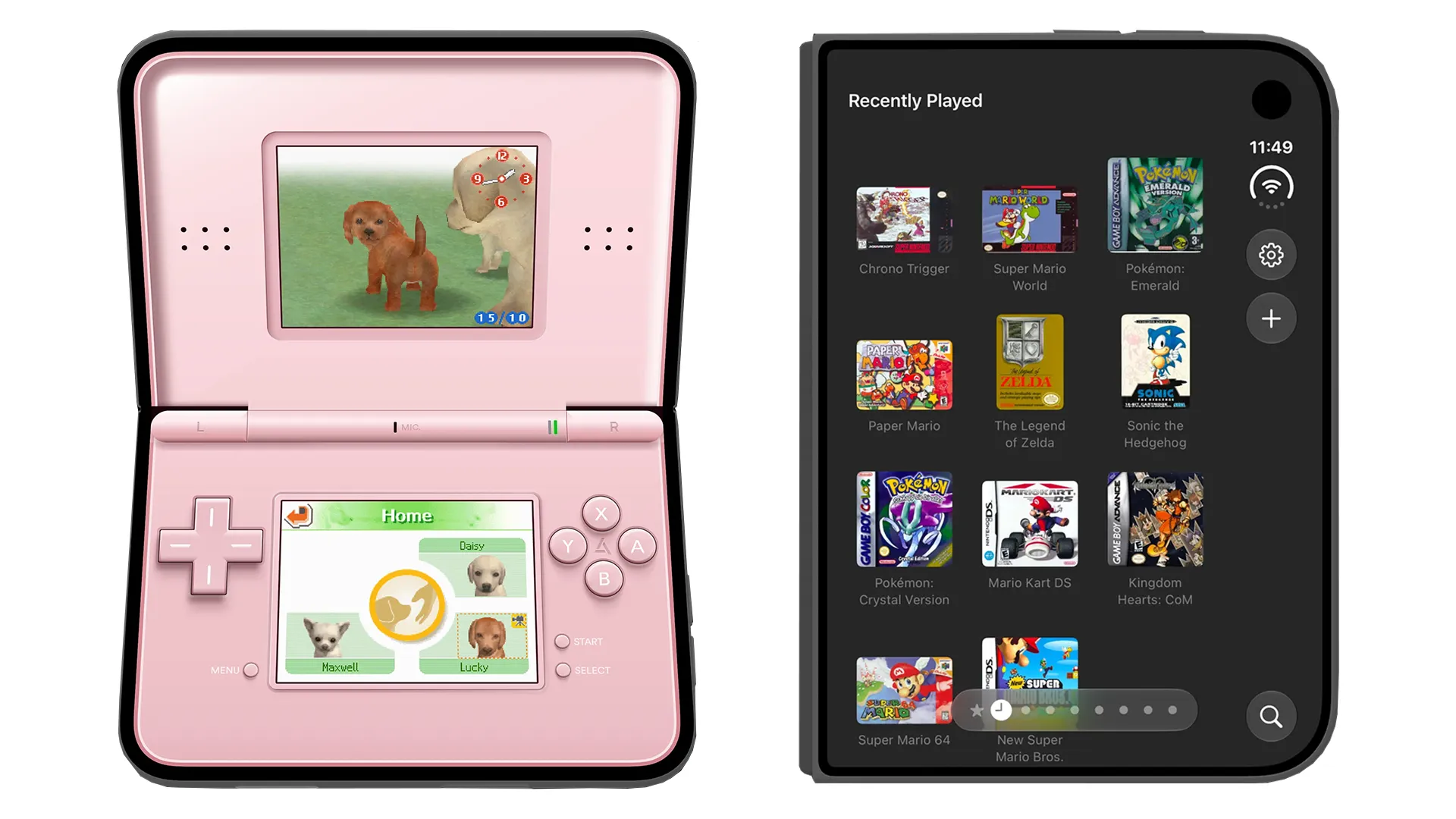
"If you're getting Apple's first foldable, the DS experience is unlike anything you’ve ever had on Delta before. Let the nostalgia flow, because unfolding your phone feels like opening that iconic clamshell from 2004! We’ve been eagerly awaiting this moment, and we put everything we had into Delta since the Duo was announced so that it would all be ready on day one" states Riley, Co-Founder of Delta.
Oh, and one more thing: for the first time, Delta is available on the EU App Store, which couldn't be possible beforehand due to Apple's Core Technology Fee that would have cost the Delta team "millionsof dollars", but now that the CTF is finally gone the European Commission has allowed European retro games to download Delta from Apple's official app store. So, what's new?
What updates are in Delta 2.0?
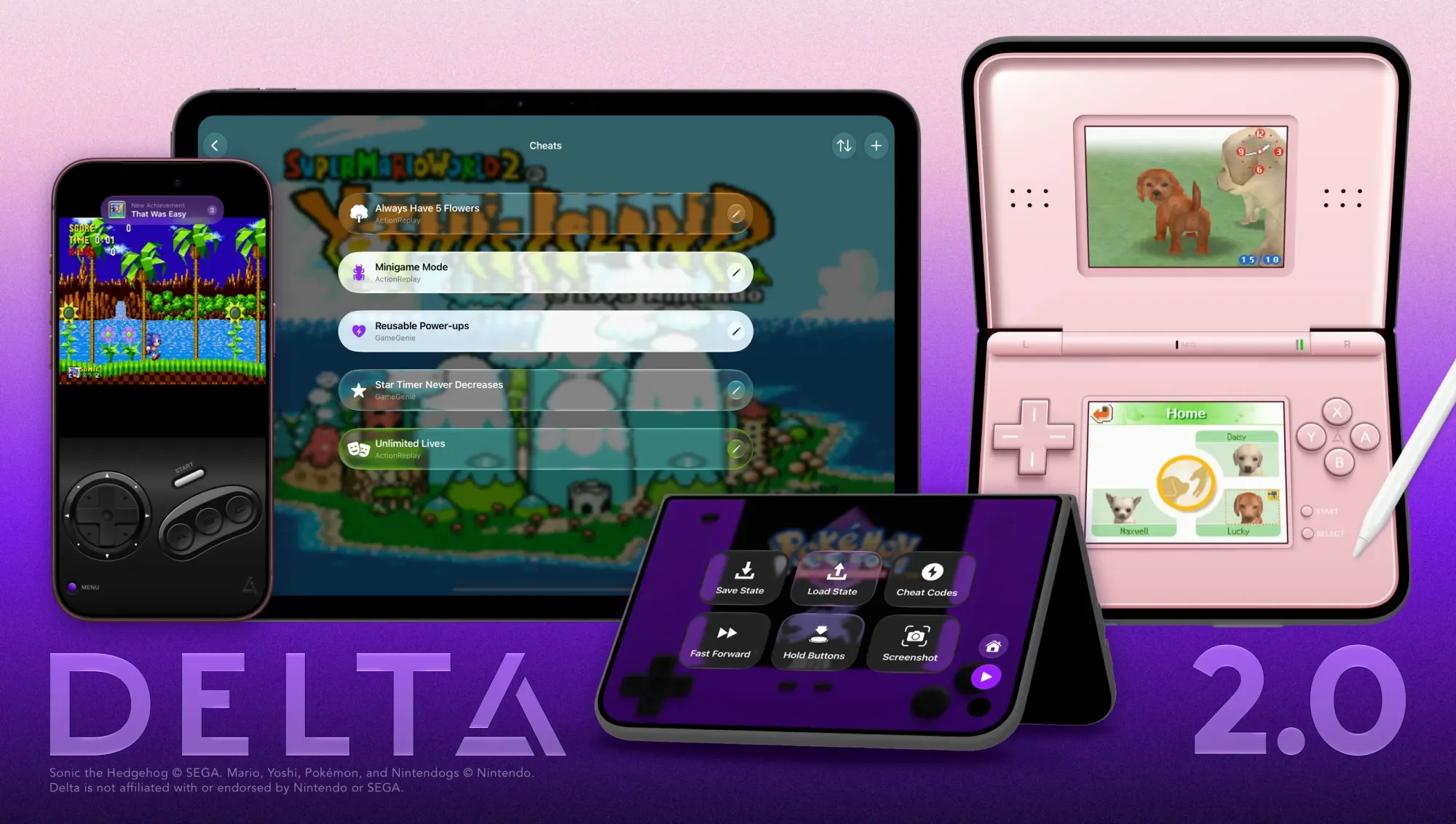
- Delta unfolds in all-new ways to take full advantage of iPhone Duo, including optimised controller skins, support for split view when multitasking on iPhone Duo, and putting DS games to sleep just like closing the lid of a real DS.
- Sega Genesis/Mega Drive support, including new controller skins for iPhone and iPad, recreating the classic Genesis controller look, and built-in support for Action Replay and GameGenie cheats.
- Fresh new UI designed from the ground up for Liquid Glass that fully adapts to all screen sizes from Duo to iPad, alongside system icons that mark every page in your Game Library and default artwork now has a light, glassy look.
- Sign in with your RetroAchievements account to earn achievements in any supported game; it supports Hardcore mode, which disables loading save states/using cheats and it shows your achievement progress when you launch a game.
- New "Recently Played" and "Favorites" pages in Game Library, allowing you to quickly jump back into your most recently played games.
- Controller skins come to life with support for fully animated buttons and controls, with support of 3rd-party skins so that "skin creators" can make their own. You can also try out Delta's new official animated GBA skin, designed by Caroline Moore.
- New audio settings to control how Delta handles other apps’ audio.
- Customise how your Game Boy games look with color palettes for original Game Boy games, supporting all the official color palettes from GBC.
- Customise your experience with various Fast Forward speeds set per-game; adjust them to your needs from the pause menu or in-game settings.
- Long-press to move your game screen wherever you like when playing with a controller, which is something I requested for the GAMEBABY case and 8BITDO FlipPad.
- Custom in-game experiences for classic Pokémon games can be used as "DLC", unlocking event items, rare Pokémon and more, supporting all mainline GBA games. Coming soon.
- Redesigned Pause menu and settings menus.
- Added custom filters, allowing you to set them per-system, including a CRT filter and more. You can even import your own.
- Epilogue GB & SN Operator support so you can use your devices and physical cartridges with Delta.
You can download Delta 2.0 from the App Store today.