The Brawler64 has been many people's go-to N64 controller for a while now, and for good reason. It brought that Pro Controller feel to a console with a controller that has caused many gamers a lot of hand cramps over the years. It modernised the N64 and provided a comfortable pad that everyone could grab hold of and game with easily.
Now, Retro Fighters are back with the Brawler64 Pro, the second coming of the Brawler64 with new features and a sleek new design. Is it worth upgrading, and how does it feel when playing your N64 games? And (and here's the crucial point), is it as good as the competition, controllers that have all released since the original Brawler64 came onto the scene?
The Brawler64 Pro is the evolution of Retro Fighter's ever-popular Brawler64 controller, bringing a new ergonomic feel to the classic remote many of you have used since 2018. With improved accuracy, back triggers, and changeable features, it's a great remote for N64 fans who have become used to the modern Pro Controller but still want retro features, and while it looks the part, there are just a few things stopping me from giving it full marks.
- Price: $69.99
- Works With: N64, Switch/Switch 2, Analogue 3D, M64, PC, Steam/Steam Deck, MiSTer FPGA
- Available From: Retro Fighters, Amazon (anticipated release this month, August 2026)
What's In The Box
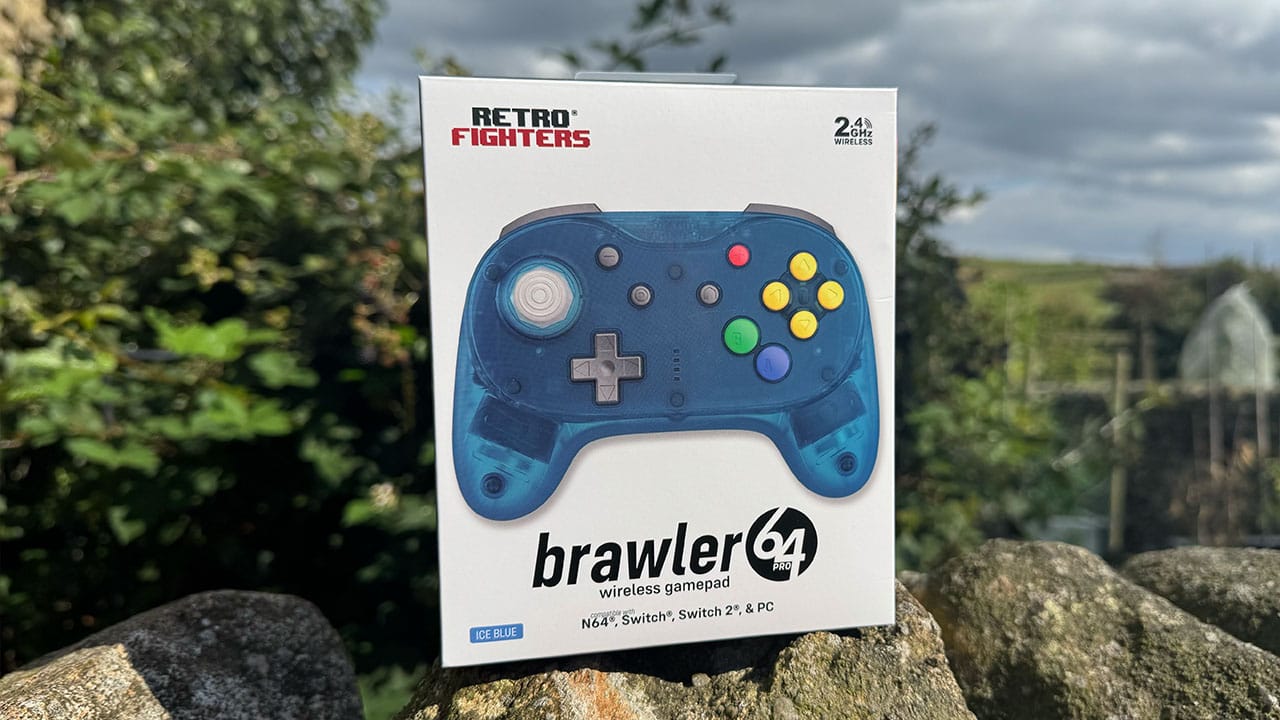
RetroFighters know how to package their goods; I discovered this recently with the packaging for their Battle Dock. I know packaging isn't something you usually think about when you're picking up a controller, but they use every millimetre of space inside their boxes.
The controller and instruction booklet sit inside the larger main box alongside a USB-C to USB-A cable, with two equally sized, smaller boxes featuring the faceplate and dongles sitting behind it. Everything's easy to pull out and labelled nicely, and there's a lot of cardboard which you could easily recycle if you're not bothered about keeping the box.
Let's Talk Specs
What features does the Brawler64 Pro have? Well, here are the main headlines:
- 2.4G wireless connection
- Hall-effect Analog stick with improved stick accuracy
- 8-way notched gate
- Immersive vibration (fully adjustable)
- Lockable back trigger buttons
- Over 30-feet wireless range
- 1000Hz polling rate in wired mode
- D-pad with Kailh switches
- Comes with dongles for N64 compatibility and Switch 2 use. Also works with A3D and the M64.
- Ultra-low latency - 2.90ms wired and 5.32ms wireless.
- Magnetic faceplate system to change up the colour
Customisable Faceplates
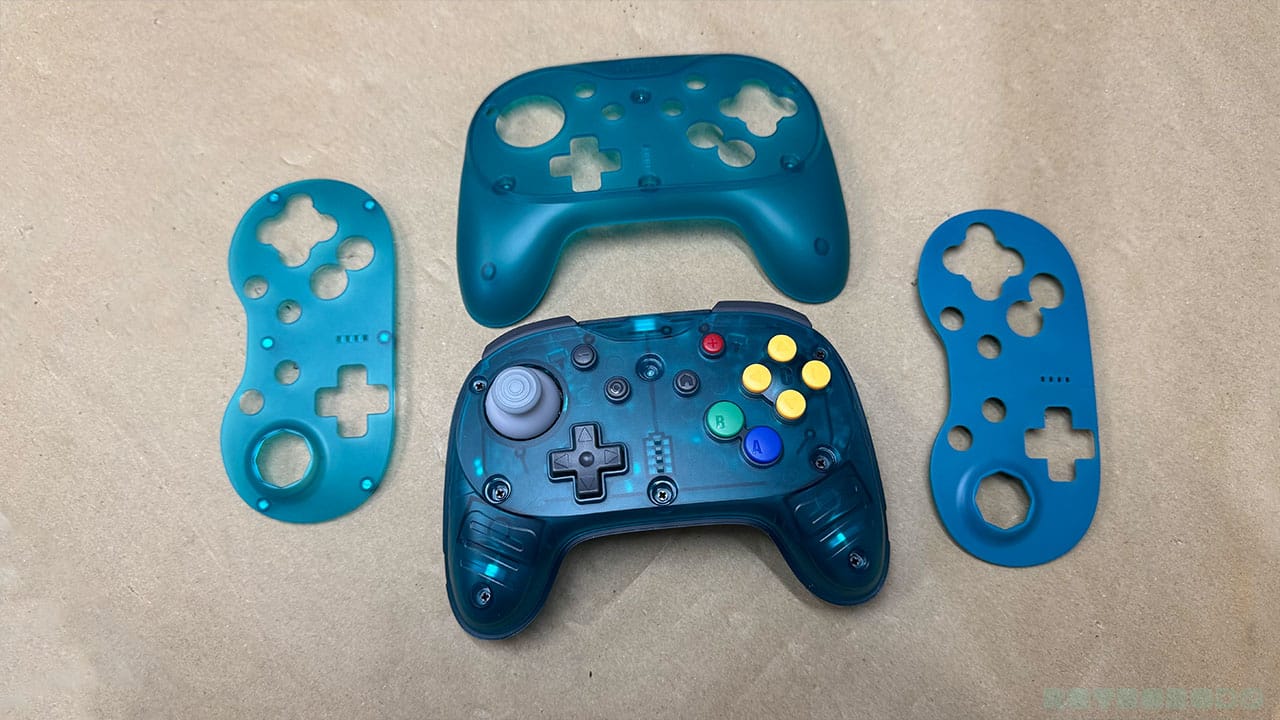
It's almost like that last bullet point was put there to lead into this section, huh? I like customisable accessories, and the Brawler64 Pro provides you with the chance to change the front faceplate with other colours from the range. There are two small notches on the side of the front casing that allow you to pull it off super easily, revealing the SNES controller-shaped plate you can see on the left and right of the image above. This lifts out through the main casing easily - just hook your finger into the analog stick gate and pull it free.
Each controller comes with a solid block colour version of the controller's colour for you to swap in or out. I like my translucent tech, so I've left mine as is, but if you wanted to mix things up and add in a grey or black faceplate, for example, then you have the option!
The Buttons
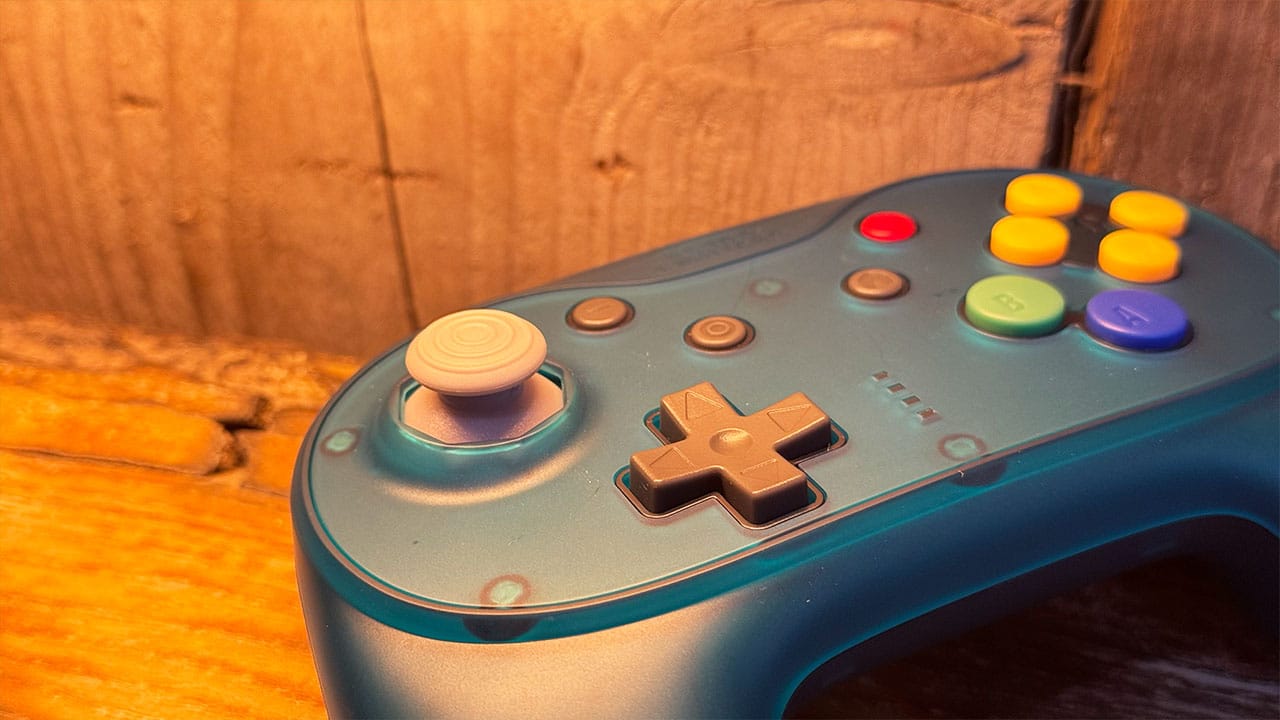
I know this isn't something that I normally start with when talking about controllers, but the D-pad is exquisite. Ok, it's not a part of the controller you tend to use too much unless you're playing Pokémon Stadium or Kirby 64: The Crystal Shards, but they're two awesome games that are well worth playing, so you might end up listening to the satisfying clickety clack of the Kailh Switches more than you might think!
Honestly, this is one of the best D-pads I've ever used. It's responsive, it sounds great, and it feels nice under my thumb. Nice work, Retro Fighters!
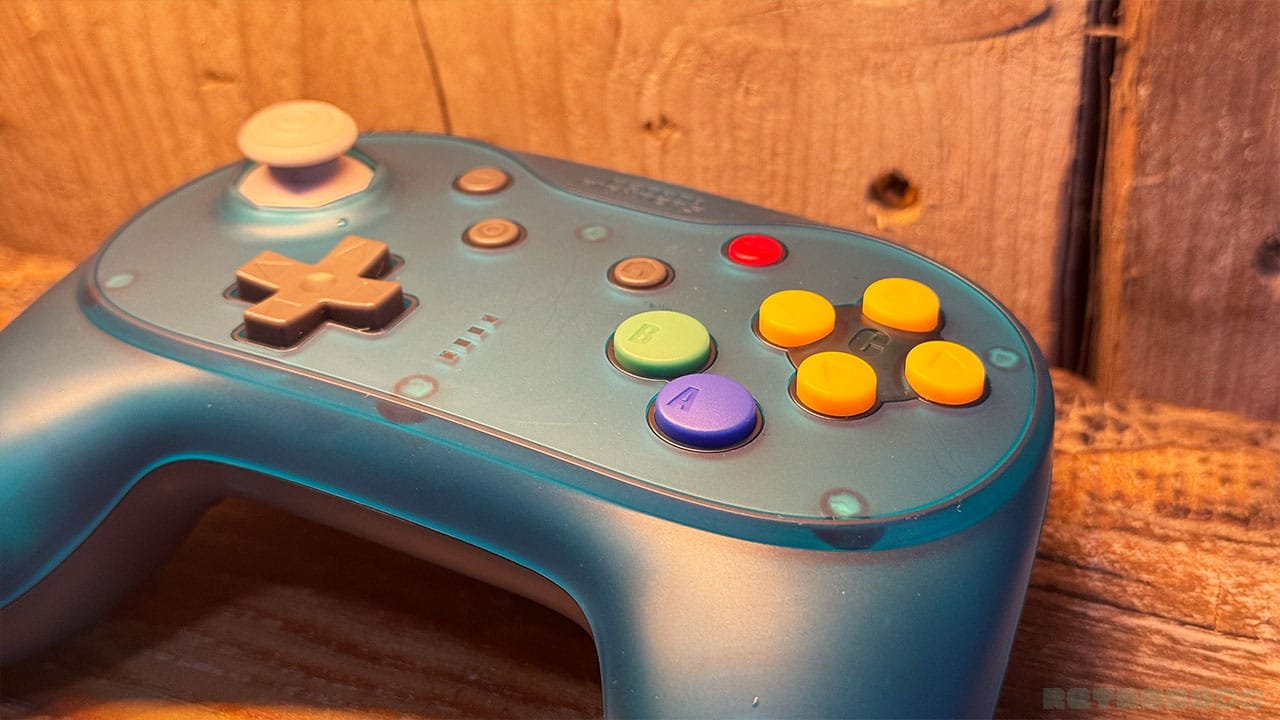
The A & B buttons are a similar width to the N64 buttons but flatter with more of a matte finish to them. I know that's very specific, but anyone who has spent a lot of time with the original N64 controller will appreciate what I'm talking about here. They're the buttons you'll be hitting the most, after all.
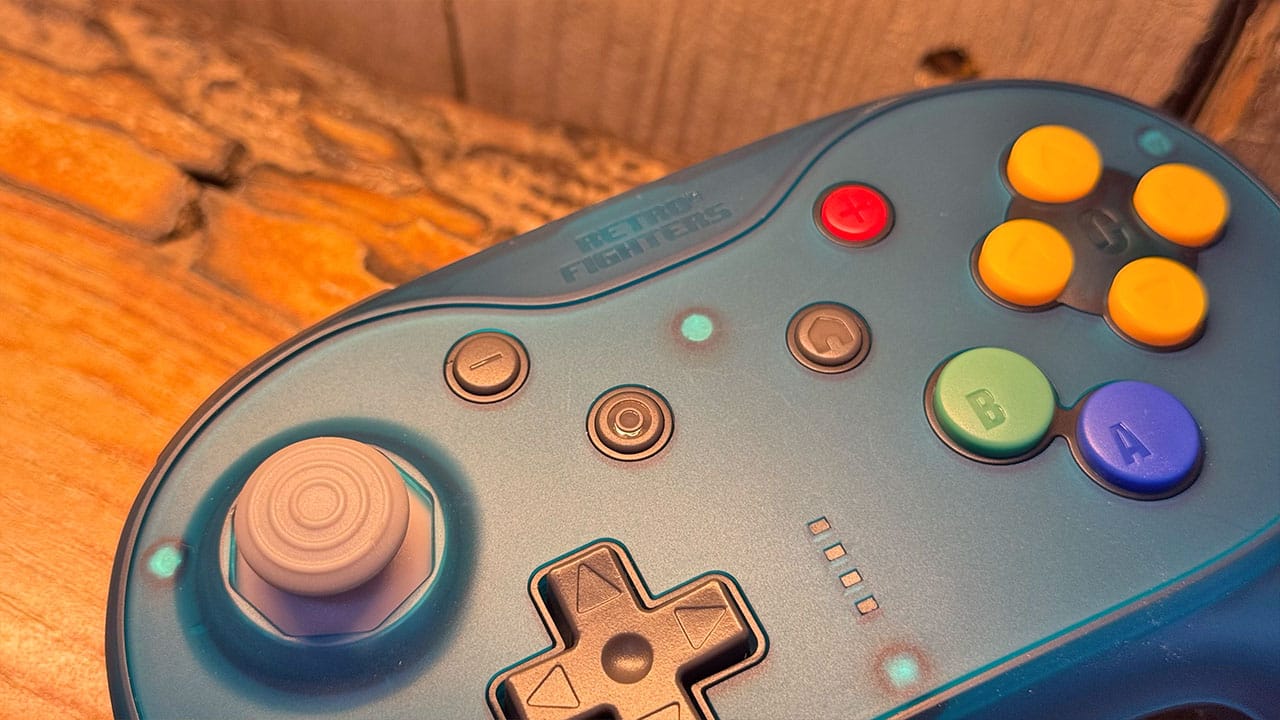
The other feature you'll be using the most is the Analog Stick, and you'll probably be able to tell how much better it is than the original N64 controller just by looking at these pictures. It's a Hall-effect Analog Stick, which in theory should eliminate any stick drift. I say 'in theory'; more on that to come.
The C-buttons do exactly what they're meant to, and they're very responsive when playing a game like Banjo-Kazooie that uses them for lots of different moves. Again, they're wider and flatter than the original buttons and not quite the same shade of yellow, with a more matte finish. I just prefer the finish on the N64 and M64 controllers in all honesty, but that's because it's what I've grown up with. If you didn't grow up with the N64 and you're simply looking for a controller that feels more like a Pro Controller, then you probably won't care at all.
Shoulder Buttons & Triggers
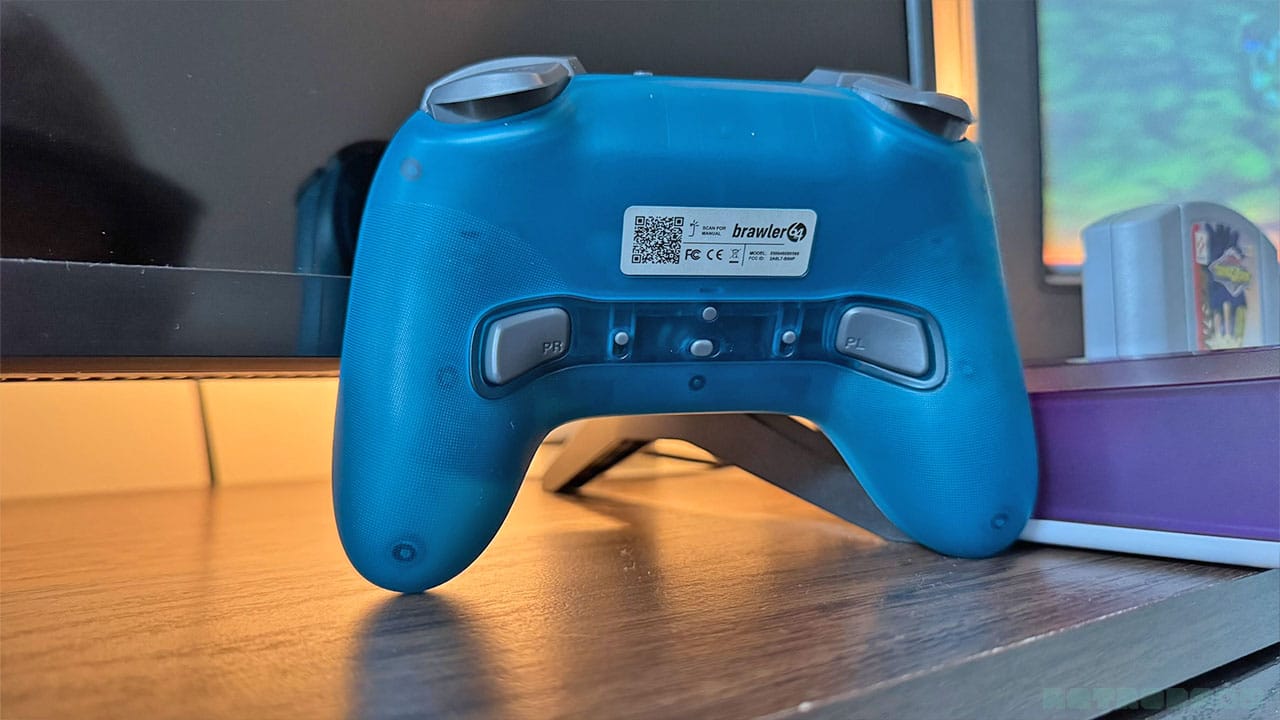
The N64 controller's triggers didn't leave much to be desired; it has to be said. They were great for the time, but things have progressed tenfold since the 90s, and people expect their triggers to have some resistance when they're pressed, especially on the 'standard' Pro-Controller look.
The Brawler64 has L/R buttons that have a nice click to them (perfect for playing Pokémon Stadium minigames) and ZL/ZR buttons that have what I would refer to as 'just the right amount of travel' to them. I've got no complaints here.
As you can see from the image up above, the controller also has two programmable back buttons - PL and PR, that can be assigned to an action of your choice. You could change one of these to jump or the fire button, or maybe even strafe left or right. They can be locked off too if you don't want to use them; the switches next to each button lock them and stop them from being pushed in, or release them when they're needed.
How Does It Compare To The Competition?
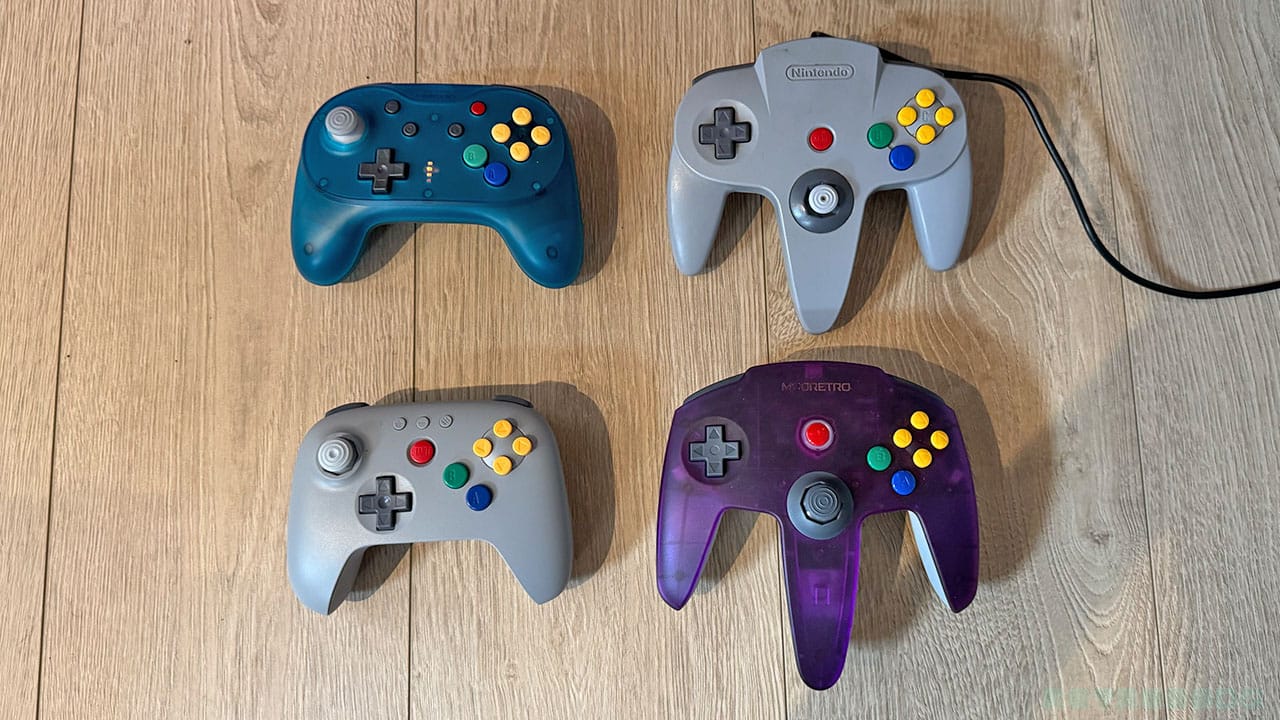
My love for the N64 knows no bounds, so it's nice that I've got a whole host of controllers to be able to swap around when playing. I've spent a lot of hours playing my favourite games with these controllers now, and they each have their own pros and cons.
Honestly, I love the feel of the Brawler64 Pro; I said the same thing about the BattlerGC Pro when I reviewed it back in January 2025. Retro Fighters just know how to make ergonomically pleasing controllers that feel good in your hands, and they're a great weight too.
When you pick up the Brawler64 Pro, the 8BitDo A3D controller, and the Switch 2 Pro Controller, the RetroFighters pad weighs the most. That's not a criticism; it feels more premium, which, considering its $69.99 price tag, is a great thing.
The M64 controller still feels the most premium out of all of the controllers pictured above, but you would kind of expect that because of the aluminium back and $89.99 price tag. You can't beat metal-backed products, but the Brawler 64 definitely trumps the 8BitDo N64 controller in terms of weight, ergonomics, and feel. I much prefer the position of the red Start Button on the 8BitDo controller as it follows the setup of the original controller. I would have made the Home Button double up as a Start Button and make that red too, but it's a small thing to have to get used to. The D-pad on the Brawler64 Pro makes up for that little issue and keeps me smiling, however - it sounds so good!
The Dongle
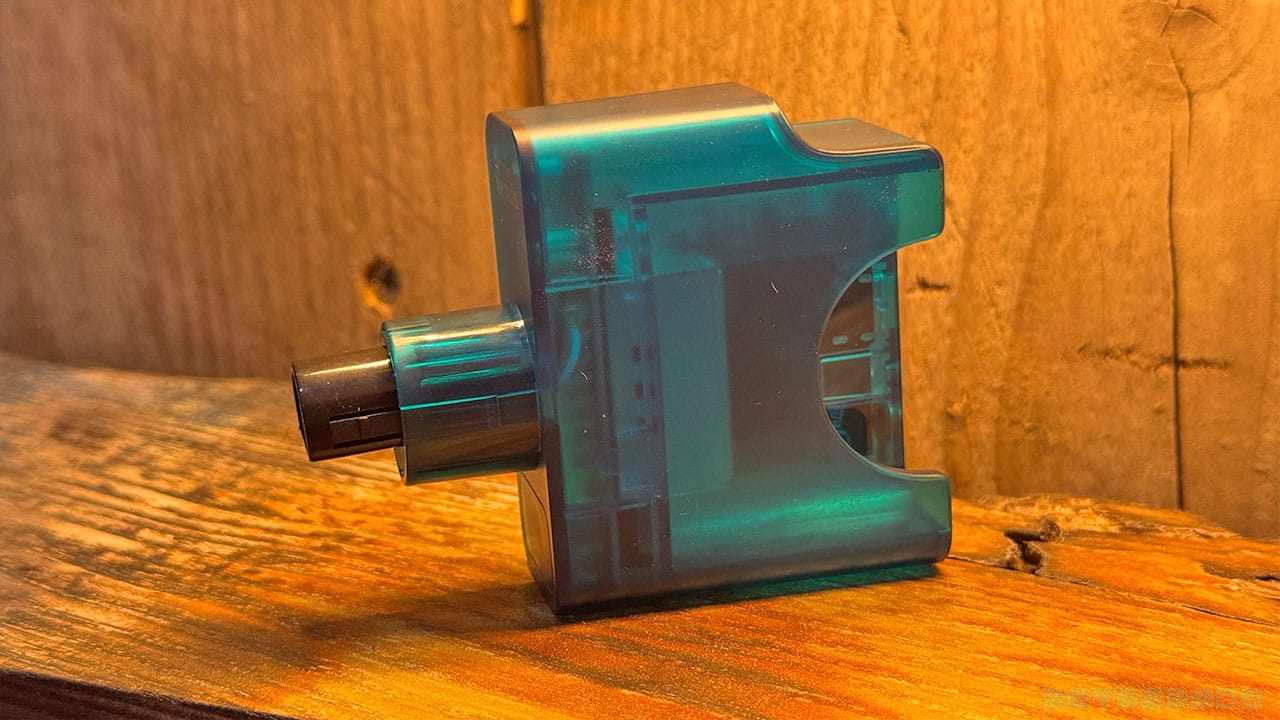
If you want to use the Brawler64 Pro with your original N64, then it comes with a special dongle that you can slot into the front of the console. It has an N64 controller connector on it and is super easy to set up, with a button to press to pair the controller up wirelessly.
This process was easy - hold two pairing buttons till they flash and connect, with different lights on the front of the controller showing different pairing styles. This was a little confusing at first as I thought that it was showing me a different controller position despite being in position one, but here's the lowdown:
- If you're in D-mode, lights 1 and 3 show up
- If you're in X-mode, then lights 2 and 4 are illuminated
- If you're playing on the Switch, then you'll see your player input
I love the dongle, and the fact that you can put in the Controller Pak so you can still access save files while playing wirelessly is great, as you'll find out when we get onto talking about the ModRetro M64. You don't need to put a Rumble Pak into this connector as the controller already has rumble installed as standard, so it's simply for the Controller Pak.
If I have a slight criticism, and it's my job to be slightly critical about things, I would like this to fit more snugly. As you can see in the video above, it isn't fully flush to the N64 controller port and has a slight droop to it. It's nothing that stops the controller from working, and you might think I'm being picky, but again, I would like this to sit tight to the console just so it feels more secure,
Testing With The Original N64
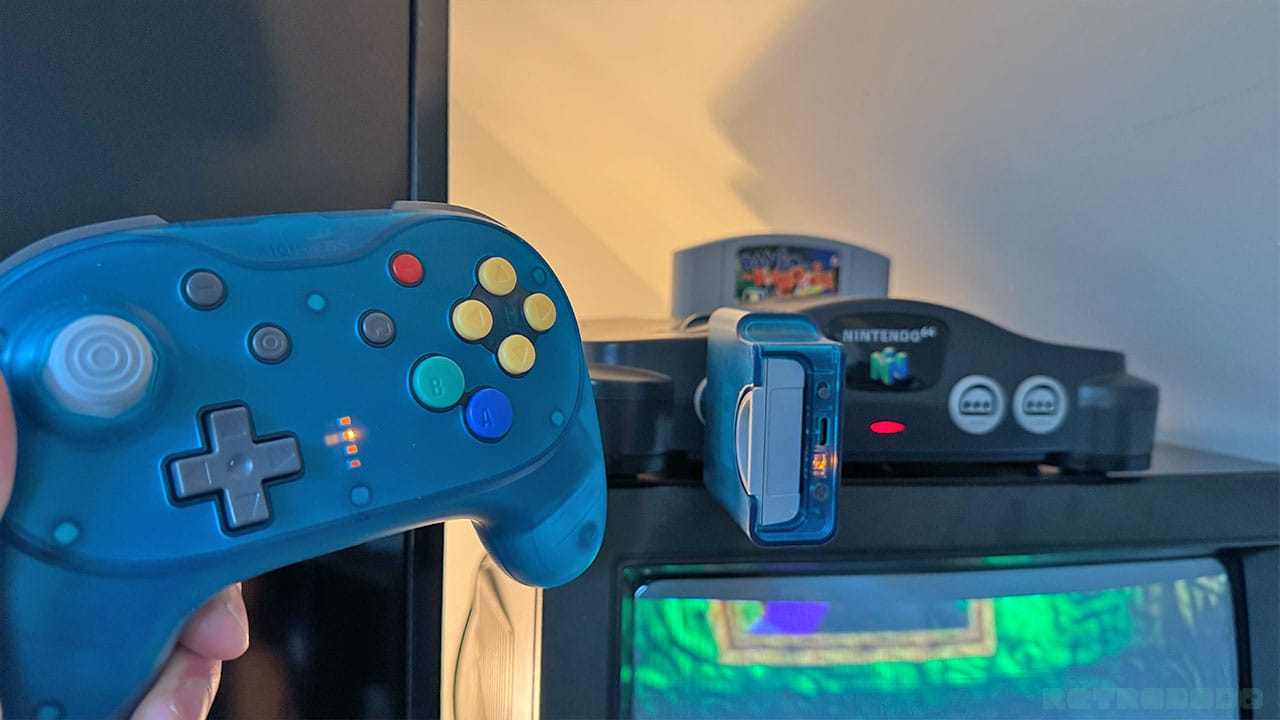
Ok, here's what you want to know - how well does it work with the N64? If you're used to using a Pro Controller these days or never played with a Trident controller back in the day, then you'll probably feel much more at home with the Brawler64 Pro. As I've said above, it has a nice weight to it, much nicer than the original N64 controller, and it's so nice to hold.
Playing my old N64 games with the Brawler64 was a breeze once everything was plugged in and paired up. I tried Buck Bumble, Banjo-Kazooie, and Mystical Ninja starring Goemon, and had smooth gameplay 99% of the time.
I say 99% because I had an issue where I nudged the Hall-effect joystick when pairing up, which caused a bit of stick drift. I spoke to Retro Fighters about this because, as you know, with a Hall-effect stick, there shouldn't be any stick drift at all. Buck Bumble was turning on his own without me touching the controller, but a reset of the remote using the back button did solve this issue. The lesson here - don't touch anything when you're pairing up the controller, and you should be fine.
One more thing I'm going to mention here is that to change the rumble intensity, you have to hold Start and Z together. This causes the game to pause and unpause while you're changing the setting, which is a little annoying. It would be good if there was a different combination that didn't save the game.
Solving The M64's Current Lack Of Save States
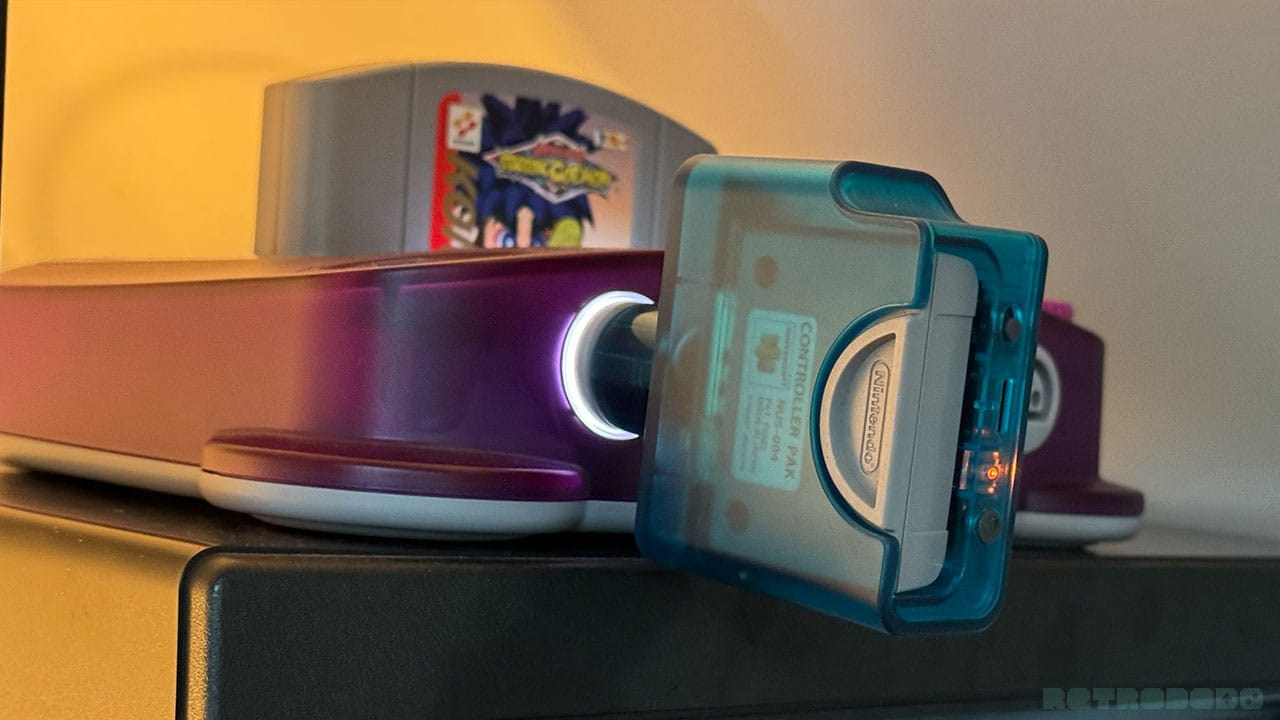
As you'll already know if you've checked out our coverage of the M64, the console doesn't currently have save states. That means if you want to play three out of four of the M64's release titles or any games that require the Controller Pak to save, like Goeman, then you won't be able to save or access load files. The Brawler64 Pro does allow you to save your games and still play wirelessly, which is a good thing for anyone who has an M64, wants a standard Pro-Controller feel, and wants to save their game progress.
Save states are coming to the console, so it's not something that you need to worry about too much at present, but the Brawler64 Pro provides a simple solution for anyone who doesn't want to sit tethered to the console with a standard N64 controller.
Connecting Up To The Nintendo Switch
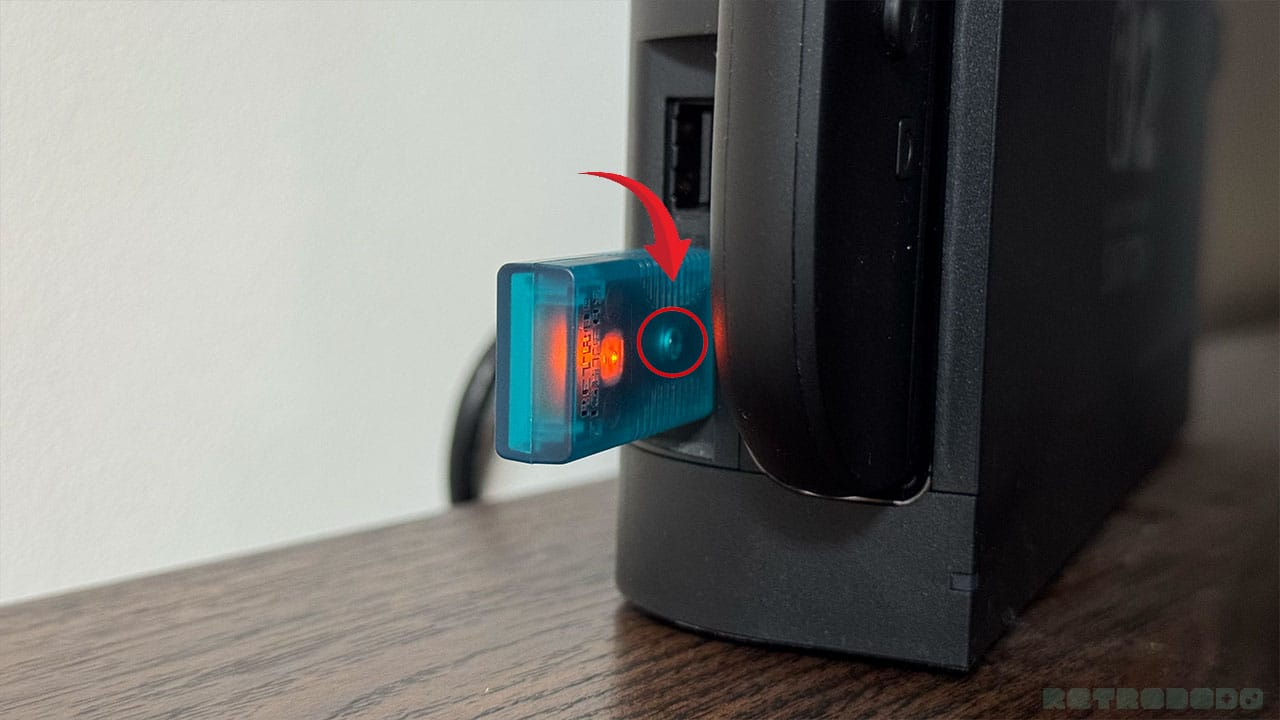
If you want to play N64 games on Nintendo Switch Online with your Brawler64 Pro controller, then you'll need to use the second dongle that comes with the set. It's a USB receiver that sticks into the USB ports on the side of your console. To get it working, you'll need to put your controller into D-mode by flicking the switch on the back, and then pressing the pair button on the dongle, which I've highlighted with a red circle above.
I'm not going to lie, this is a little fiddly. The button faces towards the back of the Switch handheld (when the console is docked), meaning you've got to put your finger in the small gap between the dongle and the back of the Joycon to pair it. I would have had this button on the other side for ease of use. It's also a little annoying that you have to plug a dongle in to use this on Switch; the A3D 8BitDo controller just syncs up in seconds without the need for an external dongle, making that a better choice for playing N64 games on Switch or Switch 2.
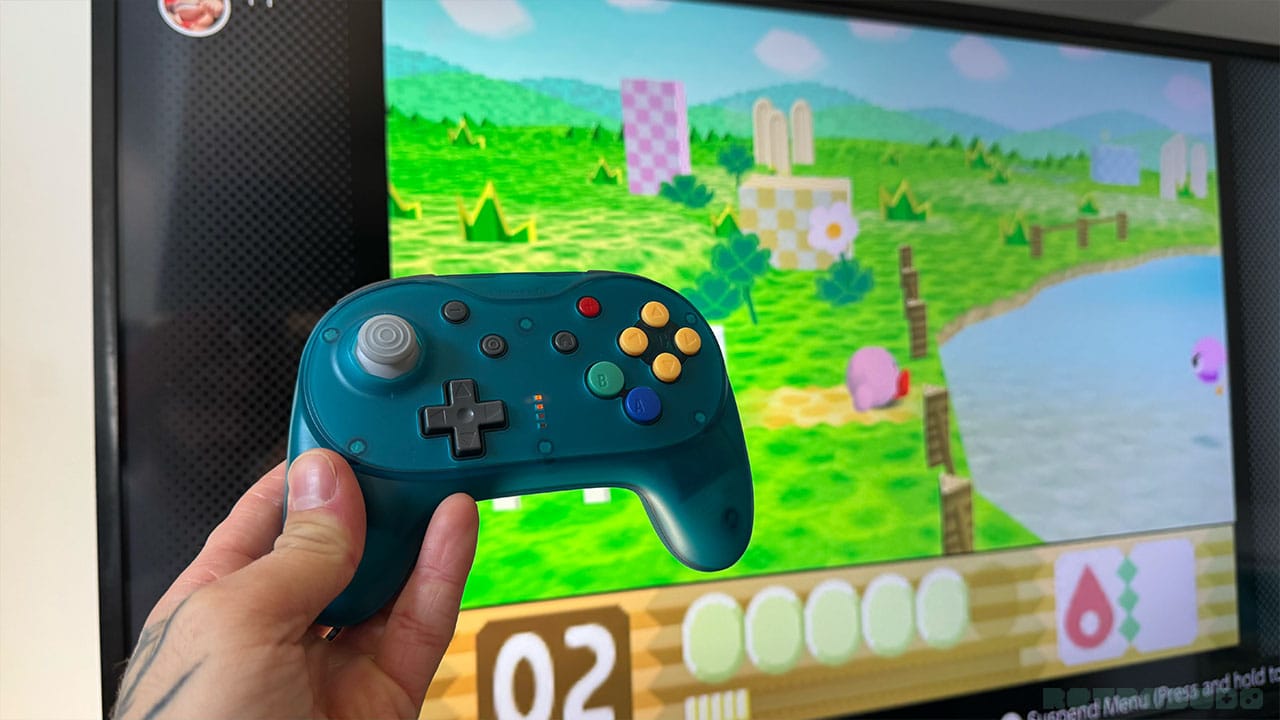
Once you get it up and running, however, it's a great way to play. And I would be doing a disservice to that D-pad if I didn't try it out on Kirby 64, wouldn't I? It was a joy to use for this game and provided an all-around comfortable experience.
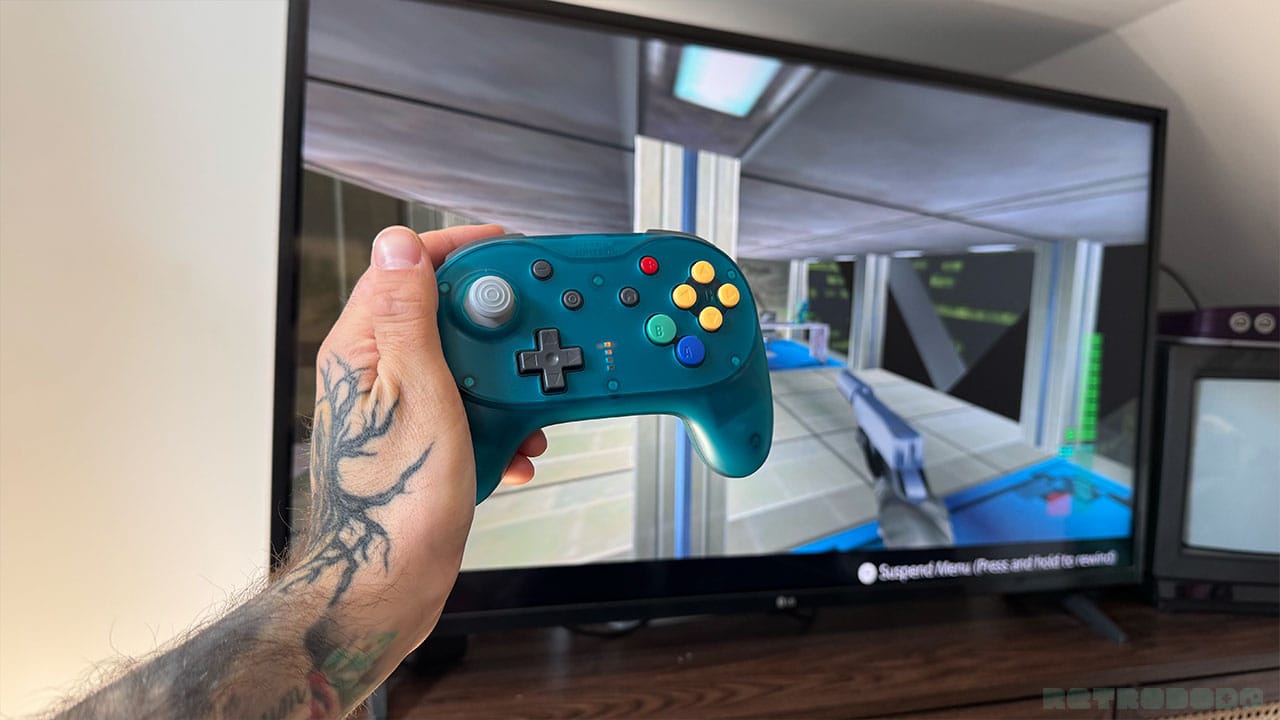
What I will say is that because I'm used to using the Switch 2 Pro Controller, I tended to keep moving my right thumb down to find the second control stick for my camera. There obviously isn't one there, so on Perfect Dark I ended up just surprising myself when I hit the A-button instead. It's a trivial thing, but as I said, my job is to mention all of the things you might come across while playing with this controller.
Final Thoughts
- Fantastic translucent design
- Works with original N64 as well as A3D and M64
- 30+ metres wireless range
- Customisable features from rumble to faceplate
- Comes with a dongle that works with Controller Pak
- Dongle droops ever so slightly
- Changing the rumble feature means your game pauses and unpauses rapidly
- You need to use a dongle to connect up to the Switch, where competitors controllers don't require this
I like the Brawler64 Pro a lot - it's a great controller with a nice weight and a solid feel to it. I gave the BattlerGC Pro a 10 out of 10 because, when it came to playing GameCube games on the original console, it completely nailed it. It even nailed GameCube games on the Switch with the BattleDock.
I think if the Brawler64 Pro had come out in a time when there wasn't as much competition in the N64 space, it might have scored another perfect 10; little things like being able to hook straight up to the Switch with the A3D controller and the superb build of the M64 controller just overshadow it. The Controller Pak-compatible dongle is a fantastic touch for M64 owners, however, and is something you should definitely look into while ModRetro make the changes needed to get save states up and running!