


It's been almost a year since I first wrote about the Battle Dock from Retro Fighters arriving on Kickstarter, and I've been waiting patiently for it to arrive on my doorstep ever since. The Kickstarter was a great success, and the finished product is finally sitting in front of my TV, waiting for me to turn it back on and play the Wind Waker the way that it was intended - with a GameCube controller in my hand.
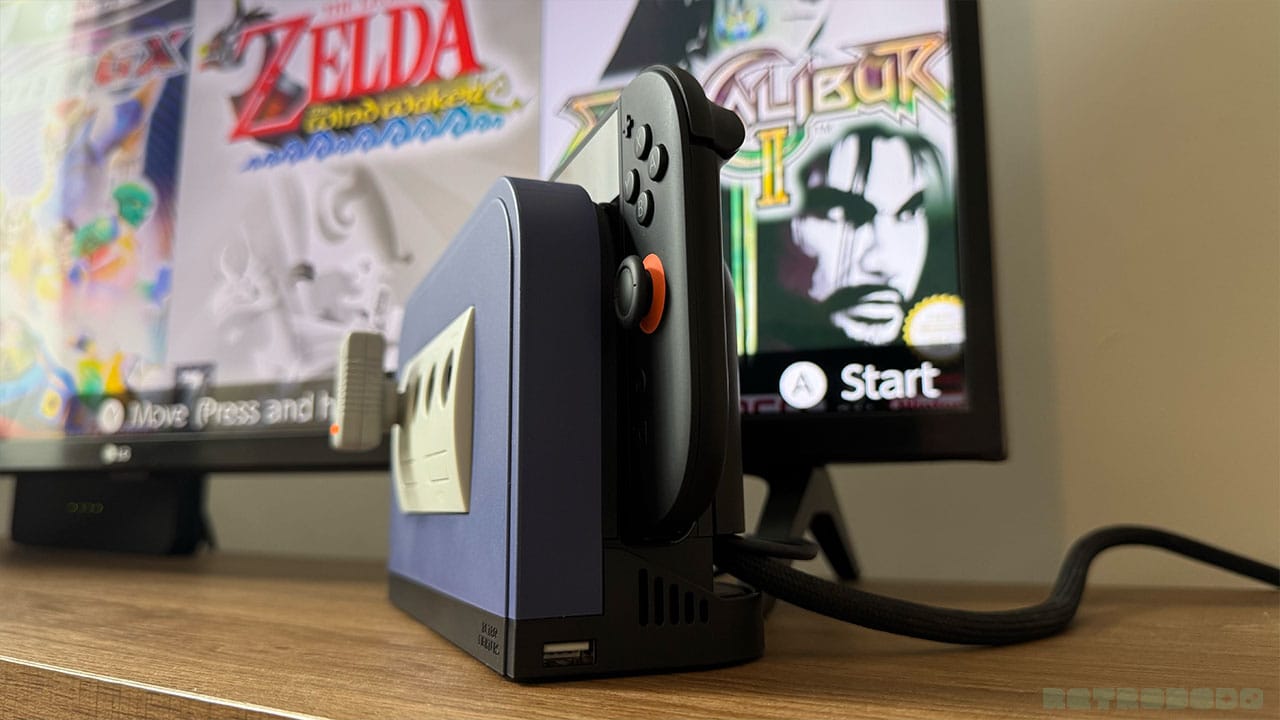
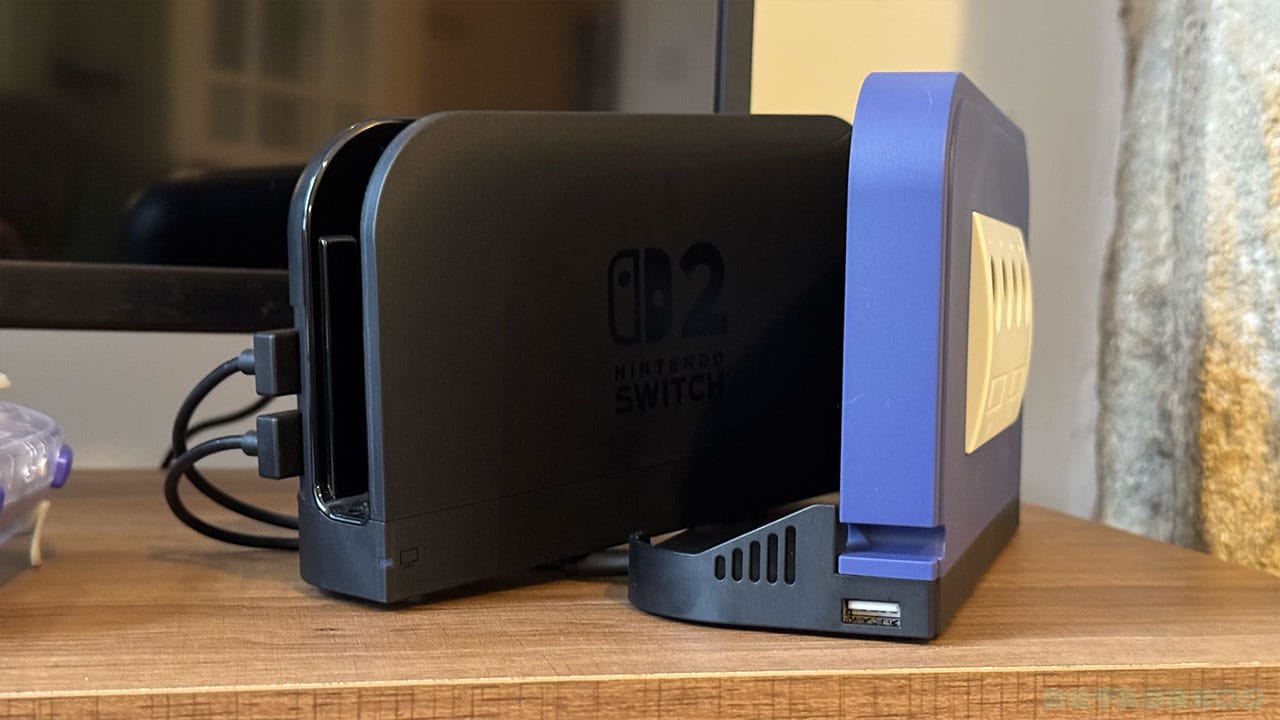
For those of you who don't know what the Battle Dock is, it's a dock that your Nintendo Switch 2 dock sits inside. It doesn't replace your actual Nintendo Switch 2 dock, but rather enhances it and allows you to play your favourite games with either a wired or wireless GameCube controller, as you'll see in the pictures below. And yes, it's just as awesome as it looks.
The Battle Dock takes your Switch 2 dock back to 2001 by allowing you to hook up wired and wireless GameCube controllers to control your favourite games. Whether you're playing on Nintendo Switch Online with the iconic indigo controller or fancy having a bash at Star Fox using your WaveBird, this cool accessory turns Nintendo's newest console into a true classic. While the GameCube controller can't wake the Switch up, and some controls for newer games don't map properly, it allows you to play GameCube games perfectly with the controls and pad you remember from 'the good old days'.
- Available From - Retro Fighters and Amazon
- Anticipated Launch - Q2 2026
- Price - $39.99
What's In The Box
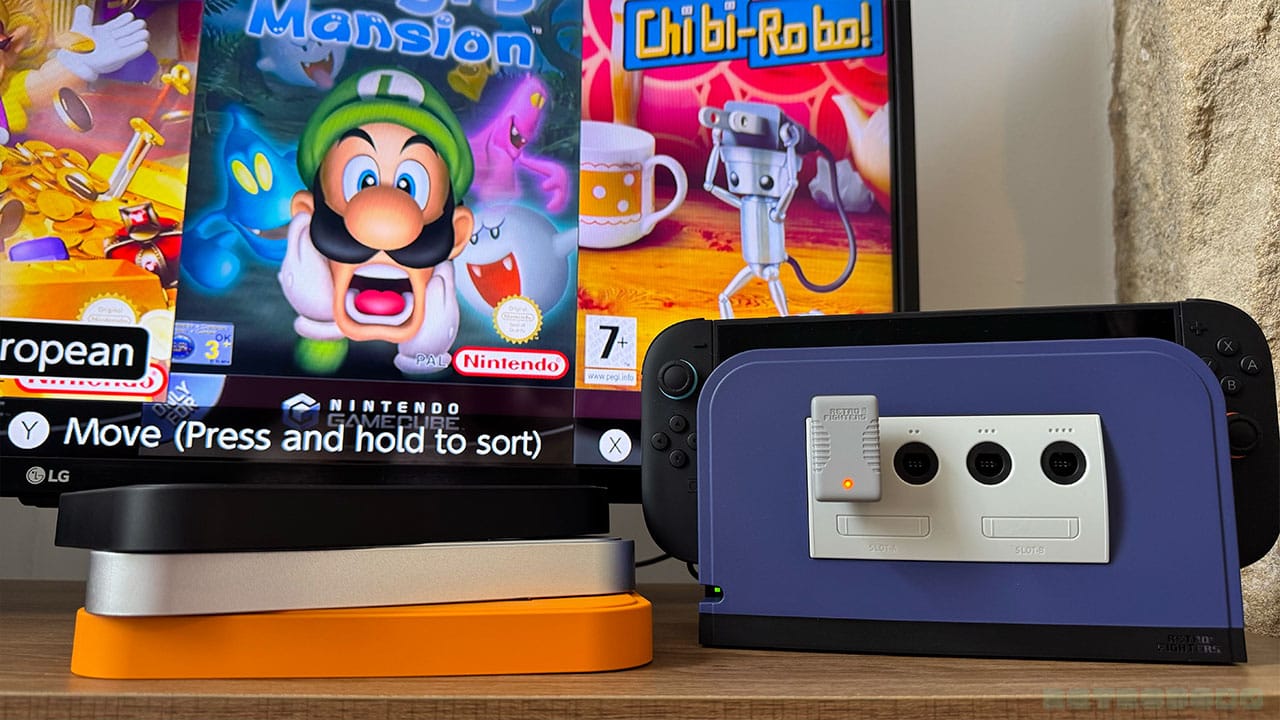
Retro Fighters know how to tap into our nostalgia. Just look how cool this dock is with the indigo faceplate! Inside the box, you'll find the Battle Dock itself with four magnetic faceplates, allowing you to swap between black, orange, and platinum designs depending on which GameCube you had growing up or still have set up now.
You'll also find a small box with an important cable in it and some stickers. I mean, it wouldn't be a Retro Fighers product without some kind of sticker or collectible, would it?
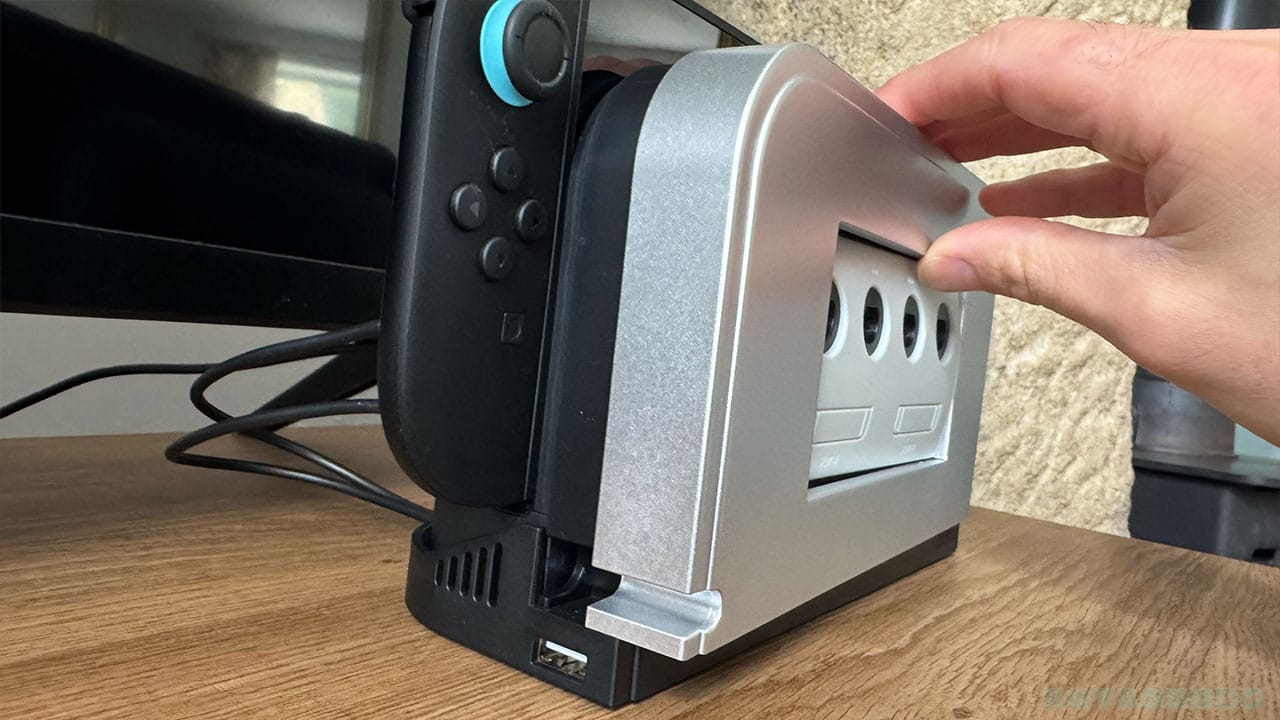
The faceplates pull off and fix back on again with ease - I did it with one hand while taking these pictures, and while they were easy to pull off, they weren't loose in any way. They fit perfectly!
How Does It Work?
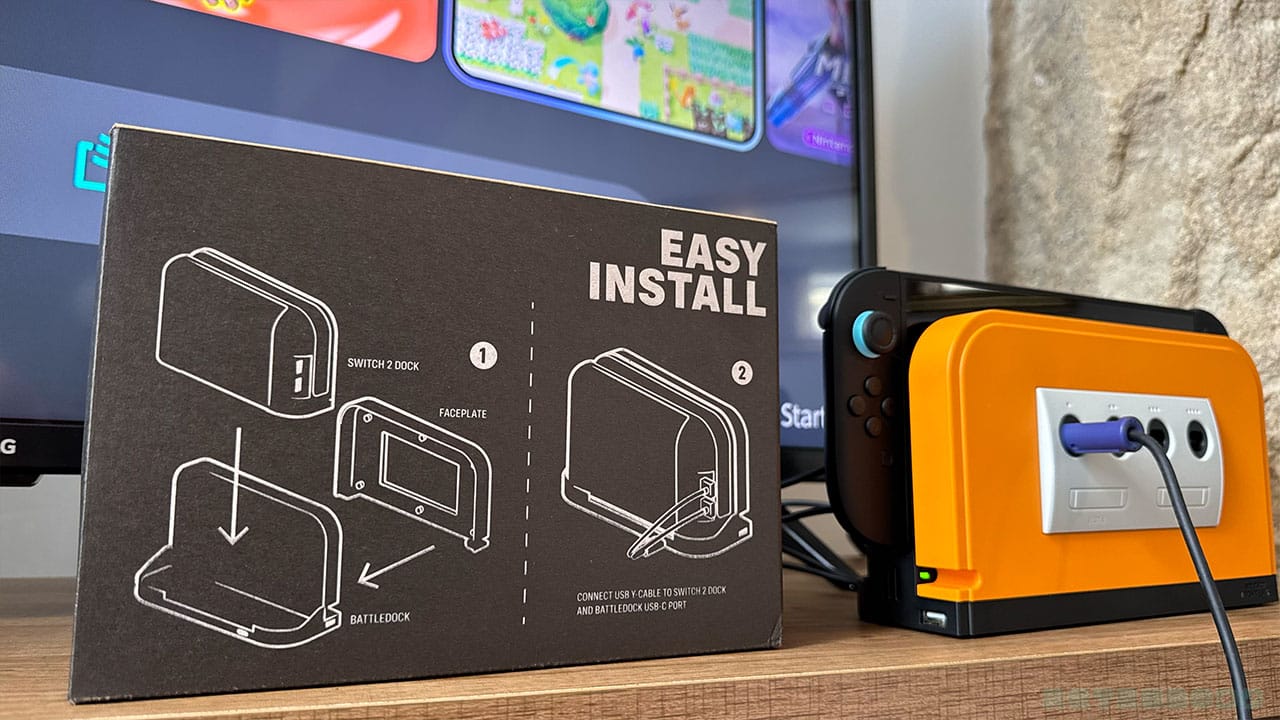
There's an arrow that points down to the back of the box where you'll find the installation instructions. Saving paper - I like it! Honestly, the Battle Dock is so easy to set up - it's literally a case of putting your existing dock into the tray, and attaching the USB cable into place.
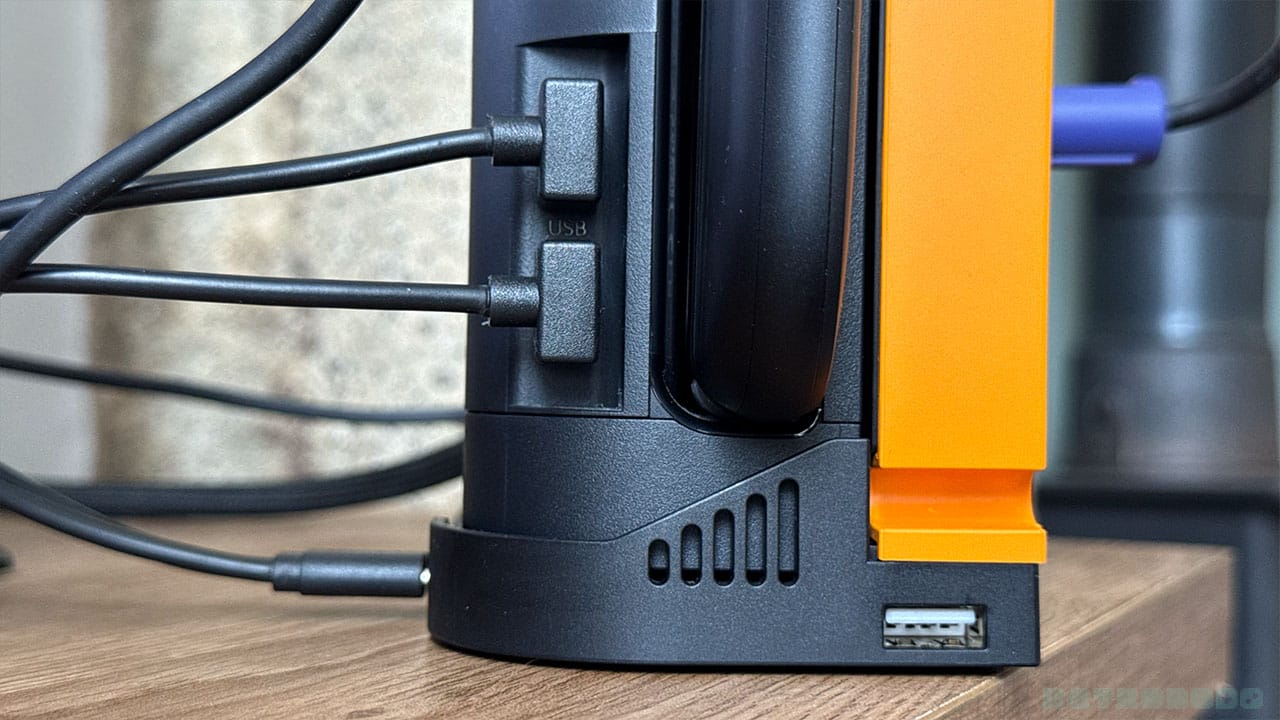
As you can see from the picture below, it comes with a USB-C cable that has two USB-A ends on it. The USB-C end goes into the port on the back of the Battle Dock, and the two USB-A ends go into the USB ports on the side of your existing Switch 2 dock. That's all there is to it; just stick your controller into the front of the Battle Dock, and you're ready to play.
And don't worry - I know the USB ports on the actual Switch 2 dock are used up in the process here, but the Battle Dock has a USB port on either to make up for it. That means that you can still charge your controller from the console while the Battle Dock is in use.
You will need to wake your Switch up by pressing the Home or On button on the Switch itself to start playing. I couldn't wake it up using my GameCube controller, which would have been nice. I also couldn't get back to the main menu to change the game without using the Joycon attached to the Switch either. They are small points, but they're worth mentioning as they require a bit of extra faffing around.
Also, and I don't want to break it to you, but the Memory Card slots are just for show. You can't stick a memory card in here to save your game progress or anything like that. Obviously, the Nintendo Switch saves your progress, and we don't need Memory Cards anymore, but I can't stop thinking about how cool it would be to be able to save your progress on the Switch and carry on on the GameCube. Even just being able to stick a card in for show would have been cool!
What's It Like To Play?
I grew up playing Wind Waker on the GameCube, so this was the first game I had to go back to. The Battle Dock says it promotes very low latency, and to be honest, I couldn't tell that I wasn't plugged into a GameCube when I was playing. The original controls all worked well, and muscle memory kind of just clicked back into place. Link moved well, the controls were responsive, and everything just worked without any messing around.
Obviously, the Battle Dock makes most sense for people who have the GameCube NSO expansion, and with four ports like the original GameCube, it means you and three friends can hook up whatever GameCube controllers you possess and start battling. I recruited my long-suffering girlfriend to play some F-Zero X and Soul Calibur with me, and again, I had no complaints. It took us straight back to the early 2000s and challenging our mates on games like WarioWare and Mario Kart: Double Dash. If Gauntlet Dark Legacy comes on to NSO, I'm definitely going to get the gang back together.
Can I Just Play GameCube Games With It?
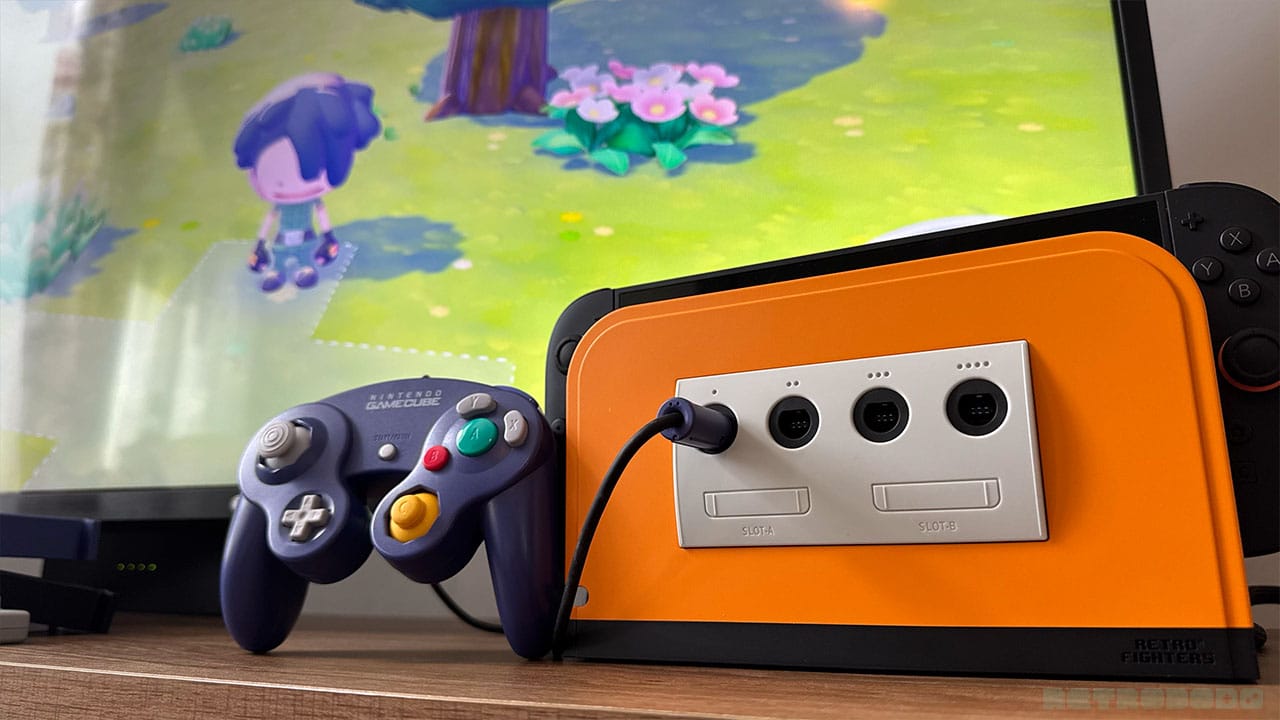
If you don't have NSO, then you'll be able to play some of the other GameCube games that are already available on the Nintendo Store like Ty the Tasmanian Tiger and Resident Evil 4. Still, even without GCN games, you can use the Battle Dock and GCN controller combo on new games like Pokopia. I spent a good 30 minutes messing around designing Pallet Town with it, and while it took a little while to get used to the new... or old controls, it was still playable and super fun.
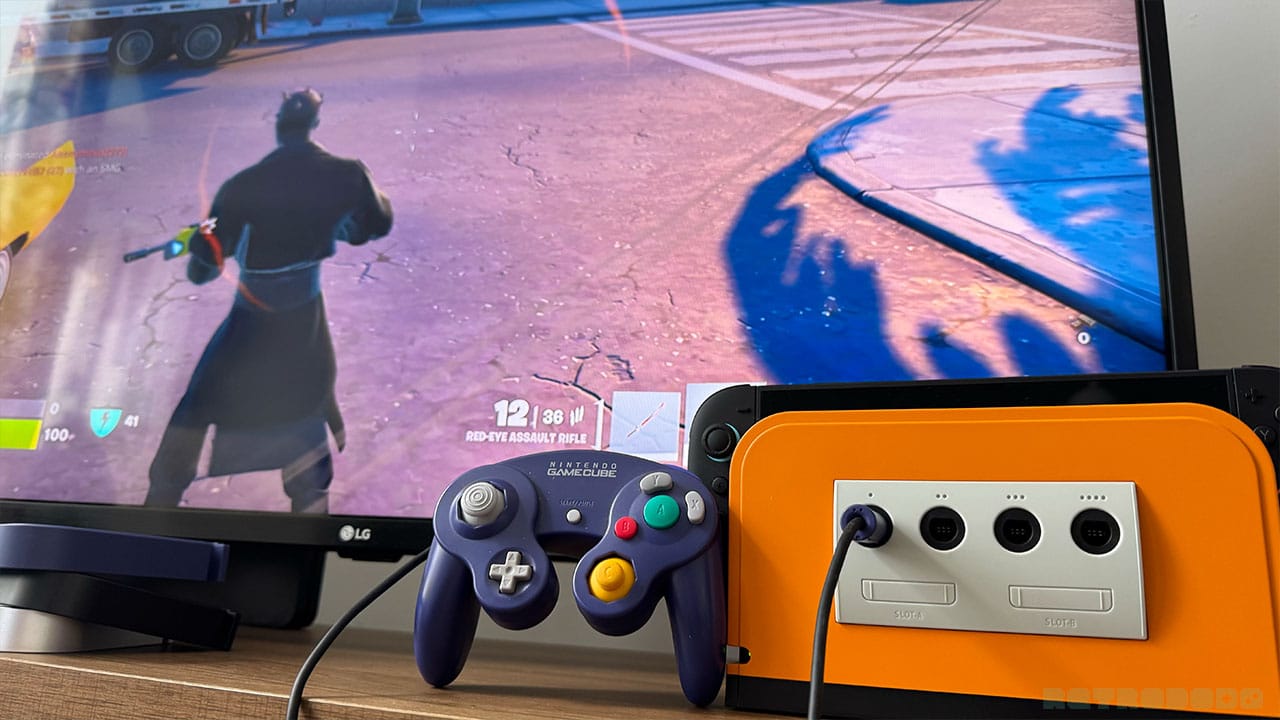
Then I thought I'd try to step it up a notch with a game of Fortnite. Apart from the fact that I couldn't run, as the GameCube controller doesn't have an L3 function, it actually worked. I loaded up a Battle Royale and took out a few people as Darth Maul, all while using my original GameCube controller. I tried the BattlerGC Pro as that does have an L3 function, but I still had to make do with walking everywhere. Hey, Darth Maul runs for no one, so it kind of looked cool, even though I would never have been able to win outright.
A Quick Note On The Battler GC Pro
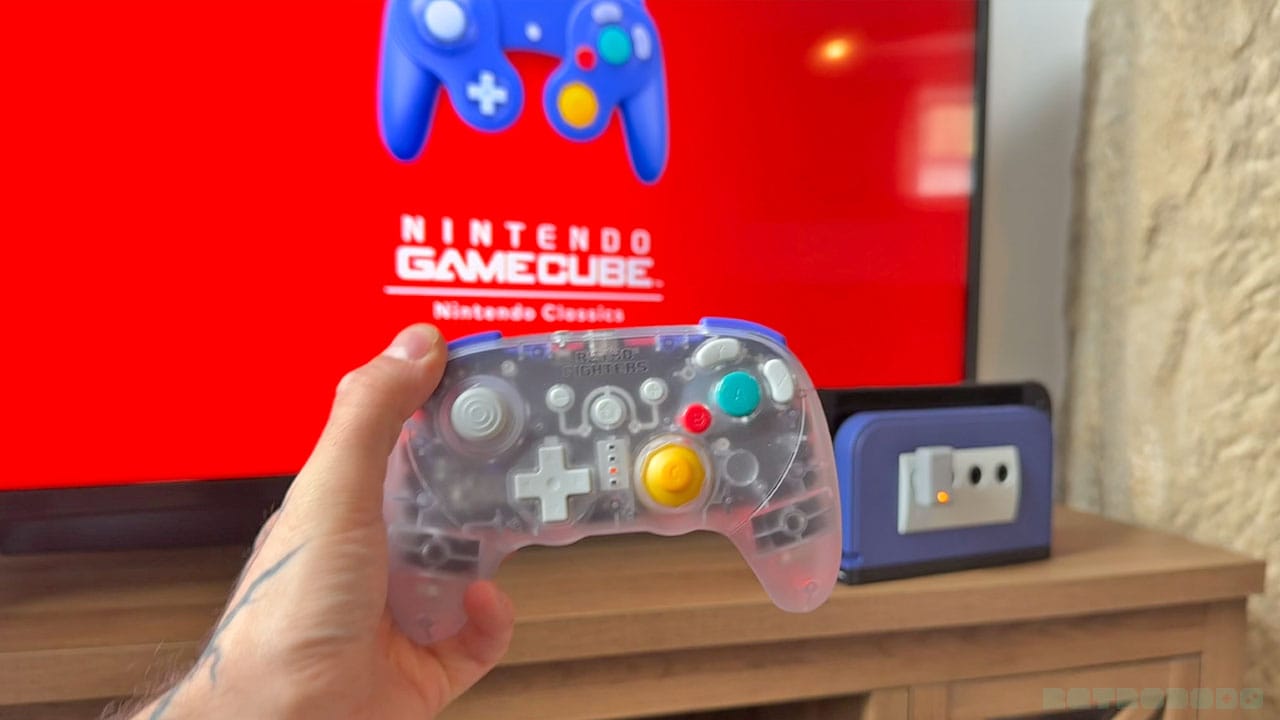
I know we're talking about the Battle Dock, but I need to mention the BattlerGC Pro as it's my favourite GameCube controller of all time. It's the spiritual successor to the WaveBird, is a brilliant weight, has double Z buttons, perfect triggers, and dual rumble motors that make you feel like you're holding a pneumatic drill when the action starts.
The BattlerGC Pro works on both GameCube and Switch without the Battle Dock and is another nostalgic way of adding some GCN feels to your setup. Check out my official review for a full run-down - you won't be disappointed!
Final Thoughts
- Nostalgic features that turn the Switch into my favourite Nintendo console for Multiplayer moments
- Play GameCube games on NSO with the original controller
- Hook up wireless controllers like the WaveBird or Retro Fighters BattlerGC Pro
- Easy to install
- It would be great if I could wake up the Switch with the controller or get back to the main menu without returning to my Switch
- Memory card slots are just for show, but I wish they worked
The Battle Dock is a cool accessory for people like me who grew up playing the GameCube. I don't necessarily think it's aimed at newer gamers or those who are discovering the GameCube for the first time. For me, this is aimed at gamers like me who have a GameCube game collection and their original controllers stored in their game room and want to relive some of the magic from the 2000's on their Switch 2.
At $39.99, it's very well priced, especially with how good it looks. It's instantly recognisable as the GameCube, especially once you put the classic indigo shell on, and I love being able to actually plug controllers in once again and hearing that sound when the connector hits home - it's the sound of my childhood. All this wireless tech might be convenient, but like the sound of vinyl, there are certain sounds that I cherish in the retro gaming world.
All in all, I really like this product and would recommend you try it out once it releases. Yes, I'd like to be able to get back to the main menu a little more easily when using it, but it's not a massive issue. The fact that it connects up four controllers is all I really need it to do, and it does it perfectly. Nice job, Retro Fighters - now it's time for some Mario Smash Football!


