


I've seen handhelds with crystal cases, and I've seen handhelds with clear PCBs, but I've never had the chance to hold a handheld that is fully see-through, complete with a see-through screen. It's a handheld where you can see all of the chips, wires, the battery, and everything else inside, as well as being able to look at both sides of the screen and also through it. The concept is brilliant: a lightweight handheld that sits in your pocket and feels like something you've pulled from the Starship Enterprise. But how does it handle, and can it stand up to other retro handhelds of a similar size and price tag?
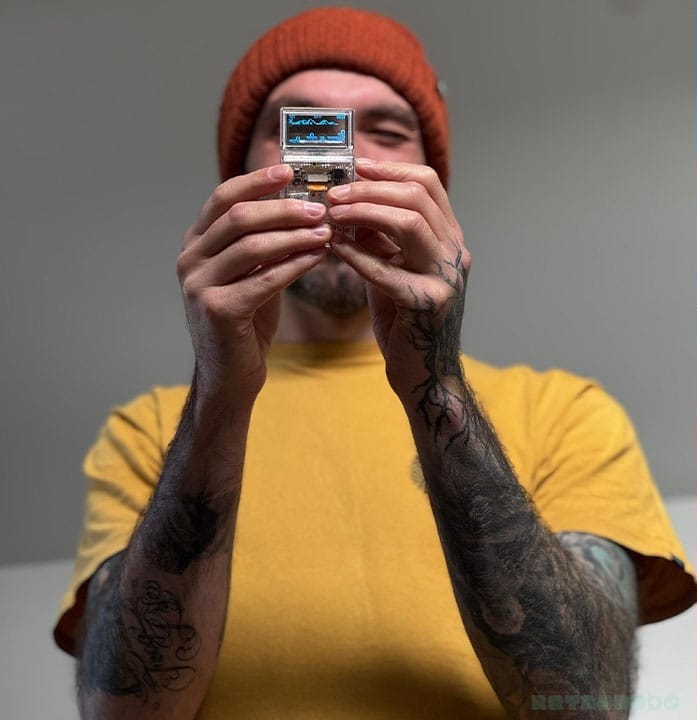
I've gotta admit, this thing is super cool. I've been putting it through its paces over the last week to see how the games work, and it really does feel futuristic. It's an odd concept, being able to see the world around you through the screen while you game. It kind of reminds me of Screenbound, the game where you see 2D and 3D at the same time, except I'm looking at stuff around me like trees and bushes that actually exist.
See-through Specs
- Display: 1.51" transparent OLED 128.64
- Size: 85mm long x 43mm wide x 13 thick
- Weight: 50g
- Chip: ATmega32U4 (same as the Arduboy)
- Storage: 16mg Flash for pre-loaded games
- Port: USB-C (for charging and loading new games)
- Battery: 130mAh
- Online capabilities: N/A
- Sound: Built-in Speaker (My unit doesn't have sound).
- Available from: Kickstarter
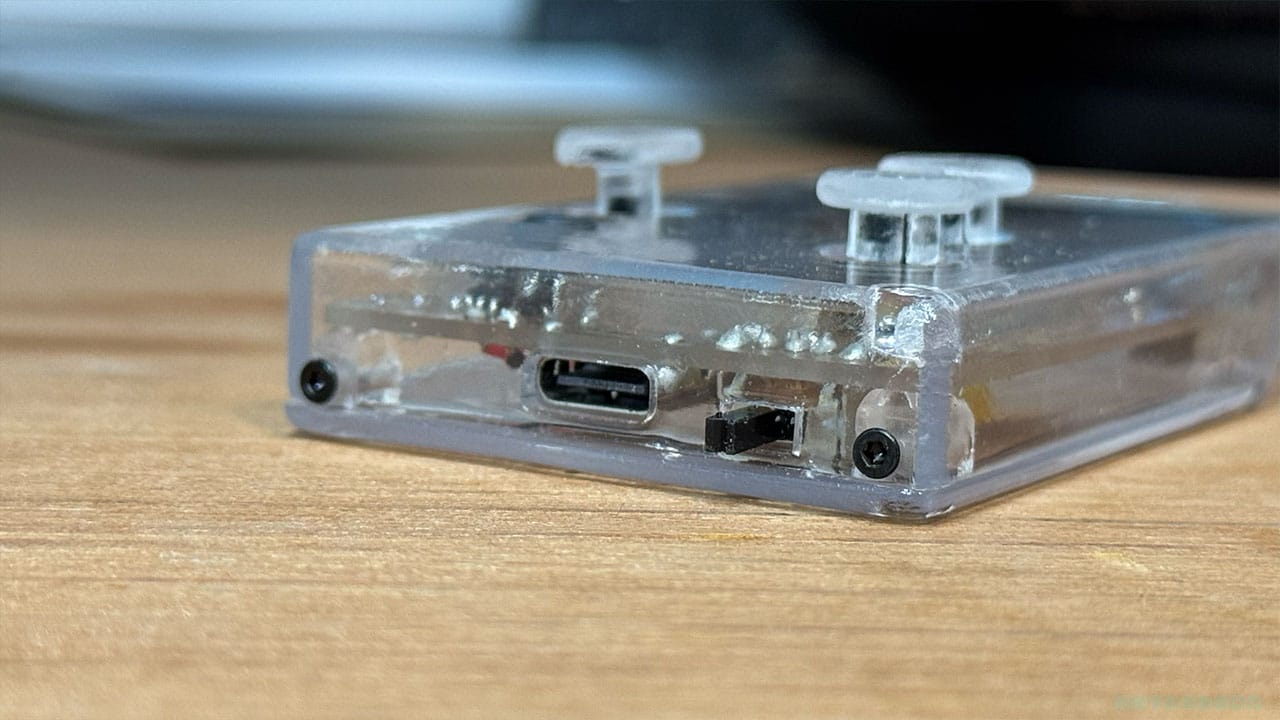
In terms of size, it's the same length as a credit card and just a little thinner. At 85mm long and 43mm wide, it fits in your pocket perfectly. It's 13mm thick at its biggest point and 5mm at its smallest point around the screen - this is a tiny handheld! It's not uncomfortable to play, mainly because there are only four buttons on it. Three of those are thumbsticks, which you'll be able to see more clearly on the picture below.
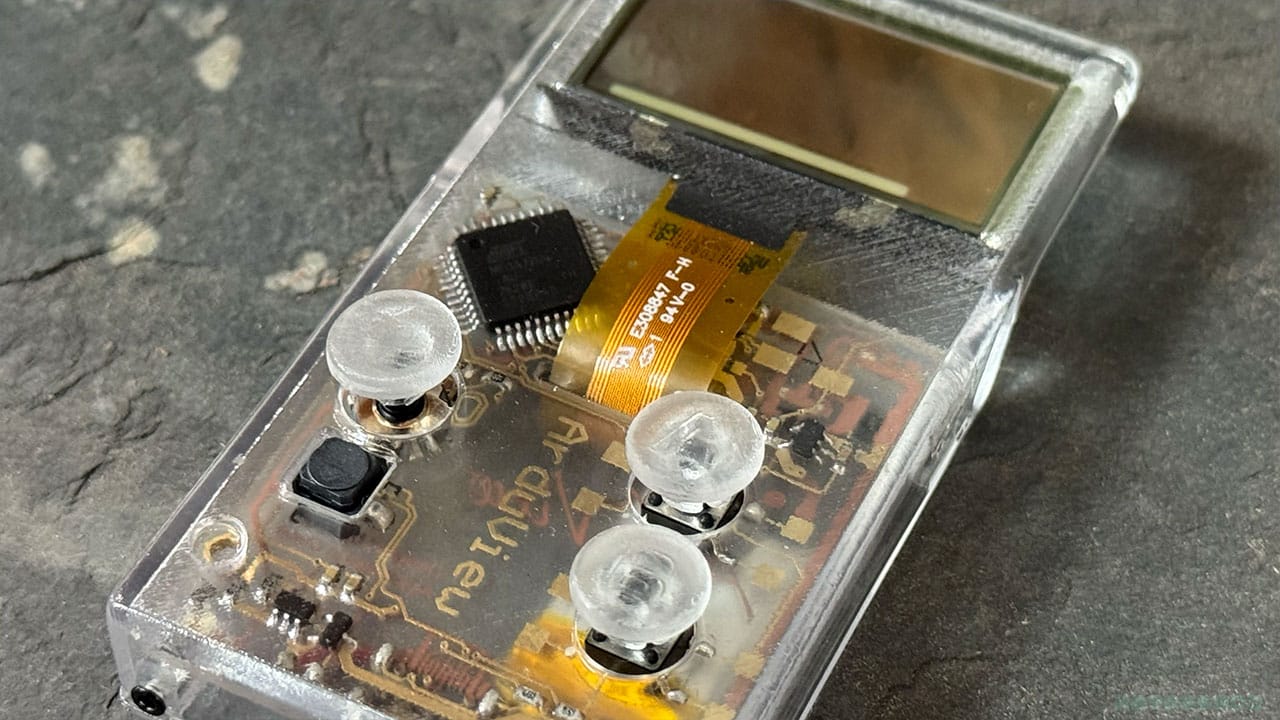
The left thumbstick is what you'll use for controlling characters on screen. The two on the right act as A and B buttons, but instead of moving in different directions, they're push buttons. There are small markings on the buttons to let you know which is which, but some games have asked me to press A, and A has simply turned the sound on and off (there are no speakers on this Arduview, so that's all been a bit pointless).
Louis and his team have fully captured that feeling we all had when we first discovered transparent tech as kids, but taken it one step further by adding a futuristic twist that, had it been possible back then, would have made us feel like Power Rangers.
The fourth button, which I've not mentioned yet, acts as a reset button to get you back to the main screen. It's a little black square underneath the control stick. This is a little fiddly to use and sometimes gets stuck under the shell, but that could be my massive fingers being a little too neanderthal for the design.
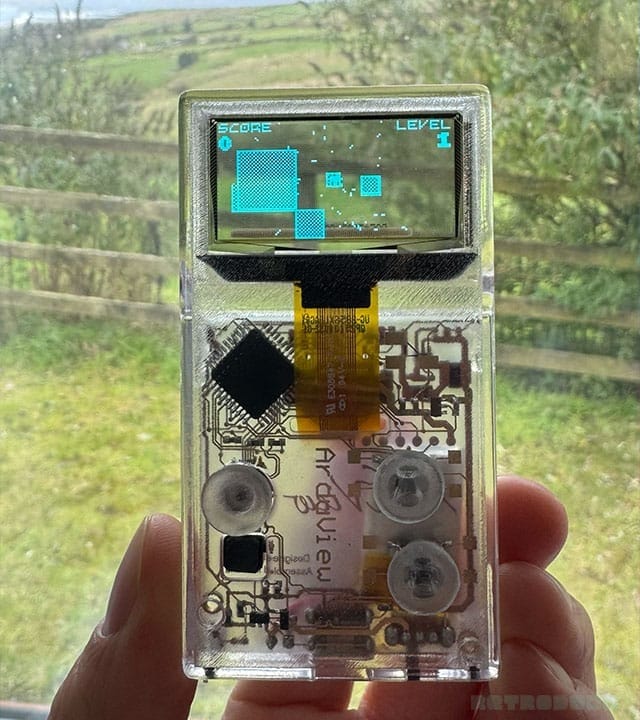
I'm going to get onto the screen and games in a second, but I just want to touch upon the finish of the handheld before moving on. I love the fact that this is a handmade console and that the team is so small, but for me, it feels a little too much like a DIY project to have a premium price tag on it.
Let's take the Thumby, for instance - it has defined buttons that, while small, feel finished. The A and B buttons on the Arduview aren't completely round, and they feel like buttons that might have been placed there while others were discovered that would do a better job. I don't think they need to be quite as pronounced, either; they would work sitting just above the casing, more like the original Game Boy buttons, rather than being on sticks.
A Screen You Can Fully See Through
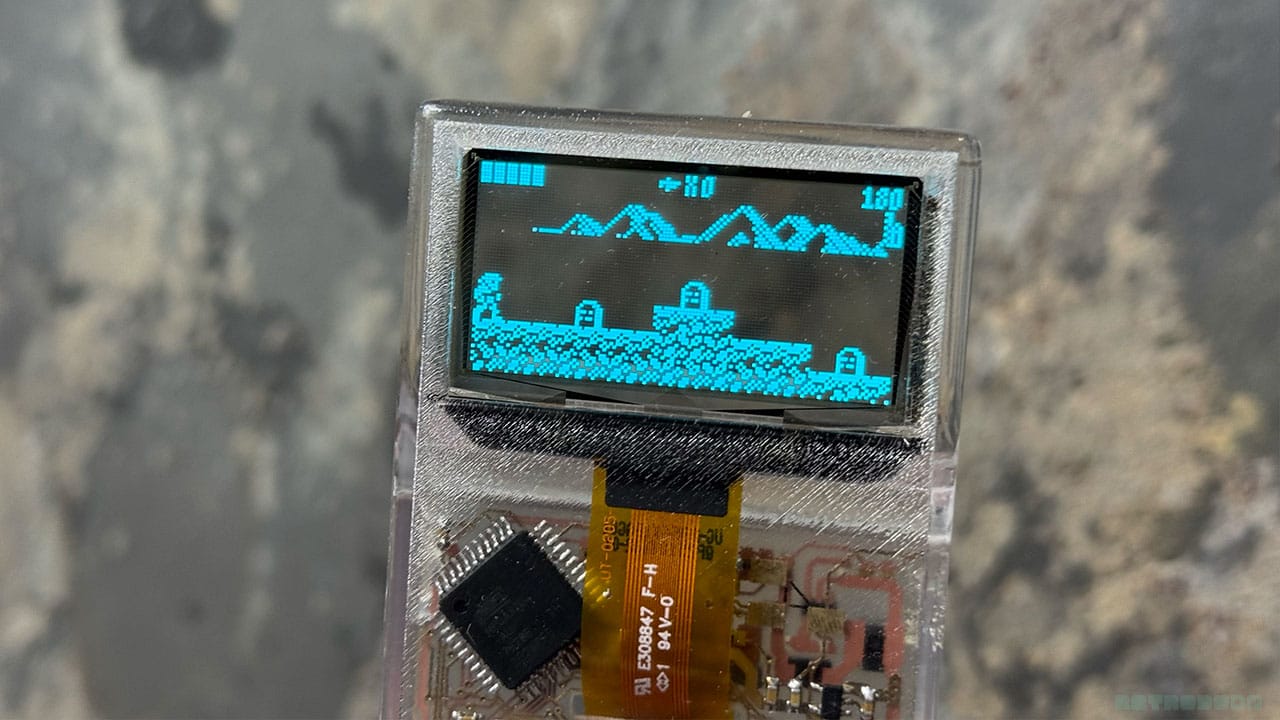
As you might have guessed from the title of this article, the Arduview has a screen that you can view all the way through (rhyming is key here). It's a small screen, and you can mainly see through it if you hold it up to your eye, but the fact that you can see all the way through it and view gameplay from both sides of the console is mad!
It's certainly a cool concept, and I've tried this thing in front of lots of different settings like a wood-burning stove, wooden boards, flowers, the dog, and it is cool to see through the screen to the thing on the other side. It gives your games a recognisable twist, even if that twist is the dog trying to sniff the strange colours on the flashing thing in front of him.
And to say that the screen is see-through, I can still make out all of the graphics on the games I'm playing. It's not like it compromises gameplay for a gimmick; everything runs well, and the games are enjoyable to play. And that's playing in direct sunlight too.
Battery & Charging
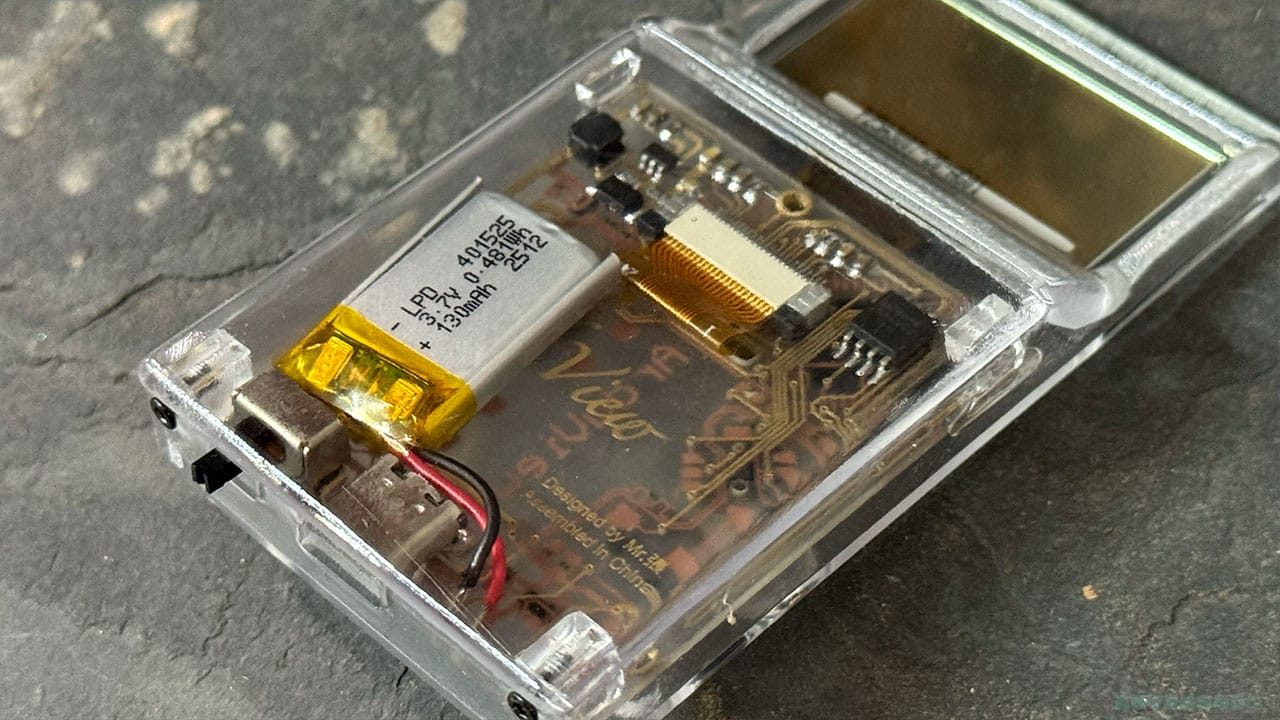
As you can see from the back of the console (because the whole thing is see-through), the Arduview has a 130 mAh battery which charges up in about 50 minutes via USB-C. The port is at the bottom of the handheld, and you get a little red light to show that it's charging. The light will go off when the battery is fully charged.
One thing I need to talk about is a glitch I found when the battery gets too low. My games started to reset themselves, and I would get this weird glitch where the intro screen would just slide in and out repeatedly. This, according to the hardware team, is something that happens when the battery gets too low, though the first consoles don't have a low battery indicator. I was told to charge it up again to see if the glitch disappeared, and it did, but without a battery indicator, I'm kind of left just needing to charge it up when I've finished playing to make sure it doesn't happen mid-game. It is being addressed, which is good, and I think it's definitely something the console needs.
The Games
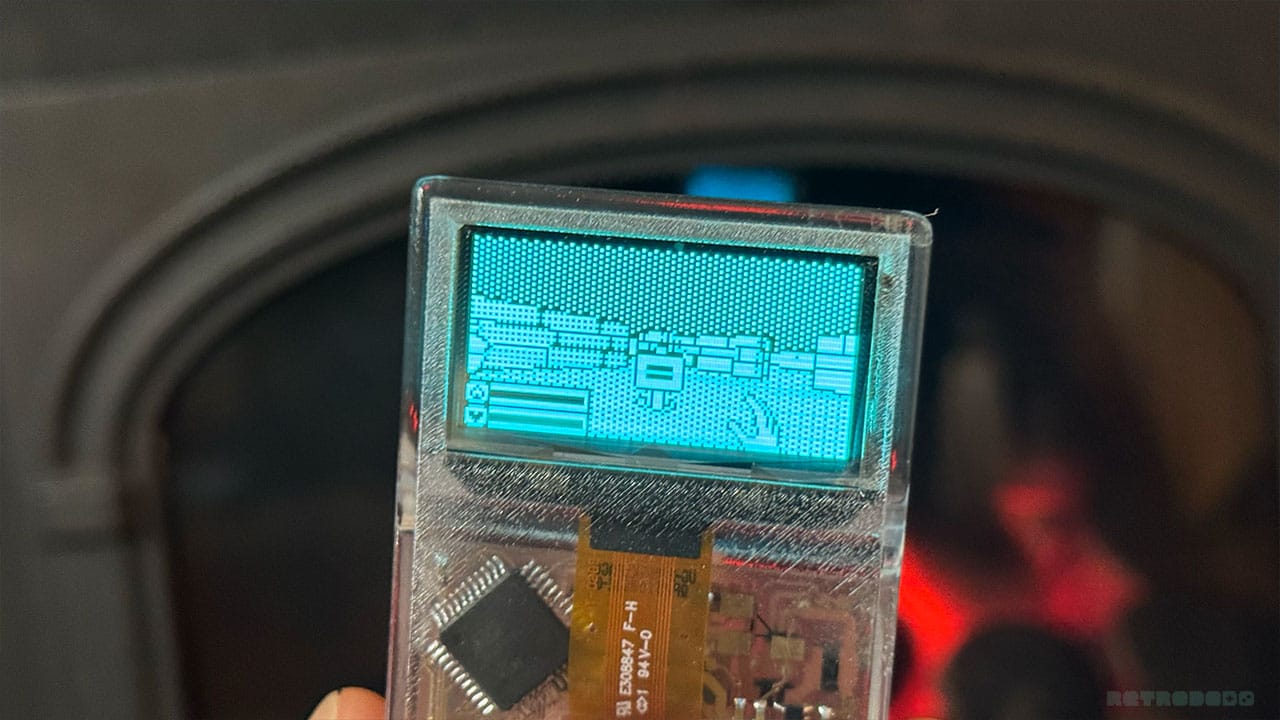
The Arduview comes with over 300+ retro games for you to play through, all in your pocket. I've tested titles like Arduventure and Catacombs of the Damned for this review, two of the Arduino/Arduboy fan favourites, and they play really well. The retro games on this device are a mix of the quick-to-pick-up arcade games and titles that have some real thought put into them that you'll find yourself playing with the same intensity as the early Zelda titles.
The Arduino platform is a magical bit of kit, providing an entry-level gaming platform for indie developers to showcase their creations. But like with every collection, some games are brilliant, and some not so much. I have my favourites, and there are games that I wouldn't spend more than a couple of minutes on because they don't grab my attention.
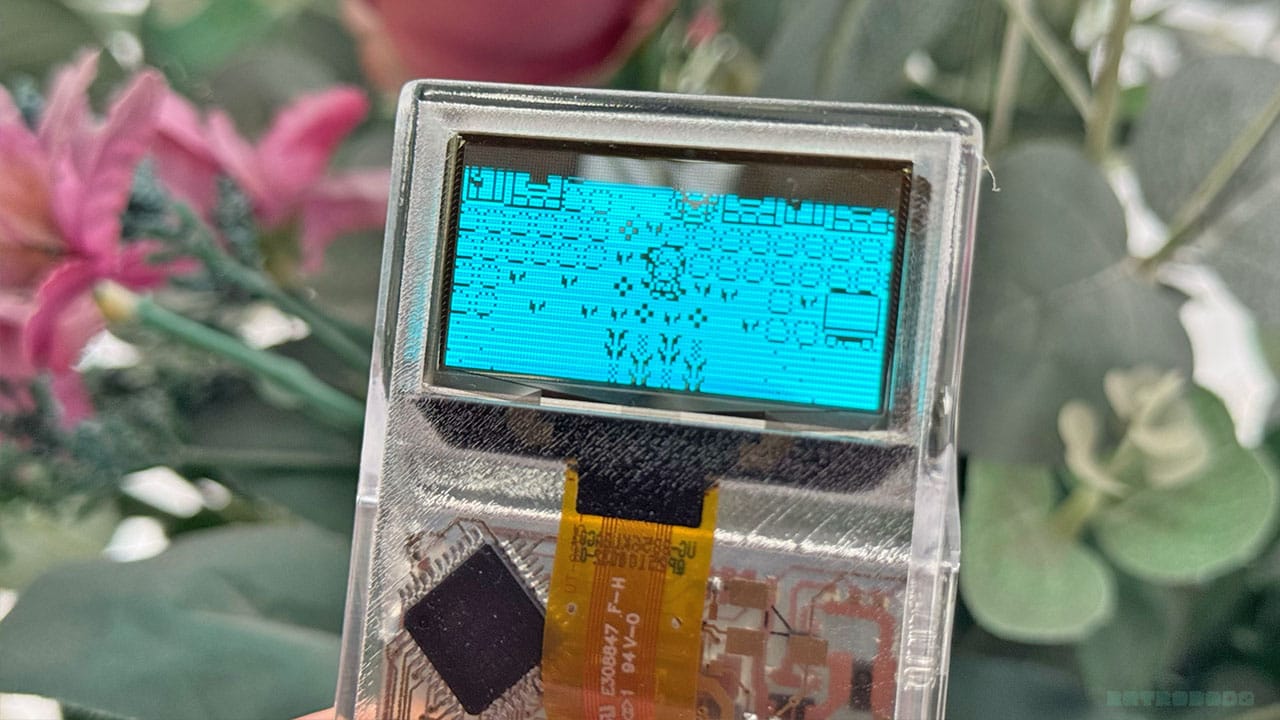
That's ok, because we all have different tastes, but if the number of bad games outweighed the good, then that would be a different story. That's not the case here, and as the Arduview is compatible with Arduboy and you can add more games as well as write your own on the free Arduino editor, it doesn't just end with the 300+ included on the console.
I will say that some games ask me to press A, but the Arduview requires me to press B to make them work, usually in select screens. It's not a huge deal, but I thought I'd mention it.
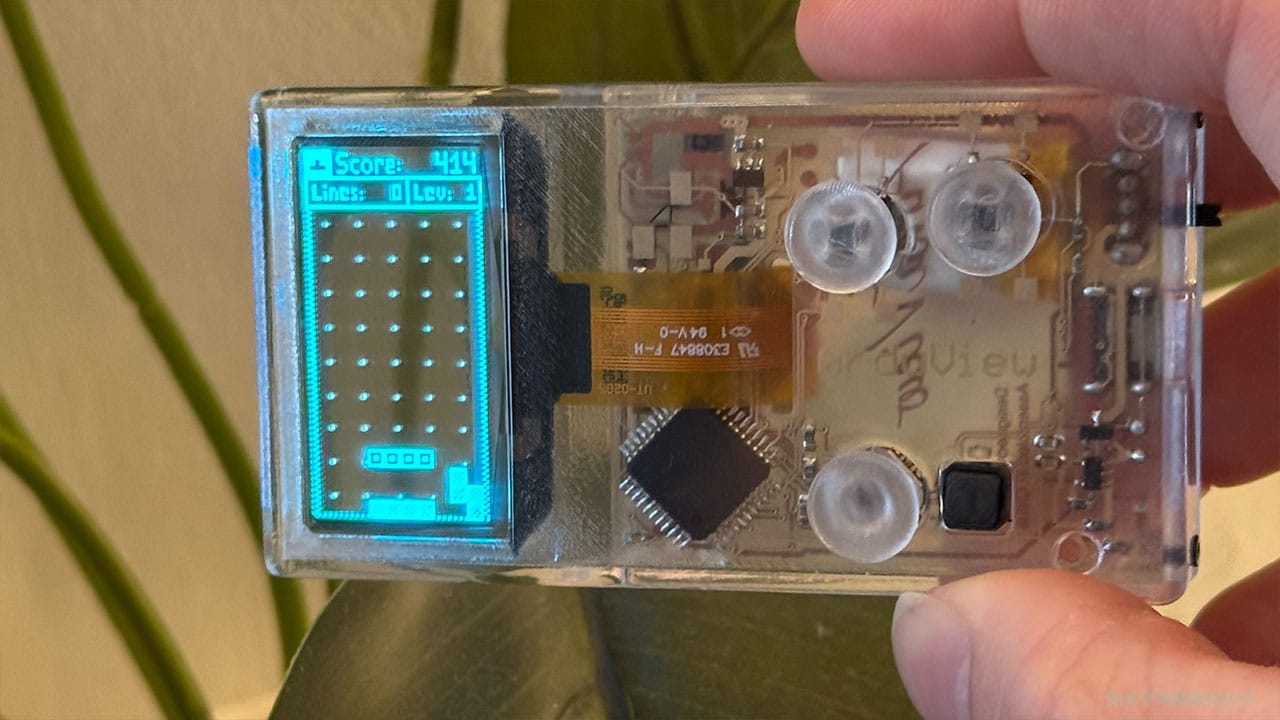
You can also turn the console on its side and play games like Tetris, or Tetroi in this case, with a vertical screen. Tabletop games like Cripple Mr Onion and Cribbage are there for when you want a relaxing little gaming session too. It would take me all day to go through all of the 300+ games, but there's plenty for you to try out and a nice selection of titles.
Final Thoughts
- Futuristic screen and shell take you back to the '90s/early '00s
- Pocket-sized
- Great selection of games from Indie devs
- Screen is easy to see no matter where you are
- Buttons shouldn't all be thumbstick-shaped
- No battery indicator on early models
- Battery glitch when on low charge
- Needs a little more polishing, in my opinion
I like the concept of the Arduview; Louis and his team have fully captured that feeling we all had when we first discovered transparent tech as kids, but taken it one step further by adding a futuristic twist that, had it been possible back then, would have made us feel like Power Rangers.
The Arduview is a nice size for pocket gaming on the go, and the selection of games is great. I just get the feeling that this version isn't quite finished enough yet. As I said above, I don't think we need the same sticks for all of the buttons on the handheld, and a battery indicator would be nice. I also think that there could be a pause button too so that you can pause your game if you want to answer the phone or make a cup of tea.
The Arduview is on Kickstarter at a launch price of HK$ 573, which works out at about $74, £55, and €66. The retail price is HK$1,159, which works out at about $148, £111, and €133.
I'm going to be honest: I wouldn't pay £111 for this handheld as it is. I would pay £55, however, because it's a cool bit of kit, but for £111 I would want better buttons and the other features I mentioned above. When you consider that you can get handhelds that play Game Boy games for $149, $148 might be too much for some people once the Kickstarter ends.
Still, I'm excited about where Louis can take this technology and what's next for the Arduview. I would love a handheld with a fully transparent flip-up screen, for instance, or a larger Game Boy Color-sized handheld. That would be something spectacular!


