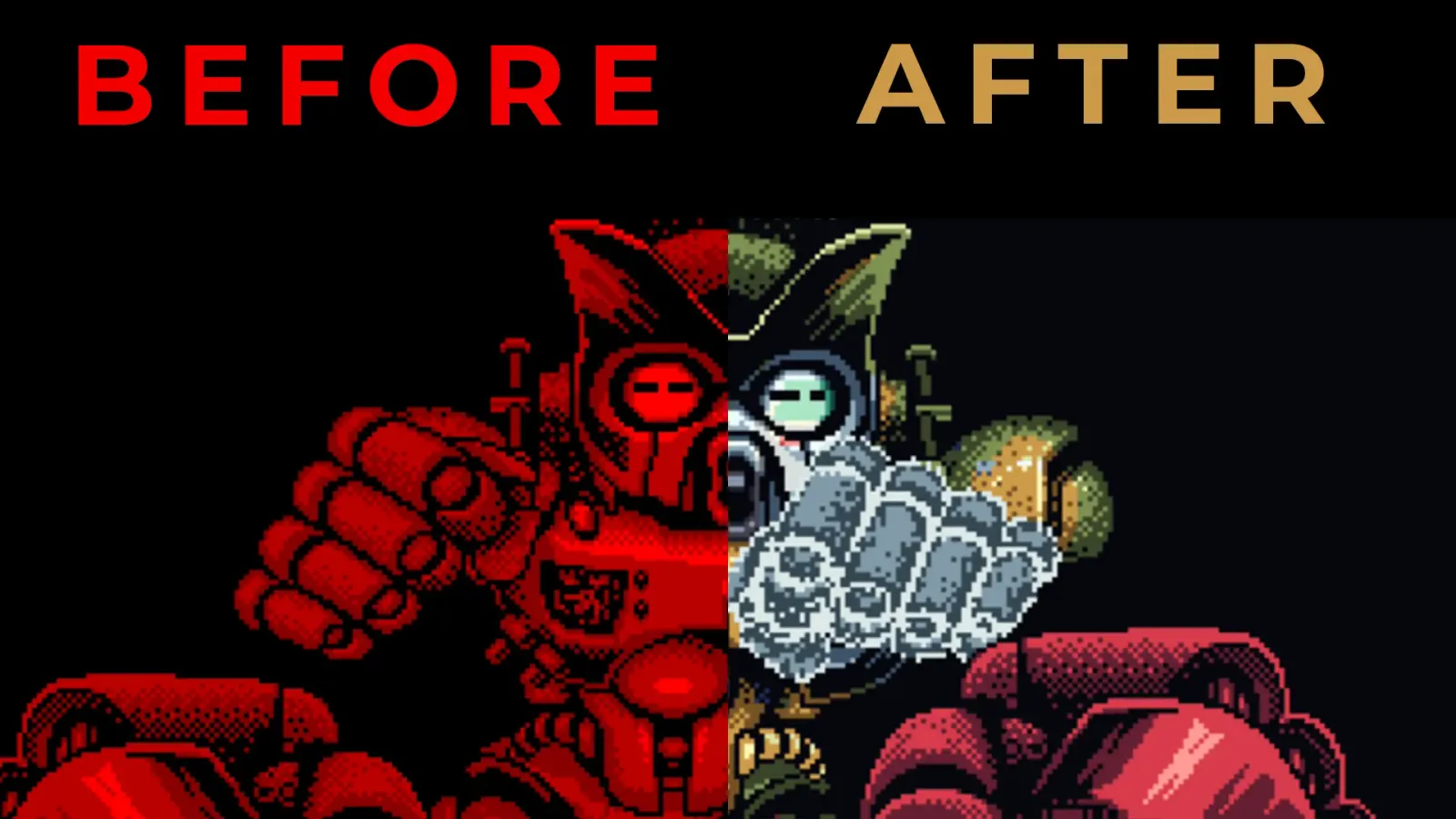
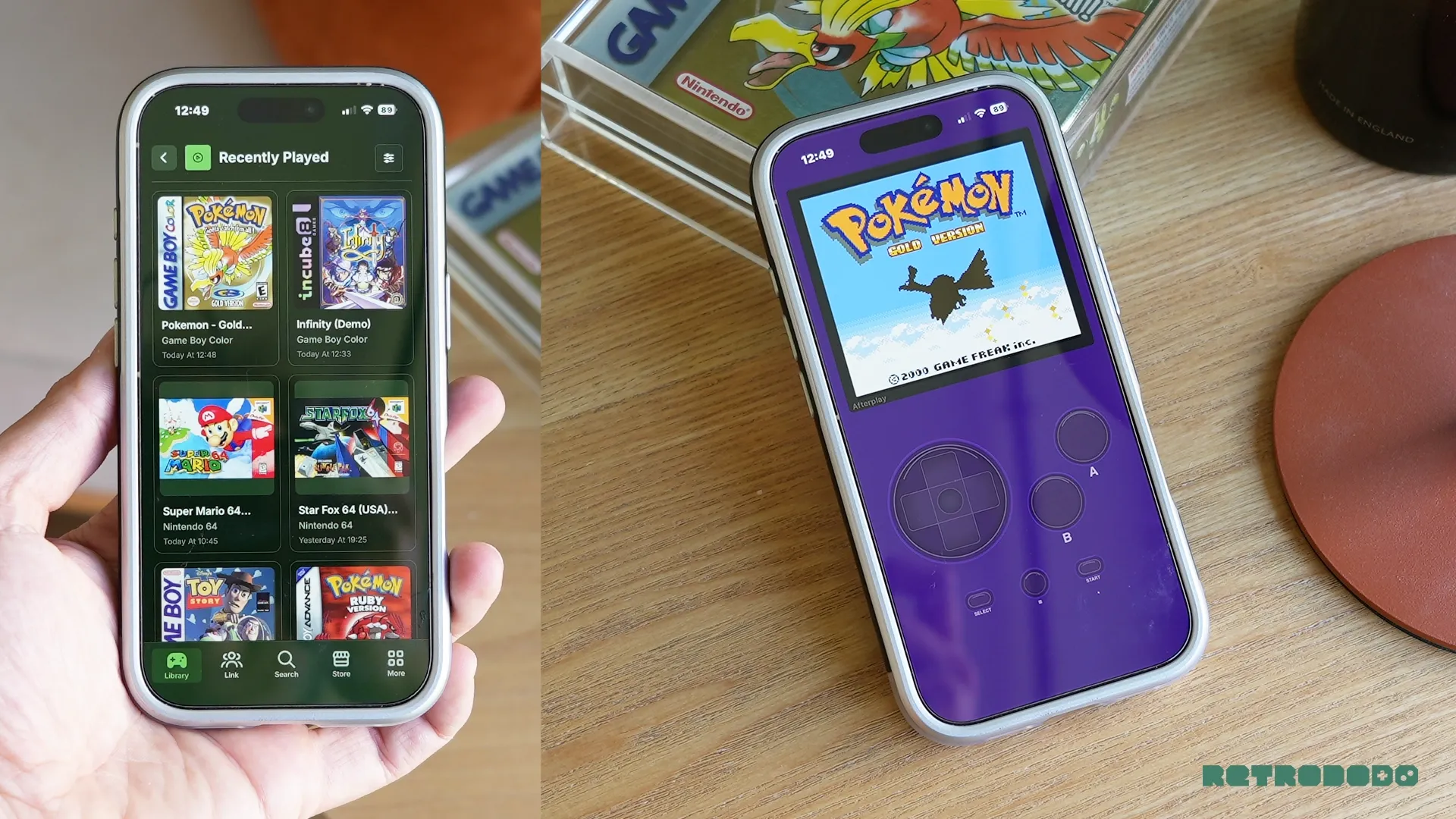
I do not understand why Afterplay is not being talked about more. I stumbled across it a few months ago and have been obsessed with it ever since. It's quite simply a website that can emulate a wide range of consoles from your browser, designed beautifully, minimally and features an insane ammount of customisations that make other emulators feel outdated.
This has allowed me to play my games legally and swiftly on my Mac (and in my Tesla), in an incredibly organised way with reliable save stats, cloud syncing, and even tracking my RetroAchievements in one place. Afterplay even has a store so that you can buy and demo modern games made for retro consoles created by the community. I downloaded a demo of Infinity, developed by Incube8Games, for free in seconds, allowing me to explore independently made games which would have normally been difficult to come across if I were not following a superb retro gaming news resource that covers them... wink wink.
Afterplay itself was actually created way back in 2021, but only now, after years of hard work and many refinements from the founder, Patrick Corrigan, and his head of emulation, known as James Leaver, is it in a state that I can honestly call an epic piece of emulating kit that more people need to experience. It's simply a platform for playing and purchasing retro games instantly across devices, requiring very little setup, and it has transformed itself into an all-round retro gaming eco-system fit for old and new retro games.
The Emulation Choice & Features
First, let's talk about what this can actually do at a basic level, and then I'll jump into the more in-depth stuff. At its core, this can emulate:
- NES / Nintendo Entertainment System
- Famicom Disk System
- SNES / Super Nintendo
- Nintendo 64
- Game Boy
- Game Boy Color
- Game Boy Advance
- Nintendo DS
- Pokémon Mini
- Virtual Boy
- PlayStation (PS1)
- Sega SG-1000
- Sega Master System
- Sega Game Gear
- Sega Genesis / Mega Drive
- Sega CD
- Neo Geo
- Neo Geo CD
- Neo Geo Pocket
- Neo Geo Pocket Color
- WonderSwan
- WonderSwan Color
- PC Engine / TurboGrafx-16
- Atari 2600
- Atari 5200
- Atari 7800
- Atari Lynx
- Atari Jaguar
- Commodore 64
- ZX Spectrum
- Amiga
- Amiga CD32
- DOS
- DOOM (standalone source ports)
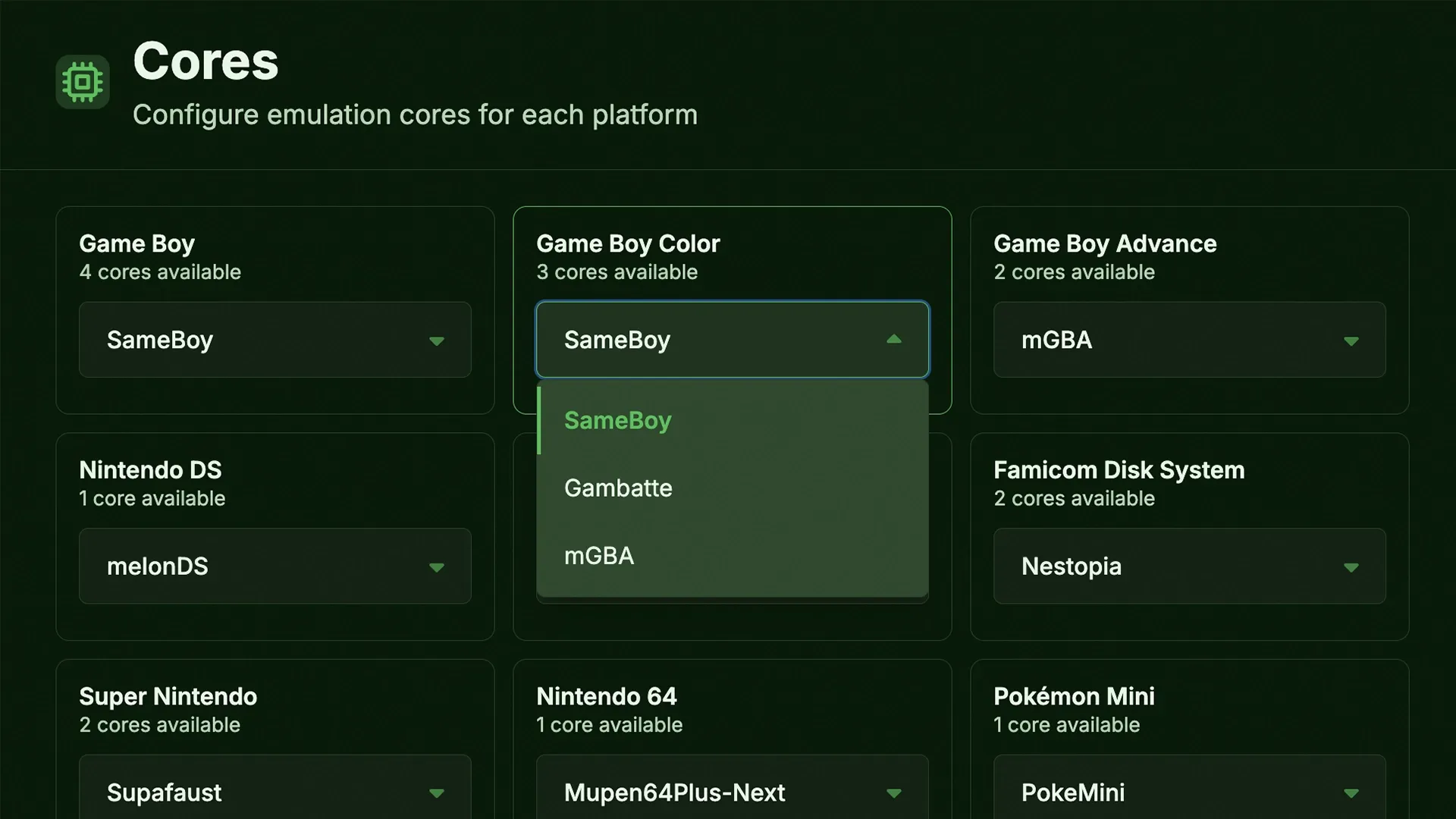
That's a whole lot of emulators, all ready to go on your browser or your smartphone app. Most emulators can be tweaked to use different cores of your preference; for example, I can switch the Game Boy Color emulator from SameBoy to Gambatte in the settings or the PlayStation 1 core from PCSX-ReARMed to Beetle PSX dependent on which one I prefer, or if i believe one emulates better than the other.
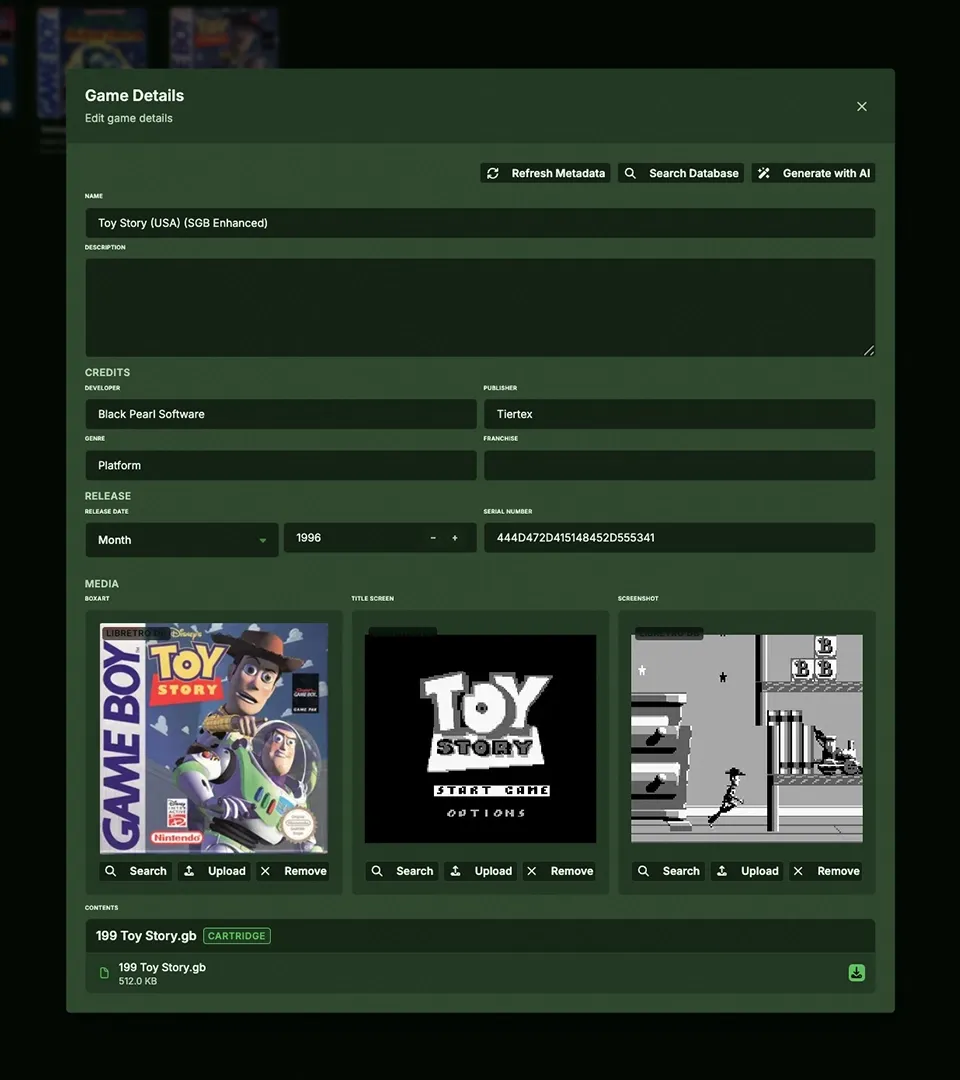
The main homepage showcases your list of emulators on the left, which allows for easy organisation. Once clicked, this will open up your library of games. If none are imported, you can simply click "+ Add Game" which will pull up your files in order to find a ROM file to upload. Once found and uploaded, you can then edit the file completely, you can change the title, add box art, add notes, change the developer and more, turning your library of games into a highly customised piece of art that is satisfying to explore and play.
Other tabs include "Link", which allows you to create a virtual room in order to play with other friends using Afterplay. It gives you a link and a friend code to send in order to match you together. There's Achievements, which sync to your Retro Achievements account in order to track, manage, and complete achievements in retro games.
As mentioned previously, "Store" that sells community-made games from the likes of Incube8Games and mega Cat Studios. There's also "Stats" which offers a look at your play time, day streaks and gaming activity in a way that somehow makes you want to play consistently to keep the charts filled.
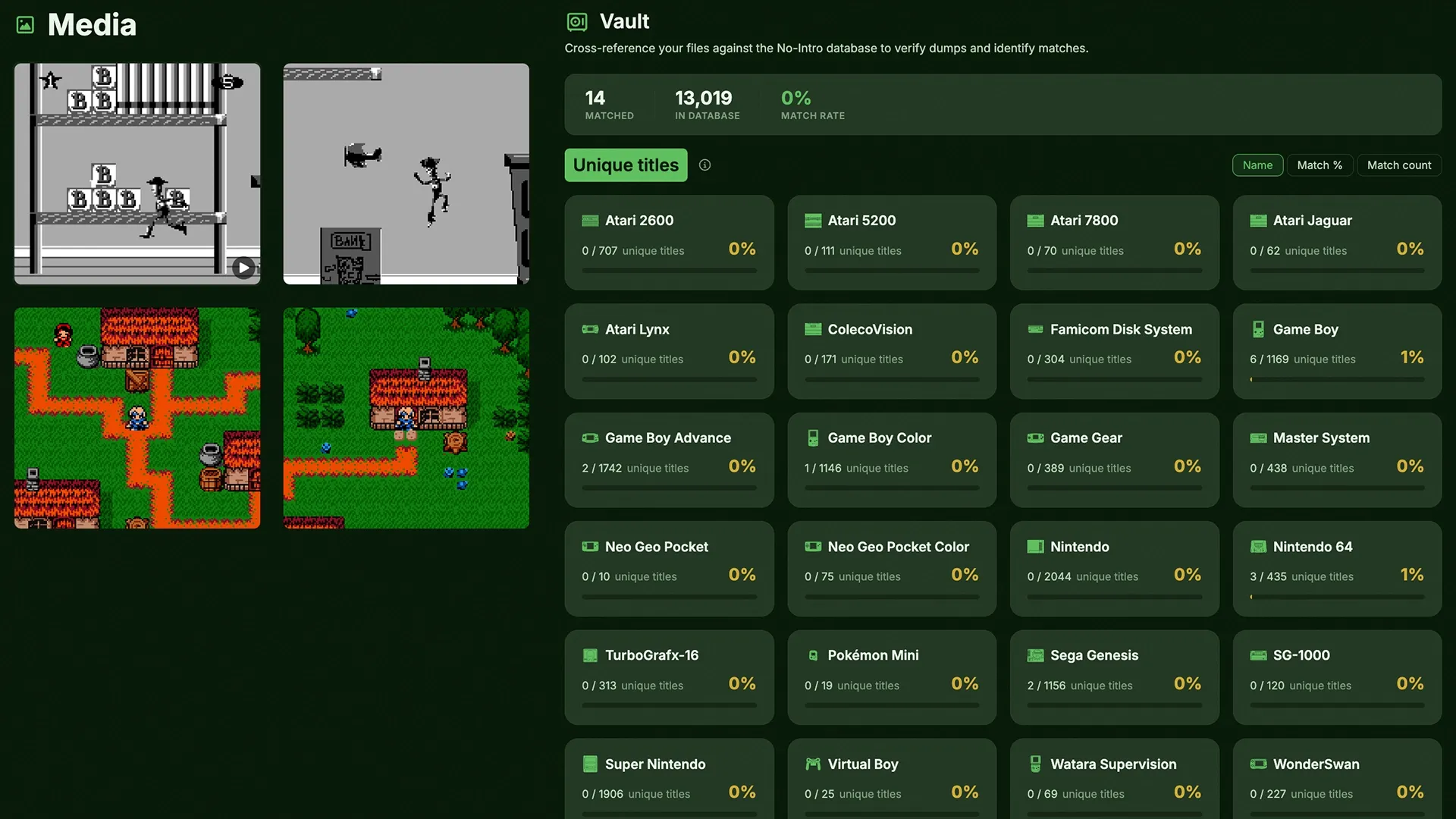
There's also "Media", which stores your screenshots and video recordings. Though I will mention that when you record video, the frame rates of most games drop significantly, so much so that it records the frame rate drops too, making even GAME BOY emulation impossible to record smoothly. So, although this is a feature, it's not functioning as it should. Screenshots work perfectly. And finally, there is "Vault". This manages your entire ROM library so that you can scan through your collection and see which games you are missing, a great feature for collectors, it cannot store your physical collection, which is something I wish they added. The only way you can add an item in here is by uploading the ROM.
You can dive deeper into customisations if you wish by entering the main settings page. Here, you can tweak the entire look of the dashboard, from the choice of over 80+ coloured themes (I went for a dark green look), to adjusting typography and even changing the styling of the interface corners. It's a bit nuts, I'll be honest.
Cloud Sync is another one of my favourites, allowing you to seamlessly manage and play your game data anywhere in the world, on any device if logged into your Afterplay account. So no losing saves, thanks to the auto-save feature, and no more having to load your library of ROMs into Afterplay after you've done it once. Your customisations, cheat inputs, ROM library and more are all saved in the cloud, seamlessly.
Emulation Quality
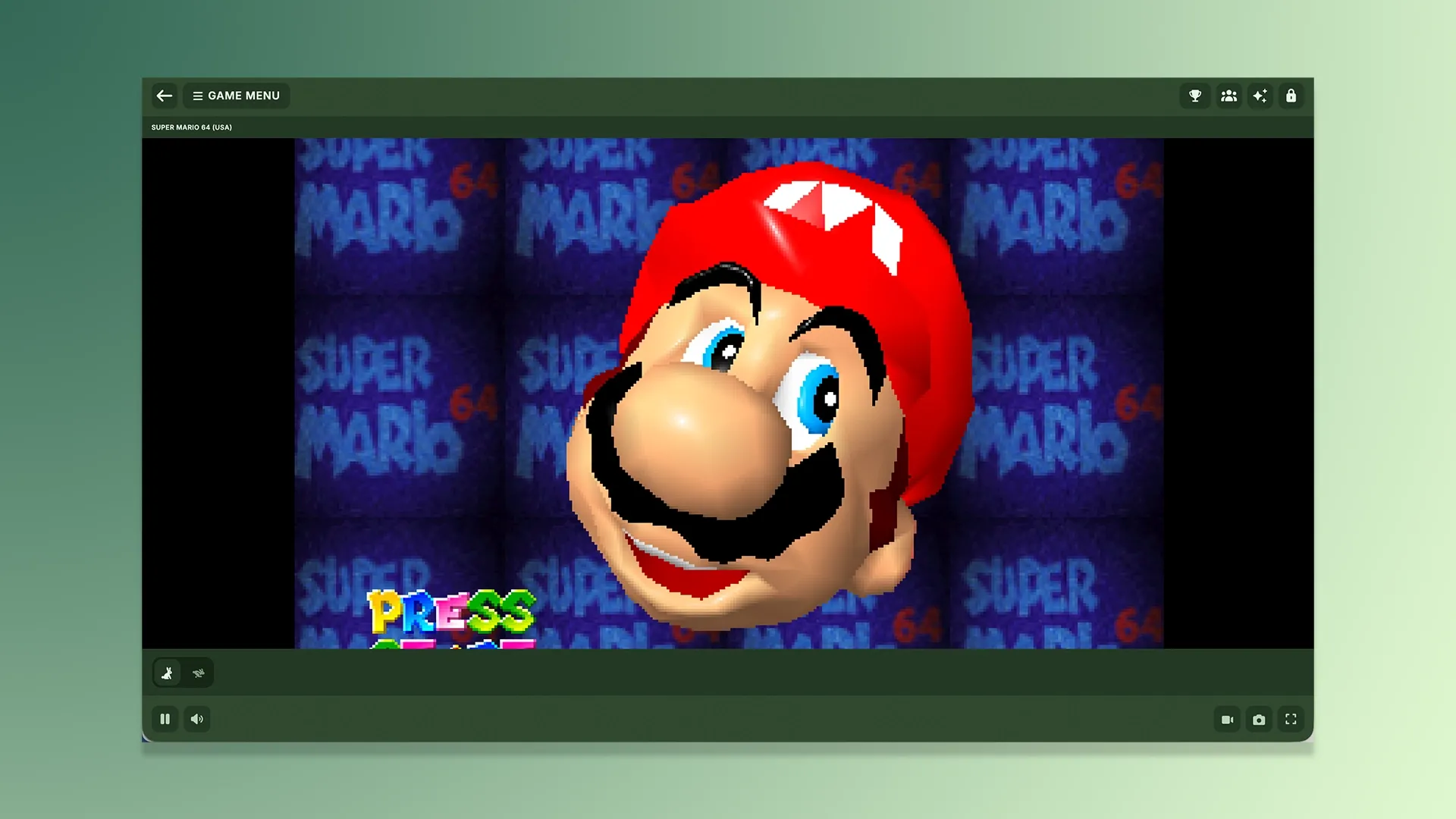
Let's talk about how well this emulates your retro games, because at the end of the day, that's the most important thing. We've seen countless emulation platforms and front-ends in the past that look great but perform poorly. Is Afterplay now on that "do not touch list"? To get straight to the point, no.
Afterplay is a pretty darn good platform in terms of emulation quality, though it's not perfect. I don't think we'll ever find a perfect emulation platform, quite simply because there are just so many cores and emulators on here that you're undoubtedly going to stumble across some pain points, regardless of how powerful your computer is and if the cores are frequently updated.
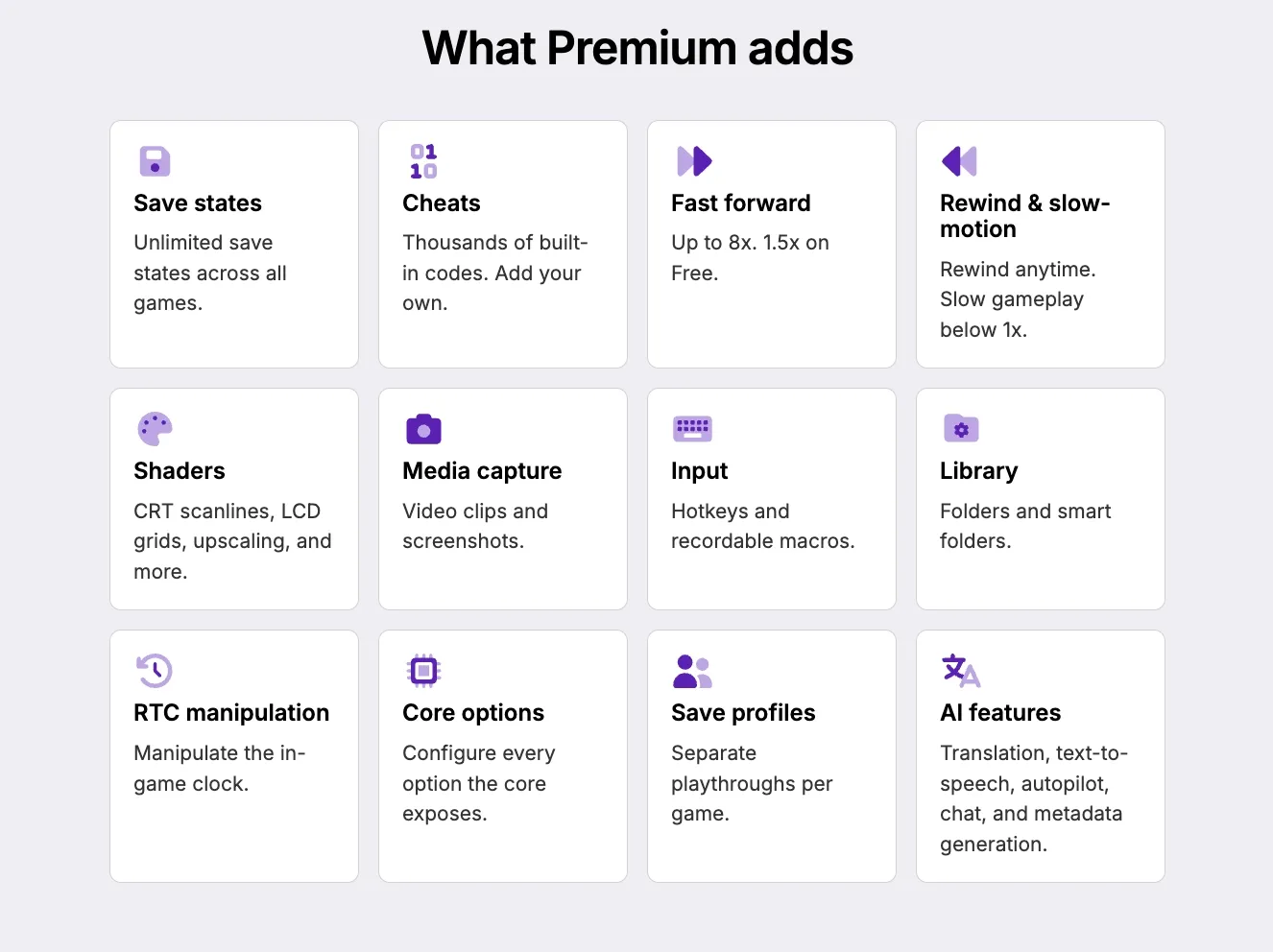
Afterplay is incredibly fluid, very easy to use and just a pleasant breath of fresh air in the space, all thanks to the incredible UI and pretty reliable performance output. Most games I emulated on here worked really well. The majority of users will likely not come across bugs on the regular, and for a free service, it's truly remarkable, so remarkable that I believe many will want all the extra features that the paid-tier has to offer, such as unlimited saves, cheats, fast forward, speed up options and deep customisations. Afterplay even offers 7 days of premium for free, so you can explore their offerings and support the incredible creatives behind this piece of kit.
When you load up a game, it will take over the screen and load in just a few seconds. Hovering your mouse over the game will show a clean UI around the gameplay that offers the choice to save, load, screenshot, fast forward and more, in a minimal way that doesn't force you to lose focus on what matters, enjoying the game.
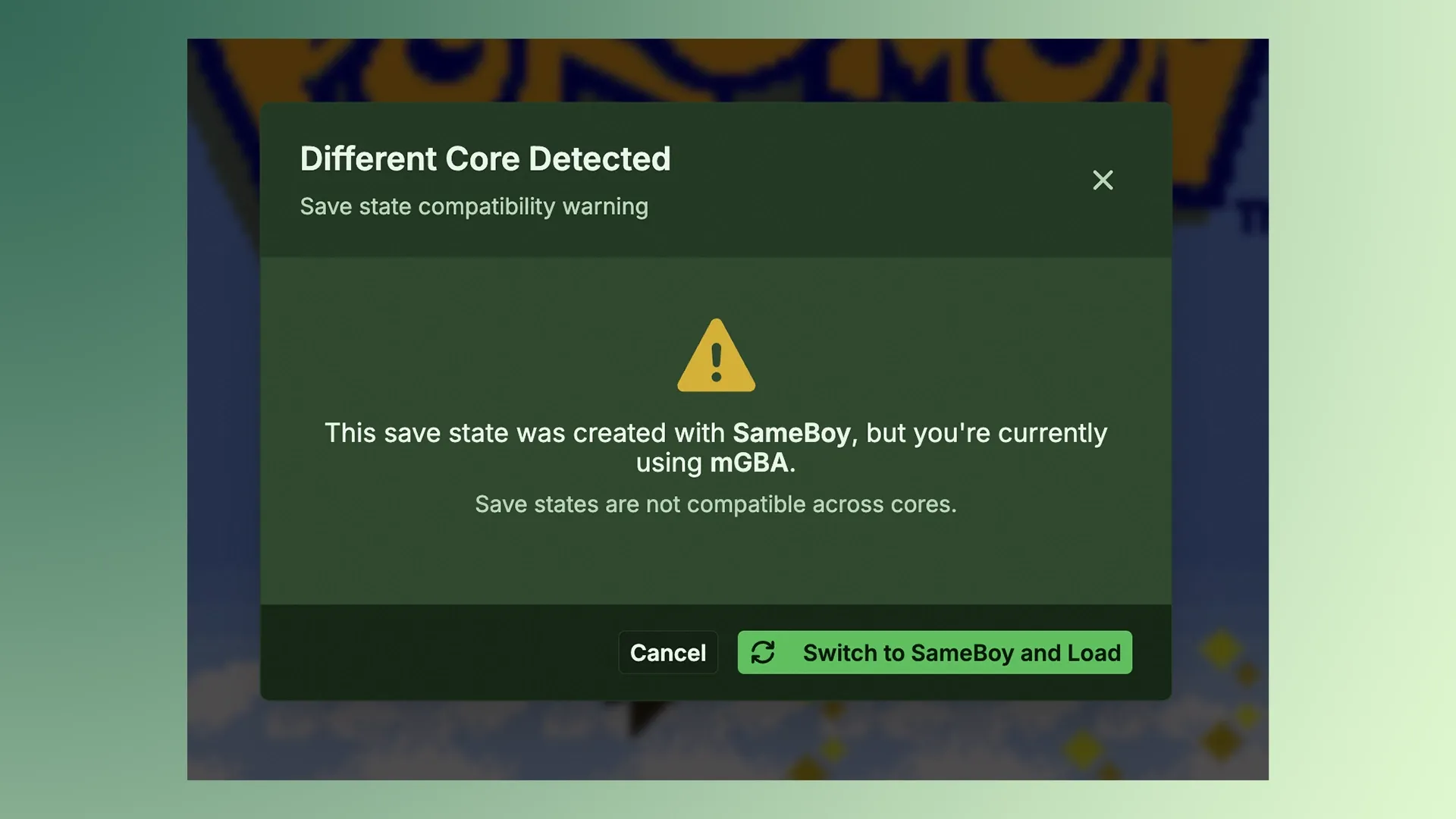
Quality was good on most default cores. The only core I did find myself changing was the GBC core from SameBoy to mGBA, but I was then caught out by the fact that save states can not be transferred across cores, which is completely understandable, so I switched back to SameBoy to continue my Pokémon Gold save state that I made a few days prior. Performance was barely noticeable between the two, in all honesty, but GBC nerds like myself can see a slight difference and loved the fact that cores can be changed on some consoles (for premium users).
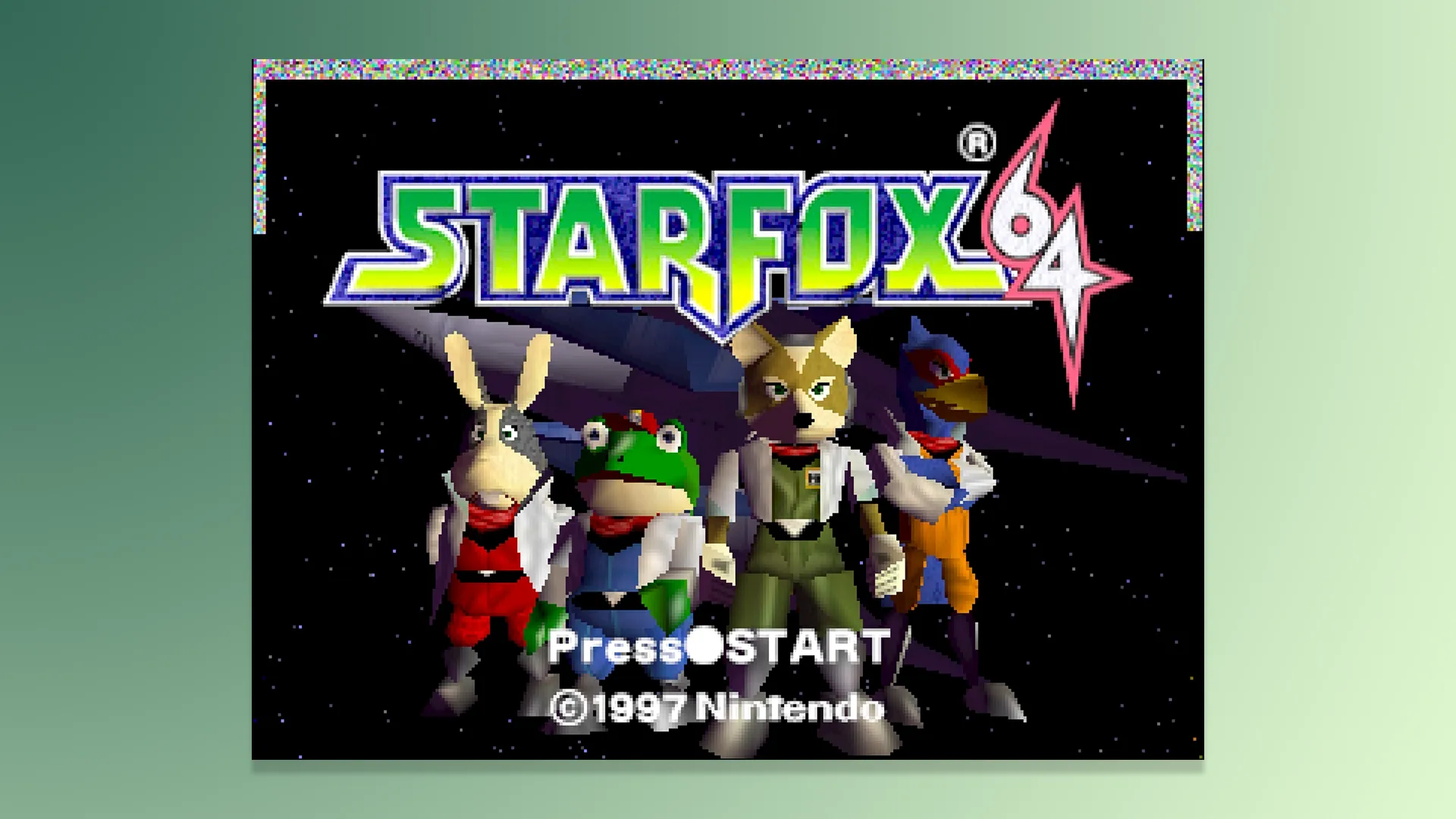
Larger consoles emulated fine too for those wanting to explore the likes of Nintendo 64, Nintendo DS and PlayStation 1, which admittedly can be overwhelming on a keyboard, so I recommend syncing up a Bluetooth controller to take full advantage of Afterplay.
The only negatives I saw on some of the higher-end consoles were the fact that when I would come back to a game that was left on in my browser, at times it would show glitches and artefacts around the gameplay. This didn't impact the game at all, nor did it stop me from saving, but its a sign that something wasn't right, and the anxious gamer in me felt the need to restart Afterplay to remove the artefacts, just in case.
This platform alone will keep most retro gamers happy for many months, if not years, thanks to the good quality emulation and choice of consoles, matched with niche features such as adding cheats and even manipulating the built-in clock if you want to shortcut through games such as Pokémon.
It's worth noting that the cheats in Afterplay are taken from public sources and are listed out in a way that allows you to discover the array of cheats each game has to offer, very similar to the SN Operator, which we reviewed recently, this is great as it saves time searching for cheats on the internet, but it will mean some cheats do not work on certain cores and can even crash games which we have seen in the past, so turn on these cheats at your own risk. There are just way too many for Afterplay and other services to manage themselves. It's a great feature, but vast, which means minimal code is reviewed.
Overall Opinion
- Incredibly Well Designed
- Mostly Great Emulation Performance
- An Unbelievable Ammount Of Customisations & Features
- It's Free & Has A Respectable Premium Offering
- Minor Bugs In Some Areas
- Bring Us PSP Emulation
- Smartphone App Needs Skins & Some UI Tweaks
Afterplay is a modern, refreshing, well-designed emulator platform that will undoubtedly keep retro gamers happy. It allows the ability to explore your ROM library in a way that respects your games, and manages them in a highly organised way that feels like a digital museum, or some kind of retro gaming/Netflix hybrid that just isn't getting the attention it deserves right now.
It's made by one man, a bloody talented one at that, and I applaud Patrick for what he has done. Yes, there are minor bugs. I want PSP emulation, I want to be able to upload my own smartphone/app skins like Delta does, and physical media management would be a nice premium feature, oh, and it may be a little overwhelming to explore at first for emulation newcomers, but that said, it's now become the go-to emulation platform that I use weekly. The monthly premium price is respectable, too, and I highly recommend Retro Dodo readers to explore it as it's given me far more value than I originally anticipated, and the well-designed UI just makes everything look modern, minimal and puts what matters first, gaming.
This is the future of emulation. Try it out for free today.