


I've been looking for something like this for a while, and today an email came through putting a spotlight on a new piece of software called 1Retro, developed by Hans Larsen to help emulation enthusiasts keep their precious save files across multiple emulation devices so that we don't keep starting over again when we buy a new handheld.
It's been out for some time, since mid-2026, but only now has it come to my attention, and it's so useful that I want to share it with our readers today. "1Retro started as a simple backup tool for one emulator. It grew into a desktop app and eventually a full sync platform. The goal never changed: make save management invisible. You play. We handle the rest. Today, 1Retro supports all retro gaming platforms and works across macOS, Windows, and Linux. It is built out of a deep care for preserving gaming history, one save file at a time" states Hans.
It can be used with many different pieces of tech, such as Android, PC, Mac and even handheld operating systems such as muOS, NextUI, OnionOS, and more, including MiSTer FPGA. Heck, if you have an Epilogue GB Operator, you can actually take the save file from a cartridge and store that on the cloud and even port it directly to your emulators; you can do it the other way around too, porting emulation save files to your physical cartridges.
If you're like me, I play lots of different games on my handheld emulators and the save files are on my microSD card, which is all well and good, but does get a little annoying when switching devices, and there's also a risk to it because the SD Card could eventually corrupt, and then I'm in trouble!
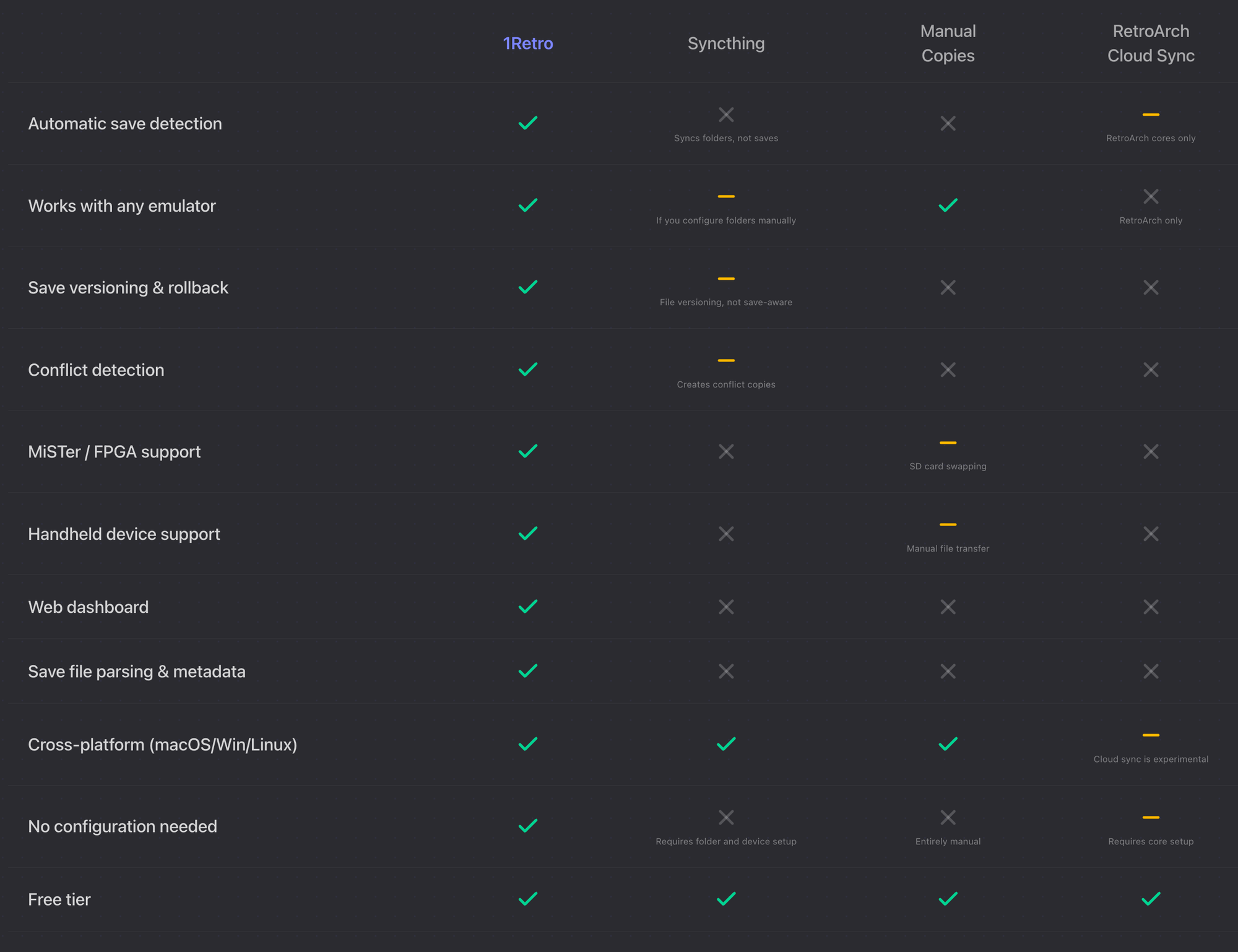
The user experience is a little basic, but I kinda like that it gets to the point and stores your data in a way that feels like a new emulator, featuring artwork of the game you are storing, and access to the device you stored it on. And depending on what OS you are using 1Retro on, it will have all of your files waiting for you, and you can automatically refresh the states across multiple devices to find the latest saves.
It's free to start and comes with 20MB of space, which is enough to store, on average, 5,000 save states across many games and emulators, but if you need more and want access to some premium features such as using it on up to 10 devices, then there are $2, $5 and a $10 per month version with more storage than you can handle. You can check out this awesome piece of software on 1Retro's official website today.


