


You've no doubt seen the 3D Mod for Pokémon Red/Blue doing the rounds on your social feeds today, and yes, it's just as amazing to play as you imagined. Dramatic Shape's Voxel Mod turns BryanThaBoi's Pokémon Gen 1 Recomp Project into a fully 3D version of Pokémon Red and Blue that turns the old Game Boy games into titles that have a modern feel while still remaining wholly nostalgic.
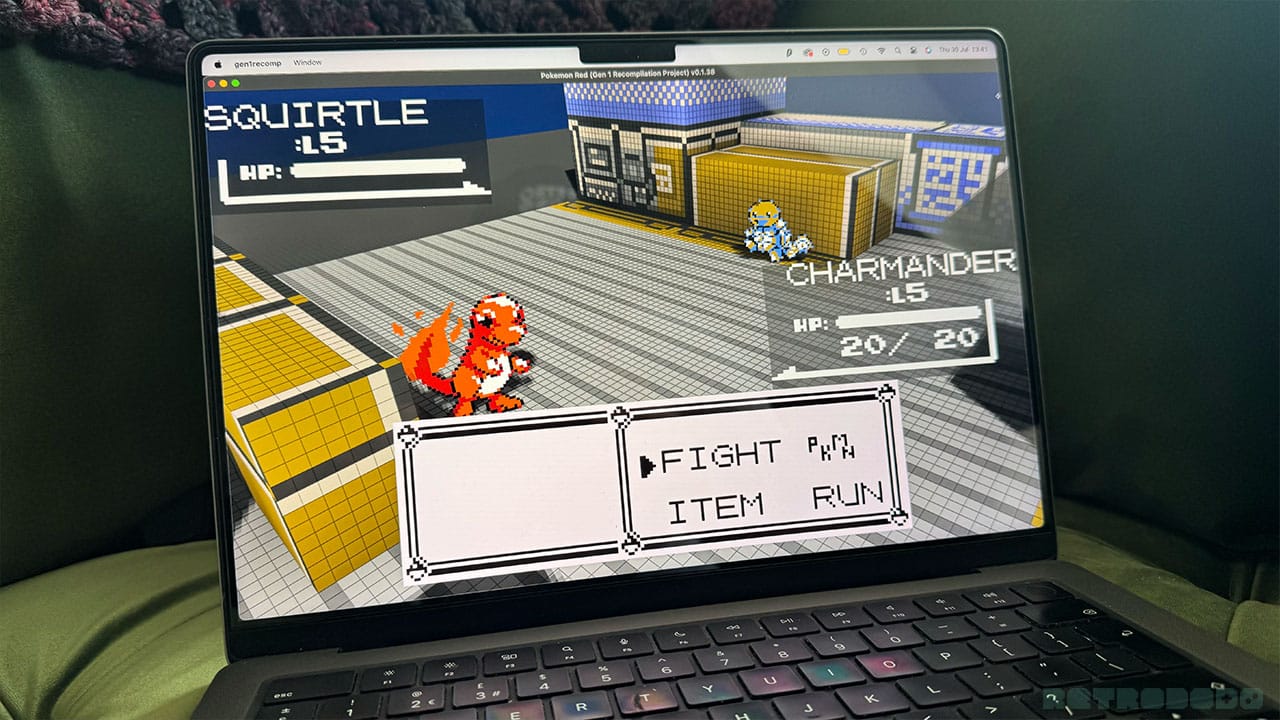
If you're wondering what a voxel game is, it's a game built using volumetric pixels. Think Minecraft, and you'll get the general gist. It turns Pokémon Red into a 3D game with 2D elements to it - it's a really interesting style and one that manages to capture retro spirit while adding new depth to a classic game we all know. With the Gen 1 Recomp Project and the Voxel Mod, you can change the colour of your game, viewpoint, and go from the traditional top-down view to a 3D view at different angles, as well as zooming into the game more to get closer to the action.
How To Set Up The 3D Pokémon Red/Blue Mod
Firstly, you'll need to download the Pokémon Gen 1 Recomp Project from the downloads page on BryanTheBoi's GitHub releases page. There are options for Android, Windows, Linux, MacOS, and the Anbernic RG34XXSP. I do all of my articles and ROM hack playing on my Mac, so I've gone ahead and used this to get the mod up and running.
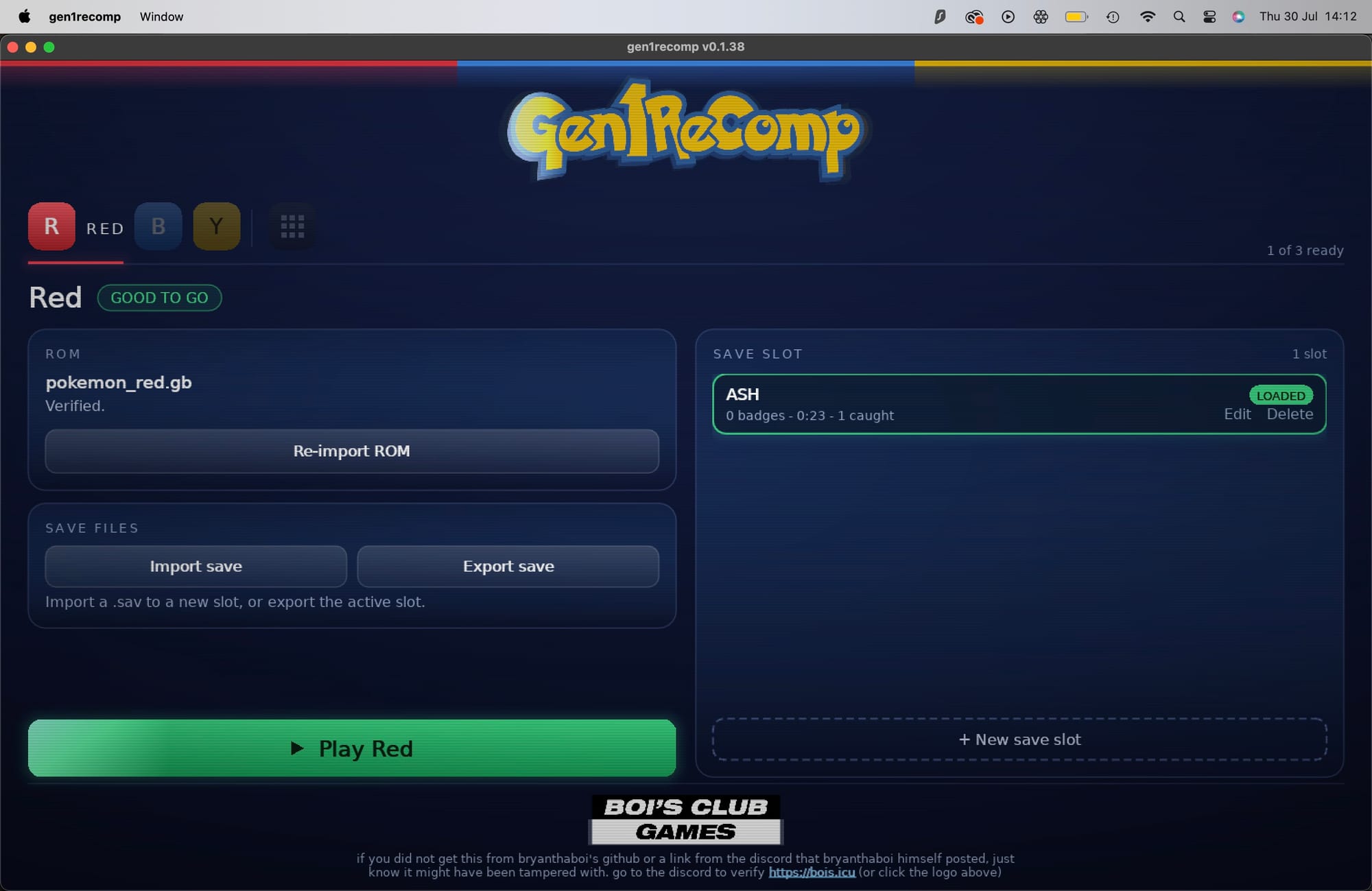
Once you've downloaded Gen 1 Recomp, you'll be met with this screen. Pick either Red, Blue, or Yellow, and import your legally acquired corresponding ROM file for the game you've picked. Once imported, it will tell you that you can 'Play Red' or 'Play Blue,' etc in the green bar at the bottom.
That's only half of the battle, however, as you still need to install Dramatic Shape's Voxel Mod, the part that gives the game its 3D feel. Without it, you'll just see a 2D game with flat features at different angles.
To get hold of the Voxel Mod, you need to head to Dramatic Shape's GitHub and head to Releases. The latest version of the Mod is 1.2.1 - download it and head to your downloads folder.
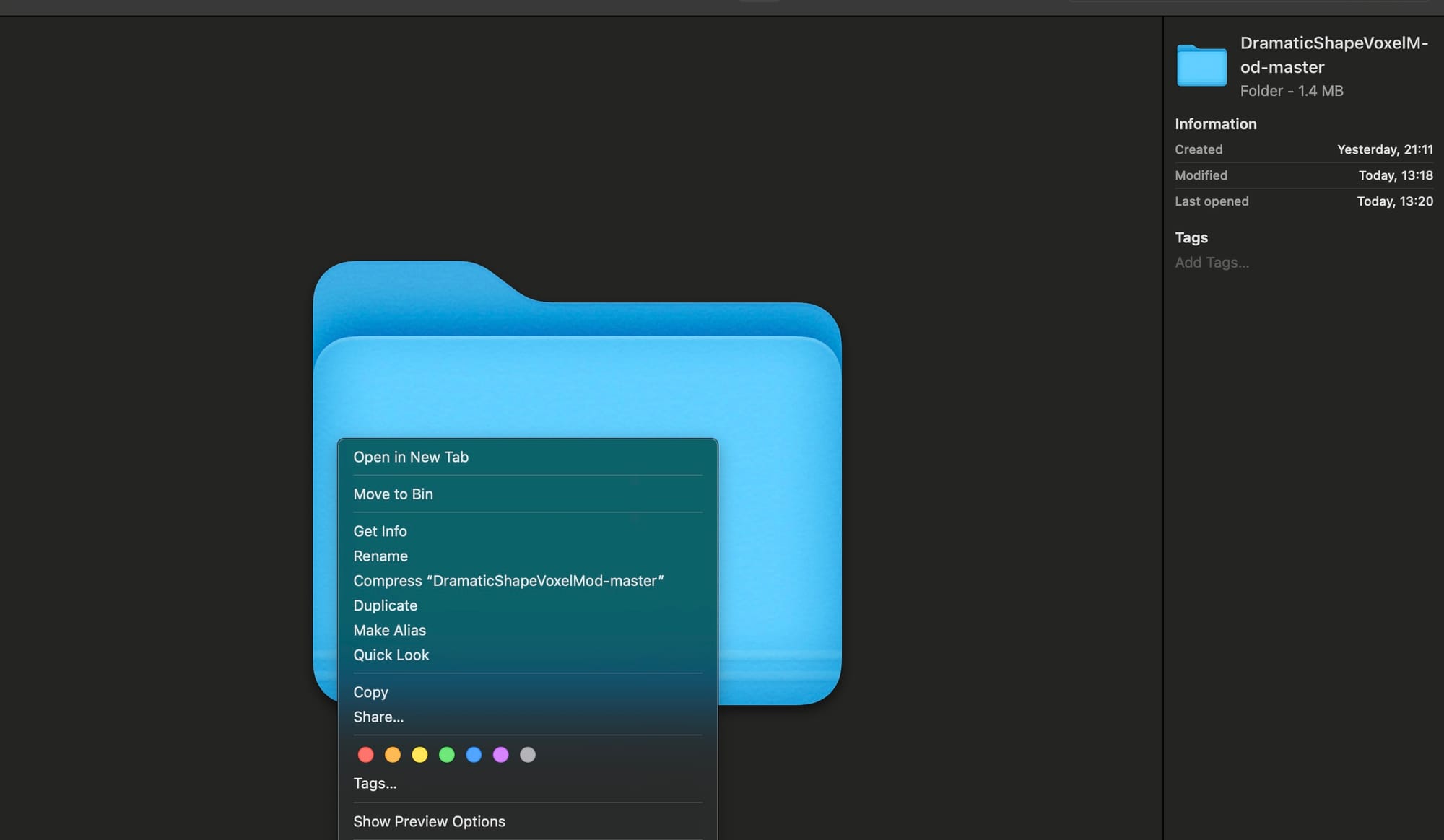
The file will download unzipped, but to upload the Mod into Gen 1 Recomp, you'll need to compress it into a zip file. Click Compress, and then re-open Gen 1 Recomp.
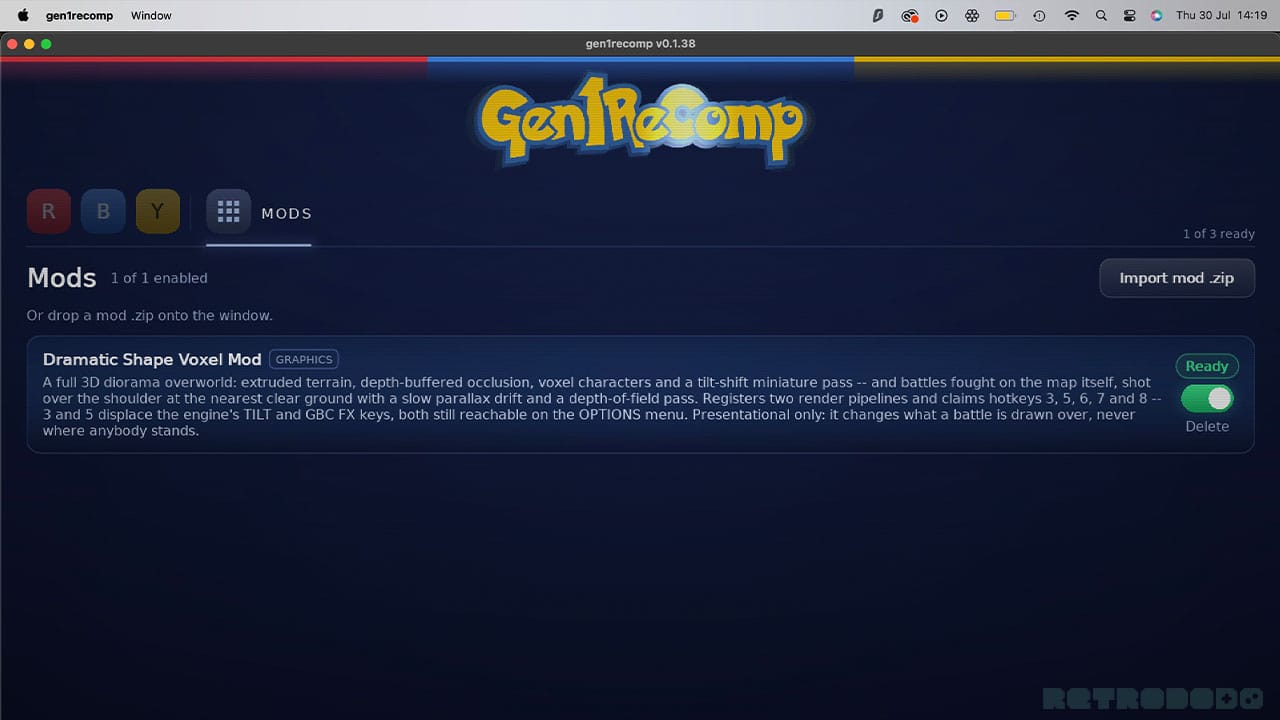
The grid of 9 squares next to 'Y' in the top menu is where you'll find your mods. Once you have zipped up your Dramatic Shape download, you can click on 'Import mod.zip' and upload your zip file. It will then show the 'Dramatic Shape Voxel Mod' as being ready. Go back to your chosen game (R, B, or Y) and start playing.
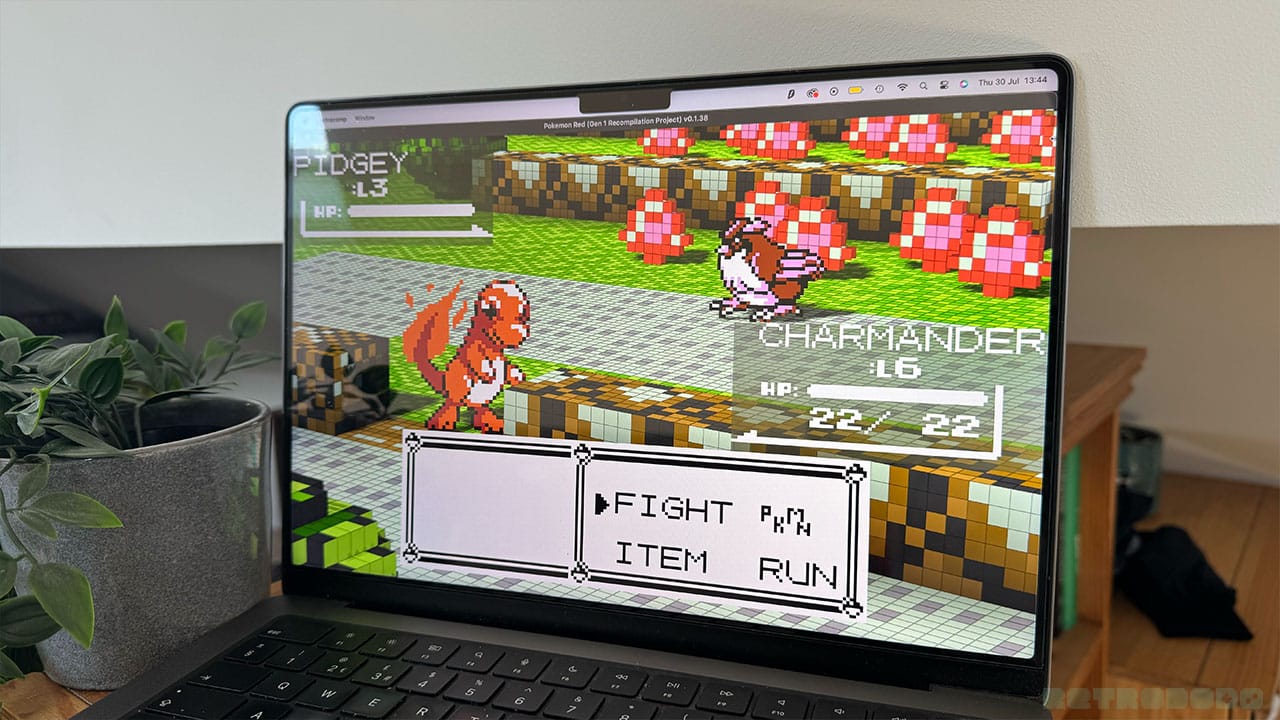
Now, when you press '3', you'll cycle through different 3D angles. '7' bends the world over the horizon, which is a cool feature. '5' adds a wireframe to every voxel which really gives the game a Minecraft feel. '6' also creates a blur feel a little like a vignette, and '2' changes your colour scheme!
So there you go, there's how to download Dramatic Shape's Voxel mod and get a 3D experience in Pokémon Red/Blue!


