


If you're like me, Delta is one of your most-used emulator applications on iPhone. It's fluid, easy to use, comes with a wide range of customisations, and is constantly updated by the developers Riley and Shane. Their latest 2.0 update has finished, and they're already teasing 2.0b5, a smaller update that's on its way but comes with some much-wanted features.
According to Rily, this beta is all about "customisation", including controller skins, button mappings, audio settings and one feature I requested in our 8BTIDO FlipPad review, the ability to change the screen position, allowing accessories and controllers to not overlay on the emulator's screen.
Below are all of the new features coming to Delta on iOS.
Animated Controller Skins
Controller skins just got a lot more lively! Experience playing with touch controls like never before, with newly added support for animated controller skins. Delta now supports skins with animated button presses, making it feel like you're really using a controller. To show off what's possible, this beta includes a new animated GBA skin designed by our very own Caroline Moore ⭐️ Give it a try and let us know what you think!
Redesigned Input Mapping
Playing with a physical controller? We've completely redesigned the input mapping screen for game controllers and keyboards. Instead of jankily mapping buttons directly on a skin, you now map them from a standard list view, as you would probably expect from other gaming input mapping screens. Setting up your button mappings is now clearer and quicker than ever.
Adjustable Screen Position
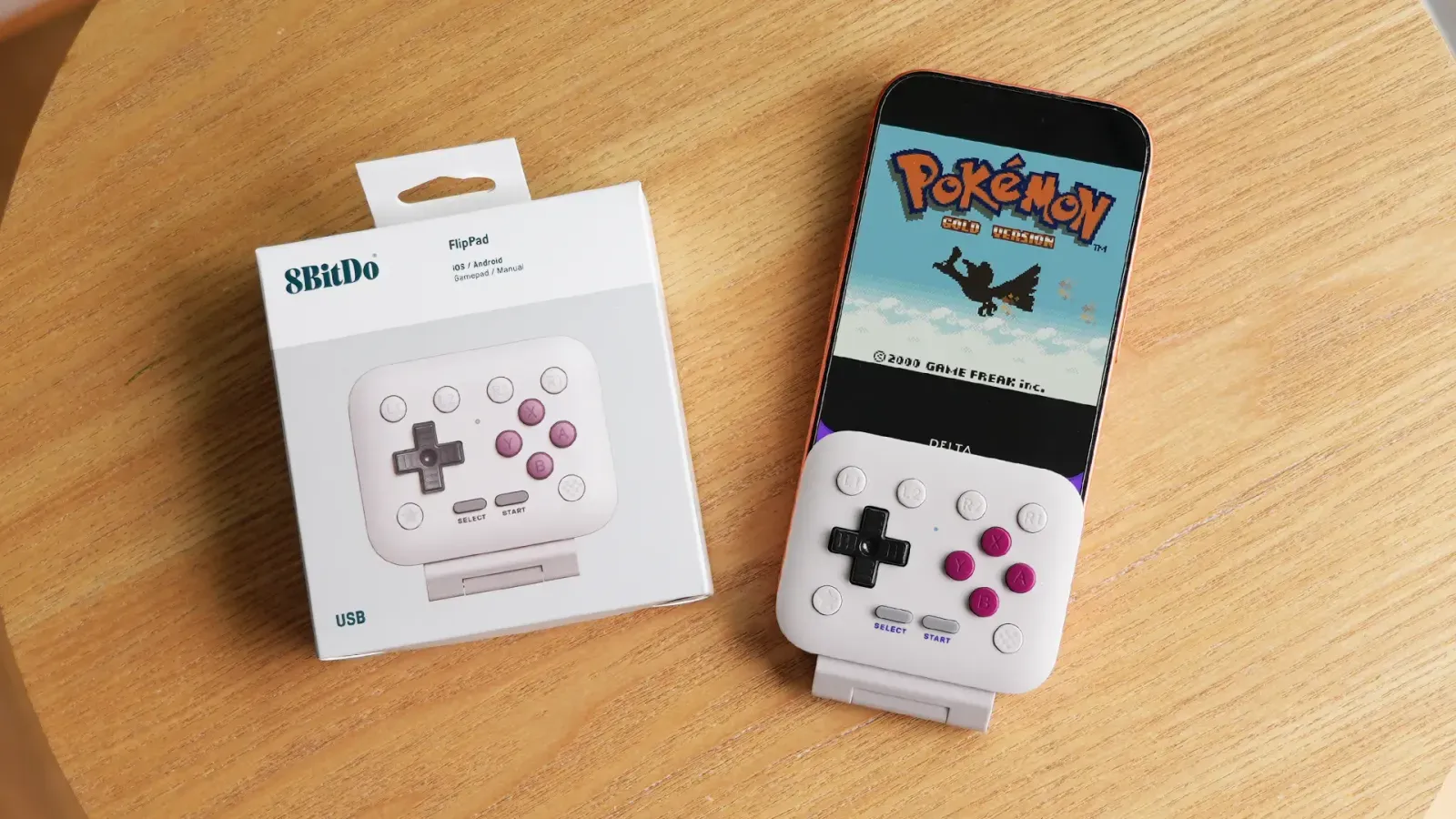
We know many of you have been frustrated with Delta when it comes to playing with controllers that sit over your screen, like the 8BitDo FlipPad. No more! Now, with any controller connected, you can long-press the game screen to adjust its position and put it exactly where you want for the best viewing experience.
Audio Settings
Finally, for how Delta sounds. We've added new audio settings that let you decide how Delta handles other apps' audio. "Mix with Other Audio" keeps your music or podcasts playing while you play games in Delta. Prefer full immersion? "Pause Other Audio" silences everything else the moment a game starts. And if you'd rather hear only your music or podcast, just flip on silent mode. However you like to play, Delta has you covered.
QoL Updates
This beta also includes a bunch of other small improvements. Custom Fast Forward and RetroAchievements have graduated from Experimental Features, and Online Multiplayer has moved from Nintendo DS core settings to top-level settings where it belongs. We've also added the ability to delete save states in bulk, added an option to move the Home and Resume buttons to the top of the Pause Menu, and Delta now automatically syncs your favourites between devices.
Those who support Riely and Shane on Patreon likely have early access to these features, which you can install manually. For the rest of us, we just have to patiently wait!


