


Controllers for smartphones are all the craze recently, and even more so with the retro emulation scene exploding on iOS and Android, due to Apple's relaxed App Store rules. So we've seen the likes of the GAMESIR Taco and the Abxylute M4 make their way onto the market. Still, if you waited patiently, you now have an opportunity to snag one of the best portable, retro-inspired smartphone controllers on the market, all thanks to 8BITDO.
- Release Date: July 2026
- Pricing: $29.99
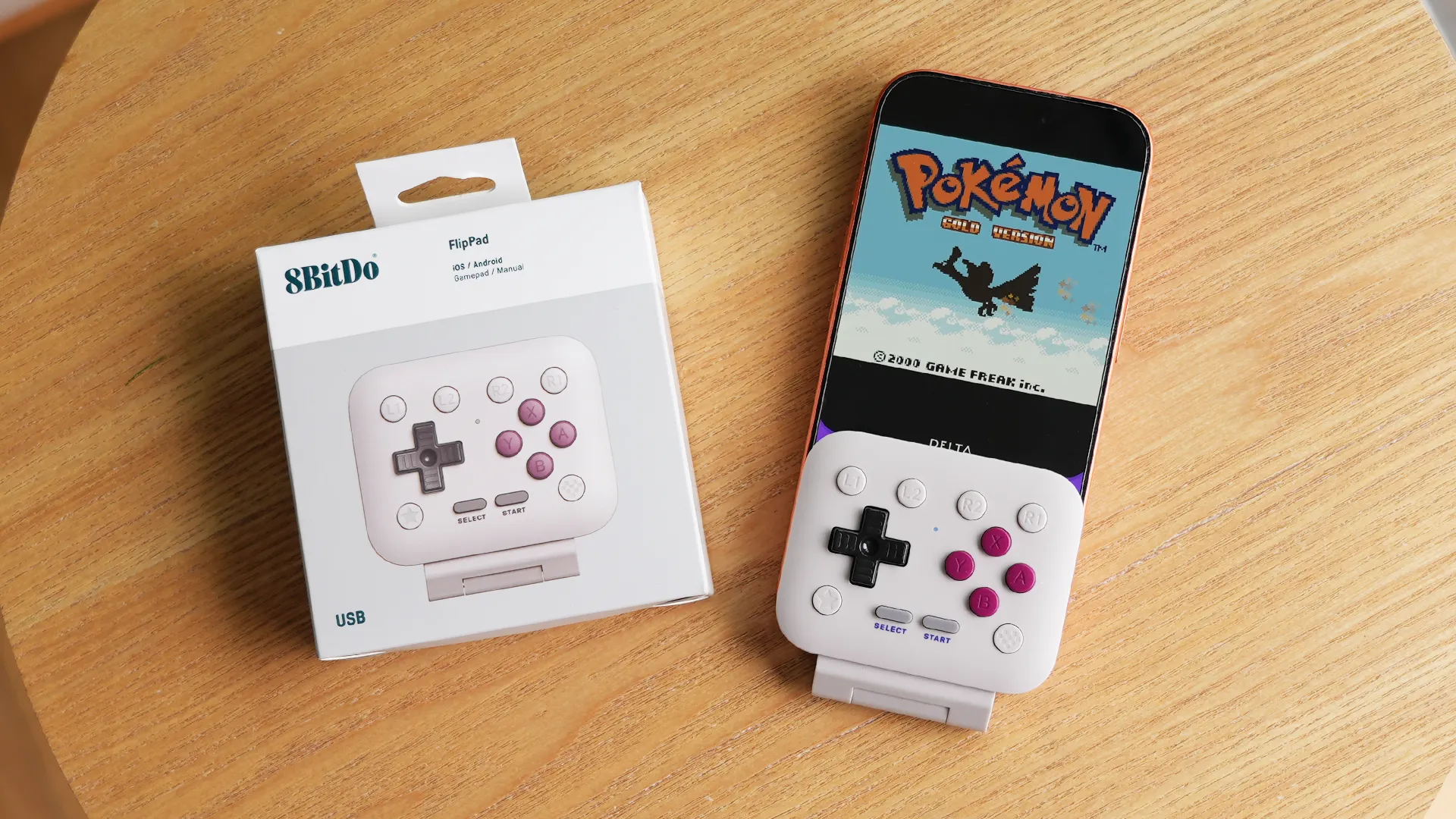
- Where To Buy: Amazon or 8BITDO
- Requirements: iOS 26.2 & above + Android 13 & above.
Controller Design
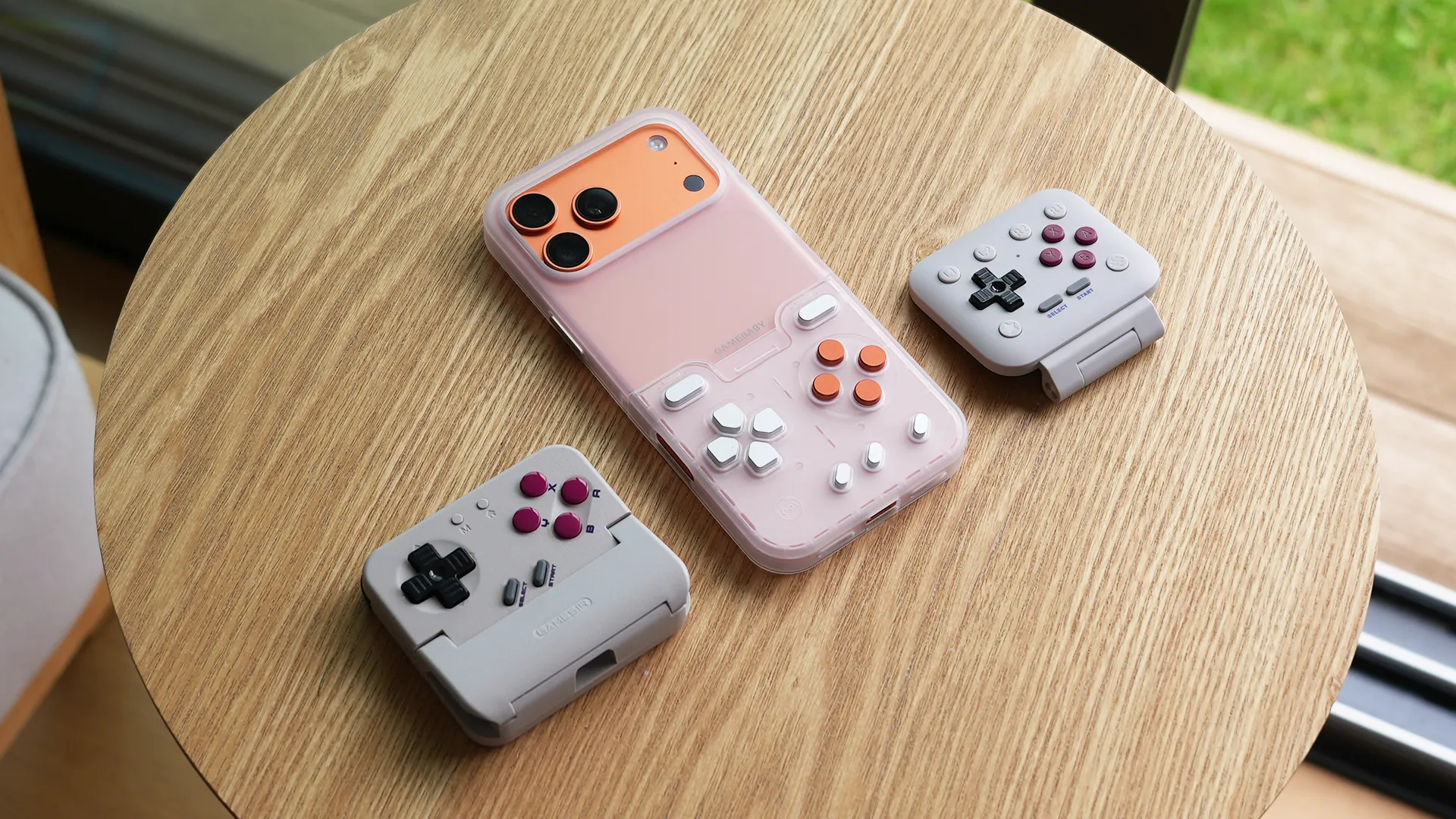
This iddy biddy smartphone controller is called the FlipPad, and for good reason, because one of its biggest features is the fact that it can flip on and off your phone screen easily, offering the ability for gamers to navigate the applications via touch, should they need to.
This flip function is very sleek, and bounces in a soft motion that allows you to quickly text a friend back or access other applications in just a couple of seconds, which its competitors, such as the GameSir Taco and GAMEBABY case doesn't let you do easily.
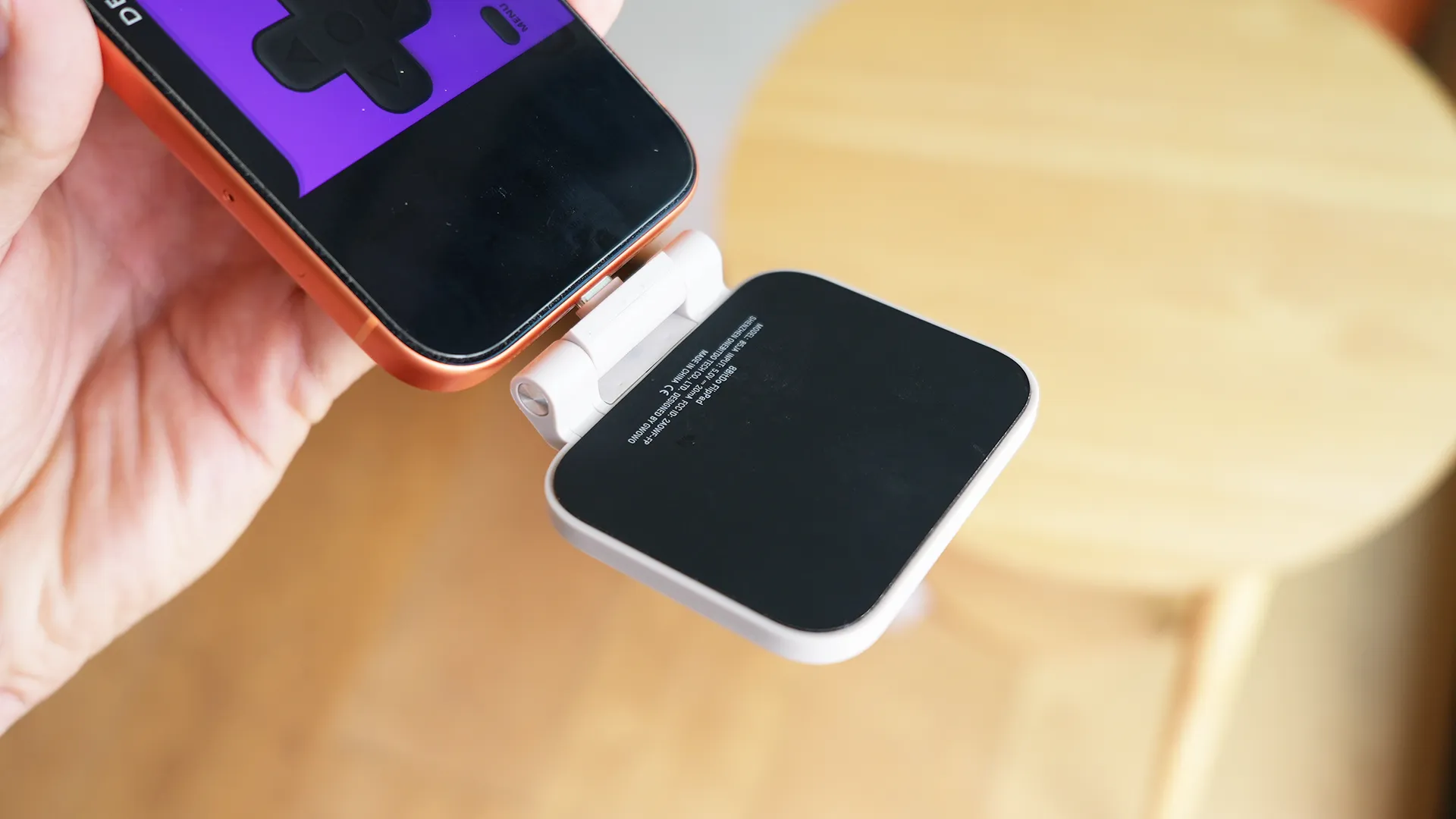
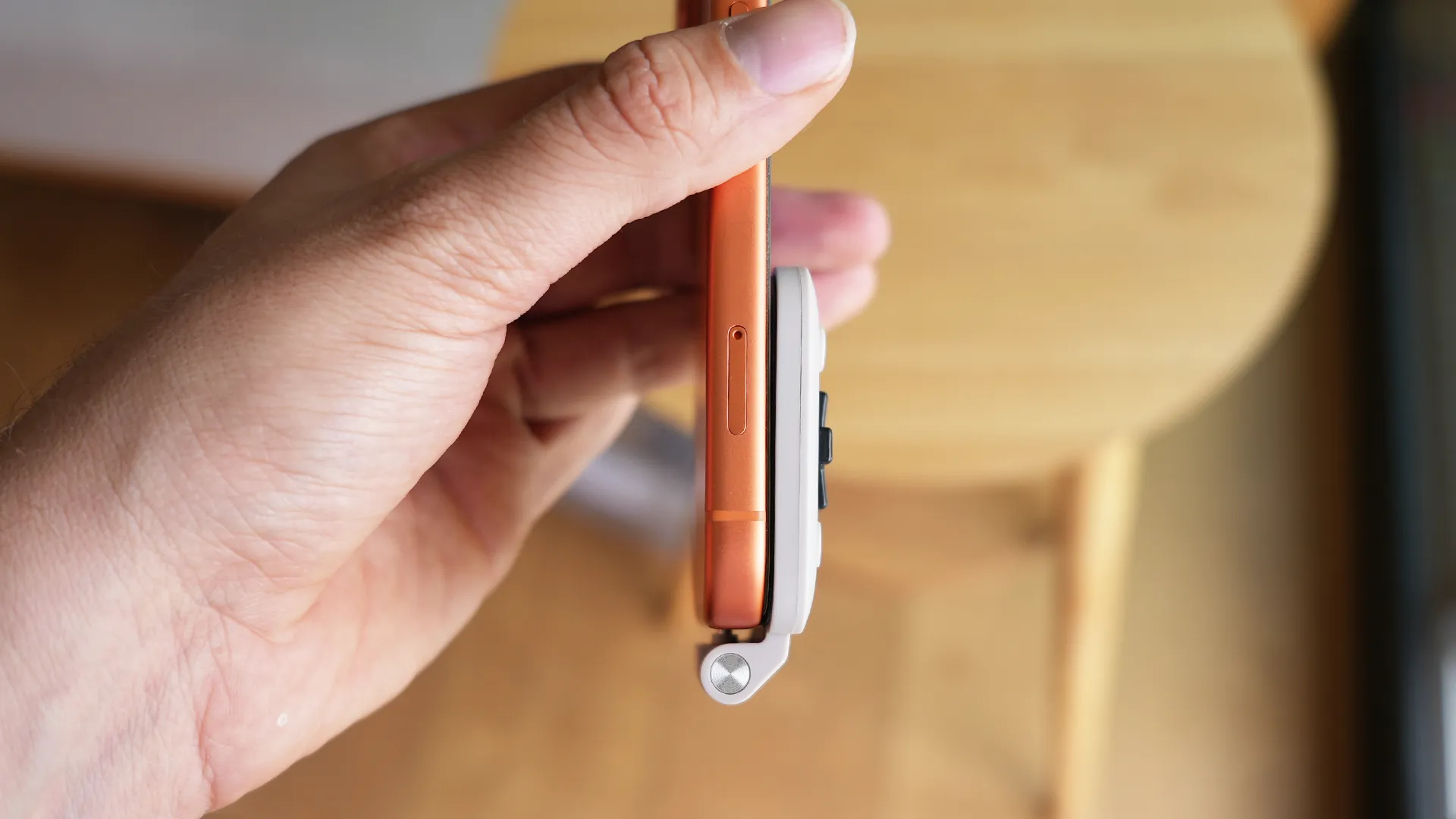
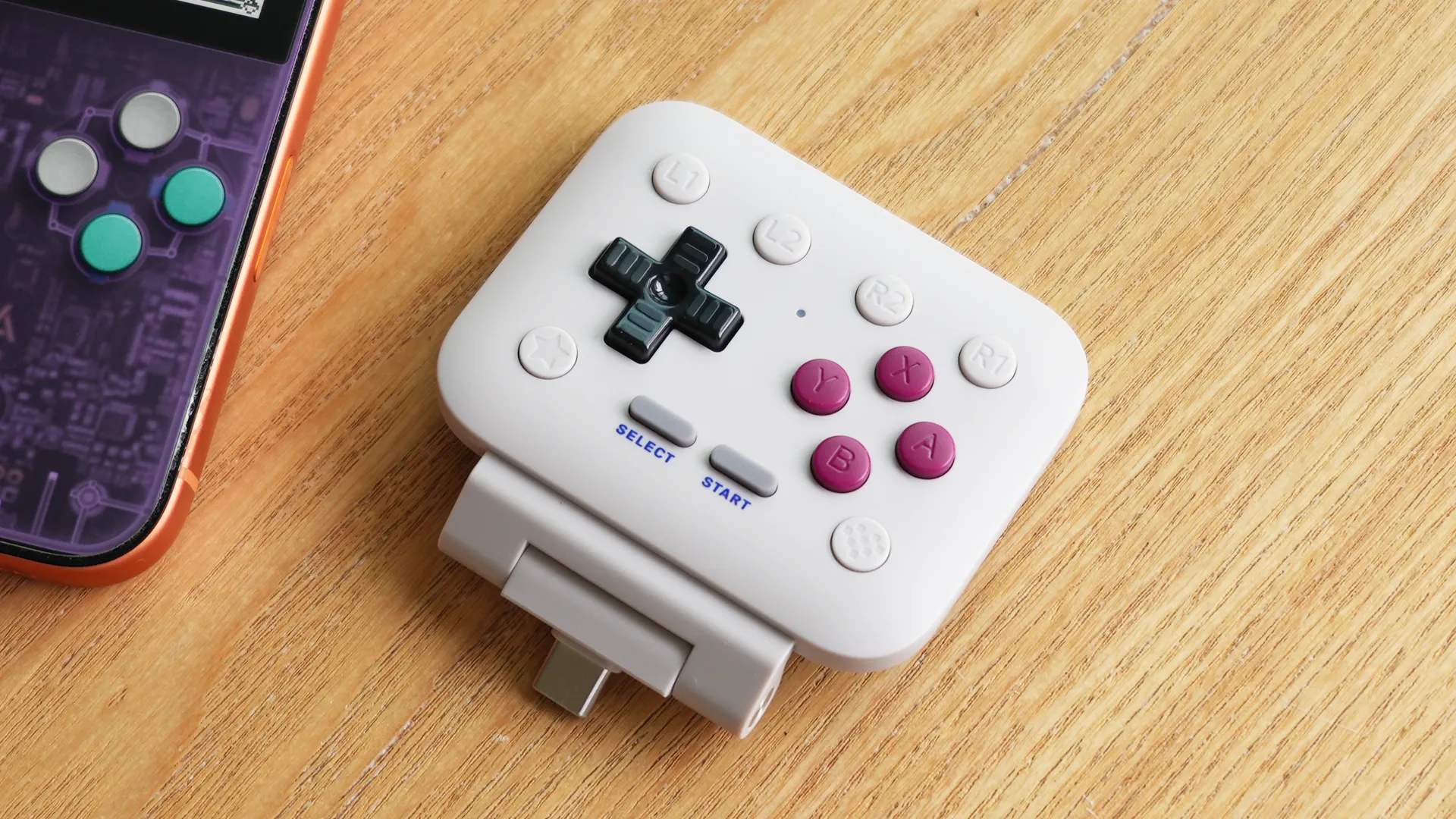
It connects via USB-C so it doesn't require any exterior charging, but unfortunately for me, it doesn't connect with my case due to it being on the thicker, more protective side, so I had to use this with a much thinner case on my iPhone 17 Pro, or sometimes without one at all, which I know will annoy many customers who take the risk in buying one without knowing it doesn't work with larger cases. It comes down to the thickness of the case around your USB-C port.
Once plugged in, my iPhone automatically recognises it, which is one of the biggest features in my opinion in comparison to Bluetooth controllers, as there's no setup required, simply plug and play, which shines a light on how cumbersome other controllers are if they require you to connect them every time. For me, this feature is super helpful as I'm usually using it when I am travelling, so I quickly grab it out of my bag, plug it in and go, the same with taking it off, just unplug it and go.
Controller Placement
Let's talk about controller placement, because it's very important for those wanting a comfortable experience. The FlipPad features a rubber pad that sits on the screen without scratching your display, and although it is made of silicone, it does have a little wiggle to it. The USB-C port is the only thing keeping it in place, and you will notice a small ammount of wiggle, but eventually the sides of the USB-C port stop it from moving beyond the mark that makes it annoying.
If you take a closer look at the USB-C port, however, you'll notice that due to the controller's length, it actually covers up parts of the speakers. This does change the speaker quality slightly, creating a small muffling of the sound when playing your games. There's honestly not much that can be done here that wouldn't have affected the strength of the connection; it's just one of the sacrifices that needs to be made when using a plugged-in controller like this, unfortunately. This is one of the only benefits I can see for bluetooth connected controllers, in comparison.
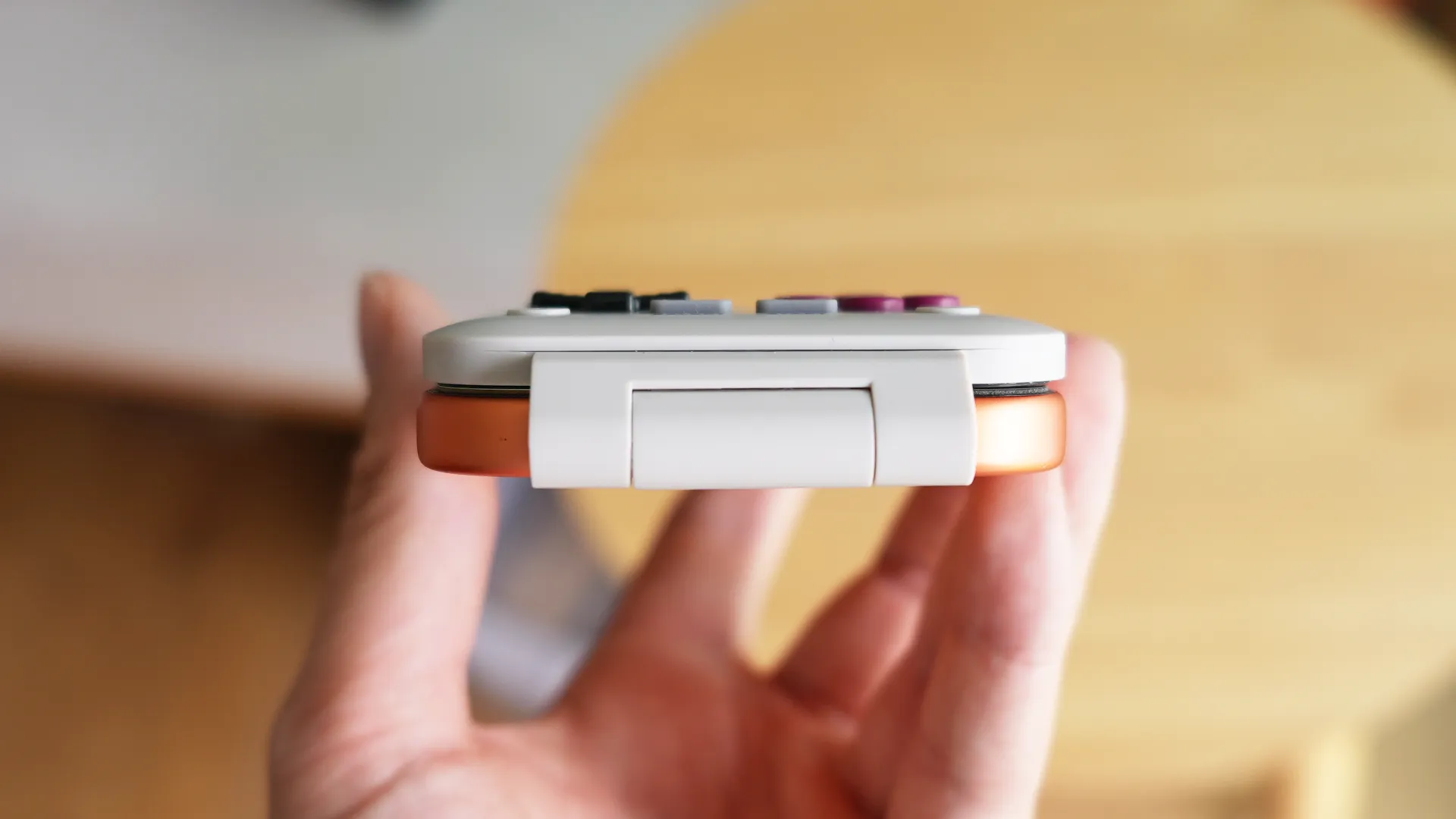
I have an iPhone 17 Pro, and my partner has a Max, and both fit the FlipPad very nicely. I would even say the smaller phones have a more comfortable experience, as it touches the edges of the display with its rounded shell, and the grip of your controller is a bit more confident due to the weight distribution. My little fingers rest on the bottom of the controller, my index fingers on the side of the phone, allowing my thumbs full access to the buttons.
Button Design
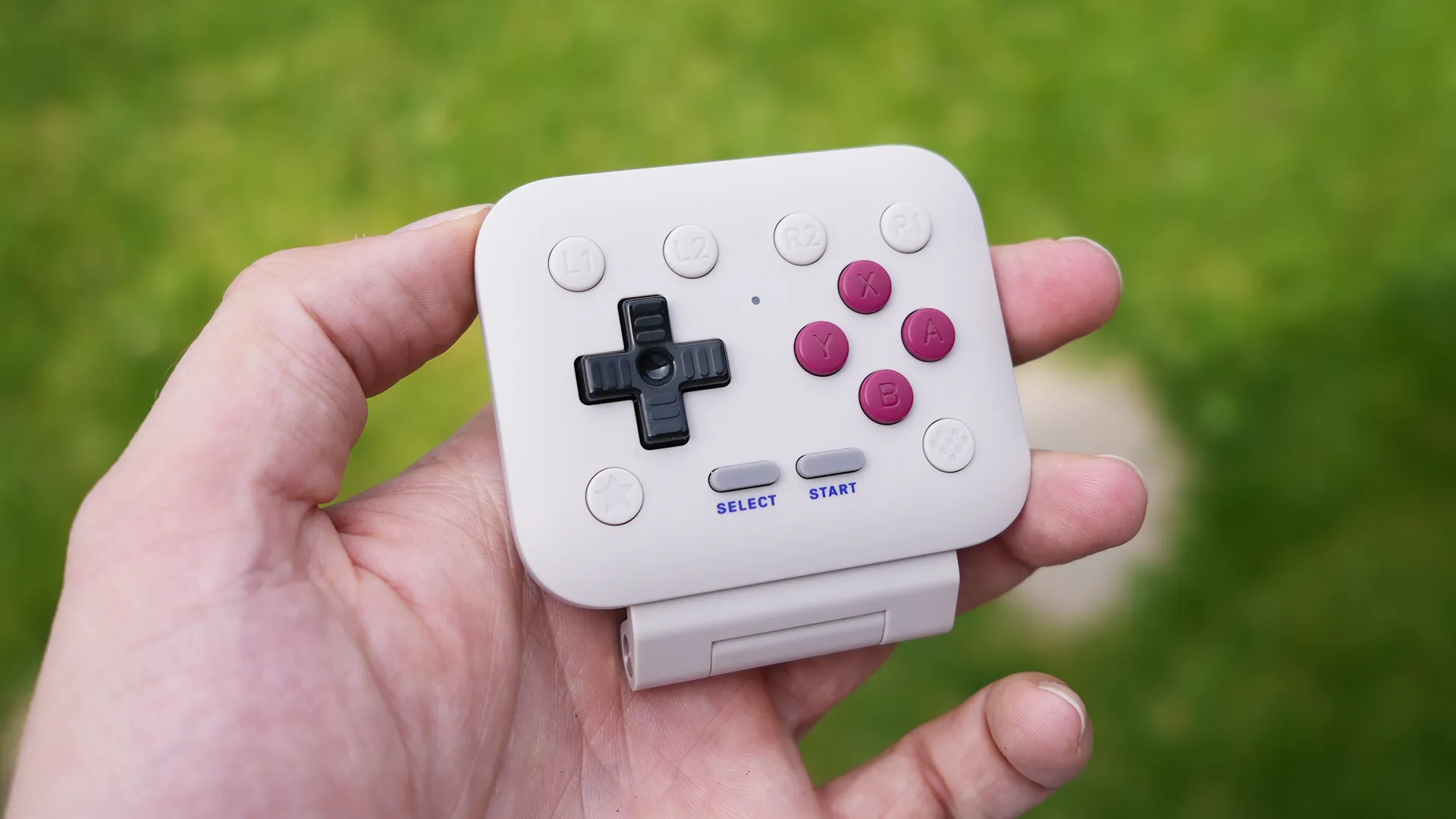
The buttons used are fairly small, for good reason, to keep the entire controller as compact and as portable as possible. These buttons sit firmly on the connector below and have tiny, if not zero, travel to them when pressed, offering a click and a loud enough sound to register the press naturally without moving the controller around on the screen.
Along the top of the controller, you'll find your "shoulder buttons". Because of their portability, these buttons are now on the face, which does change the gaming style slightly, as you need to use your thumbs to press them. So when playing fast-paced games that require quick presses, you'll notice the distance between both buttons causes some delay in gameplay, although in all honesty, very few games that I like exploring affect this style.
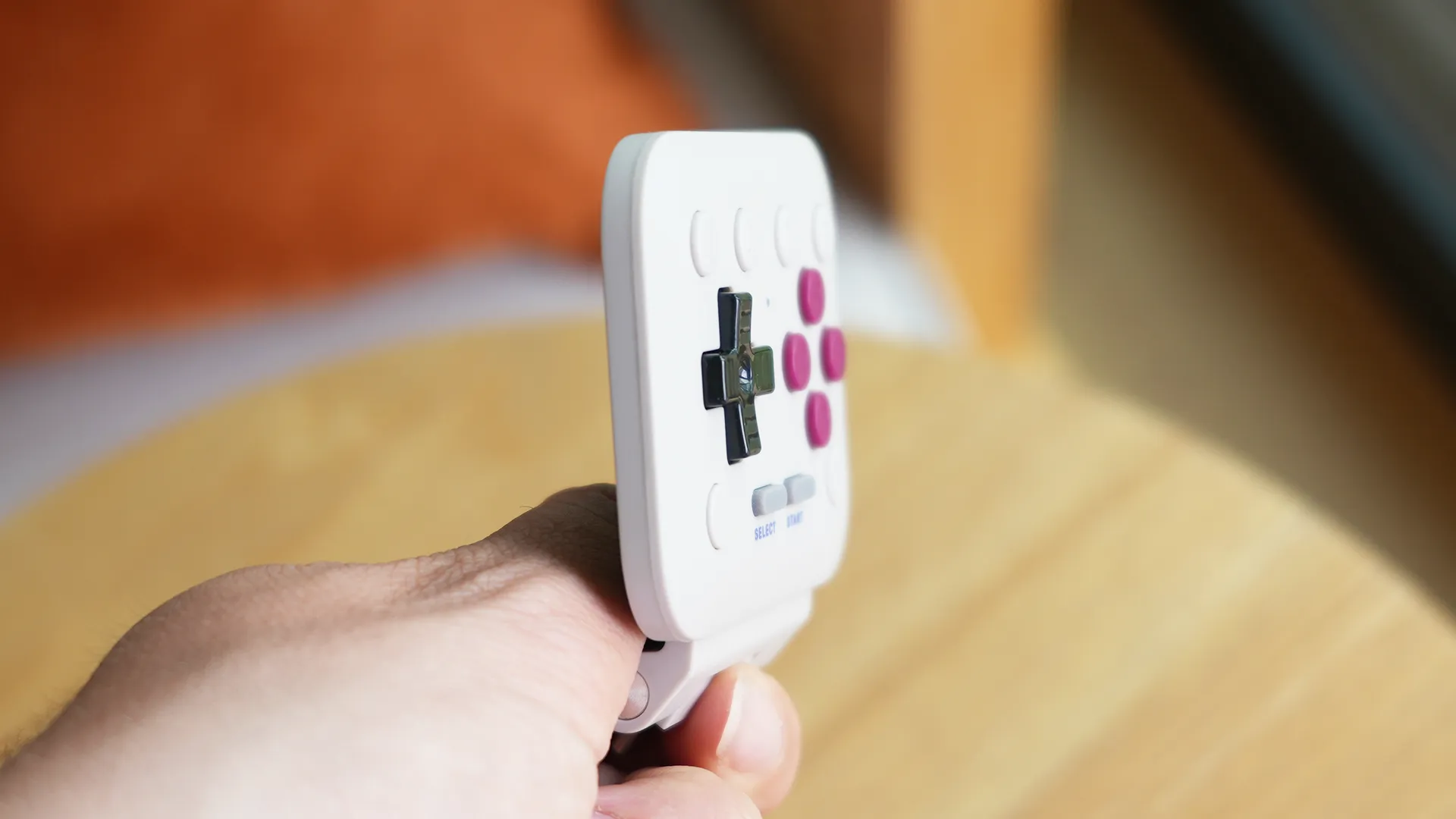
Below that is a black DPAD with slightly more movement in comparison to the action buttons, and the separation between directions is nice, allowing for comfortable control. Below that silicon styled start/select buttons take inspiration from the GAME BOY DMG and its colours. On either side of that are your Turbo button and 8BITDO button that opens up my iPhone's gaming app, the one I never use. Turbo can be turned on by pressing A+STAR; the LED on the gempad will flash, indicating turbo is on. It's very easy to enable and disable.
Connectivity & Gaming Quality
The biggest question is, does this improve the gaming experience? The short answer is, kinda. It adds to the overall comfort and the nostalgic feeling of using physical buttons, but in no way does it improve your smartphone's gaming output, or latency for example.
It's an accessory that simply provides physical buttons that can be paired with many of your smartphone games and emulators in a way that does kinda feel like a retro handheld of the past, just modernised. Latency is lightning fast due to it being a physical, reliable connection. There's no worry of having to charge it, or bring with you a USB-C cable to connect it, which makes it one of the simplest and smallest gamepads I have ever reviewed. In fact, the simplicity of it, and the ease of connectivity, is why I love it so much.
Overall Opinion
- Incredibly Lightweight
- Perfectly Portable
- No Bluetooth, It Connects Physically Via USB-C
- No Battery To Charge
- High Quality Buttons
- Blocks Speakers
- Has Minor Wobble When Pushed From The Side
- I Want More Colour Choices
The 8BITDO FlipPad makes the effort of bringing it with me completely worth it. It's the accessory that lives in my backpack and one that gets used more than I imagined when I want to take portable gaming that little bit more seriously on a long train ride, or while waiting to pick my kids up from school.
It's built well, is very lightweight, perfectly thin to not add too much bulk to your smartphone, and the button quality is top-tier thanks to 8BITDO's long history of creating controllers and keyboards.
It does miss a few things when compared to its bigger competitors and other controllers, such as covering the speaker grill, no travel case to protect it and missing real shoulder buttons, but that's the sacrifice it willingly made to keep it pocketable, affordable and reliable. This is now one of my favourite retro gaming EDC products of the year, and emulator fans are going to love it.


