


Some of you might have been wondering why you haven't heard from us regarding the Analogue 3D yet. It's odd, I know, considering how much I love the N64 and how it's been my go-to console since seven-year-old me first laid eyes on it on Christmas Day 1997. An N64 super fan not speaking up about the Analogue 3D - what's going on?
There were so many reviews coming out of the Analogue 3D on launch day before people had really spent some time with the console. How can you really form a connection with something if you've just spent a couple of days with it? How can you truly know its ins and outs, and how it plays your favourite games?
I set myself a time of 3 months - 3 months for the 3D. It seemed the perfect amount of time considering the number is in the name, and it would give me a chance to test out a whole host of games and get really into the nitty-gritty elements of the console - how it compares to my beloved N64, the controller feel, game settings, and much more.
The Analogue 3D is an incredible machine. It looks like something that has rolled out of Apple HQ and fits in with all of the other modern devices that we have in our living rooms. It upscales your N64 games to 10x the original resolution, making them look more like how we thought they did back when we were kids, with multiple display modes to smooth and sharpen images. The 8BitDo controller is a pleasure to use, but as it comes separately, you won't be able to play the 3D until you buy one. The console looks fantastic, but while it pays homage to the '90s, it doesn't quite take me back there fully.
- Price: $269-299
- What's In the Box: Analogue 3D Console, HDMI Cable, USB-C Cable, USB-C Plug (US)
- Controller: 8BitDo 64 Bluetooth Controller - $44.99/£34.99 (Sold Seperately)
- Dimensions: 180mm L x 230mm W x 49mm H
- Weight: 837g
- Available From: Analogue Website
The Looks
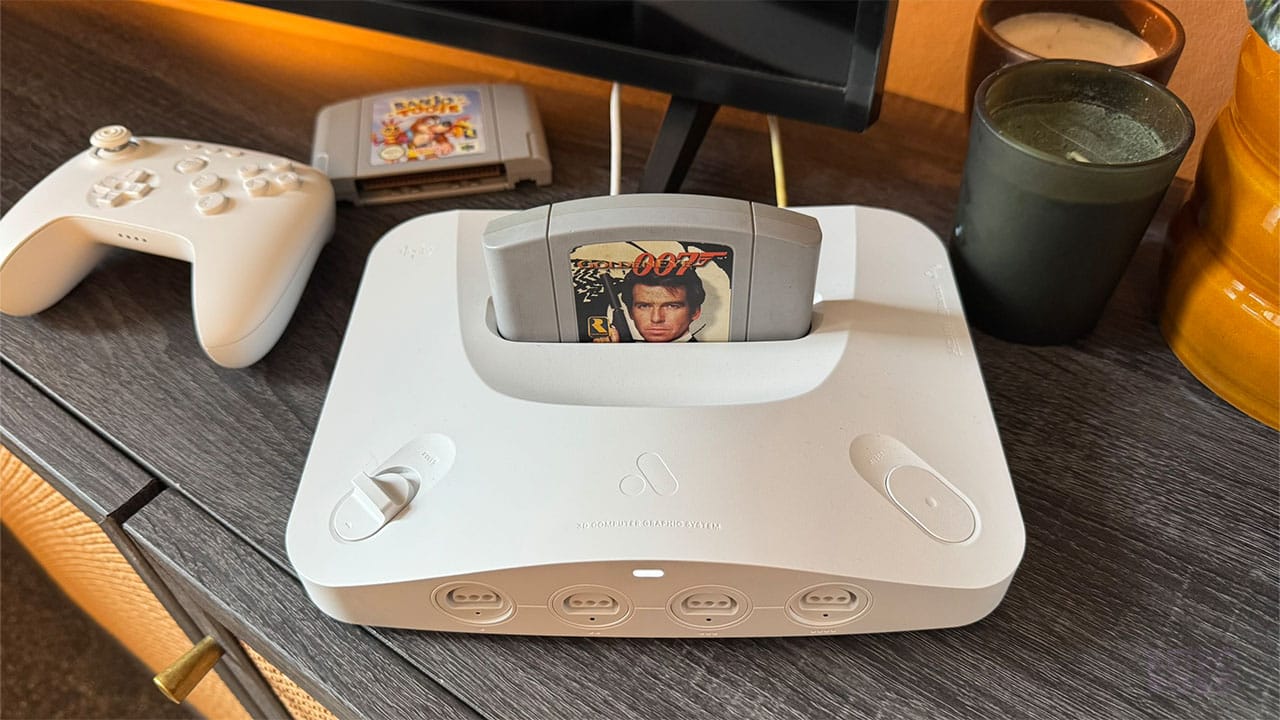
The shape of the Analogue 3D is very reminiscent of the N64, and I'll get onto that in a minute. In terms of form, Analogue have designed a product that is inoffensive to look at and would blend in seamlessly with any decor style. I'm looking at a Sky Q box as I type these words, and the black variant of the 3D would sit next to it without anyone really knowing that it was a game console. It fits in with modern life, but it doesn't wholly capture the feel of the '90s.
Analogue have done to the N64 what Apple did to the mobile phone - it looks suave and modern, but it's taken away some of the charm of the original console.
What it does manage to do is remind us subtly of the past. It's like when you look at the evolution of a logo over the years; it's still the same brand, but there are modern differences. It's the N64 if it were released today, designed by a company that takes form incredibly seriously. It has almost identical curves and switches, controller ports that are instantly recognisable, and a logo on the top where the Expansion Pak port would be.
It's the N64 after a glow up, but that's what Analogue do best. The Analogue Pocket, Analogue Duo, Super Nt, Mega Sg - they're all exquisitely designed and built to replace existing classic tech in a modern world. The 3D is no different, and this is one console you won't be putting in a cupboard behind closed doors.
Ports, Cables, & The Lack Of A UK Plug
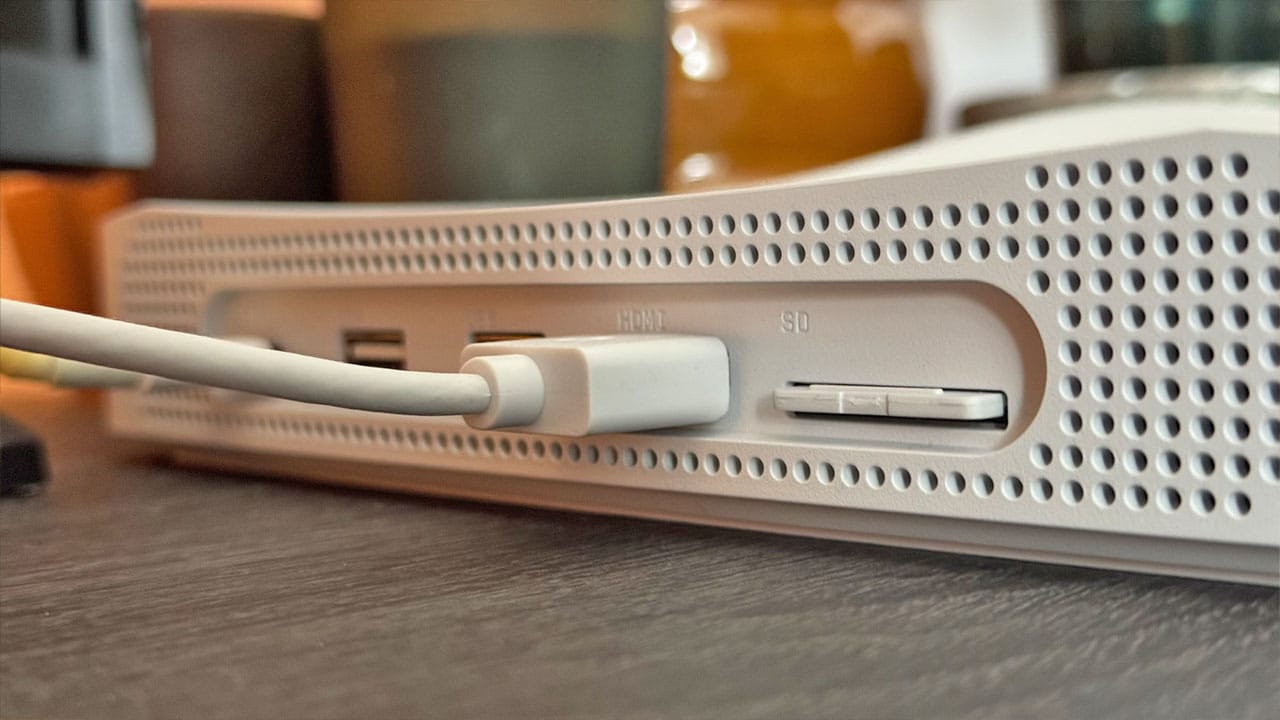
Gone is the chunky power adapter that slotted into the back of the N64 or the RF Switch Modulator that I connect up to my CRT. In their place - a sleek HDMI cable, two USB-A ports, and a USB-C port for power. And next to the HDMI cable in the picture above is the SD Card that you'll be using to update the 3D, something that I'll get on to in a little while.
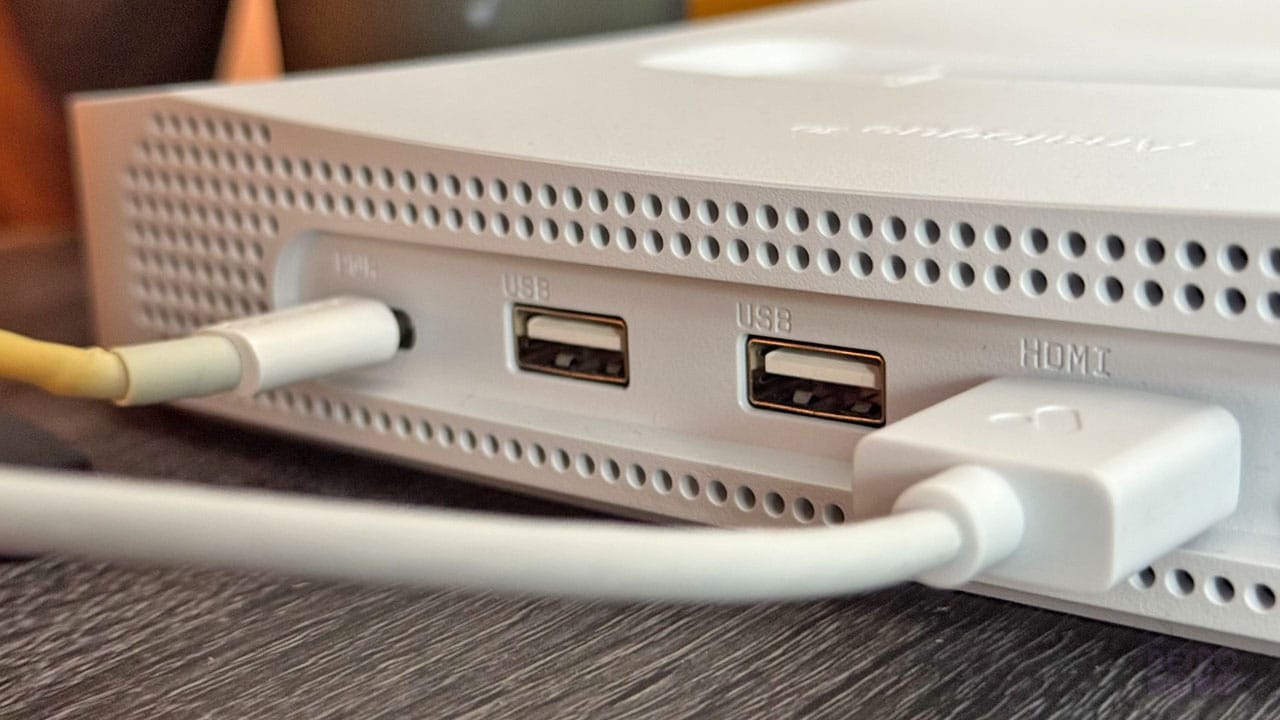
I should note that I've used an old Apple USB-C cable here and not the USB-C cable that came with the 3D as I needed something longer to get the console underneath my TV, hence the slight yellowing to the cable. But both the HDMI Cable and the USB-C cable that come with the 3D are brilliant quality and, like the console itself, very clean.
If you're a UK gamer like me, then you'll have noticed that the 3D comes with a US plug. If you have a converter to hand, then you can always use the plug that the console came with, but as I didn't, I had to resort to using different USB-C plugs from around the house until I found one that worked. The 3D requires a 30W plug, something I didn't realise when I grabbed my 20W plug I use for charging my phone and wondered why the system kept powering down while I was trying to do my update. In the end, I've sacrificed one of my MacBook chargers for the cause, and that's done the trick.
It would be nice to have the option to ship the 3D with a plug for your specific territory. I don't think it would cost Analogue much money to have some EU and UK plugs on hand, for example, and offer a choice of plug at checkout, but there are other solutions to get you up and running until such time as that happens.
Comparisons To The N64
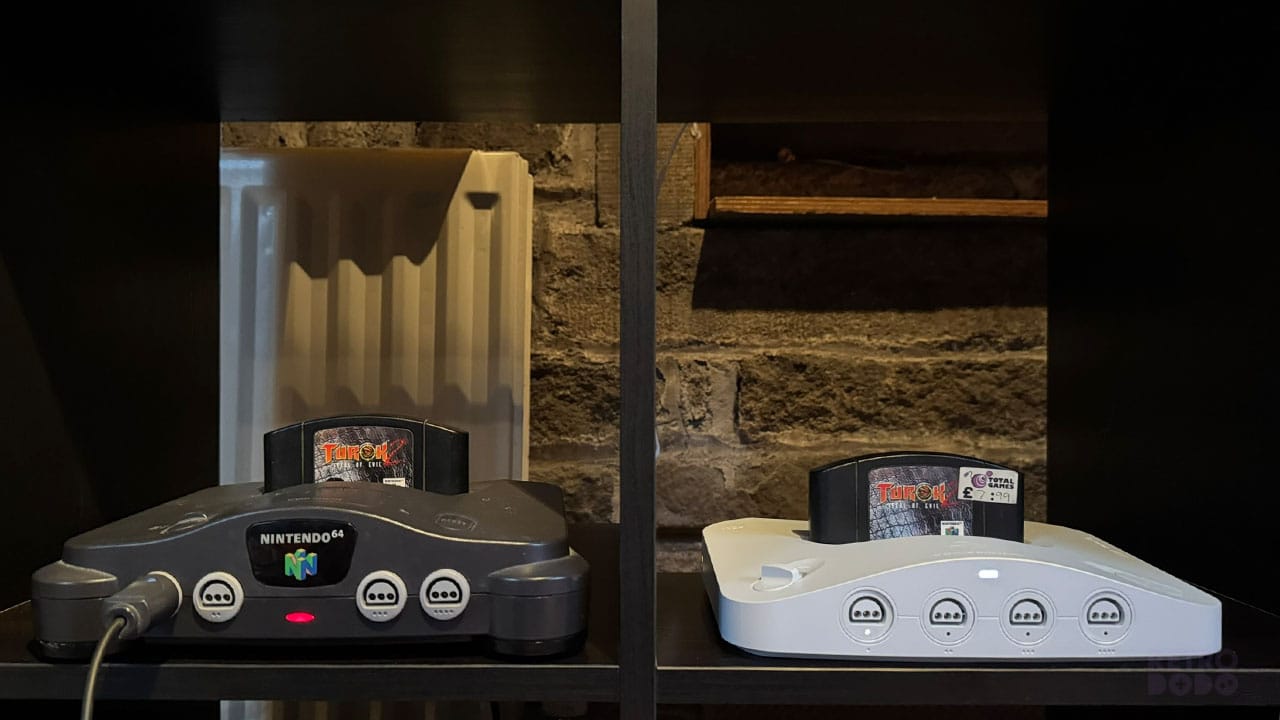
I'm a big fan of continuity and paying homage to the tech of the past. The N64 is, as you might have gathered from how much I bang on about it, my all-time favourite console, so I've spent a lot of time looking at this thing over the years.
The curve is the biggest stylistic choice that you notice first, that same arc that slightly obscures some of the cartridge art from view. It's a key piece of the original N64's design and one of the main things we noticed back when we had the first silhouettes of the 3D dropping what seems like a lifetime ago.
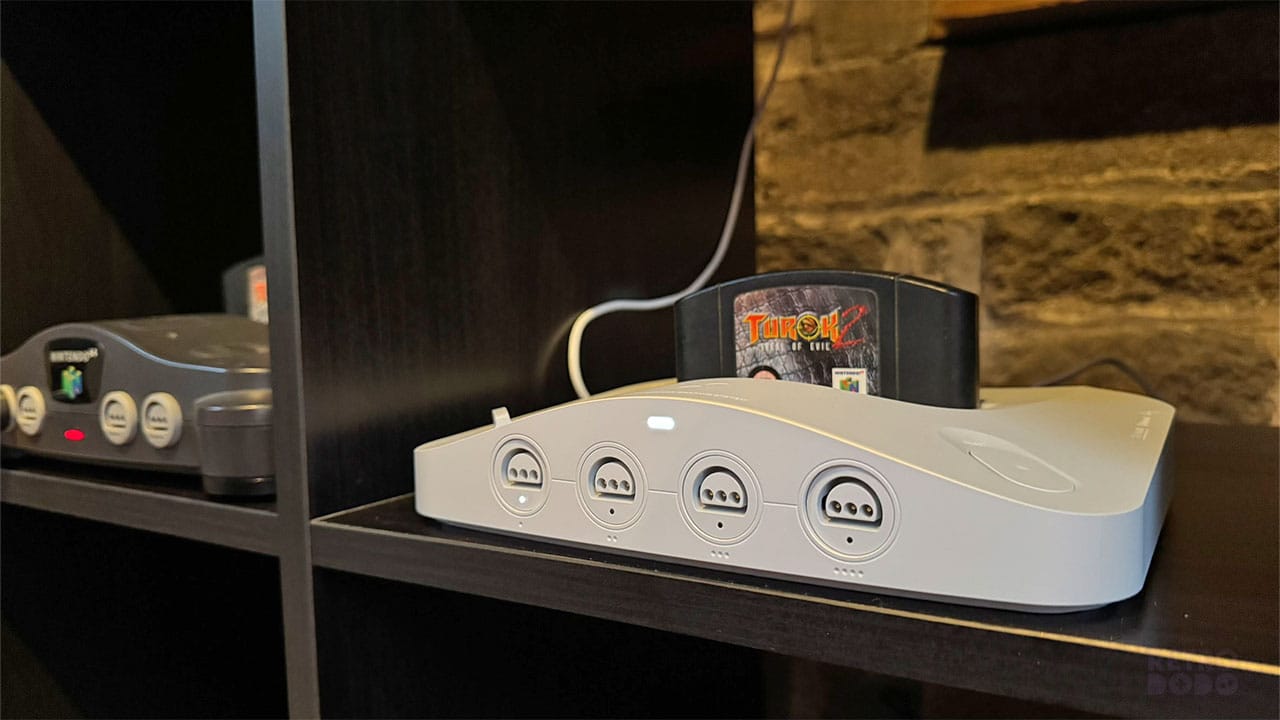
Let's talk about other key elements too. The 3D might not have the trademark N64 logo on the front, but it does boast a very similar light to let you know that it's powered on. The controller ports each have single indicators to let you know if a wireless controller is hooked up, with the controller number in dot form underneath like the original.
On the original N64, these controller ports protrude from the shell but still look very much straight despite the slight curviture of the front panel. Analogue have opted to keep them flush with the outer casing, but that means that ports 1 and 4 are slightly set back from 2 and 3. I don't mind this, and it certainly looks more refined, but it has left a few of my friends feeling slightly annoyed that their ports look like they've been 'pushed in'. It's a small problem, and while there's no other way to get around the problem of fitting them in a curved panel without having them protrude, it might end up irking a few gamers.
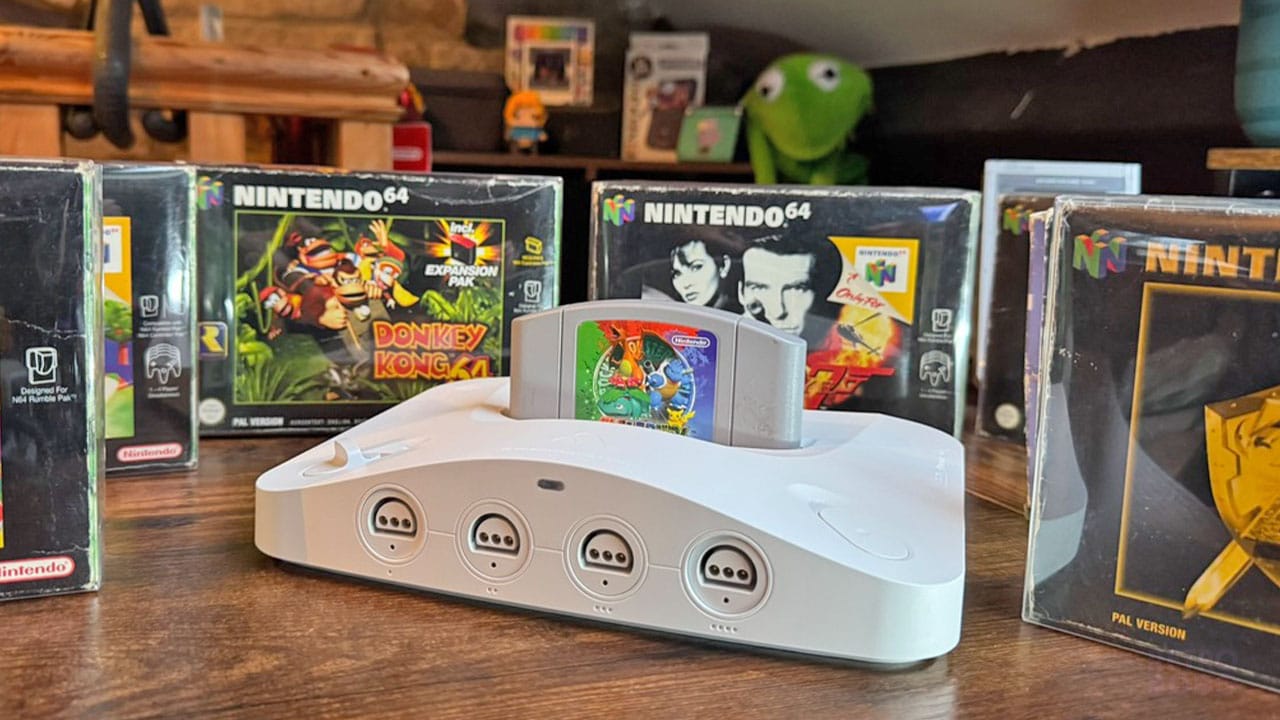
Finally, the power and reset buttons are very similar to the original buttons. There aren't any other bells and whistles here - it's minimalistic while at the same time cool, something you can be proud to show off in your tech/games room.
The 3D, on the whole, is a lot sleeker in its design than its predecessor. If I've said this once, I've said this a hundred times - the 3D looks like an N64 for working professionals or people who have a fancy living room. It's a streamlined version of the N64 that could fit in your cabinet next to your WiFi Hub and PS5. Design-wise, it's playing things safe, at least for the original black and white variants.
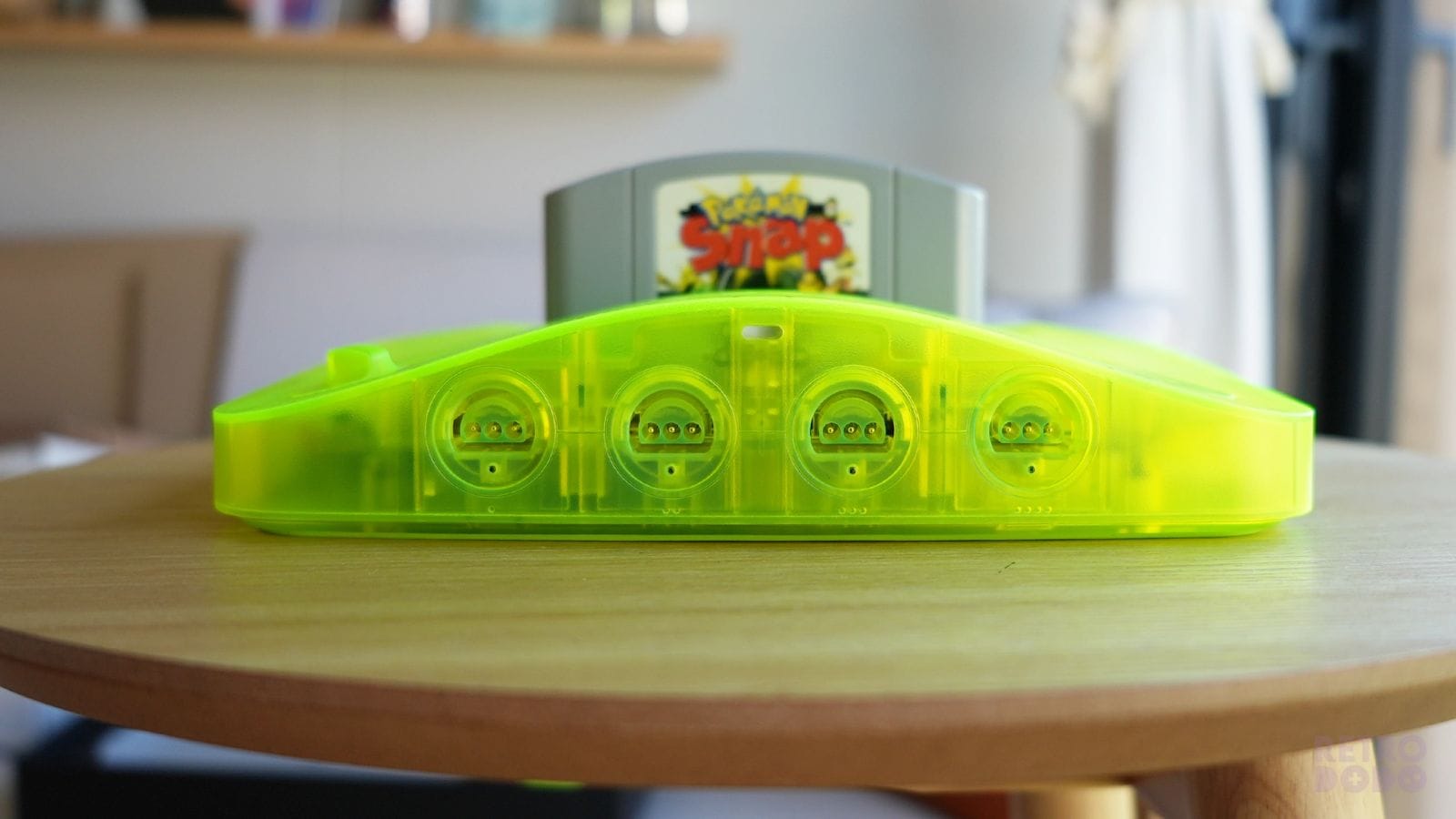
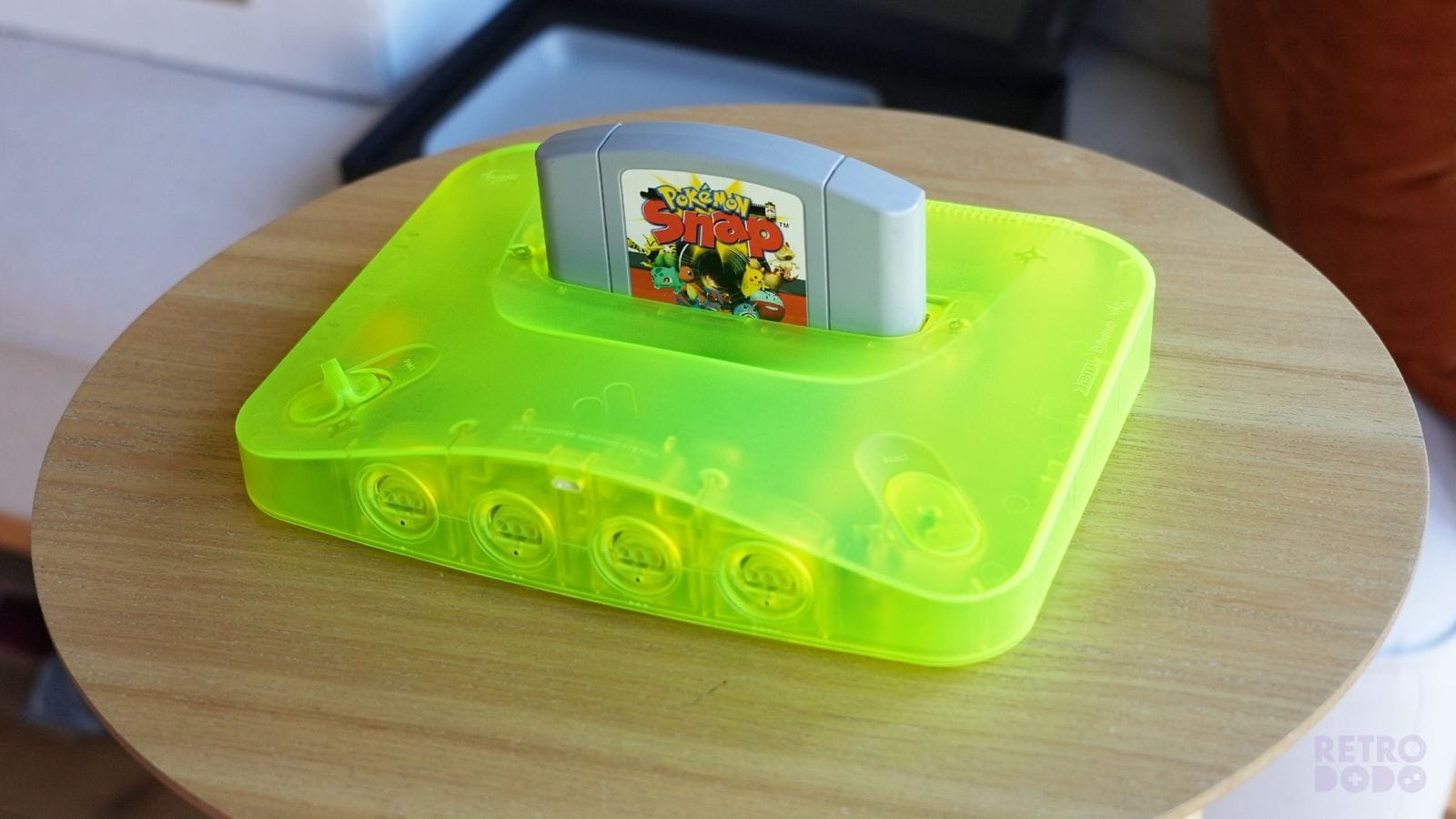
The Prototype Extreme Green colour and the other Limited/Funtastic variants are a little more out there, but no matter the colour, the design feels more like a smart product and less like a toy. Analogue have done to the N64 what Apple did to the mobile phone - it looks suave and modern, but it's taken away some of the charm of the original console. It's like when publishers put more serious-looking covers on the Harry Potter books so adults could read them on trains without feeling embarrassed - Analogue have put a more serious-looking cover over the N64 so that adults can play Diddy Kong Racing on something that looks sophisticated.
I always remember thinking that the N64 had little feet on it as though it had walked into our TV cabinet when I was a kid. They made it feel sturdy, the thick plastic casing seeming like it could withstand someone driving over it with a Tesla (a callback to our video testing out the ModRetro Chromatic). It still feels like I could drop it from a window and it would bounce back up into my hands.
The 3D feels sturdy, but I think because it looks slicker, I tend to handle it more gently. I'm pulling cartridges out of the N64 with one hand every day of the week, but I'm using two and doing a silent prayer when I pull them out of the 3D.
Specs Appeal
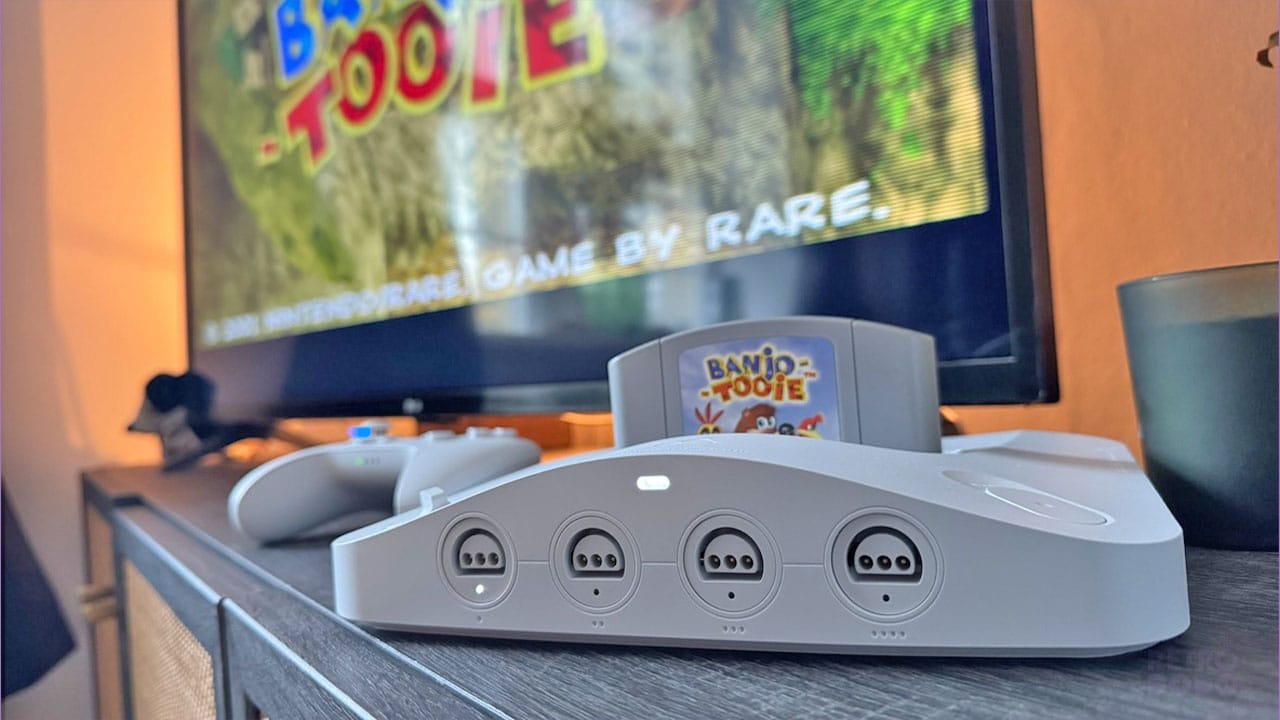
Now that we've spent a lot of time discussing how it looks and how it compares to its predecessor, we should take a look at what makes this thing tick.
As we all know, the 3D plays your existing N64 cartridges, and thanks to a recent update, also the SummerCart 64 (which I'll be getting onto further down this article). Here's a list of the main specs for the console so you can get a better idea about just how powerful it is:
- CPU - 220,000 Intel Cyclone 10 GX
- Video - 4K HDMI 2.1 Output
- Upscaling - 10x the resolution of the original N64
- Sound - 48 kHz 16-bit PCM
- Storage - 16GB SD Card
- Connectivity - Dual-Band Wifi, Bluetooth 5.0 LE, 2x USB-A ports
Impressive, right? And even more impressive is the fact that this isn't an emulation machine, but rather a device that uses an FPGA. And if you're wondering what that means, then I've got you covered in my next section.
A Quick Note On FPGA
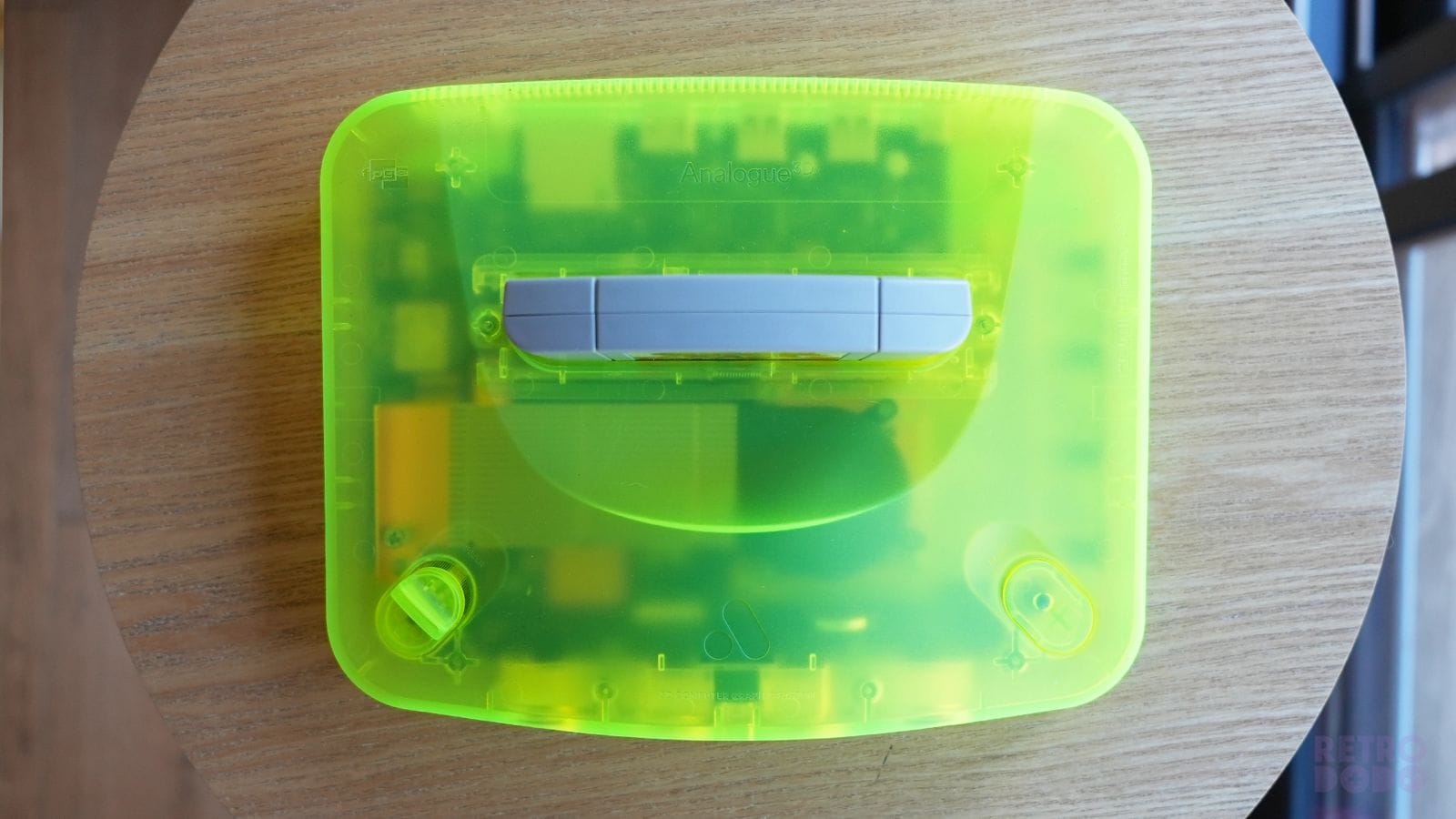
It's important to understand that the Analogue 3D uses an FPGA, a Field-Programmable Gate Array, rather than simply being an emulator. There are a lot of differences, but the main one you need to focus on is that the 3D behaves like the N64 at the circuit level. For all intents and purposes, the gubbins are the same - it's just that the 3D does it digitally.
Analogue spent 4 years 're-engineering the original hardware from the ground up.' It means that you get 100% compatibility with every original cartridge because they're working with a system that is behaving exactly like the original console. If this were emulation, the 3D couldn't hook up to cartridges without some tinkering or adapters. Emulation is made for ROM files, whereas FPGA allows you to use physical hardware and recreate the glory years of gaming with your existing collection.
The great thing about the Analogue 3D is that it can play games from any region. So it doesn't matter if you've picked up an American or Japanese copy of a game but have a PAL system, you can still play them without any trouble.
FPGA allows for virtually instant hardware processing through the 3D's inputs and the ability to recreate game audio at the signal level, meaning everything feels and sounds exactly the same as you remember. Everything runs at the speed it's supposed to with zero lag and simply works, giving you a much more reliable and often more enjoyable experience than using an emulator.
The Controller
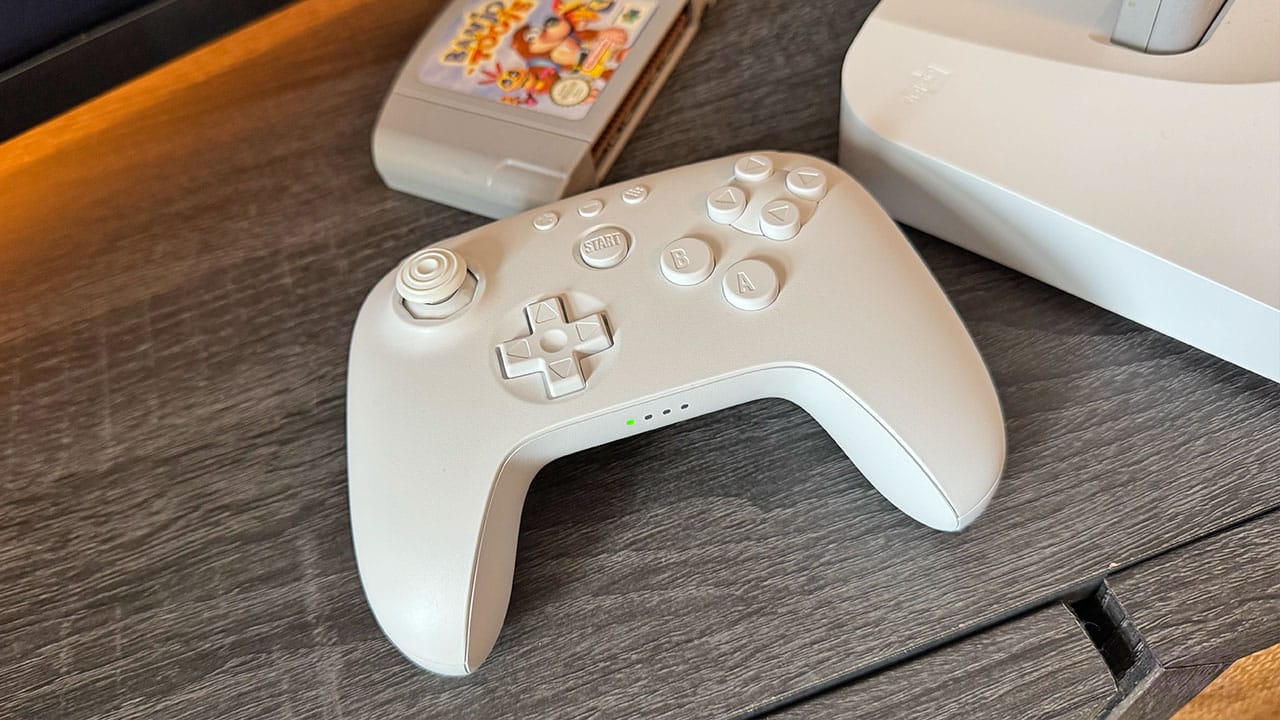
I was as surprised as you guys were when we found out that the 3D would be shipping without a controller, and that we'd have to buy one separately. It's still odd to me to get a console without a controller, especially when there's only one controller that will work with it. Still, that aside, the 8BitDo 3D controller is, quite frankly, perfection.
I'm a huge fan of 8BitDo products, and to be honest, I didn't think the controller would be anything short of brilliant. But having spent a lot of time with the 3D now and switching between the original N64 controller and 8BitDo's reimagining of it, I have to say that I much prefer kicking back on my sofa with the wireless remote, feeling the rumble motor kicking off every time I get fired at in Lylat Wars or attacked by one of Grunty's minions in Banjo-Tooie.
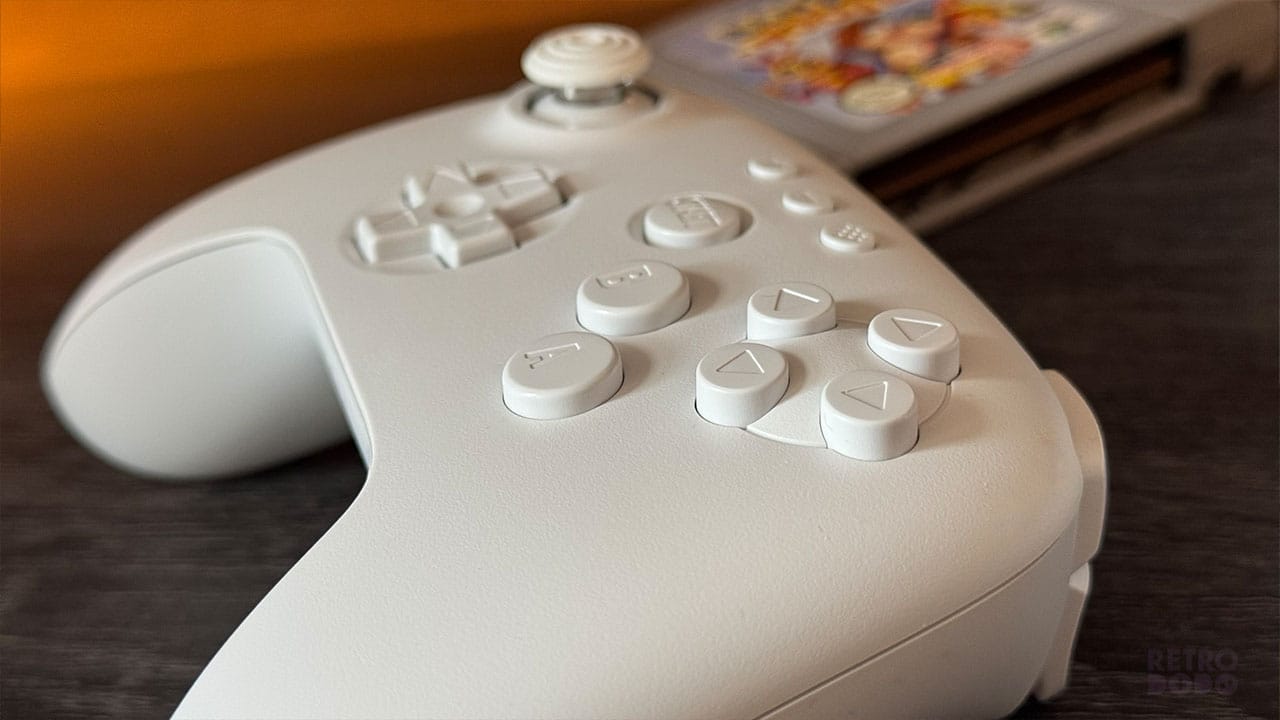
It initially feels weird to play an N64 with a controller that feels more like the Switch's Pro Controller, but it doesn't last long. It's more of a psychological thing than anything else, with your hands seeing the little grey cartridges and instantly going into crab hand mode, before settling back into a comfortable position that we have become used to over recent years.
I have the all-white version of the controller because it matches the white Analogue 3D that I received when the console launched. Since then, 8BitDo have released a Grey edition that features the actual colours of the original N64 controller, with a grey shell and coloured buttons. That's the best version of this controller, in my opinion, but on all of them, the C-buttons work perfectly, there are two Z buttons depending on which is your dominant trigger finger, and the A and B buttons can take some serious pummeling no matter what game you're playing.
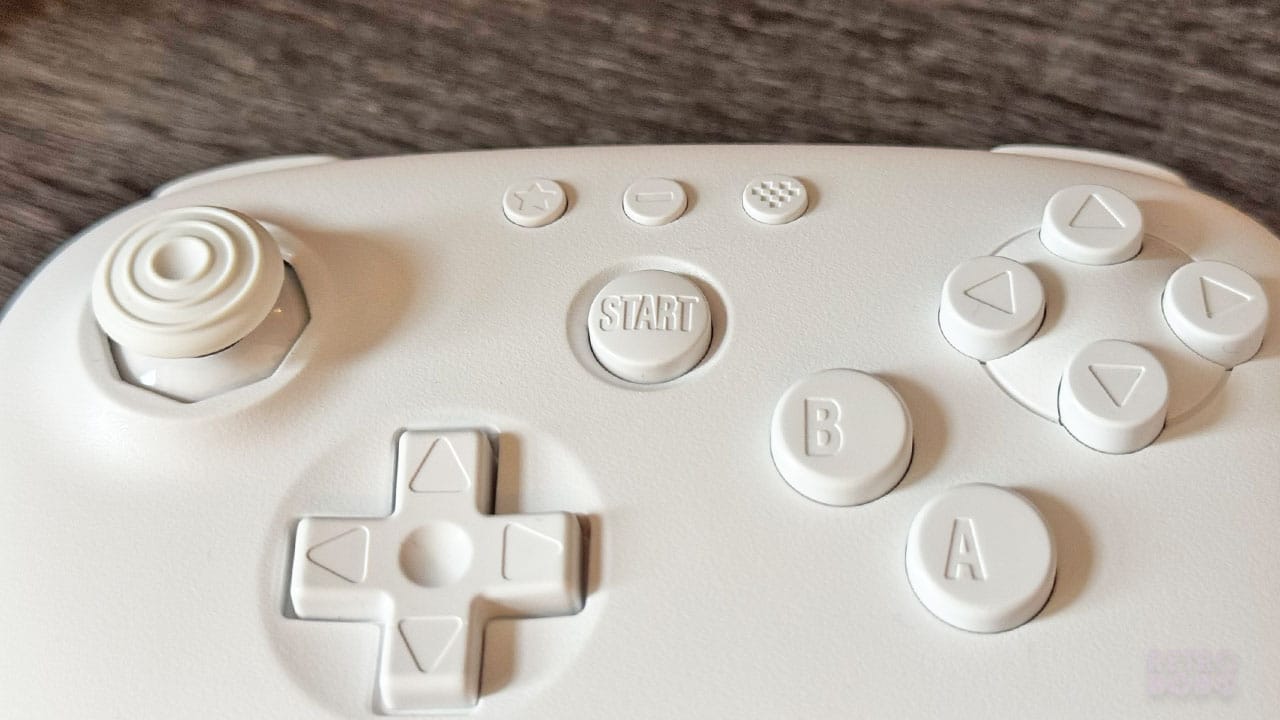
The 8BitDo 3D controller has the usual smart keys that you see on the company's mechanical keyboard range, but the main one you'll be using more than anything is the Home 'heart' button. This brings up the menu for all of your different settings when it comes to sorting out your visuals, but we're getting on to that bit soon.
Form Vs Nostalgia
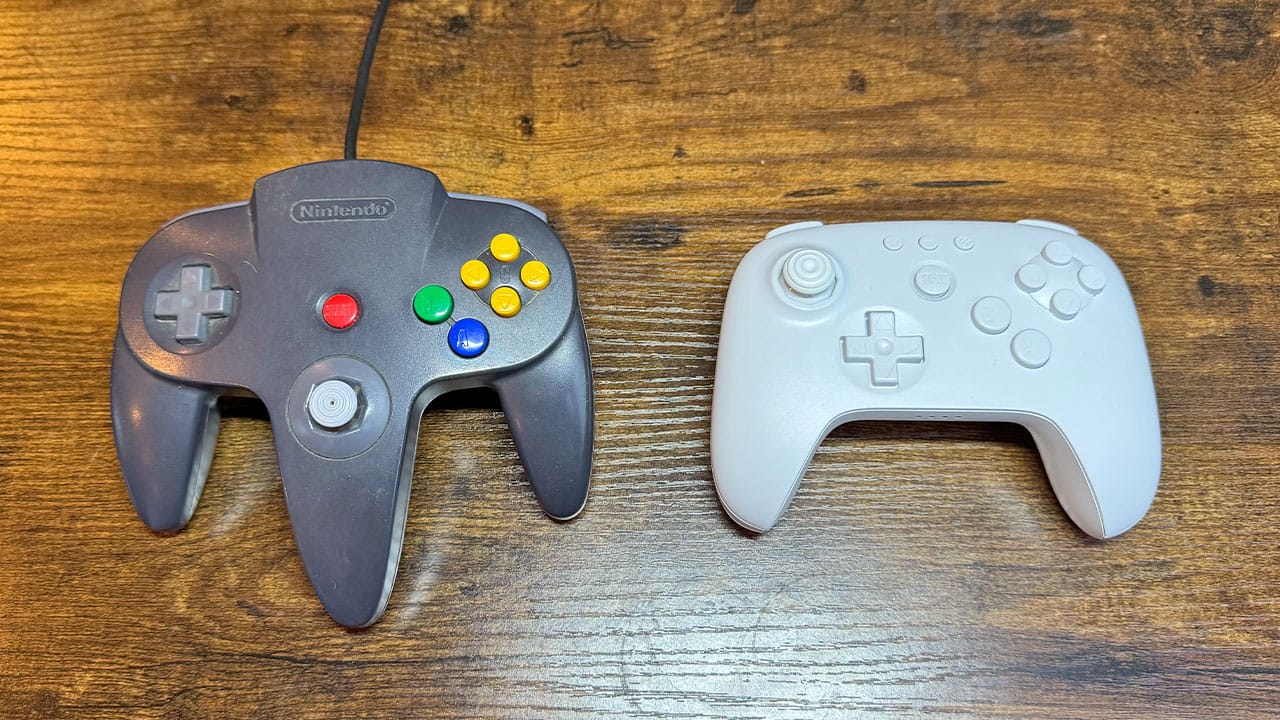
As I've said above, while the N64 controller is instantly recognisable and a true symbol of my childhood and the '90s as a whole, it's not the most comfortable remote to hold. When I hold it, it takes me back to the good old days of playing Ocarina of Time and Mario Kart 64 for the first time, but now that remotes have moved on, I can't pretend that I don't enjoy gaming with a Pro Controller more.
When I hold the 8BitDo controller, I don't have those same feelings. Or not yet, at any rate. The more I play it, the more I'm beginning to associate it with my favourite ROM hacks and classics like Banjo-Tooie. I've had almost 30 years of playing with an N64 remote, so of course that's going to be more nostalgic, but I'm already getting used to this little white wonder.
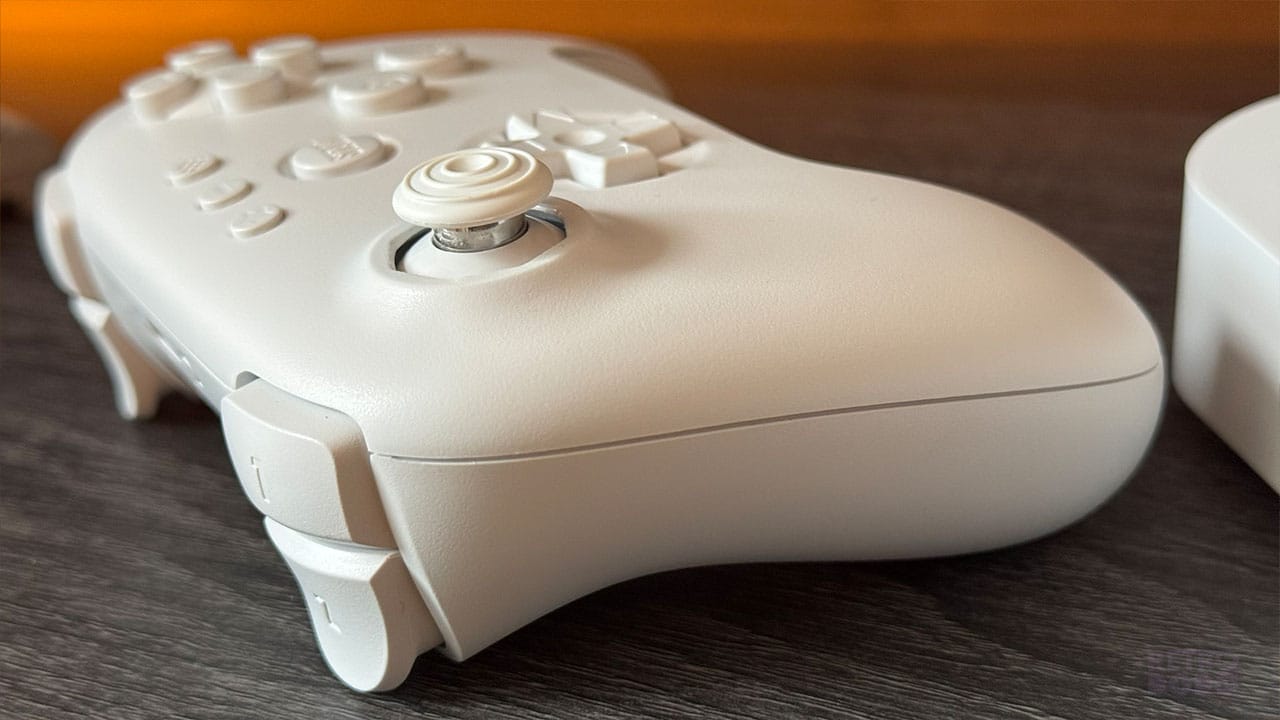
So in terms of nostalgia, it's a work-in-progress. As I said earlier, once the Grey N64 controller design drops, that's instantly going to tap into a whole load of core memories, but it'll never beat the feel of the original controller.
Even though it's not comfortable, it takes me back to the '90s like Harry Potter picking up a portkey that drops him into a Pensieve. In terms of form, however, 8BitDo's controller is superb. It fits in the hands perfectly, it's comfortable to hold for long periods, and it just works. I don't need more than one Analogue 3D, but I do need more remotes for wireless multiplayer action, and it makes sense to buy different coloured remotes so everyone has their own when we all get together to play.
The Updates
It's very weird getting a console that you have to update straight away with a download before you can play. One of the things I love about retro consoles is that there are no patches, no downloads, and no updates in order to keep them running. Back in the day, everything just ran out of the box and worked first time.
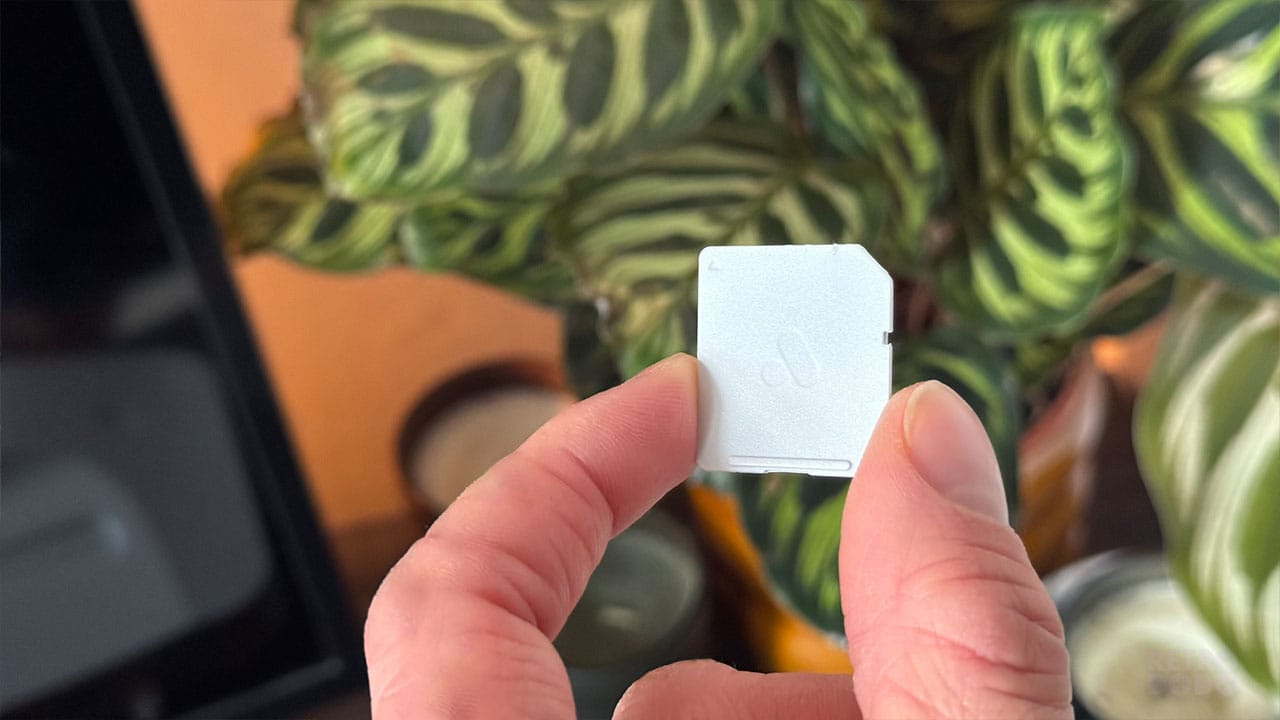
The 3D comes with an SD card that you can just slot into your laptop, so there wasn't any need for me to mess around finding an SD card reader or going out to buy a blank SD card for this, which I was very grateful for. I managed to get the files needed onto the console easily after following the instructions in the box, essentially just dragging and dropping the update file I was pointed towards onto the SD card, before slotting it back in the back of the console.
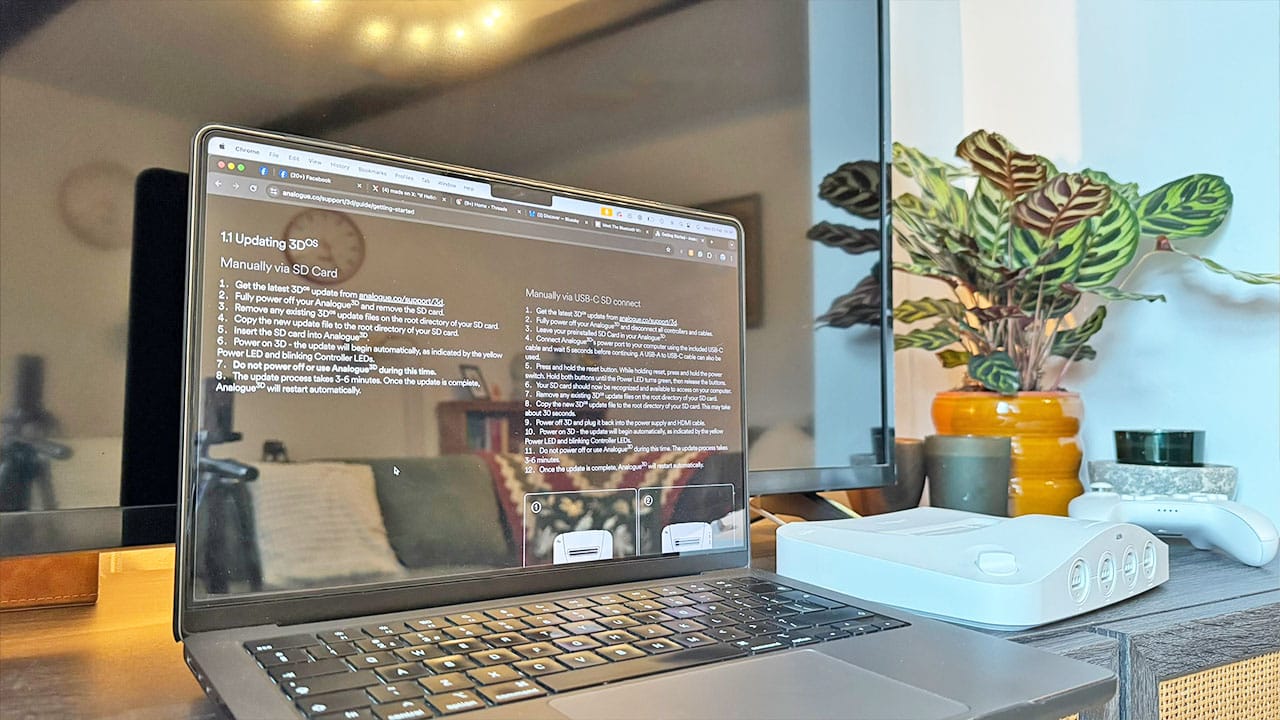
As I mentioned above, there was a bit of a delay due to the fact that I was using a plug that was too weak for the 3D. As I live in the UK, the US plug wasn't really an option, so after trying a couple of USB-C phone chargers and finally settling on my Apple Mac charger, the console stopped powering off halfway through the update and finally got running.
Since then, Analogue have been pretty on the ball with letting us know about new update patches, with two more releasing since the first patch on release day. I purposely missed out the second update and have only just downloaded the third to see how the 3D worked for those people who just don't want to mess around adding new features and leave the console as it is. I wondered if the console would be like the iPhone and force me to update if I wanted to use new features, but my 3D has been working perfectly and hasn't given me so much as a nudge to pull my SD card out for the update.
How To Update
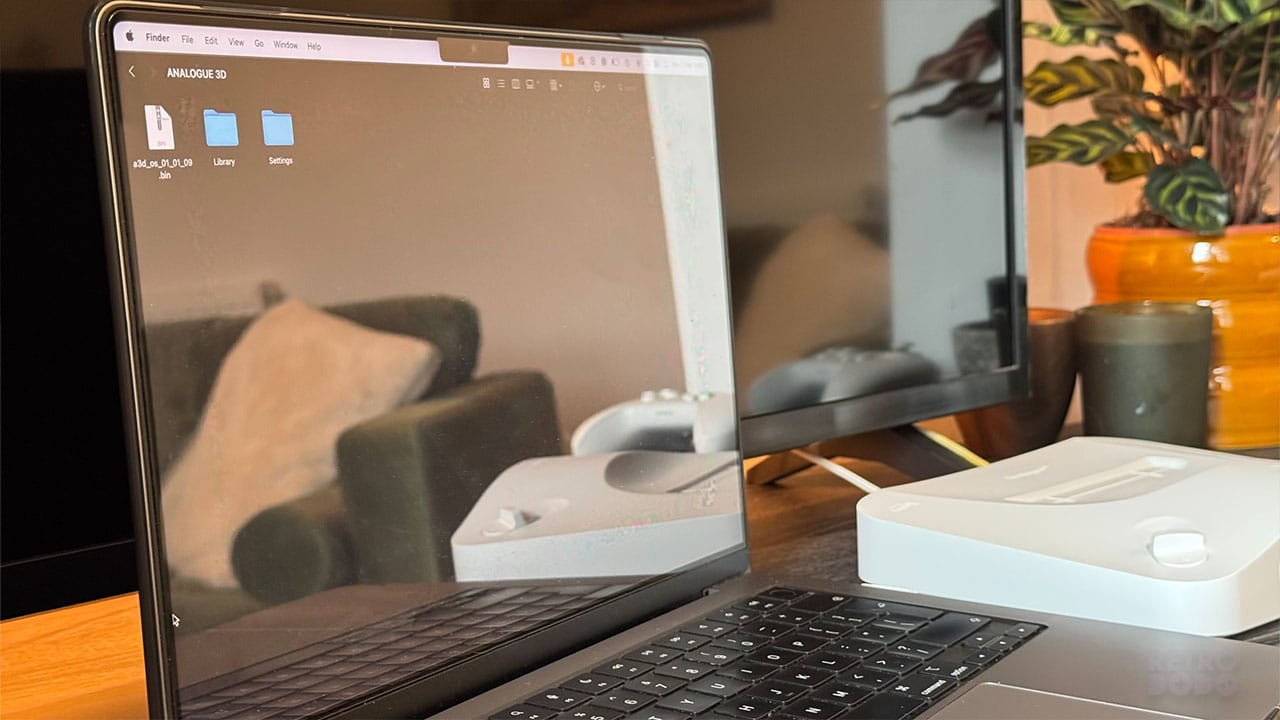
Updating your 3D is simple enough. All it requires is a laptop or PC with an SD card slot, or an adapter you can plug into your USB slot if not. If you're playing your 3D for the first time, then it's just a case of downloading the latest .bin update file from the Analogue website and dragging it onto the first screen that pops up on your SD card.
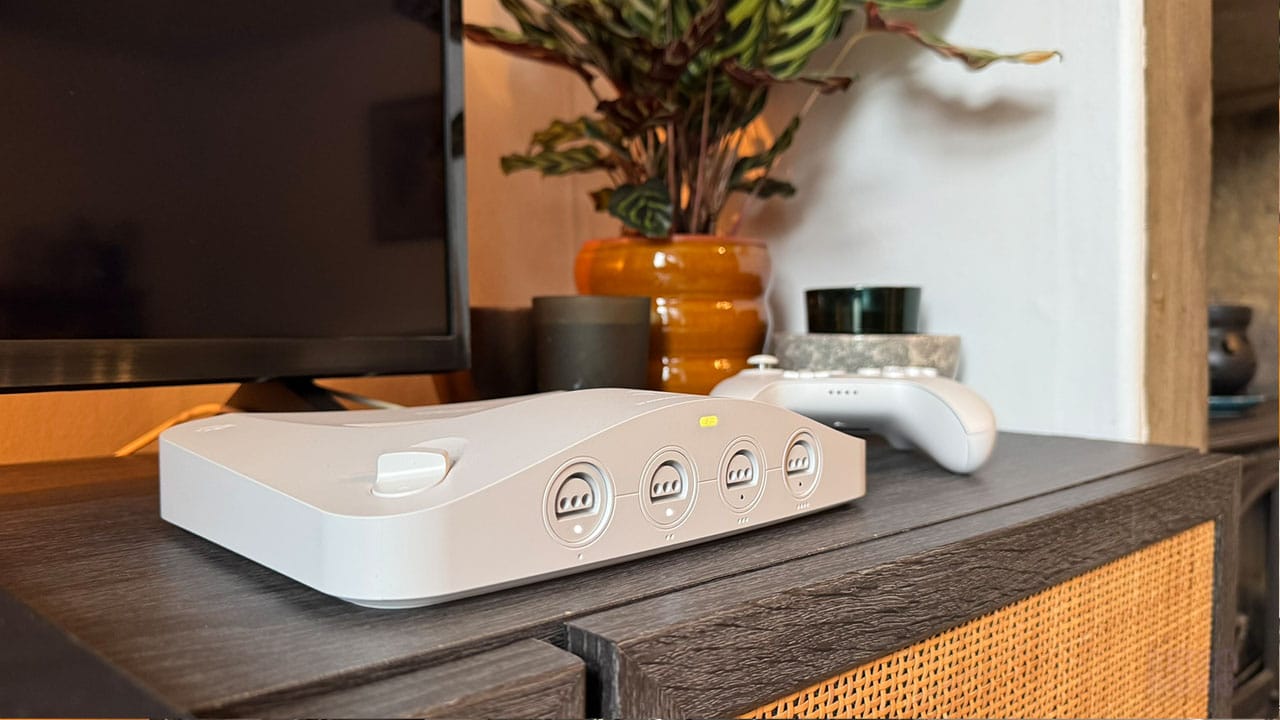
Once you plug the SD card back in and turn on the console, you'll be met with a flashing yellow light to indicate that the console is updating. The four controller port lights will then light up to indicate how far along the update is - if you've got two solid lights and port three's light is flashing, then you're halfway there.
While it's easy to update the console in this method, I've got to admit that it's more of a faff than updating via WiFi. I would love to just click an update button like I do with my PS5 and kick back while it does the rest. So yes, it's simple and not much of a pain, but it could be even easier to sort out. This is one area where the M64 will trump the 3D for sure.
Region Free Gaming With Every N64 Cartridge
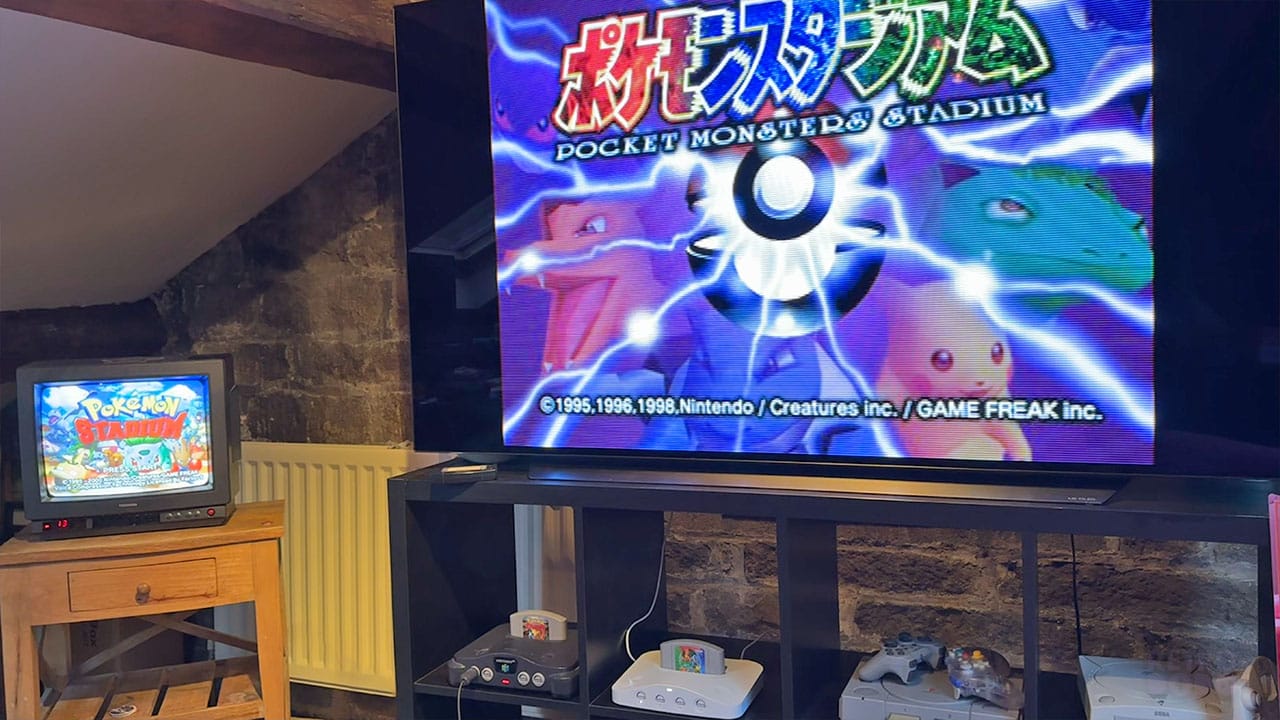
Ok, now we're getting on to the main crux of the article - the games.
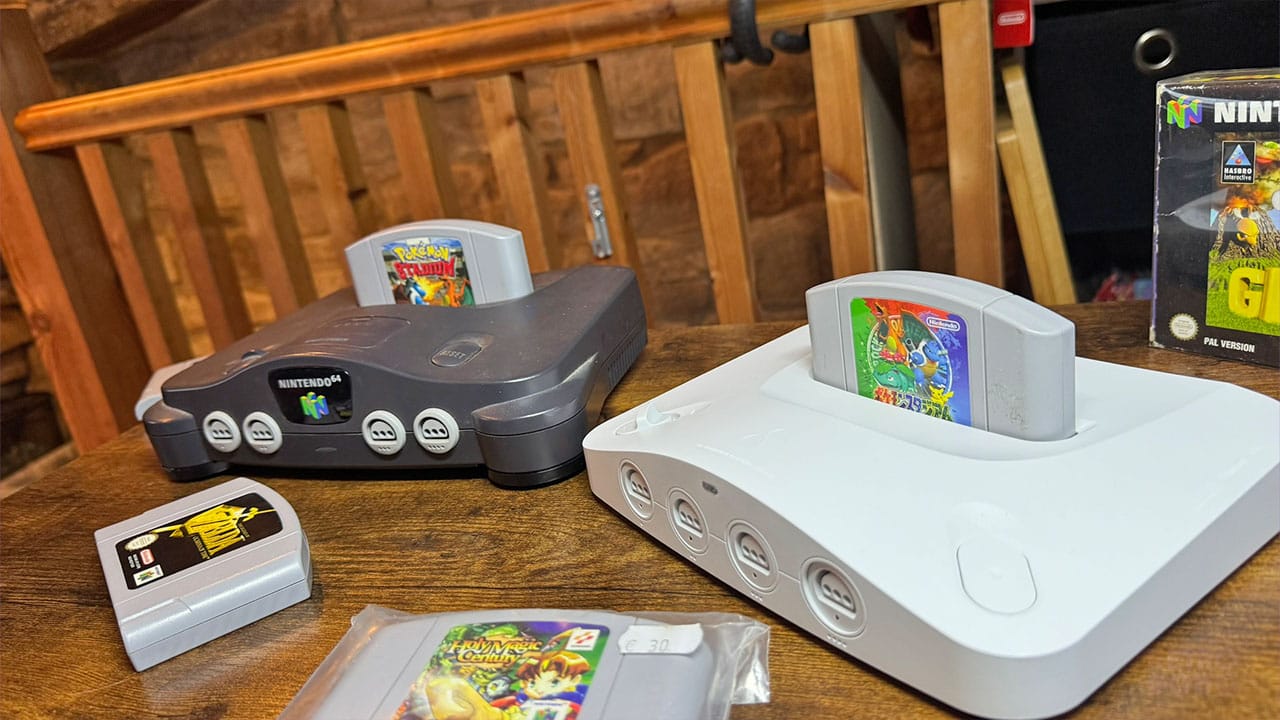
The great thing about the Analogue 3D is that it can play games from any region. So it doesn't matter if you've picked up an American or Japanese copy of a game but live in the UK, you can still play them without any trouble. I bought a Japanese version of Pokémon Stadium for an article a while back but haven't actually ever been able to play it until I got the Analogue 3D. I've got both PAL and J-NTSC versions playing side by side above, albeit on very different-sized screens, and it's just nice to be able to tap into a whole new set of games that I've never been able to play before.
I've got a vast N64 game collection, many of which are the same games I had when I had my original N64 as a kid. I've taken them with me from house to house (and even on a narrowboat for a time), looking after them like the holy grail.
Yes, I have a CRT in my office for playing N64 games, but not everyone does. That's the point of the Analogue 3D; if you want to play Mario Kart 64 on 'the big TV in the living room' with your friends and kick back in individual chairs rather than all sitting hunched up on the floor as far as your wired controller will allow you to go, then it's perfect. If you've never had an N64 but want to get into the games after reading about them here on Retro Dodo, then it's fantastic, especially now you can pick up any game from anywhere in the world and play it on one system.
The Visuals
'A reimagining of the N64. In 4K resolution.' I was very intrigued when I heard the concept, immediately imagining the likes of Jet Force Gemini and Banjo-Kazooie with glorious visuals that almost look like remasters.
The reality is that even with the best will in the world, the Analogue 3D can't remaster our games and make them look as though they were purposely built for a 4K system. What it can do is provide you with a powerful system for playing cartridges on bigger TVs through HDMI, offering you different display modes for a variety of retro TV styles, as well as a clean setting where you can really play with the settings to create a smooth, albeit not always crisp, image of your beloved N64 characters.
The Analogue Display Settings guide gives you a brief overview of the different modes available and what settings you can change. You can choose from:
- BVM - Sony Broadcast Video Monitor.
- PVM - Professional Video Monitor.
- CRT - Cathode Ray Tube (the standard TV you most likely grew up with).
- Scanlines - A CRT display with more distinguishable scanlines.
- Clean - Provides an experience that removes all CRT emulation features and upscales your games to 4K as they are.
I'm going to walk through some of my findings with the different settings in a moment, but one thing I will say (and I think you might have figured this out already) is that it's largely down to personal preference.
Picking The Best Settings
A lot of you are going to want to know about the clean mode as it's the one that produces the most clear 'modern' experience in many instances.
Each display mode mentioned above has different settings that you can switch between. Clean mode has the following:
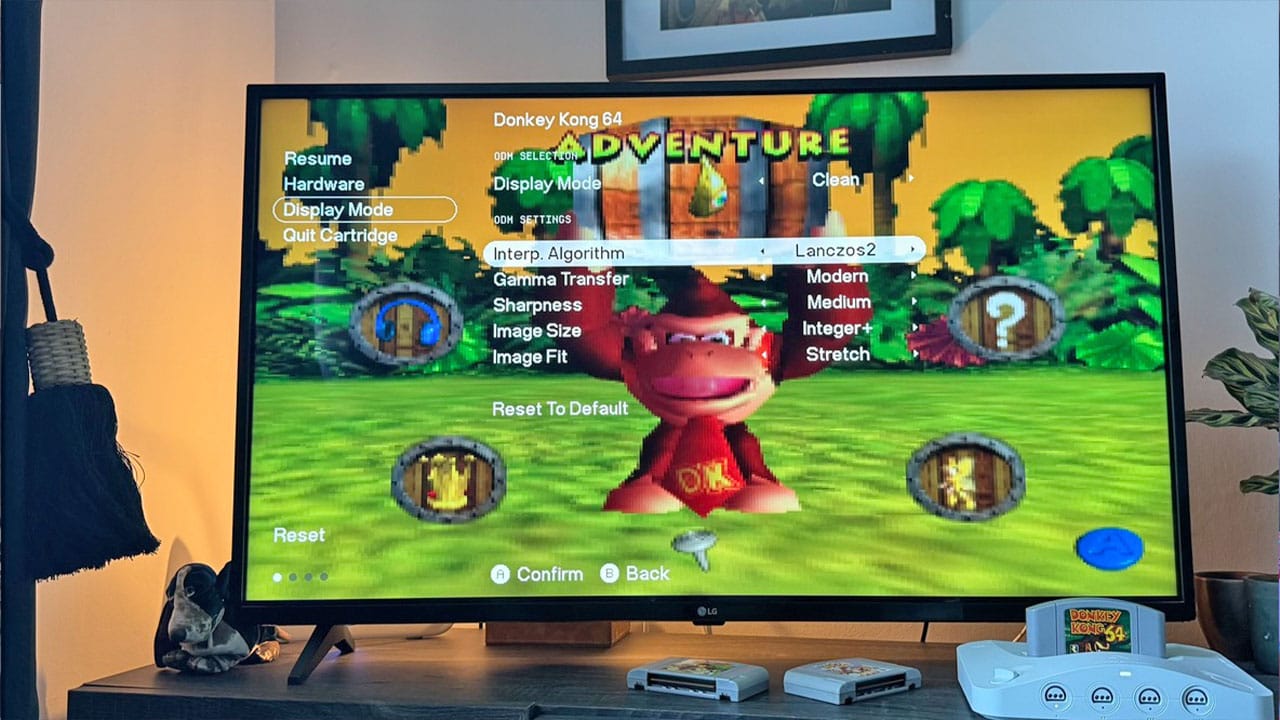
- Interp. Algorithm - Interp means Interpolation, and this setting determines how you shape your pixels for 4K gameplay. Essentially, your choice will determine how smooth or sharp your pixels are. There are four image scaling settings to choose from here - BC-Spline, Bilinear, Blackman-Harris, and Lasczos2. Honestly, which one you pick is down to preference, and you'll use different settings for different games. I'm using Lanczos2 here on DK64, but I'm using BC Spline on Banjo-Tooie. Sometimes, the differences are minimal, however, so it's just a case of picking which one suits your game best.
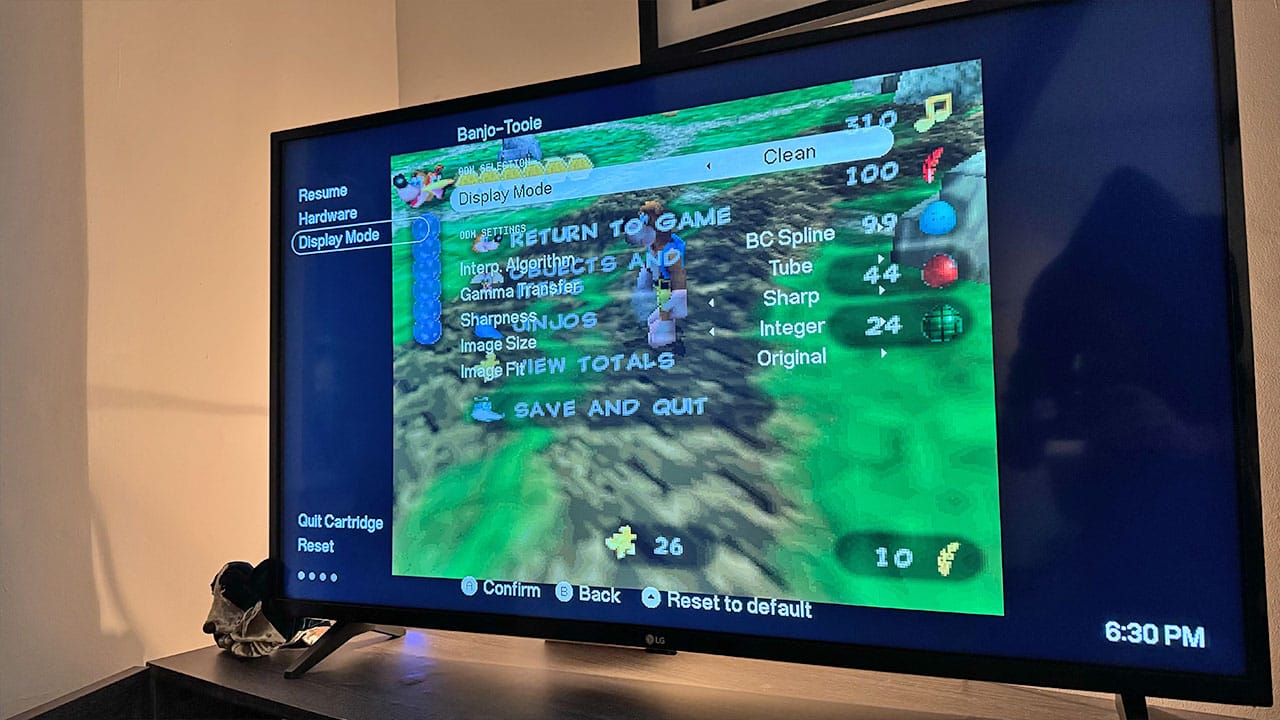
- Gamma Transfer - This one's a little simpler. There are two settings - Tube, and Modern. Tube replicates the gamma curve that you would get on a CRT, giving your games that same kind of light effect that they had back in the day, whereas Modern does what it says on the tin, giving you a modern flat-panel gamma the likes of which you'd get from your existing TV. Modern tends to give games a darker edge to the graphics, which might mean you need to mess around with your TV settings to get the feel right.
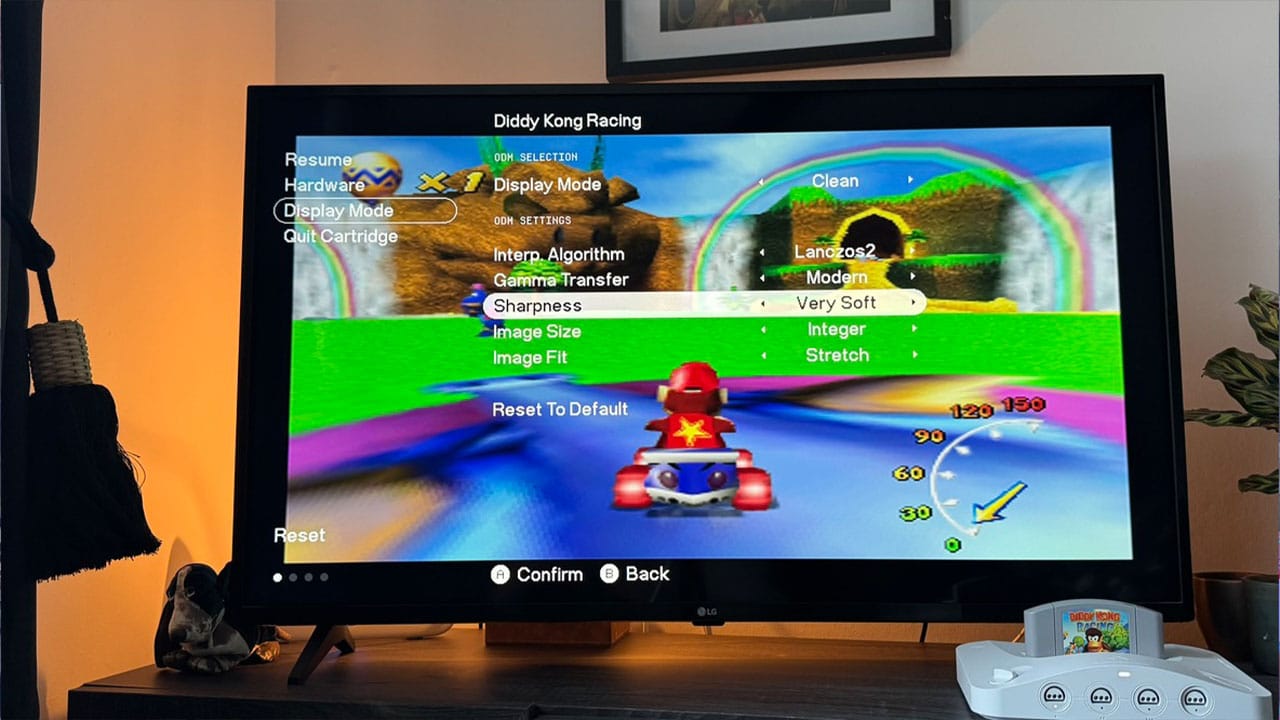
- Sharpness - Again, sharpness is going to be down to personal preference. You can choose from Very Soft, Soft, Medium, Sharp, and Very Sharp. Very Sharp tends to give your image a blockier feel to it, but turning off De-Blur in hardware settings and effectively activating the N64's original anti-aliasing filter seems to make a difference with Banjo-Tooie on my TV. I tested Ocarina of Time on an 80" TV on Sharp and got some great results doing this, while with Diddy Kong Racing, I opted for Very Soft.
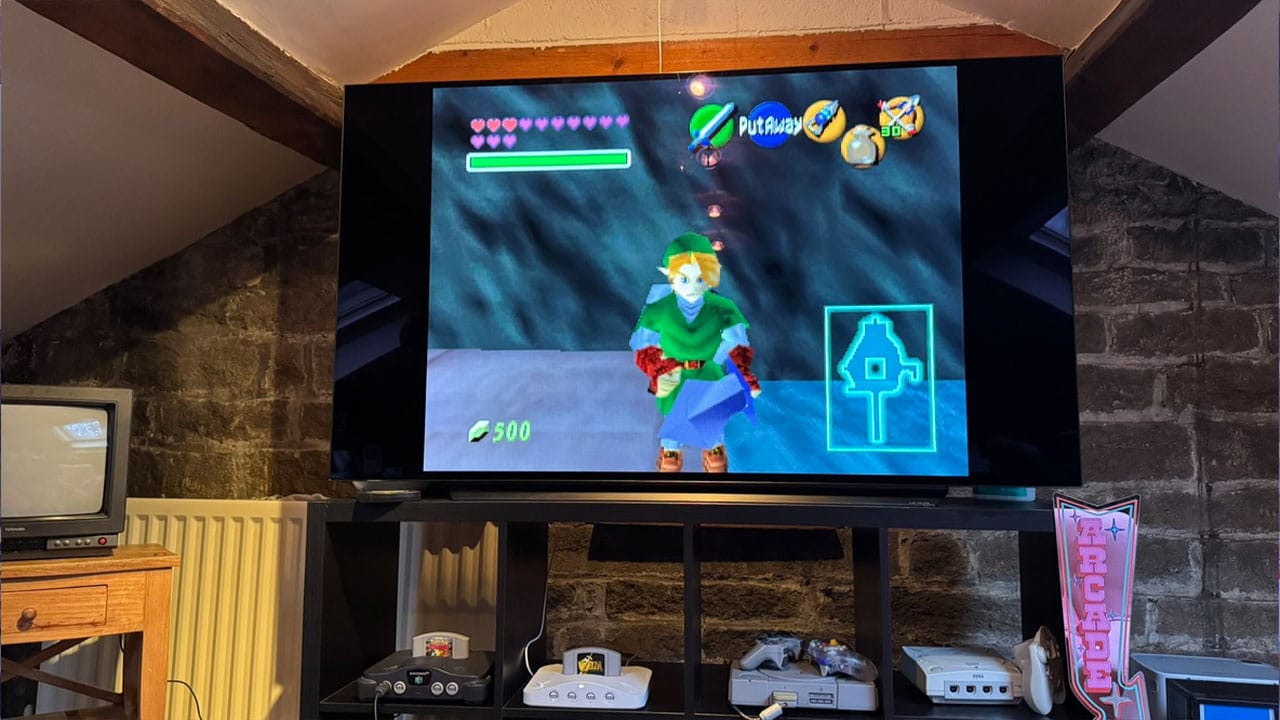
- Image Size - Fill, Integer, or Integer+ are your options here, determining how much of the screen is used and whether you keep the same pixel ratio as the original games.
- Image Fit - This setting pairs with Image Size and allows you to stretch your display from 4:3 to 16:9 and Cinema Zoom. Cinema Zoom tends to cut off key elements of your screen, so I tend not to use this.
What About Hardware Settings?
There are 4 main hardware settings that you might want to mess around with:
- De-Blur: While this is meant to give less-blurry images when turned on, I personally find the Clean filter looks better when it's turned off when using 'Sharp' or 'Very Sharp' sharpness on Banjo-Tooie.
- 32 Bit Color - Again, it's all about personal preference. On some games, you might find that the N64's 32-bit colour rendering is great, while on others, you might find you get a more enjoyable experience turning it off. I'm currently standing in the Jinjo Village in Banjo-Tooie, and I find that the colours are a little more muted when this setting is turned off. I've read articles where some people say that lights look better with it turned off, however. So again, it's a case of trial and error between different games.
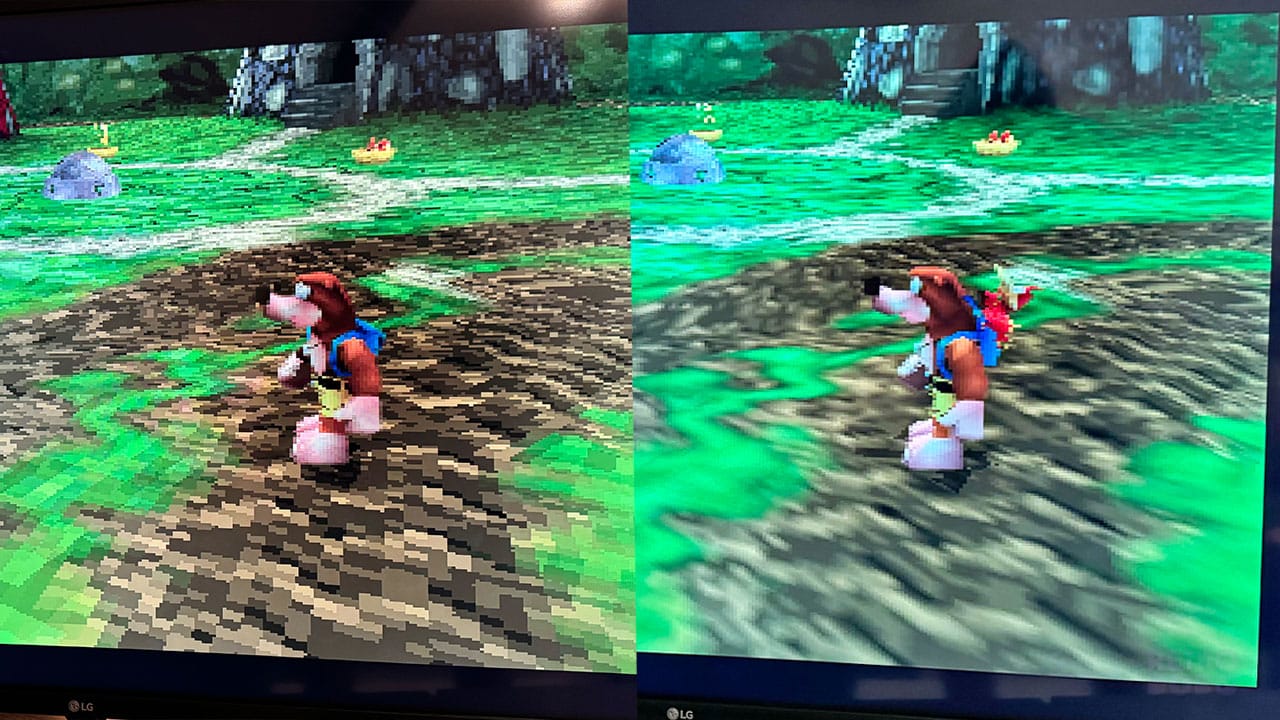
- Disable Texture Filtering: One thing I wouldn't recommend messing around with is the Texture Filtering setting. When this is turned on, it removes all of the smoothing from levels and characters and makes them look like they've just jumped off the PS1. The graphics on the left of the picture above show Disable Texture Filtering switched on, and off on the right.
- Disable Anti-aliasing - Likewise, turning off Anti-aliasing makes everything look more jagged. In my opinion, this is best left off on Clean mode.
My Personal Preference
Honestly, I know the Clean setting is what everyone is interested in, but I love playing with the PVM setting. It's my go-to for most games as I really like that CRT feeling, but it gives me a really nice image on my 42" LG TV. I choose Professional for both Horizontal and Vertical Beam Convergence, Hard for Edge Hardness, Fill for Image Size, and Stretch for Image Fit.
Comparison To A CRT
Ok, as someone who has played using a CRT for many years of his life, I'm obviously going to be comparing the Analogue 3D to the TV tech the N64 was built for. And what better way than to test it with two copies of Turok 2: Seeds of Evil. Again, I'm using a __" CRT and an 80" TV here to create a huge contrast, and honestly, I'm impressed.
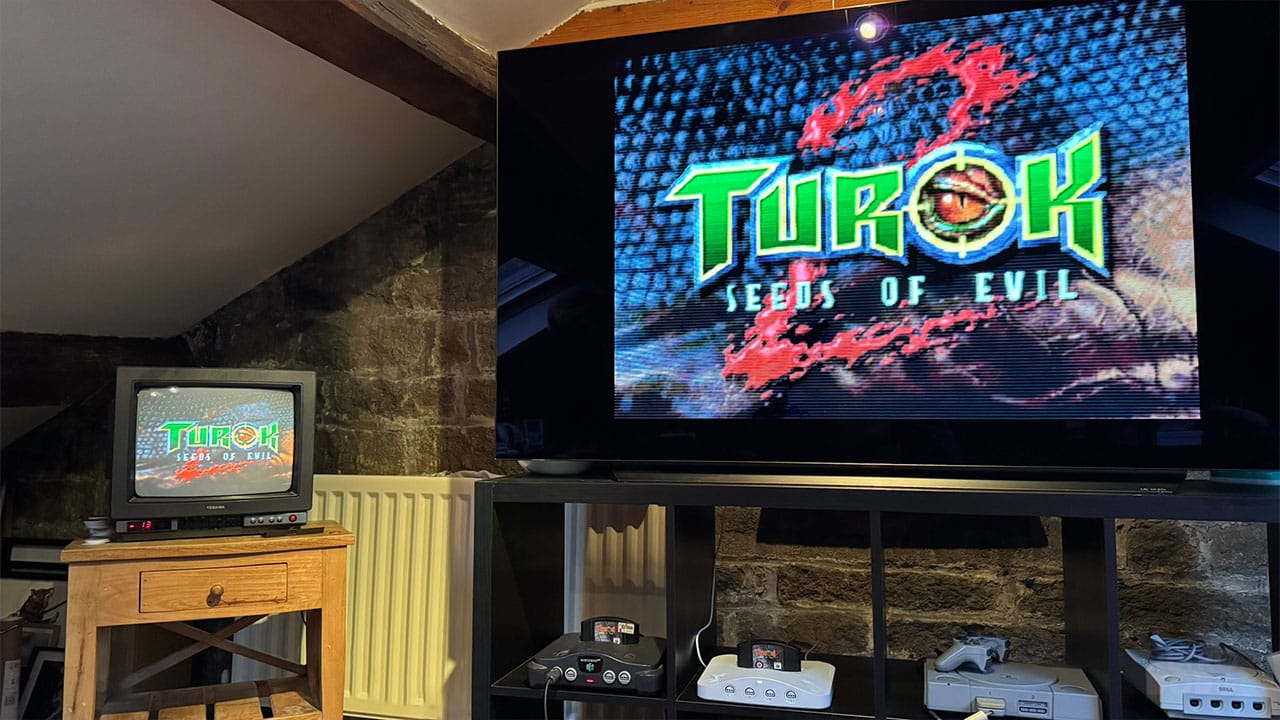
Obviously, you get a rich warmth from the CRT that doesn't always transfer over to the Analogue's gameplay, and the contrast on my little CRT gives me that nostalgic kick I love so much.
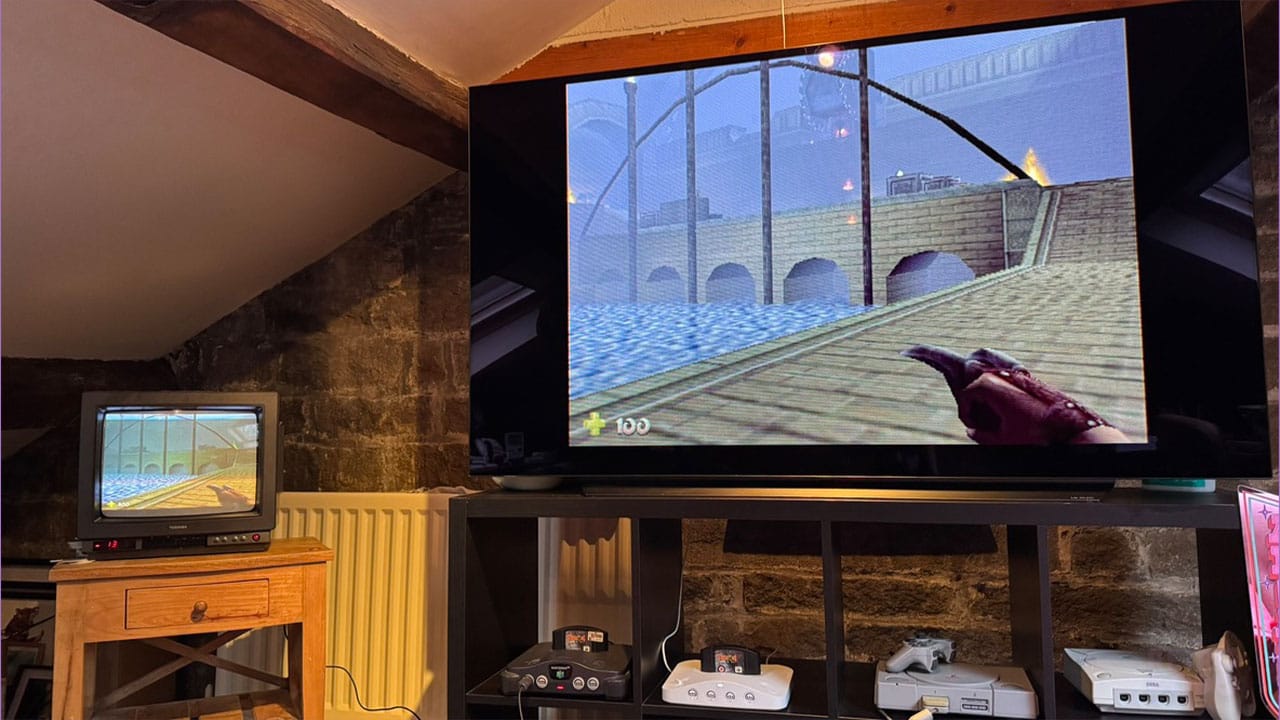
If you have a CRT in your game room already, then you're probably going to opt to use the N64 on it rather than the Analogue 3D because... well, why wouldn't you? And you'd have to mess around downgrading the 3D's output with all sorts of wizardry - it wouldn't be even worth it. But getting my review head on and looking at how the opening level of Seeds of Evil looks on such a huge TV, I've got to say I'm loving it. If I messed around with the contrast and warmth on the LG TV in my office, I'd be able to get near that same look as the little Toshiba for sure.
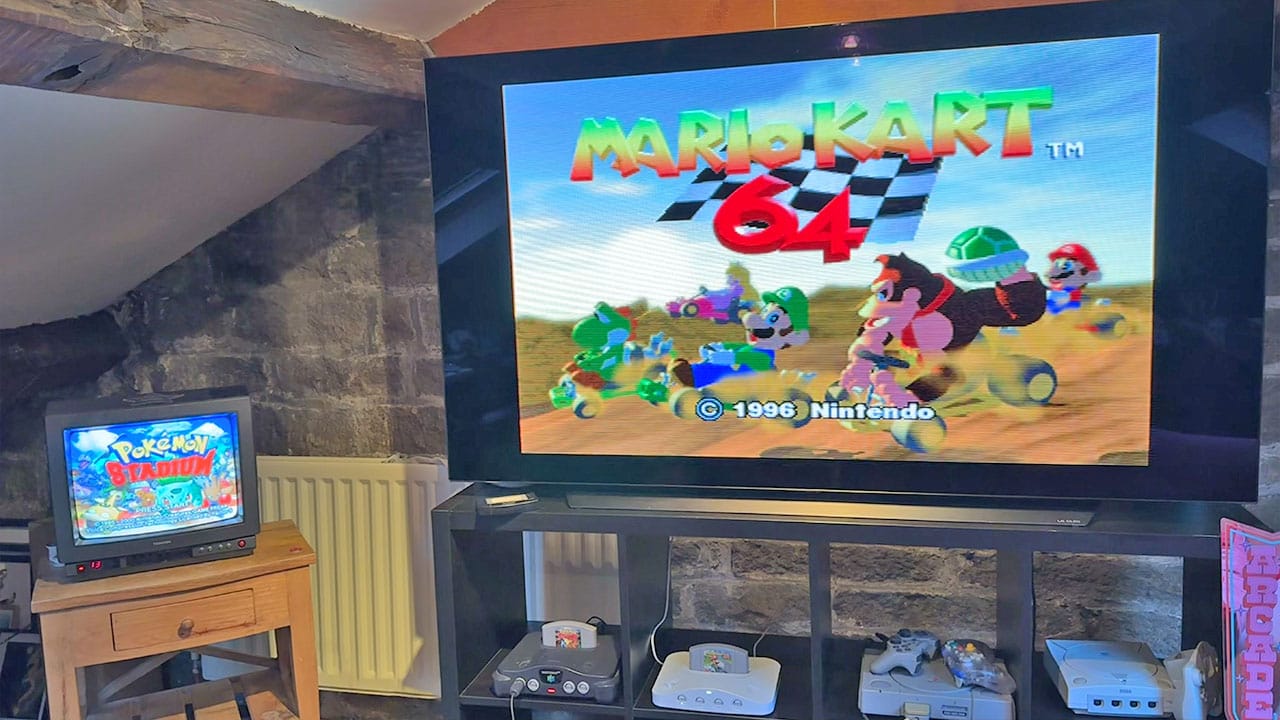
Again, Mario Kart 64 looks amazing on the 3D on such a huge TV, and while Pokémon Stadium's graphics are brighter on the CRT as a comparison, I don't feel like they're worlds apart from each other.
The ROMs
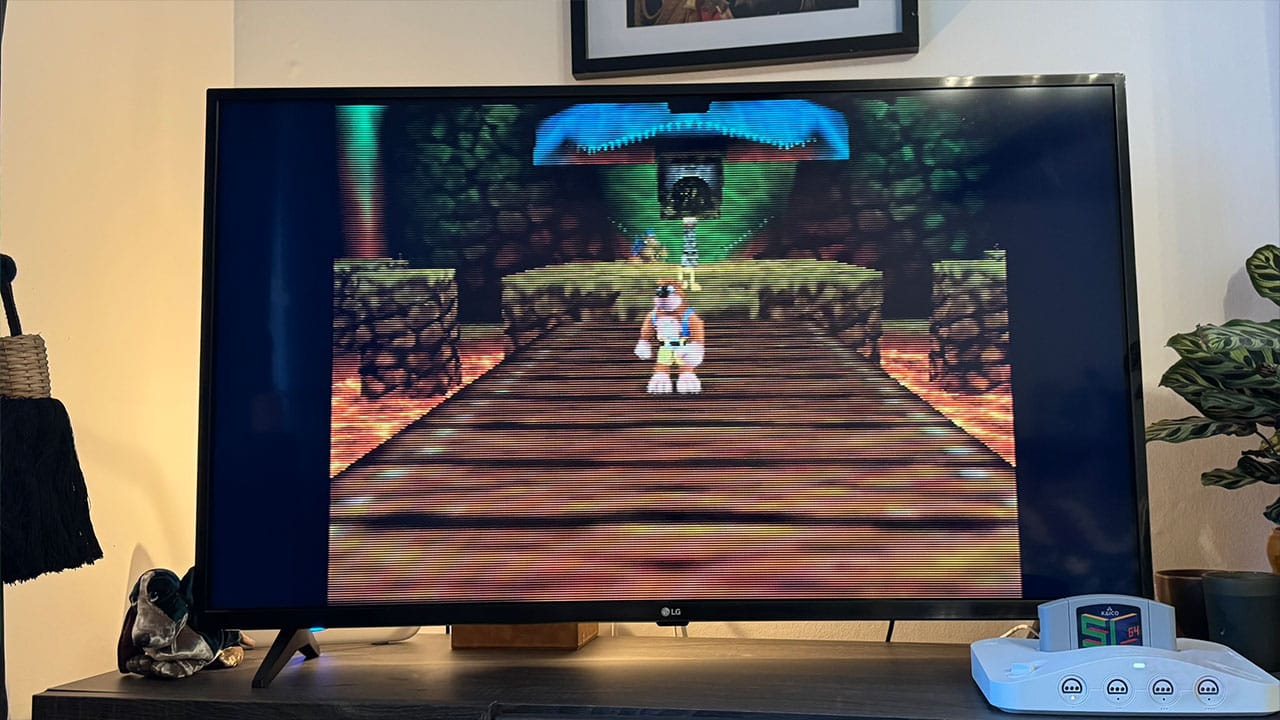
Ok, the moment you've all been waiting for - what's it like playing ROMs on this thing?
The latest update to the 3D's firmware allows gamers to play ROMs on the system via the SumerCart 64, and it's changed the way I play N64 ROM hacks forever.
As many of you know, I've spent a lot of time playing Jiggies of Time on Delta both on my laptop and my phone, hooking up my Switch Pro Controller to my laptop and playing on the TV via AirPlay, or just using my laptop as my main screen. There's nothing better than playing this game on an actual N64 or the Analogue 3D and using the 3D's controller instead of messing around with touchscreen controls.
And it gets much better.
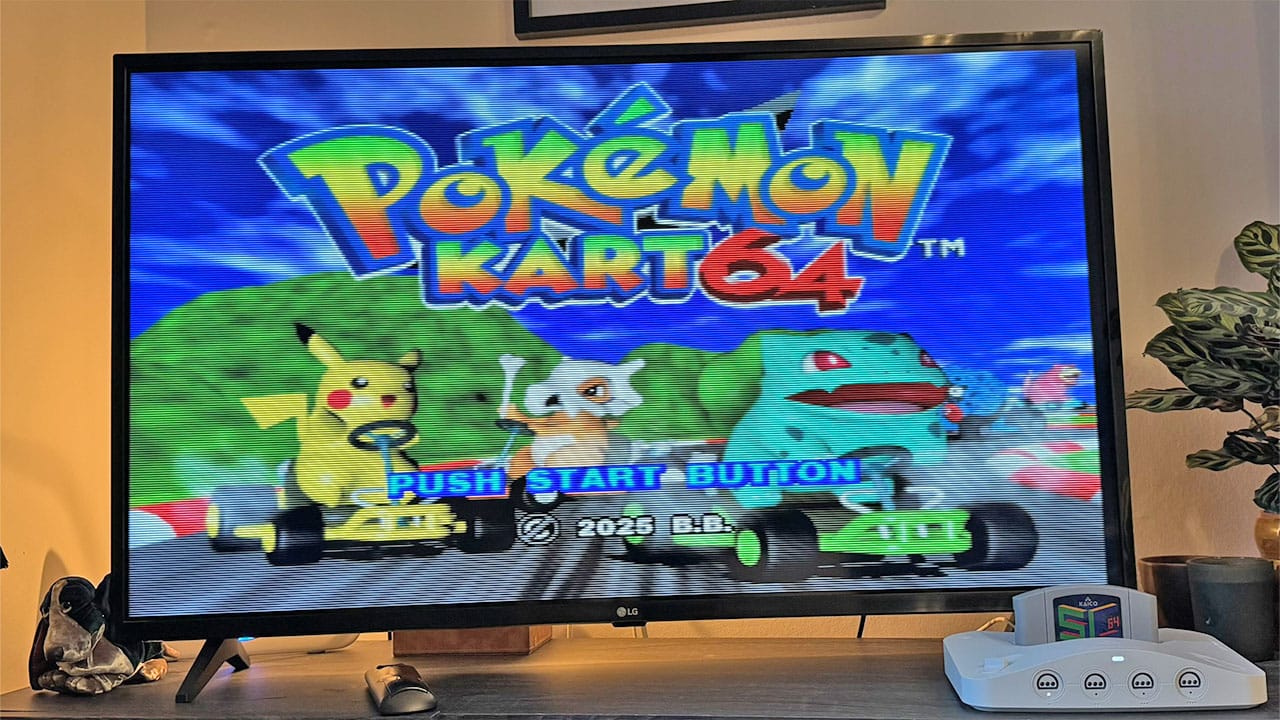
The likes of Pokémon Kart 64 with four players is phenomenal. I've played this with my mates using all original N64 controllers for a '90s crossover phenomenon evening that we all wished we had when we were kids, and we had a blast. There are so many amazing N64 ROM hacks to try with this thing that you'll be kept occupied for months.
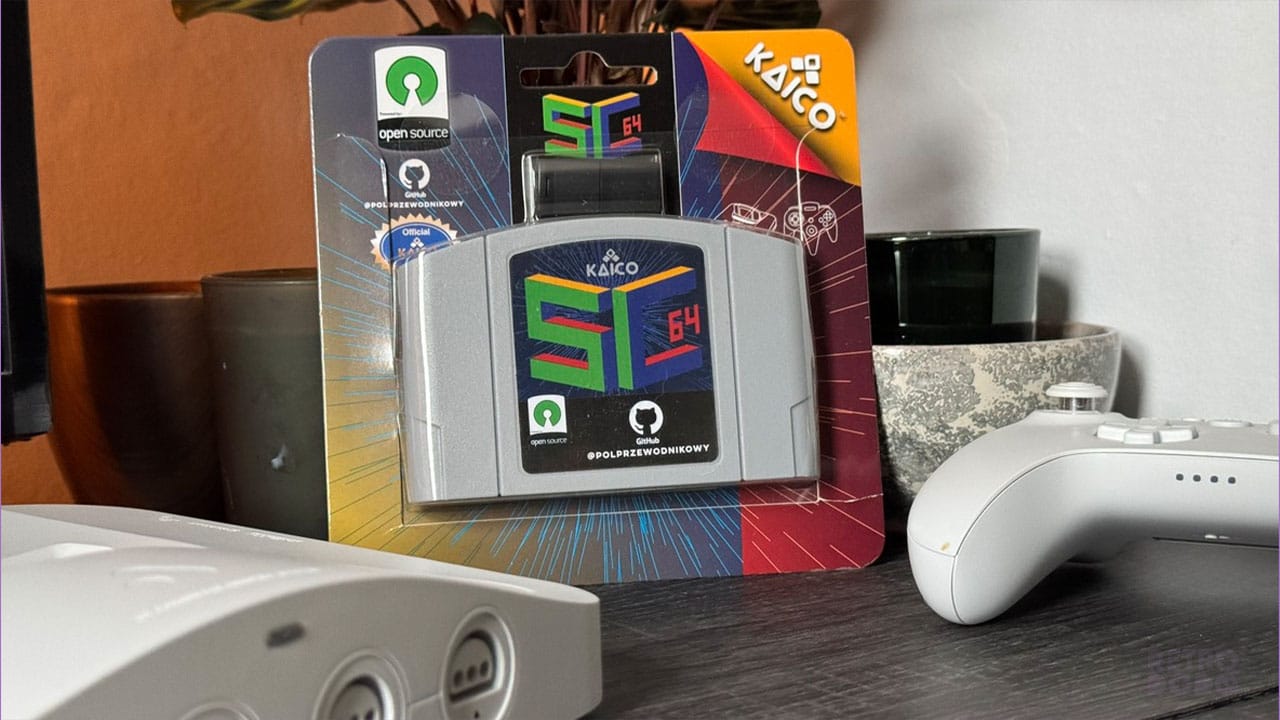
It's all down to this little beauty, the SummerCart 64. If you've not seen it before, then it's an N64 cart with a microSD card on the side, and it works with both the N64 and the 3D. Simply put your ROMs from your PC or Laptop onto the microSD (included), slot it into the SummerCart 64, and access your games from the main menu.
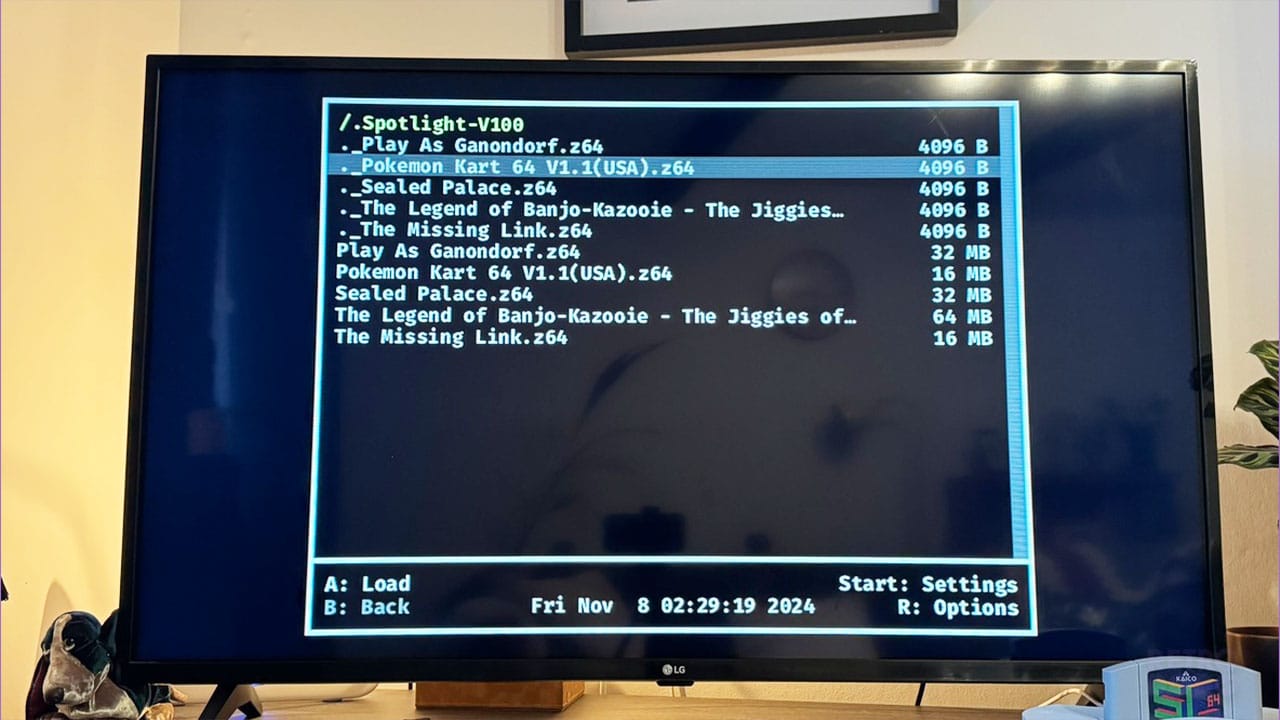
As you can see, I've downloaded some of Kurko Mods' finest titles on here, as well as some Zelda ROM hacks like the Sealed Palace and The Missing Link. You can place existing saves from Delta on here too, so if you've been playing on your iPhone and want to carry on on the 3D, then you won't have to lose your progress.
Alternatives To The Analogue 3D
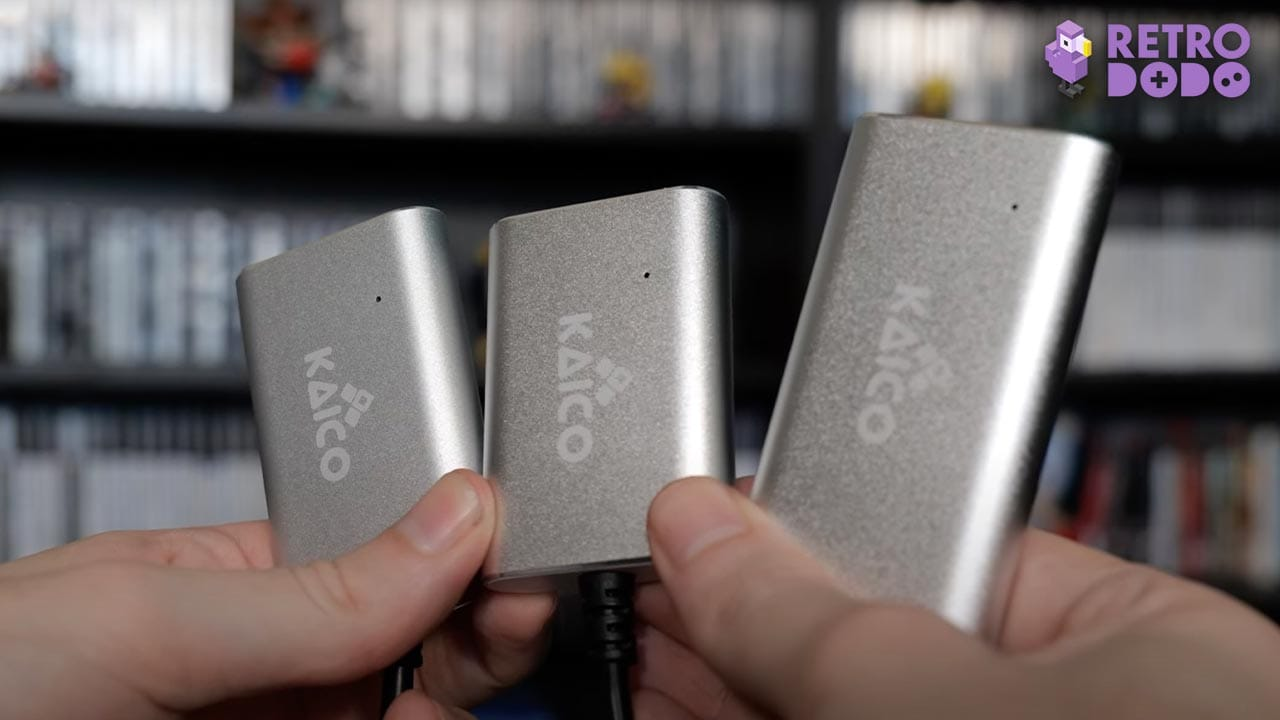
If you don't want to spend $269 on an Analogue 3D, then there are other alternatives to get your N64 working on your modern TV. Kaico don't just manufacture their version of the SummerCart 64; they also make an HDMI converter that gives you a nice-looking picture with deeper colours and a sharper image. There are also products like the EON Super 64, which has been used by N64 fans wanting to get a clean 480p image for years now. But at £125 for a used adapter, it's a pretty expensive option and also one that requires you to have an N64.
There are other upscalers like the RetroTink 4K-CE which we reviewed here at Retro Dodo last year, an upscaler which works for multiple devices but does very little when it comes to upscaling N64 graphics. I'll let you check out the video above for yourself to find out more about that one.
Final Thoughts
- A beautifully designed console that pays homage to the N64 in every aspect.
- FPGA gameplay is superb with compatibility for all cartridges from every region.
- 4-player multiplayer compatibility via original or wireless controllers.
- Upscales games with a variety of filters.
- Simple to use with an easy-to-follow OS.
- Updating requires removing an SD card - would be great if there was a way to do this over WiFi.
- Lacks some of the features I would have liked to have seen like Transfer Pak compatibility and video pass through.
- I love the 3D, but it doesn't feel like it was built by N64 lovers, more a stylish company filling a niche in the space.
- I really wish it came bundled with a controller like the original, or had a price that reflected the need to buy one.
So, would I recommend you buy the Analogue Pocket? Yes, I would... but maybe don't make your purchase just yet until you've read my final thoughts.
I think you've guessed already that I've enjoyed spending time playing the Analogue 3D and all of the options it has to offer gamers like me who grew up loving the N64. It's a beautiful piece of kit no matter what colour you purchase it in, and it's very powerful too.
If you're looking for a way to play your original N64 games on your big TV or just want to get into N64 games for the first time without buying a CRT or adapters, then the 3D will serve you well.
If you want a device that fits in with everything else you have in your TV cabinet and blends into the background when not in use, then the 3D will be perfect.
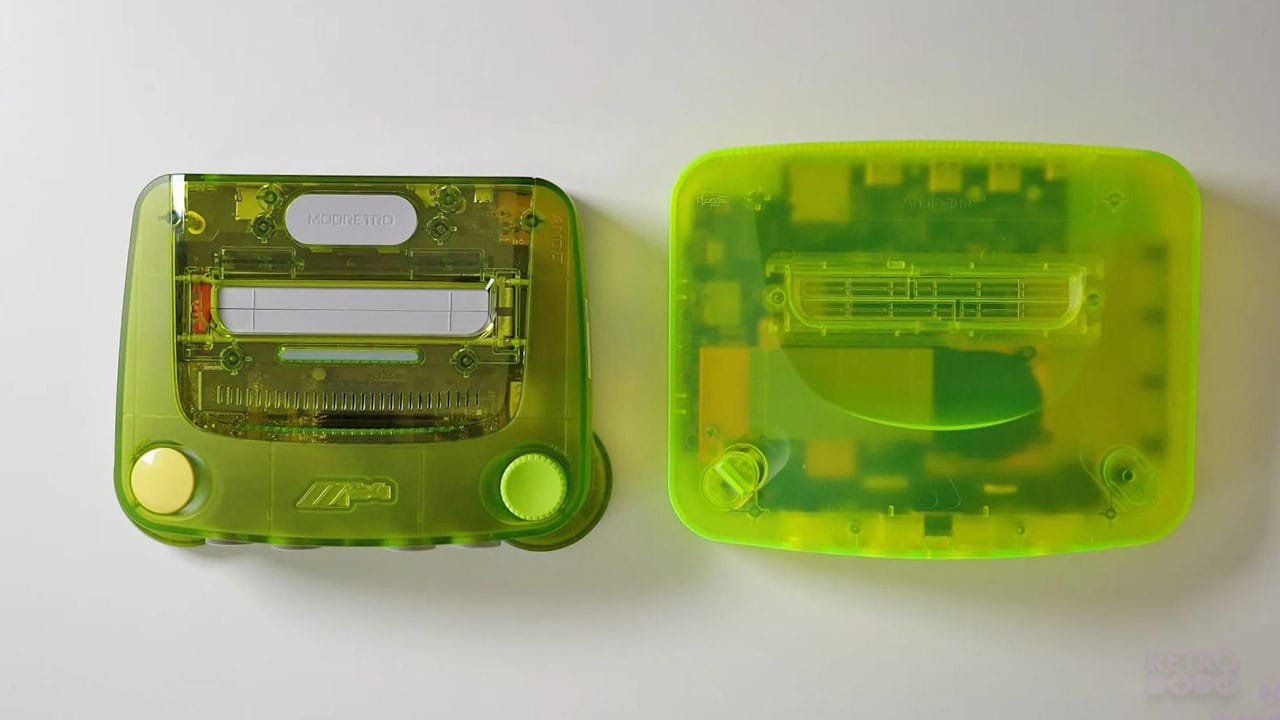
If, however, you want something that stands out a little bit and looks more like a toy like the original N64 did, then maybe hold out to see what you think of the M64. ModRetro's offering definitely captures that childlike 'wow factor' that we had back in the '90s and is set to bring Transfer Pak capabilities and video passthrough via the ModRetro Chromatic, as well as Wifi updating and lots of other features to make your life as an N64 player easier. Cartridge art lights, eject buttons - it's the 3D with a little more innovation.
And I say this knowing that Analogue have new fun colours available too. You can get a 3D that stands out while still looking suave, but that M64 is a toy, and that scratches my '90s kid brain in the right way.
As we've said before, if you have the 3D, the only reason you would want to upgrade to an M64 would be the features mentioned above. Like the filters on the 3D, it all boils down to preference, and if you value form highly and want a device that oozes cool, the 3D won't let you down.


