


The Nintendo 3DS is getting a lot of love this year, which is great for those of us that hanged onto this beloved clamshell, not so much for those wanting one... have you seen the resale prices on these things!? Many 3DS enthusiasts have hacked their 3DS over the years, offering an array of enhancements that may make your handheld a little... overwhelming.
Your home screen is likely riddled with applications, many of which you have no idea what they do because you haven't opened them in ages, and because the 3DS wasn't technically designed for this, the UI (and your stylus) feels the pressure and the user experience becomes a cluttered mess.
Well, that clutter can now become an organised library of games and apps thanks to 3DSort, a new piece of software for PC users that syncs your 3DS and allows you to literally drag and drop your apps around the device, alongside the ability to edit, rename, delete, and empty folders quickly.
What does it do?
- Swap any two tiles by dropping one onto the other: games, system apps, folder tiles, even the Game Card slot
- Move games and system apps in and out of folders
- Create, rename, empty and delete folders
- Sort presets (A to Z, Z to A, release date oldest or newest first)
- Live preview that reproduces the console screen exactly, for every view setting from 1x60 to 6x10
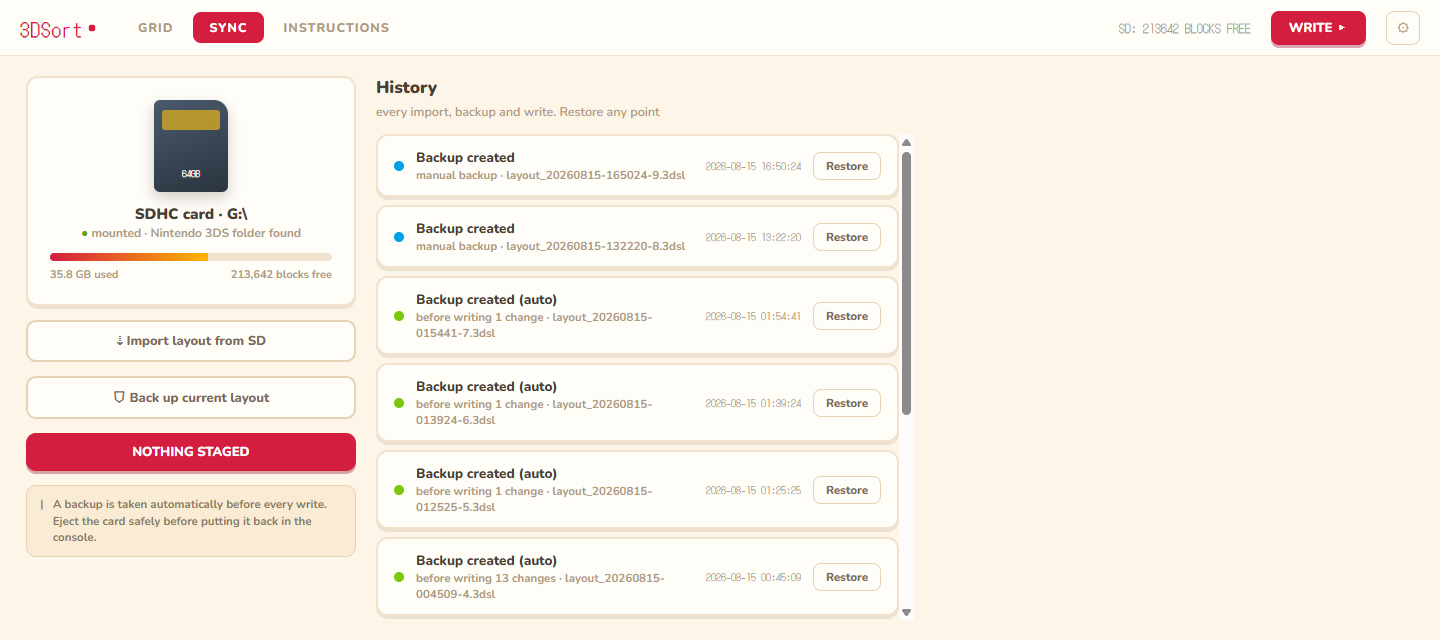
- Every change is staged in memory first, with undo, redo and reset. Nothing touches the card until you hit WRITE and confirm
- A backup of the current layout is taken automatically before every write, and any backup can be restored later
- Every write also unwraps gift-boxed icons in bulk (same mechanism as Cthulhu's "Unwrap all") and preserves the HOME menu theme you picked on the console, even when restoring an old backup
This was made by SalustLab, and in their words: 3DSort edits the layout directly on the SD card instead. Put the card in your computer, sort your games automatically by alphabetical order or release year, or manually drag things around and manage folders in a desktop app, check the live preview, then write the result back and boot the console.
How It Works
The HOME menu layout lives in an encrypted extdata archive on the SD card. 3DSort uses save3ds to extract and reimport that archive with your console's keys, then parses save data itself. Anything in the file it does not understand is preserved byte for byte. Icons and names come from the console's own icon cache, so the grid shows exactly what the console shows.
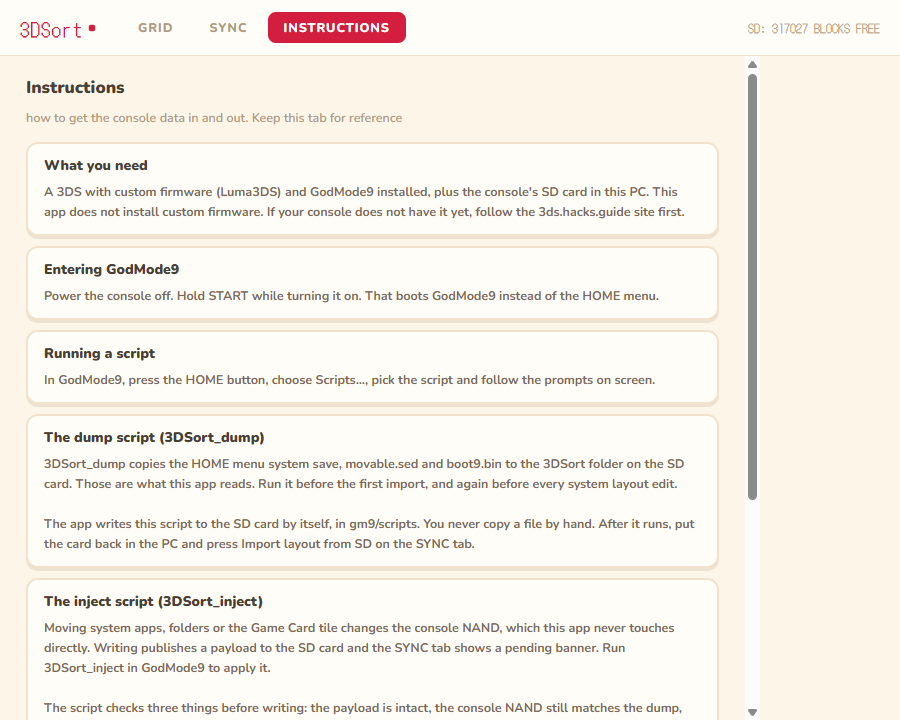
Folder definitions and system app positions live in Launcher.dat, inside a system save on the NAND. 3DSort edits that file too, through the same save3ds engine, but it can only reach the NAND with your help: a GodMode9 script dumps the save container to the card, the app edits it, and another script injects it back, hash-checked end to end. If the check fails the script aborts and the original container stays on the card for recovery, states SalustLab.
What you need to make this work
- A 3DS with custom firmware (Luma3DS) and GodMode9
- A PC with an SD card reader. On Windows, also the WebView2 runtime, which ships with Windows 10 and 11 by default
- The console's
boot9.binandmovable.sed. You do not copy these by hand: the app writes a3DSort_dumpscript to the card, and that script dumps them for you, along with the HOME menu save.
If this interests you and you want to give it ago this open source project is available at GitHub alongside a lot of documentation on how best to execute this piece of software on PC. Please be wary when downloading things from GitHub; do your due diligence because there has been a moment in the past where retro gamers have downloaded Malware from GitHub, even more so during this "vibe coding" trend we are living through.


