


If you've read our newsletters, you will know I'm stuck between playing The Legend of Zelda: Ocarina of Time and World of Warcraft: Forever, two very nostalgic video games that I played as a kid, and for many years I have dreamed of playing World of Warcraft on my handhelds. I did manage to get it working on the Steam Deck a while back, but I'll be honest... the Steam Deck just isn't for me; it's too bulky.
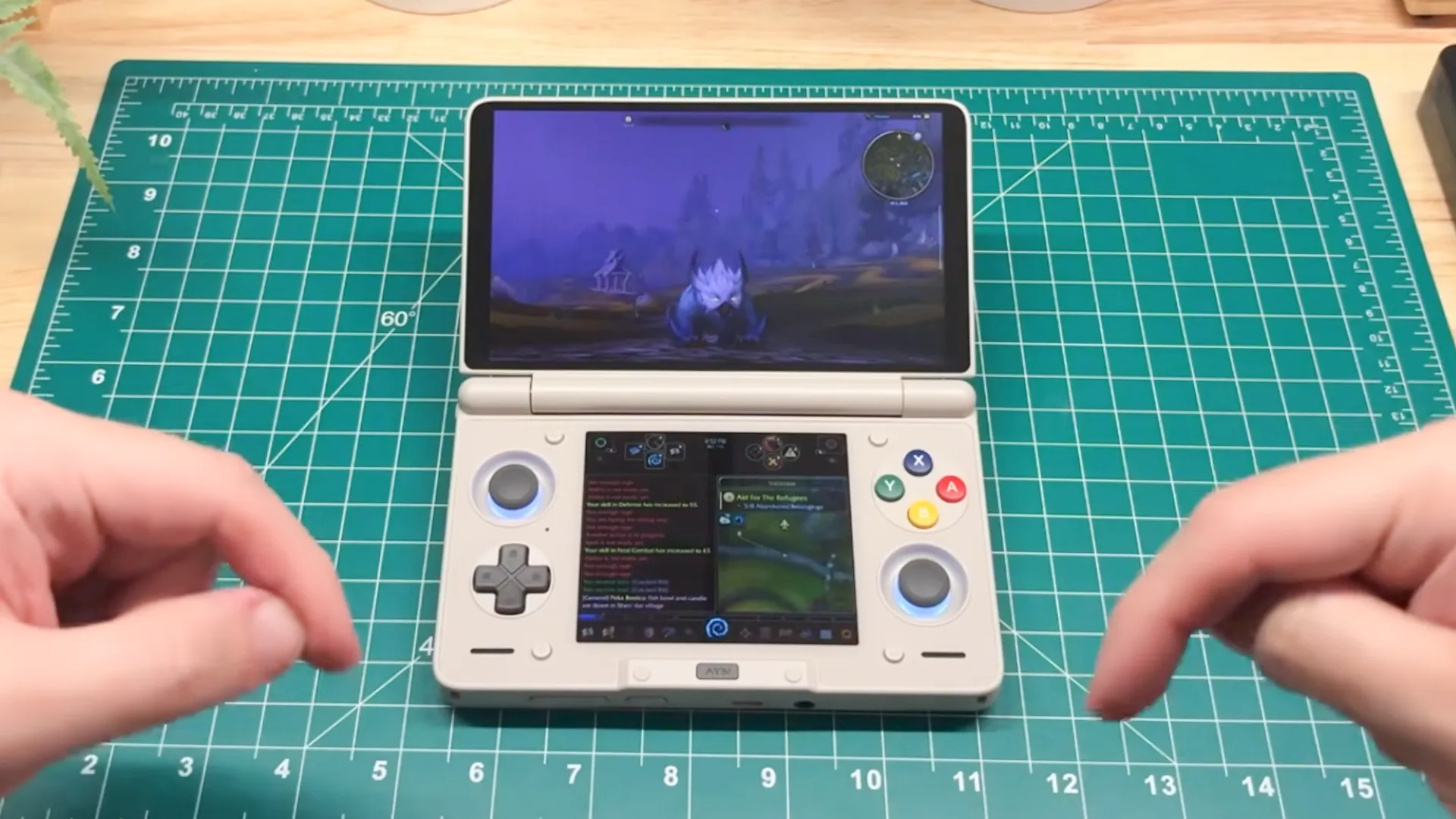
But there could be a new way to play WoW: Forever, and that's one of the most popular dual-screen handhelds of the year, the AYN Thor, and I couldn't be more excited. A YouTuber by the name of CD's Retro Corner has managed to get this huge MMORPG working on the AYN Thor; it is cumbersome to do, but once done, you have one of the most unique ways to play this game.
Quite simply, the AYN Thor uses an unofficial launcher and companion app called DS Forever, built by developer Jreese702 and is a fork of WoW Forever Android Launch and GameNative, mixing two powerful apps into one to mix the features in a way that makes it possible to play WoW: Forever using your limited controls. It runs the PC version of the game on Thor's Snapdragon chip with something called a compatibility layer of Wine/Proton, DXVK, and a custom Turnip graphics driver, which is common in pushing Android handhelds' limits, even if it all sounds like something an alien would say.
This takes full advantage of the AYN Thor's second screen too, because nobody wants a blank screen and it can be put to good use when playing the long, quest-filled MMORPG. For example, the second screen can be used as:
- A map, including indoor layouts colour-coded by exit and floor
- NPCs you've already seen
- Quest data from the popular Questie add-on database
How To Play WoW: Forever on the AYN Thor
Here are the basics, but follow the developer's own instructions on GitHub as they are far more accurate, and the app is updating almost daily.
- Have an active WoW subscription or game time. DS Forever doesn't include the game. You need your own account and your own copy of the game files to patch.
- Copy your WoW Forever installation to the Thor. You need the folder that contains the
.build.infofile and theDatafolder. The developer tested it inDocuments/WoW Foreveron internal storage. Make sure you have a lot of free space; this takes around 60GB of memory. - Download the latest DS Forever APK from the GitHub releases page and install it. You'll need to allow installs from unknown sources. Please do your own due diligence when downloading anything from GitHub.
- Give it file access and choose your game folder when the app first launches.
- Run the two-screen setup. It runs seven required checks before the Play button unlocks, prepares the map art from your game files and downloads the quest database. If a step fails, tap Try again.
- Sign in through Configure Login. If you use an authenticator, you'll need to approve that manually.
- Hit Play. The app also includes its own updater for the app and for the game client.
You should be good to go, and it will require a heck of a lot of button mapping and configuring, as this is a PC game running on a compact handheld. At this moment in time, this app only works with the AYN Thor, and it has not been tested without dual-screen devices such as the Retroid Pocket Duo. I also reccomend pairing it with a higher-end AYN Thor with more RAM; otherwise, you could be disappointed if you are trying to get it to work with the Lite or Base models
Apparently, this project does not violate Blizzard's terms of service, but again, I would do your own research here. And for those asking, yes, this project has been developed and assisted using AI tools. Make sure to visit CD's Retro Corner for more information regarding this project.


