


One of my favourite new frontends for retro handhelds this year is one called DigiBitPlay, it puts a focus on disc art, cartridge collecting and even customisations to consoles, allowing you to make the opening process of your ROMs a little more nostalgic, like inserting a PS1 disc into a console that has stickers on it, for example, or is a limited edition variant, etc.
There's also a wide range of ROM organisation too, you can use lists, box art, disc art and as of recent even upgrades that make it look like your boxes are on a shelf, or cartridges in a box with custom foam inserts. This is all thanks to the huge new V4 update that has come to both paid and free members of DigiBitPlay's Patreon page, offering Android users a new way to explore their ROMs with a physical touch, much like Socket, the one that somewhat started the trend this year.
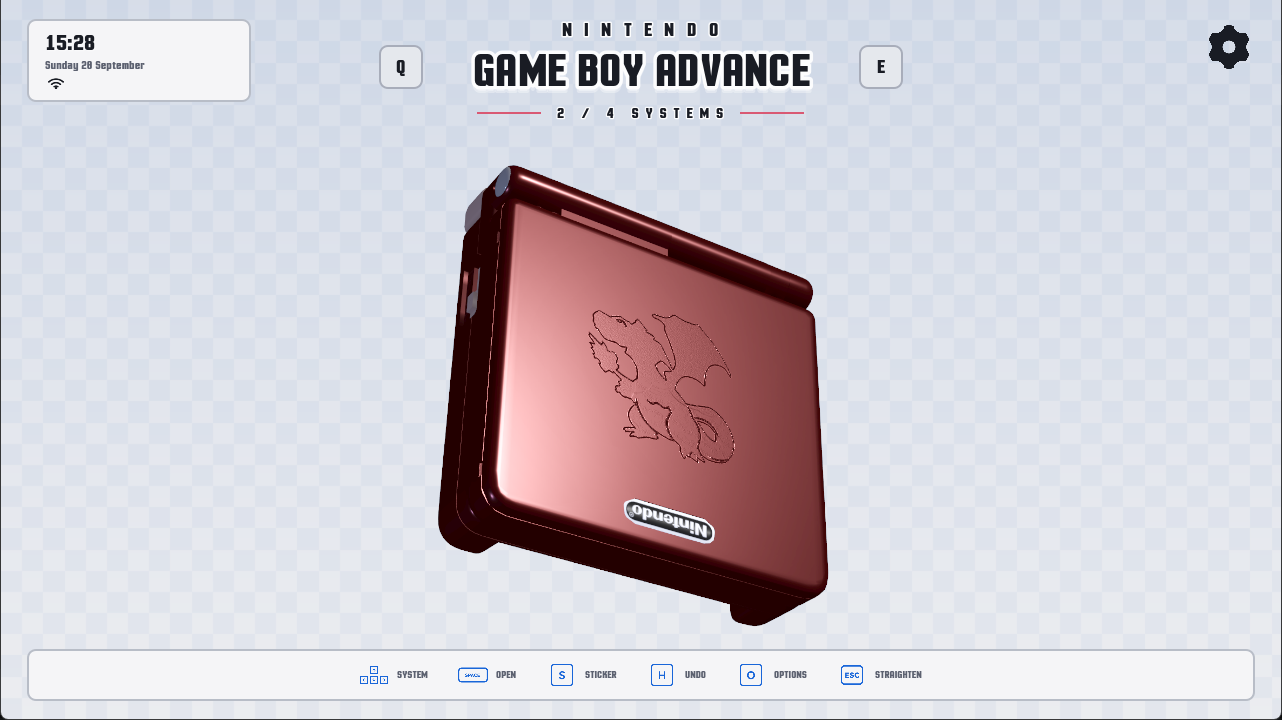
The developer has also added a bunch of new systems in this update, such as SNES, Nintendo 64 and Xbox 360, which is one of my favourite consoles ever, although Android Emulation on the Xbox 360 is hit and miss right now. Here's the full list of features that have come to V4:
- SNES & N64: Both systems have been added.
- Xbox 360: Added support for Xbox 360, including 3D game boxes and manuals.
- Per-Game Emulators: Emulation program specifications have been added, allowing you to choose different emulators for individual games.
- RetroArch Fix: Fixed an issue where RetroArch opened without saved configurations; it now properly loads your old saves and controller setups instead of creating new ones.
- Steam Deck: Steam Deck support is now available with its very first build.
- Shader Cache Building: Added a new option to build a shader cache, ensuring 3D models load faster when navigating the frontend.
- Shelf Carousel: Adjusted the shelf carousel to provide better organization alongside smoother, improved animations.
- Nintendo DS Cases: Added fully modeled Nintendo DS game cover boxes.
- Improved CD Reflections: Updated the CDs to feature much better, more realistic refraction and reflections.
- Glow Highlights: Added visual glow highlights around the specific video game that is currently in focus.
- Animated Backgrounds: Added new animated backgrounds to the frontend.
- Interactive Manuals: Manual page layouts have been corrected, allowing you to manually assign the front and back covers. The front and back covers now display as single pages, mimicking a real physical manual. You can also drag pages to turn them fast or slowly using a finger or mouse. Manual
- Page Splitting: Added a new tool to properly divide and format manuals that have two pages combined onto a single image.
- Handheld Sounds: Added authentic lid open and close sound effects for 3DS, GBA, and Nintendo DS. Game Reordering: You can now reorder game locations to customise your layout and choose exactly which games sit beside each other. Game
- Safe Case: Added a game safe case where you can collect and display all your favourite games together.
- Batch Collection: You can now search and add multiple games at a time directly to your collections.
- New UI Intro: Added a completely new UI intro and setup experience. Ambience Soundtracks: Two new ambience soundtracks have been added to mimic classic Nintendo menus, made by PLUNE.
Credit: DigiBitPlay
That's a whole lot of updates, likely because it's heavily AI-assisted, but that doesn't take away from the work the developer is putting in to make this a great frontend for Android retro gamers with a lot of ROMs. It's a modern, visually pleasing experience that I believe many people should experience, the free version at least! Visit their official Patreon page for more information and how to download it.


