


I have my hands on the ModRetro M64, a remake of the Nintendo 64 with new features and a new look, yet it uses the same nostalgic cartridges that we all have lying around our homes, collecting unwanted dust.
Well, it's time to blow off that dust because this could be one of the best FPGA Nintendo 64 consoles on the block, and it's starting at just $199, a whole $70 cheaper than its competitor, the Analogue 3D, which started shipping a couple of months ago.
ModRetro sent over this very early unit to take a look at, and although the design and features you can see physically are finalised, there's still a lot of work to be done on the software side of things, so they've asked me not to dive into that too deep, and to send over my thoughts and opinions on the software so that their team can take it all on board and make it the best console possible for when it launches soon.
So this is not a review, simply an early look for Retro Dodo readers alongside my thoughts and opinions about the product design and gameplay quality.
The vibrant, retro look
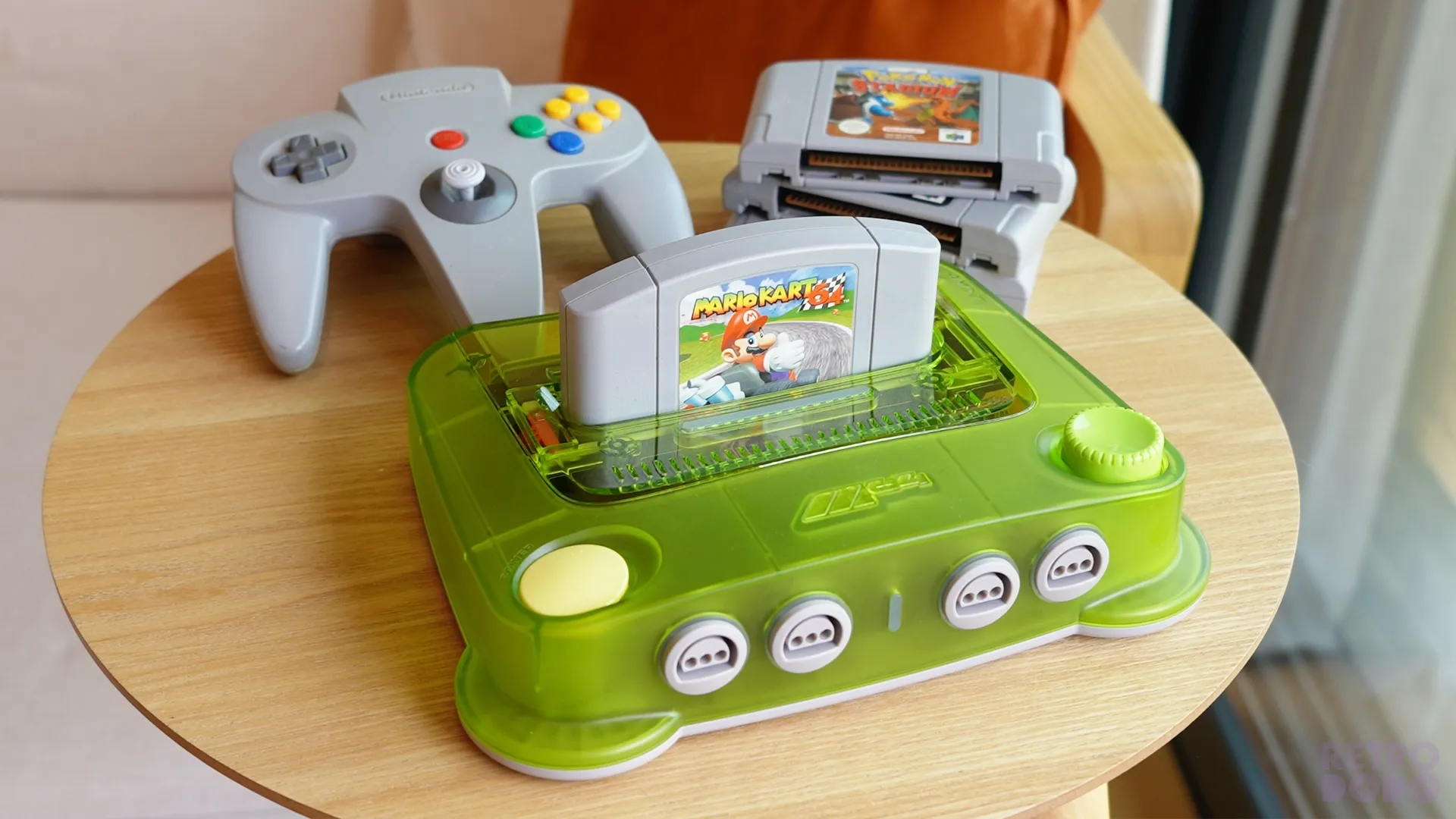
ModRetro's products are not minimal, nor are they trying to blend in with modern technology, and that's on purpose. The M64 follows the ModRetro Chromatic's colourful, slightly chaotic, yet obvious nostalgic style that hopes to stand out in your games room.
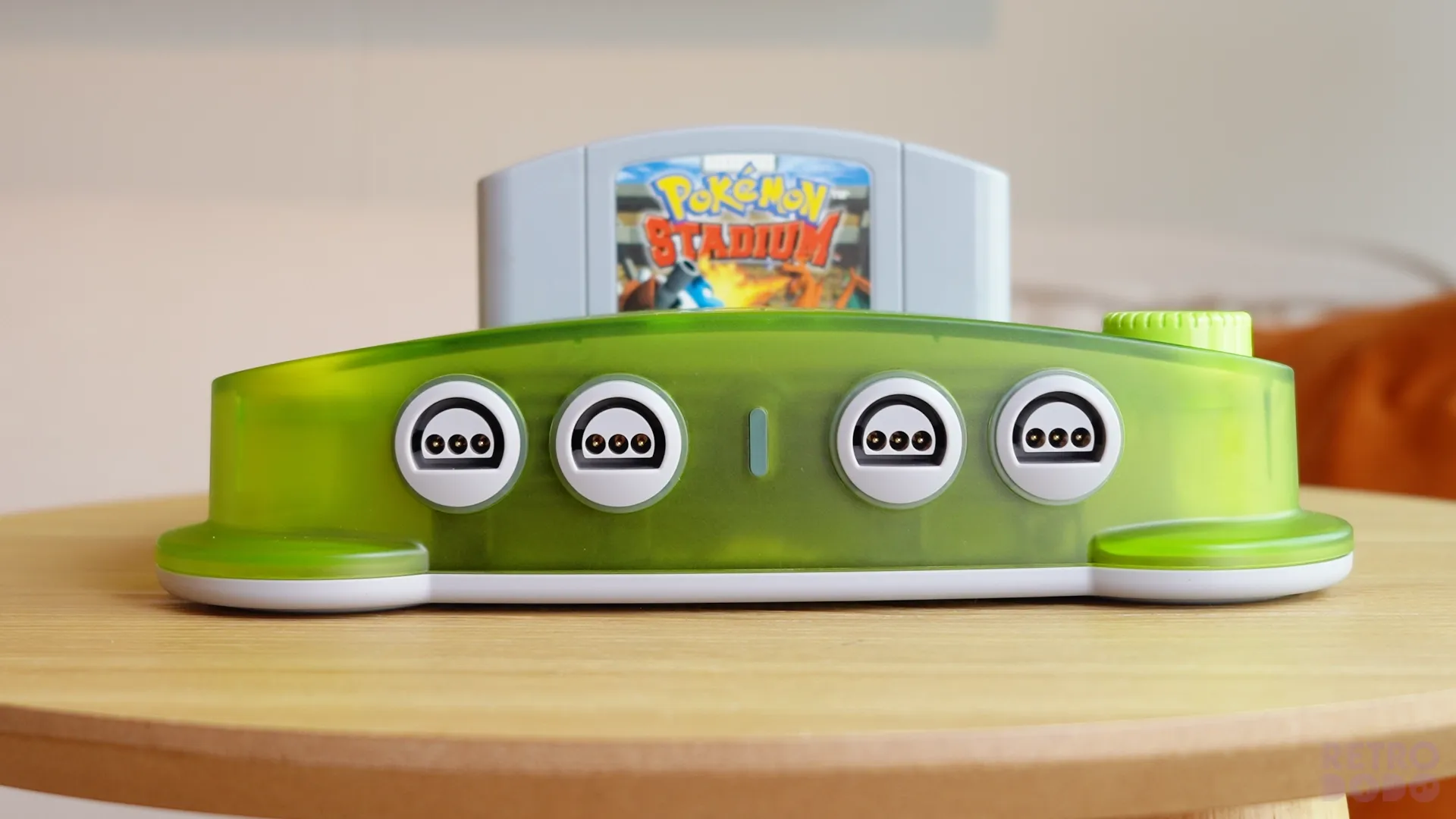
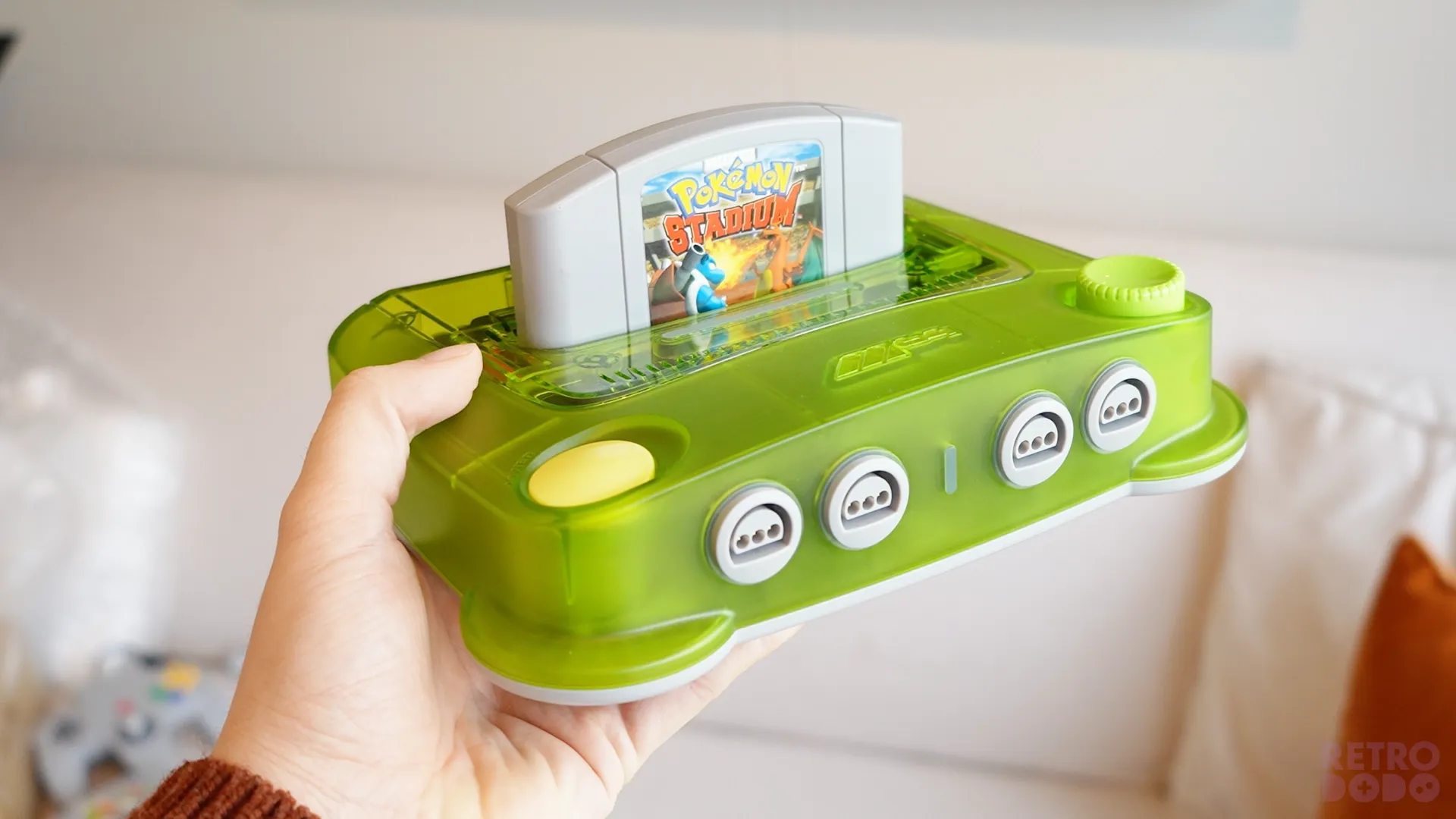
And it does just that. I have the Transparent Green colour, which shows off a lot of the internals for you to stare at in awe. The M64 will come in other transparent colours at launch too, such as Purple, White and the newly added Red. There's no basic colour scheme to choose from; it's bright and crazy, or go somewhere else.
I don't have the M64 metal-backed Trident Controller to review, just the console, but this controller will likely come at an additional price to the M64 console, as ModRetro informed me that a lot of work has gone into the controller alone, and they would have lost money if they added the controller to the $199 price tag.
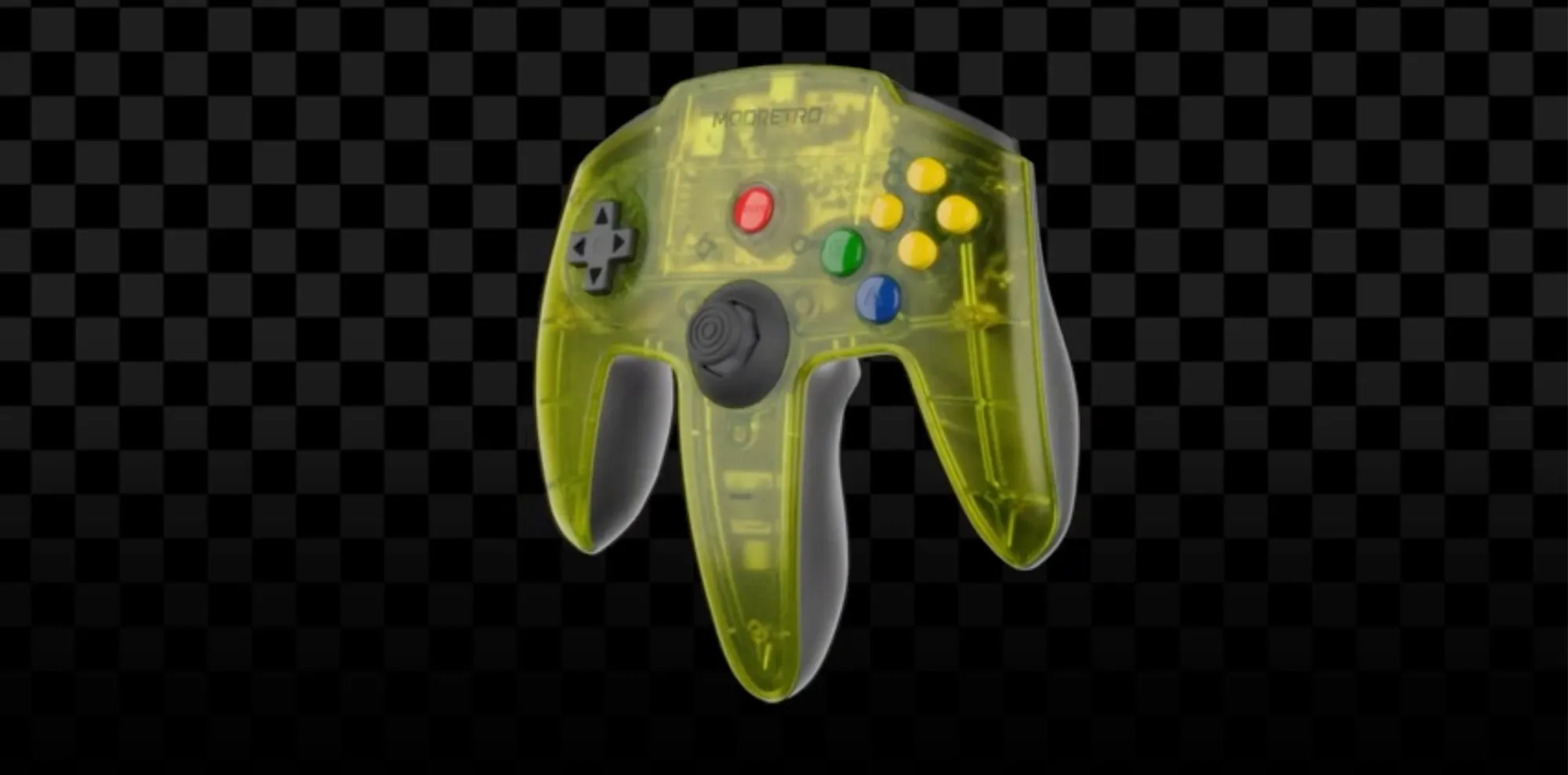
So expect that to be a bit extra and likely to be bundled with the console at launch.
On top of the M64, as mentioned, you can see right into the internals through this window section of the console, which is to resemble the nostalgic transparent tech of the 90's and early 2000's.
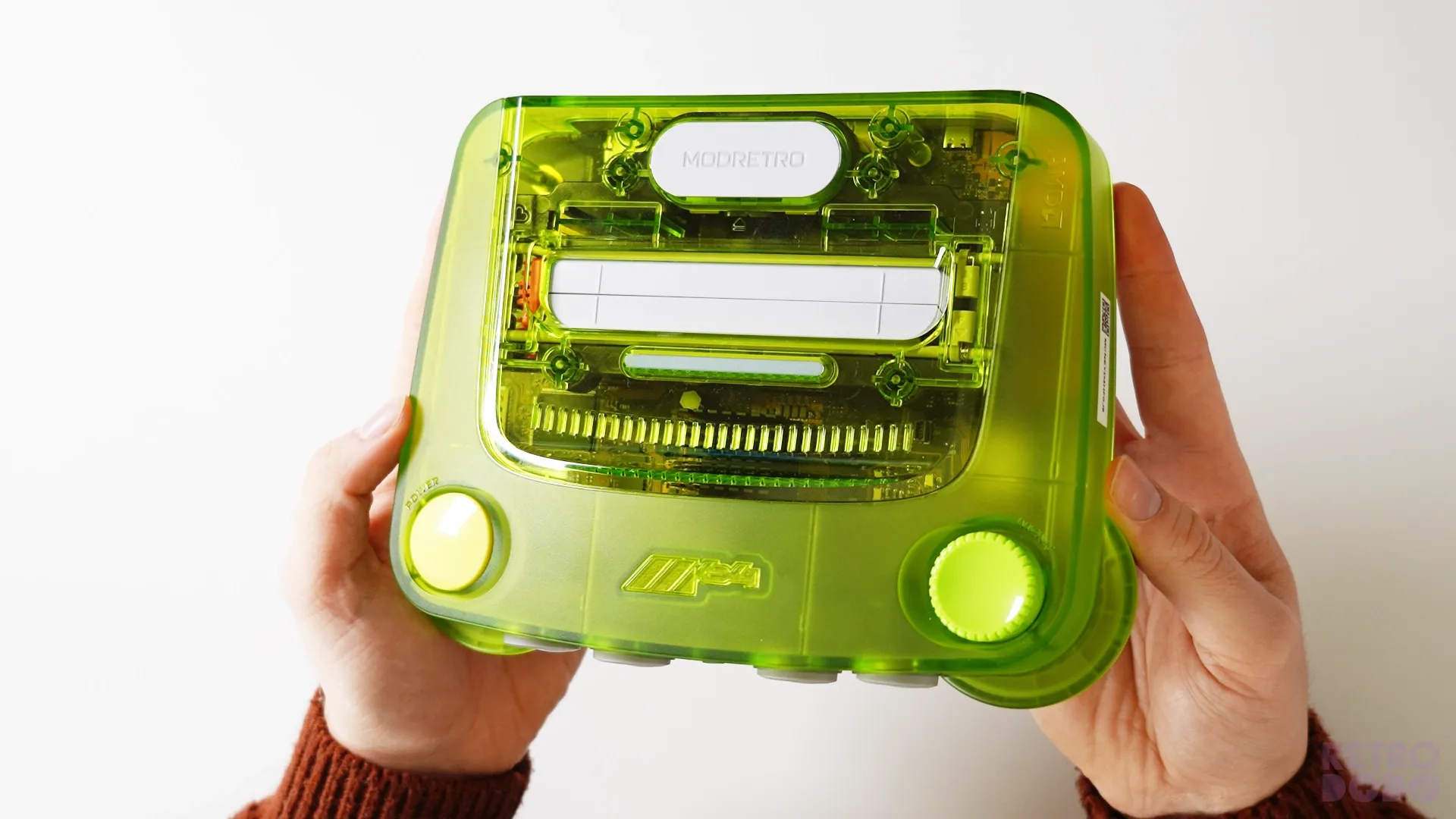
But it's also to show off ModRetro's incredible work on the PCB, which is made with black pre-preg and a clear soldermask with gold traces that turns the PCB into a literal piece of art. Getting inside the device is easy too because ModRetro actually want you to be somewhat curious, whereas the Anlaogue 3D is near impossible to get into without getting past glue and risking breaking the console.
ModRetro have literally designed the barely visible PCB to be a part of the extravagant visuals of the console. The rest of the top is frosted to not overdo the transparency.
Cartridge Coolness
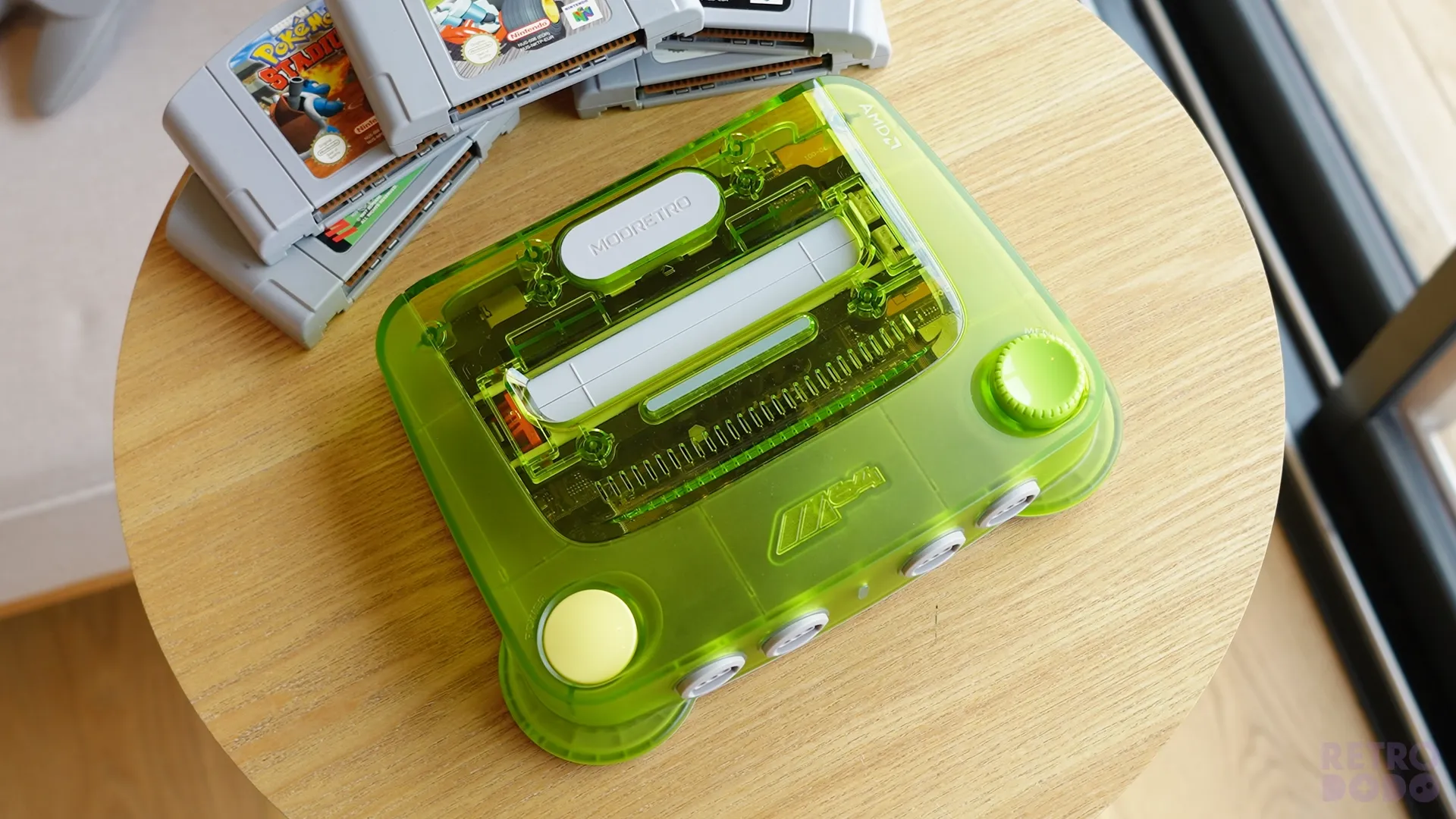
Around this window is the cartridge slot and an eject button, which assists you with the release of the cartridge.
Otherwise, the cartridge is in so tightly that pulling on it lifts the entire console off the ground, so this is a really cool feature that allows gamers to change cartridges with one hand while holding a controller.
There's also this small lightbar in front of the cartridge slot that illuminates the cartridge art when the console is on.
This is a neat feature and one you don't think you need or miss until you see it at night. Cartridge art is underrated, and we all love our games, so giving it the extra spotlight is a welcome touch.
While on the subject of cartridges, there's a semi-hidden clasp under the cartridge flap that allows users to latch the cartridge slot permanently open, should you want to do so.
Buttons & Ports
The two buttons on the top are located on the front corners of the console, overly large and expressive intentionally. On the left is a button that pushes down; it powers the device on and off. A press will turn it on, and a 2-second hold will turn it off. This button doesn't dip down too far and makes a springy noise when pressed.
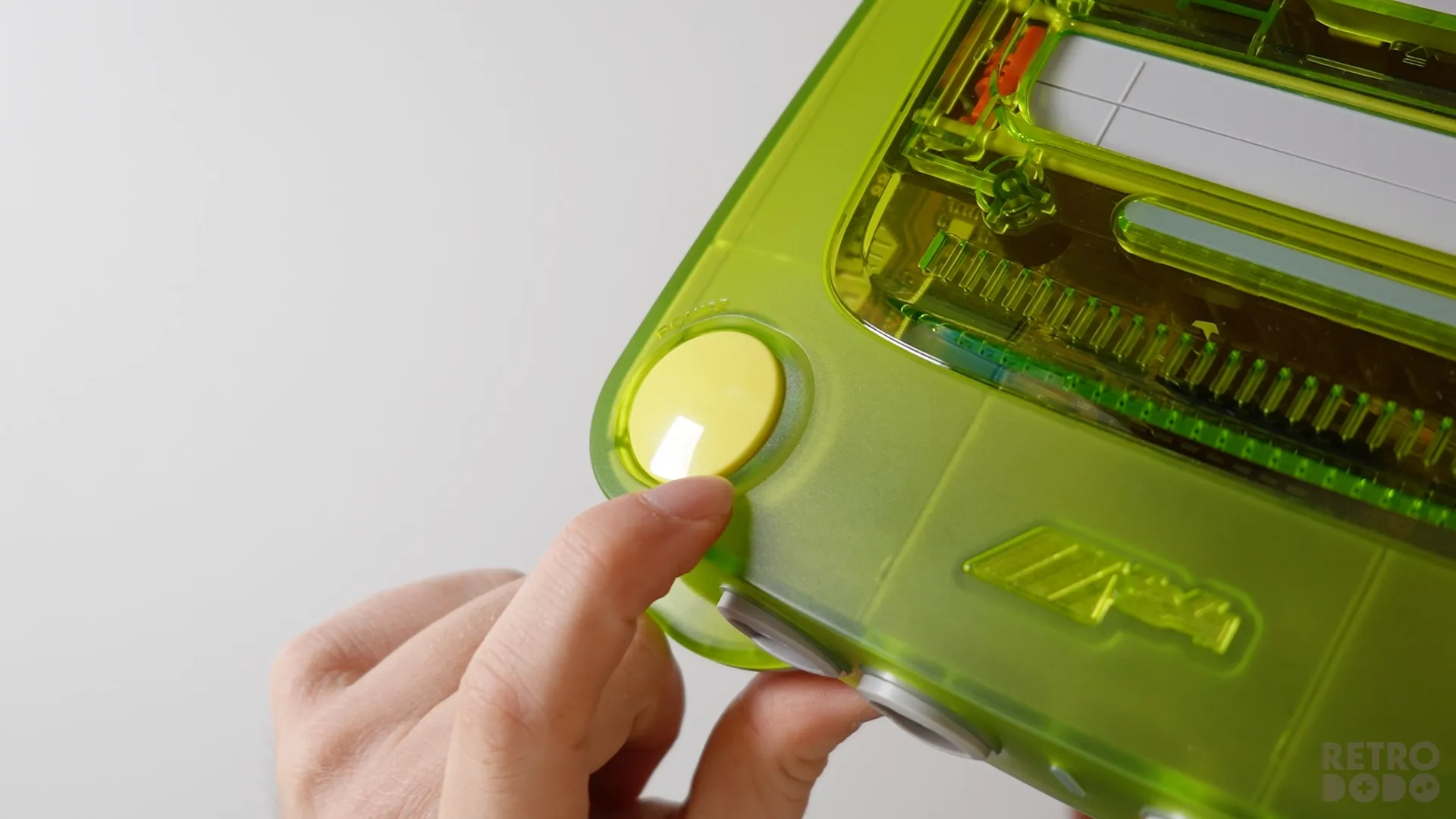
The button on the right is larger, protrudes and comes in a slightly different colour to the rest of the console. This is a spinwheel, and can be used to navigate the menus. Press it down for 2 seconds to open up the menu, and twist it in any direction to navigate it.
Navigation can be done on a controller, obviously, but it's nice that it can also be done via the console, just in case your controller breaks. Between the buttons is an embossed M64 logo.
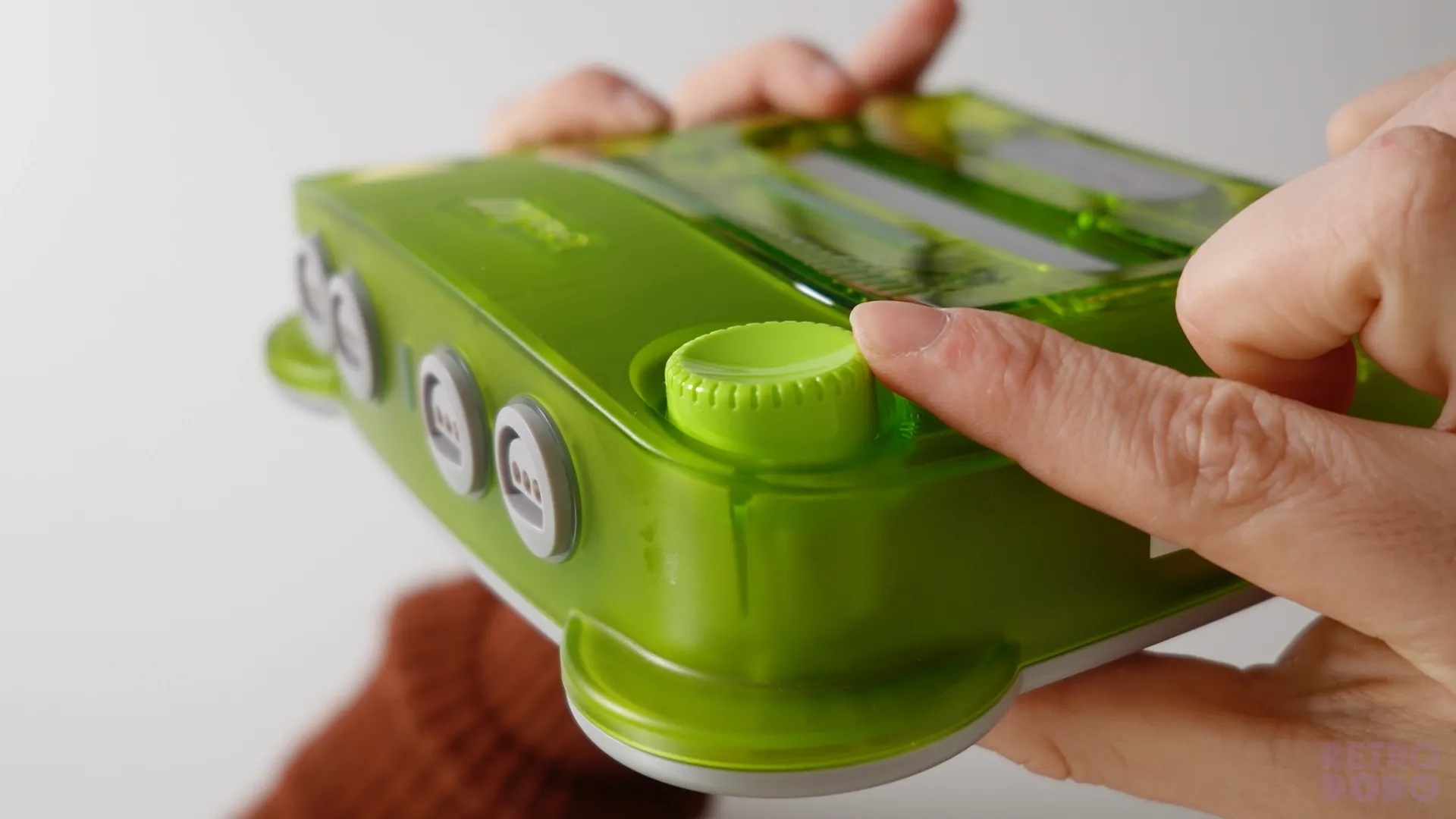
The front features four Nintendo 64 controller ports for those wanting to play with their wired original controllers, or modern controllers with normal Nintendo 64 ports, for that matter.
These are laid out just like the original console, but feature an LED light behind each port and one in the middle to show the users if the console is on, if it requires an update and other standard LED notifications.
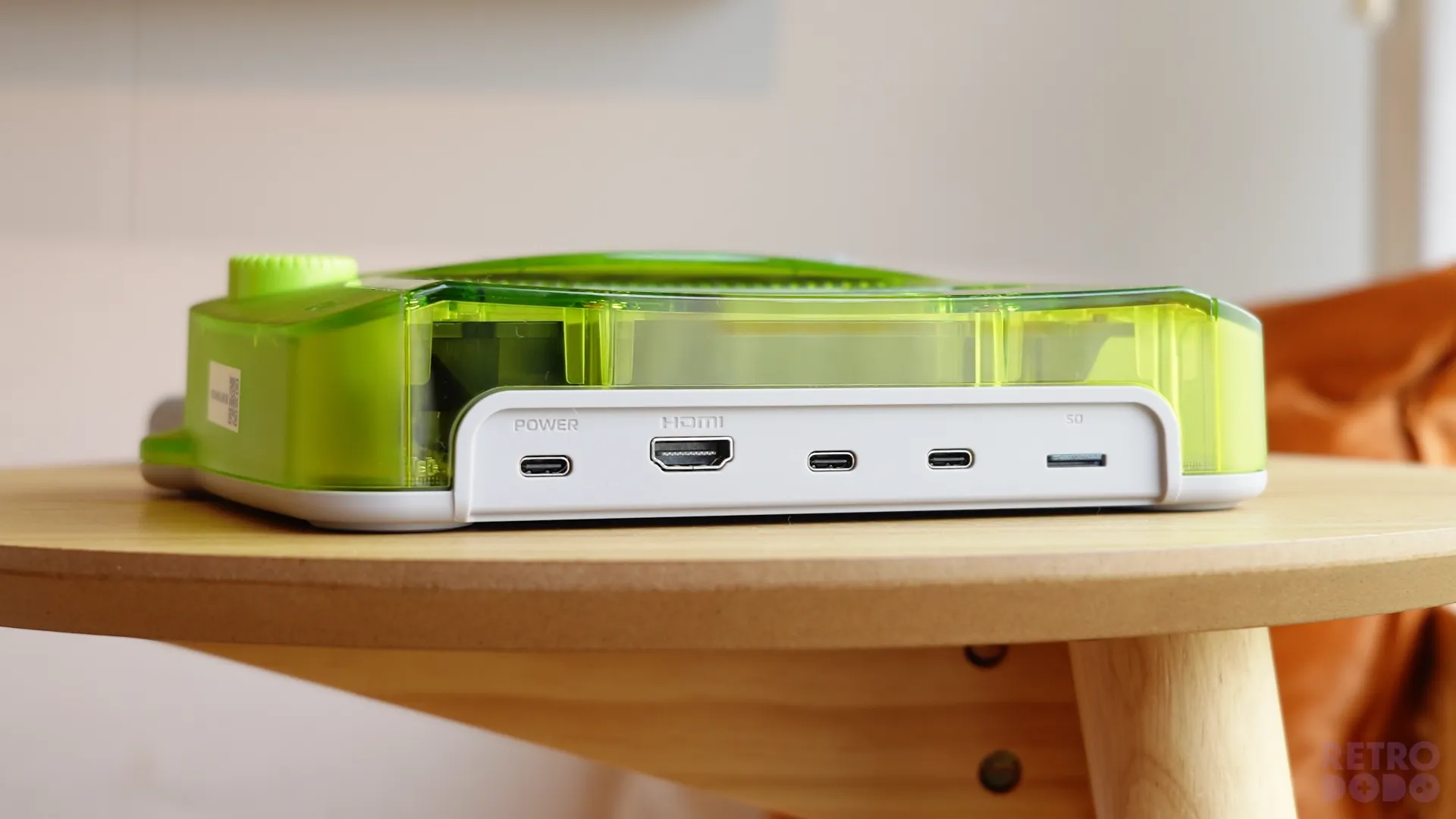
On the back, you'll find your important ports, such as 3x USB-C for accessories and charging, an HDMI out to connect to modern TVs and a micro-SD card slot for holding firmware files.
The Butt
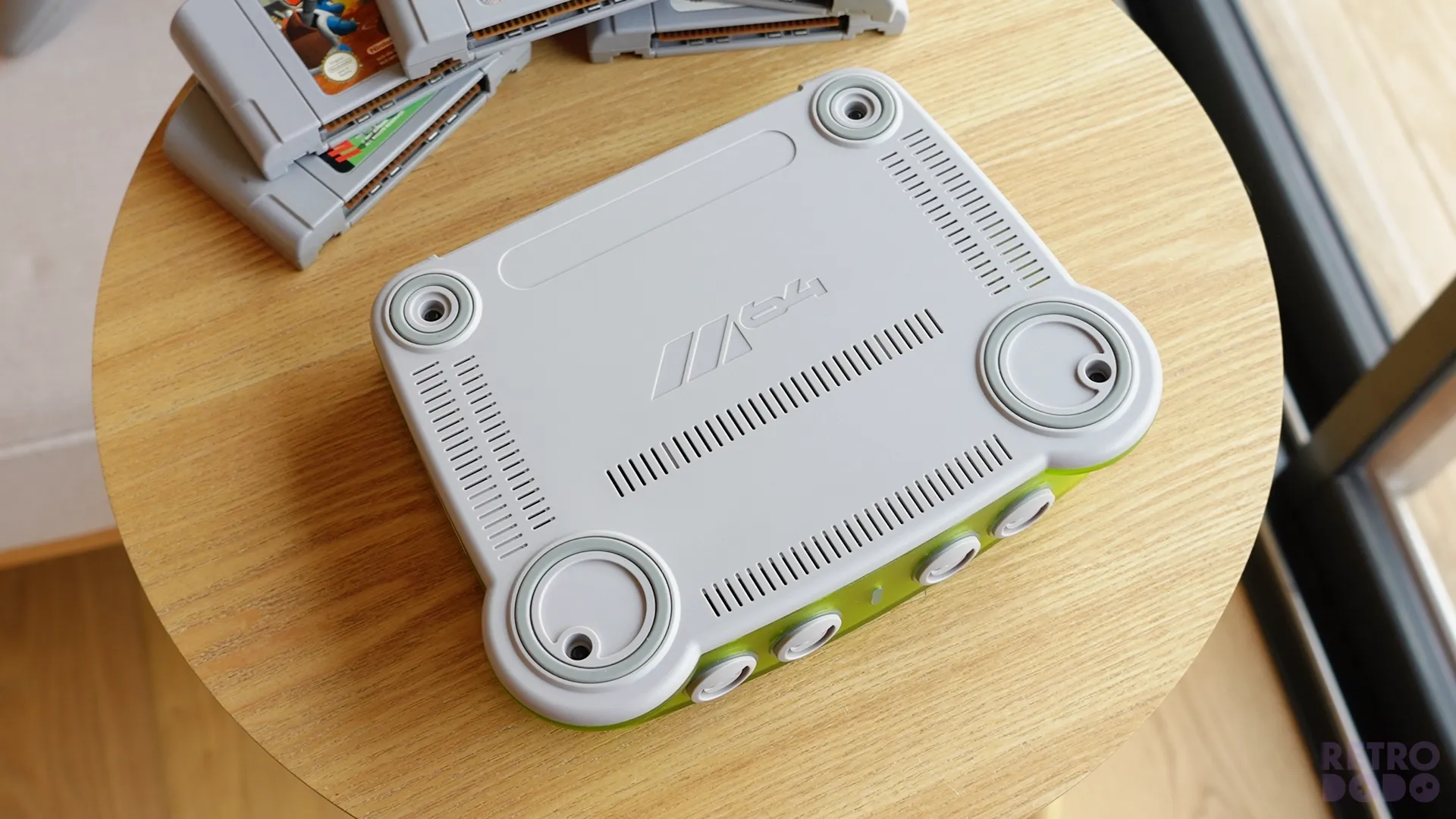
On the bottom, you'll find four circular grips and extra ventilation. I will say I do prefer Analogue's full bottom grip from a design perspective.
It's not that this isn't grippy; it sticks to the surface very well, but there's something about the entire bottom of the Analogue 3D being grippy that sits well with me.
Smaller Than I Thought
I don't know why, but the M64 is smaller than I anticipated. Comparing it to the size of the original Nintendo 64, it's much smaller in everyway, and far more compact.
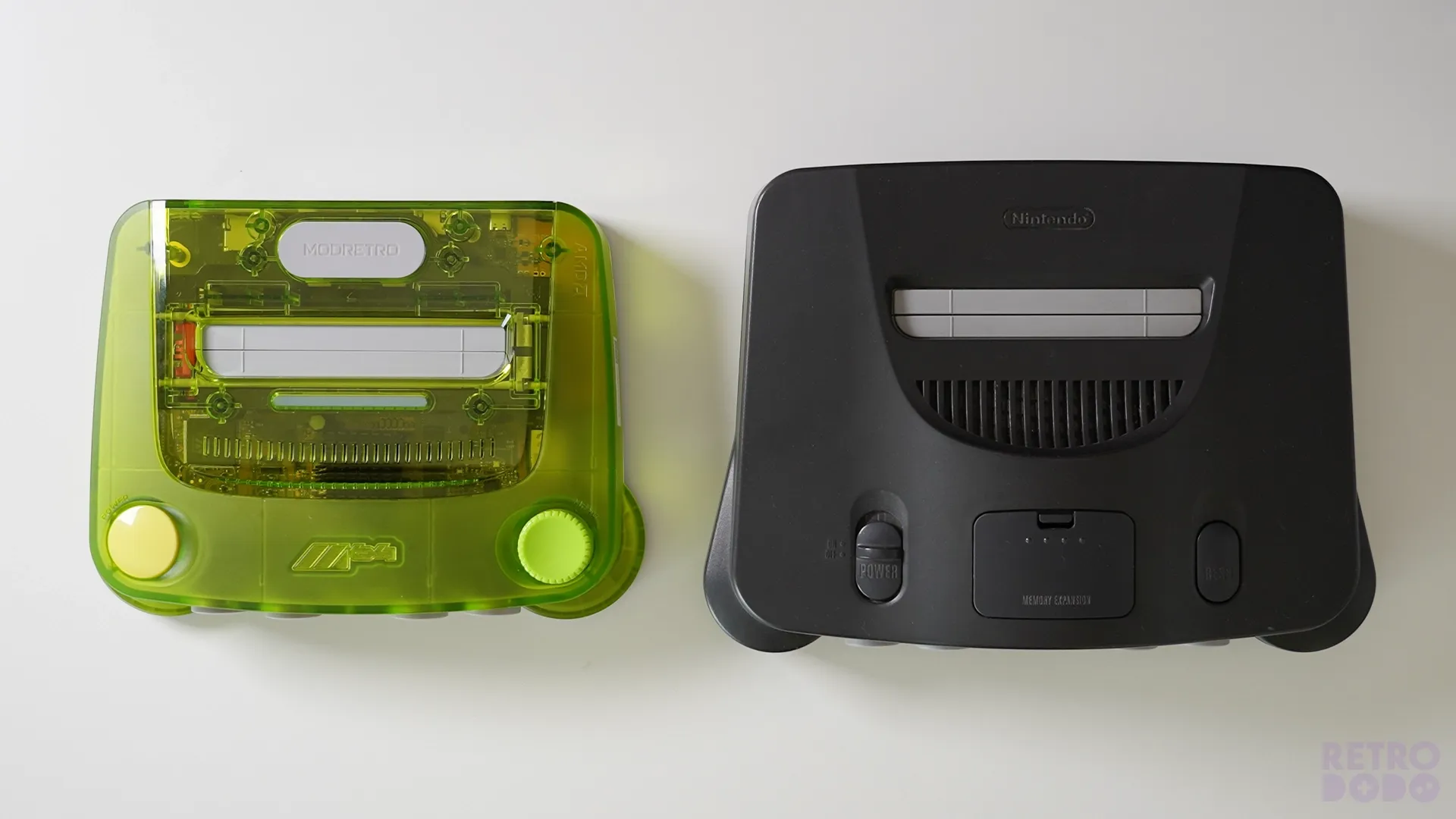
Which I think adds to the charm of the console. It does lose the thick, clunky characteristics of the original for sure, but has subtle nods to them like the rounded front feed and top ventilation near the cartridge slot.
The same goes for comparing it to the Analogue 3D, it's smaller, takes up less space in a setup, and many would say more visually compelling because of its transparency.
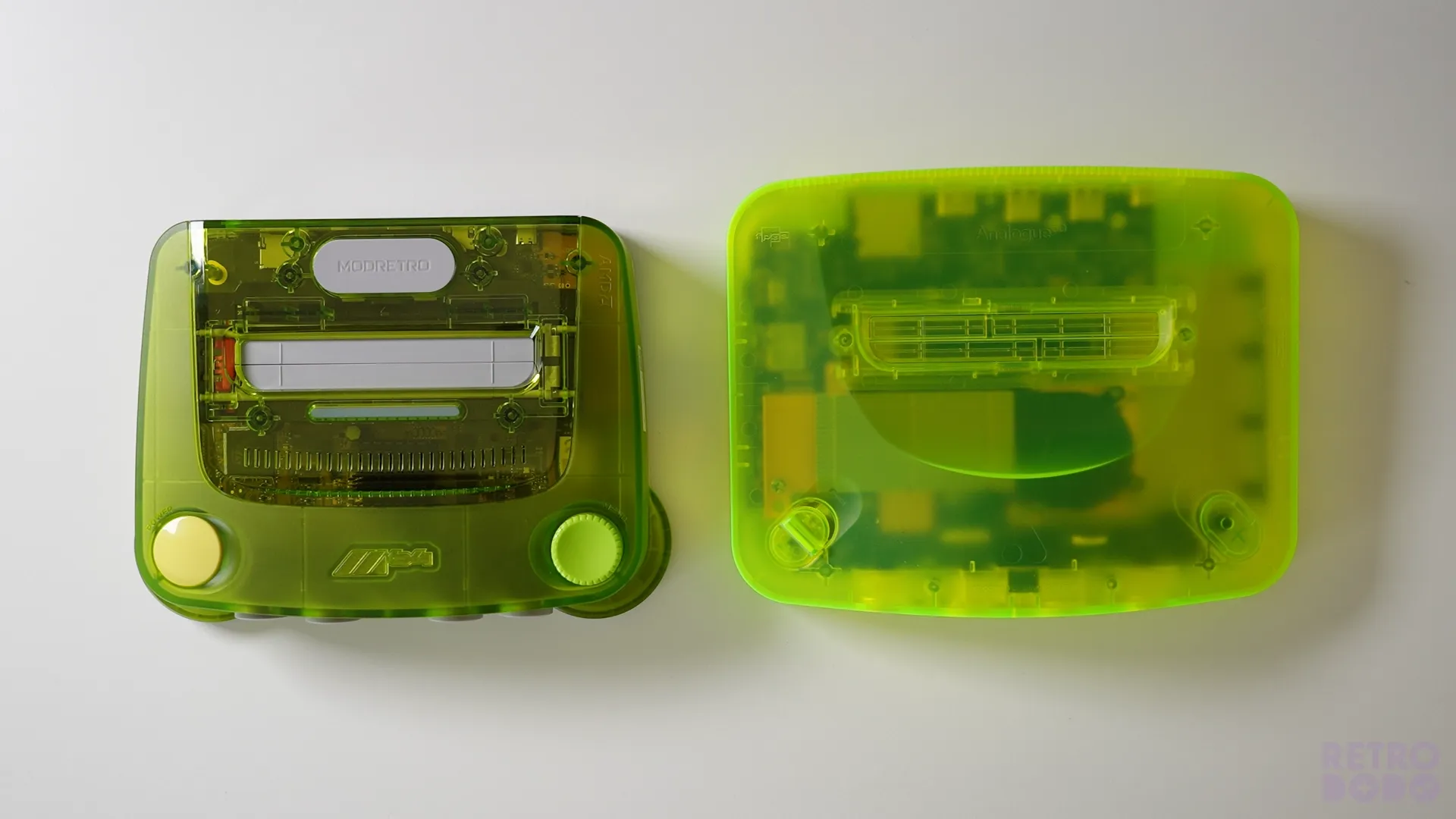
However, Analogue did recently release limited edition transparent versions that cost $299, and I got in the green to compare just for this article.
This simply comes down to personal preference on which you prefer visually, but remember that the ModRetro M64 is a whopping $100 cheaper in comparison to the limited edition transparent versions.
Yes! Updating Firmware Via Wi-Fi
One thing that frustrates me about the Analogue 3D is the fact that you cannot update the firmware via Wi-Fi, instead you have to update it via the SD card slot, which is an absolute ballache and feels very out of tune with Analogue's modern vibe.
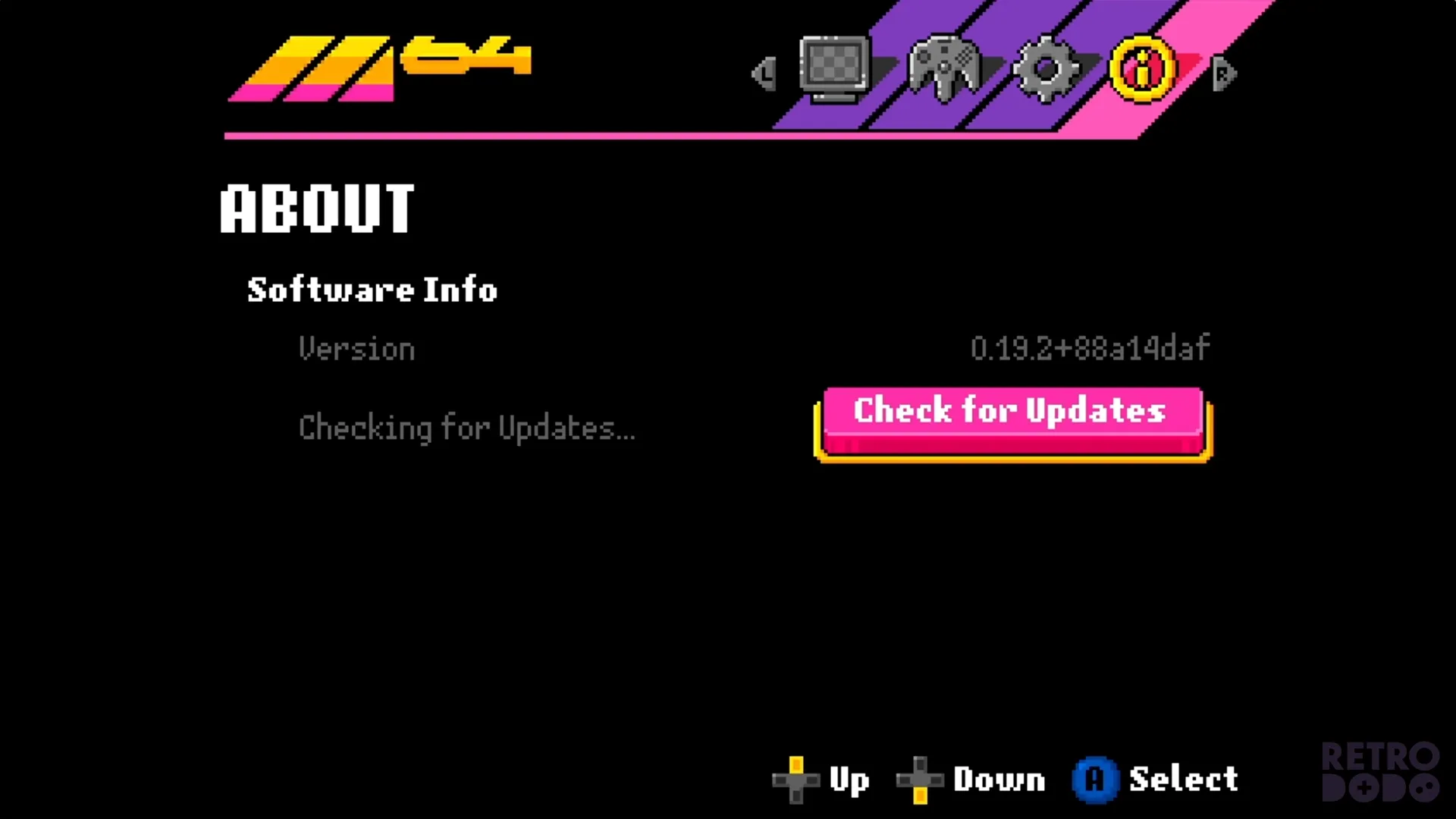
The M64 can update its firmware automatically over WiFi with the press of a button in the menus. Now, in my opinion, that's expected in a modern device, but it begs the question of why Analogue never made this a reality.
It's such a basic nessesity, and if I had to guess it's because Analogue were already annoying customers with constant delays and that this was the feature that didn't make it in time, but is now biting them in the ass because companies are coming out with it, and it really shines a light on such a simple feature that isn't in Analogue's more expensive console.
Brief Look At Menus
If you have a Chromatic, you will be aware of ModRetro's minimal and simple menus, and the M64 follows that design.
When you hold the menu button on the console for a couple of section the M64 Menu will take over the screen, first featuring your display settings.
In my prototype unit, there are limited settings at this moment in time, so you'll likely get something a little different if ModRetro decide to change it, so don't take what you see here as what you'll get if you buy one.
Display Settings
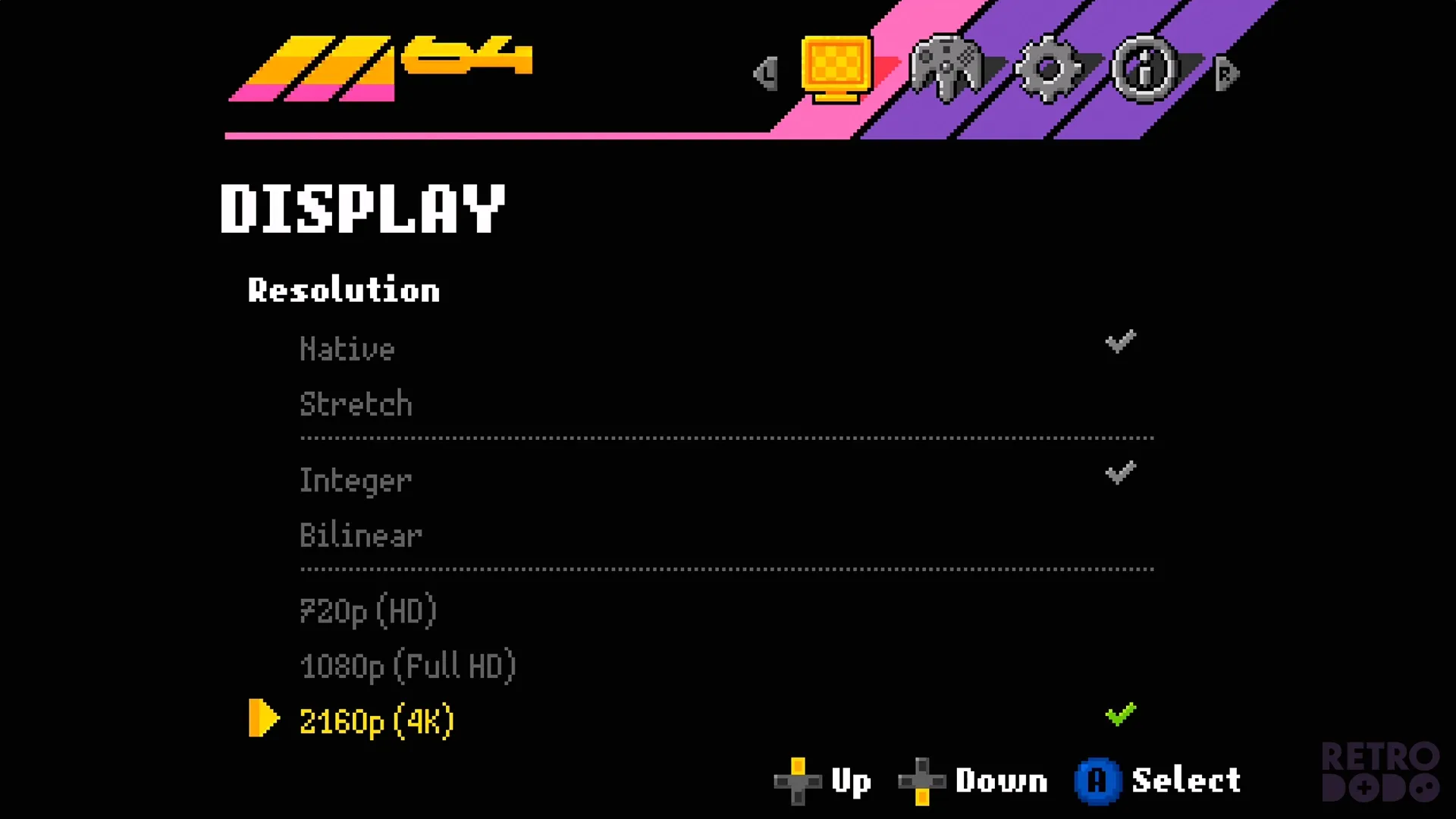
I can change the display to fit the 4:3 native screen size, or it can stretch it to 16:9 to fill more of my display. There's also the option to change between integer and bilinear scaling.
Quite simply, this will define how sharp your pixels look and how they move on the screen. Integer is sharper, and has blockier movements, whereas bilinear features shave moother movements, but it may look a little blurrier. It all depends on what you prefer, but the choice is yours.
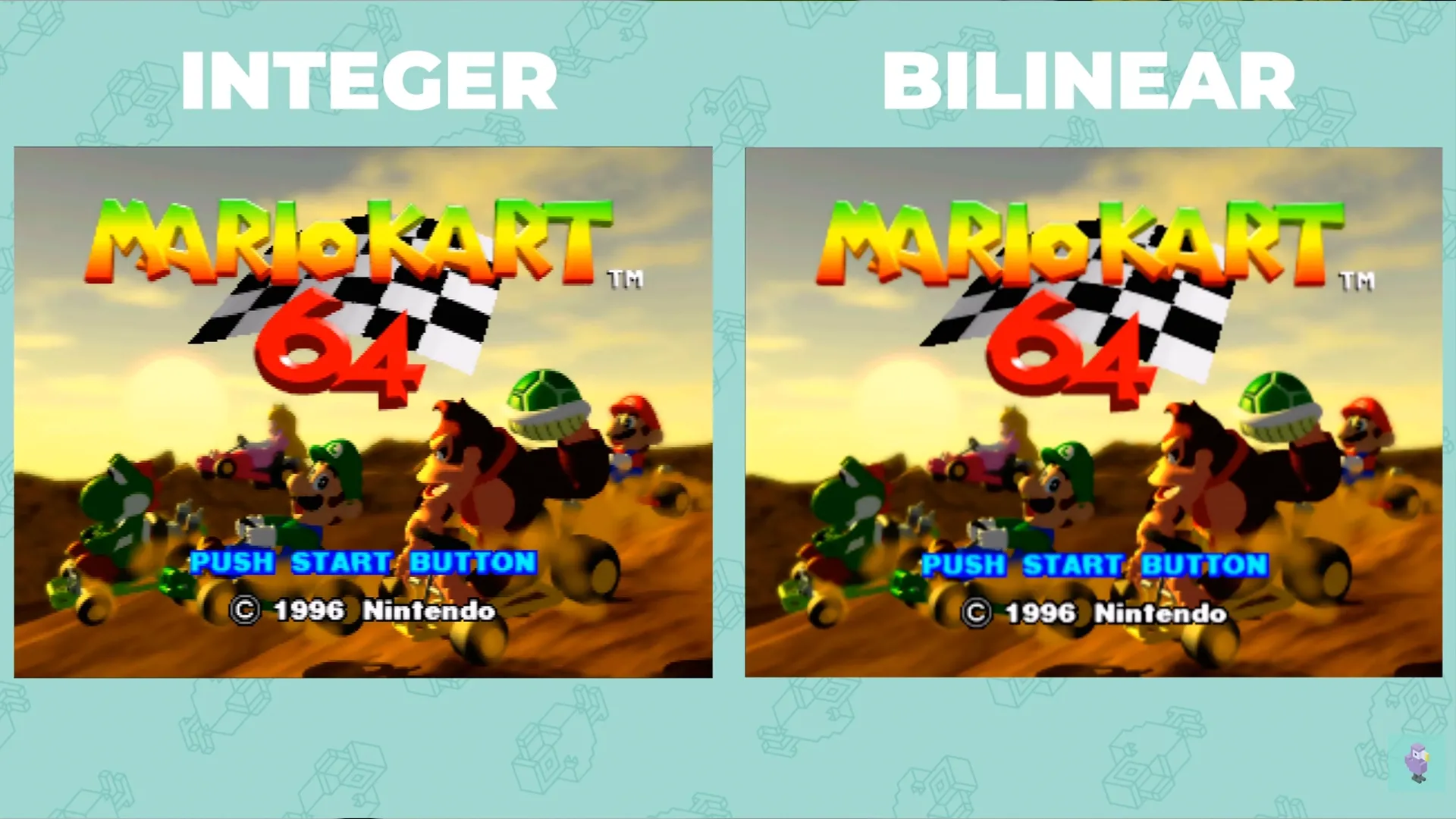
Then there's scaling to 720p, 1080p or 4K. This can be switched on the go, too, without needing to reset the console.
Eventually, filters, effects and different video processes will be available to play around with for those that want to add CRT filters, etc. But for now, I cannot test that on this prototype.
Controller Settings
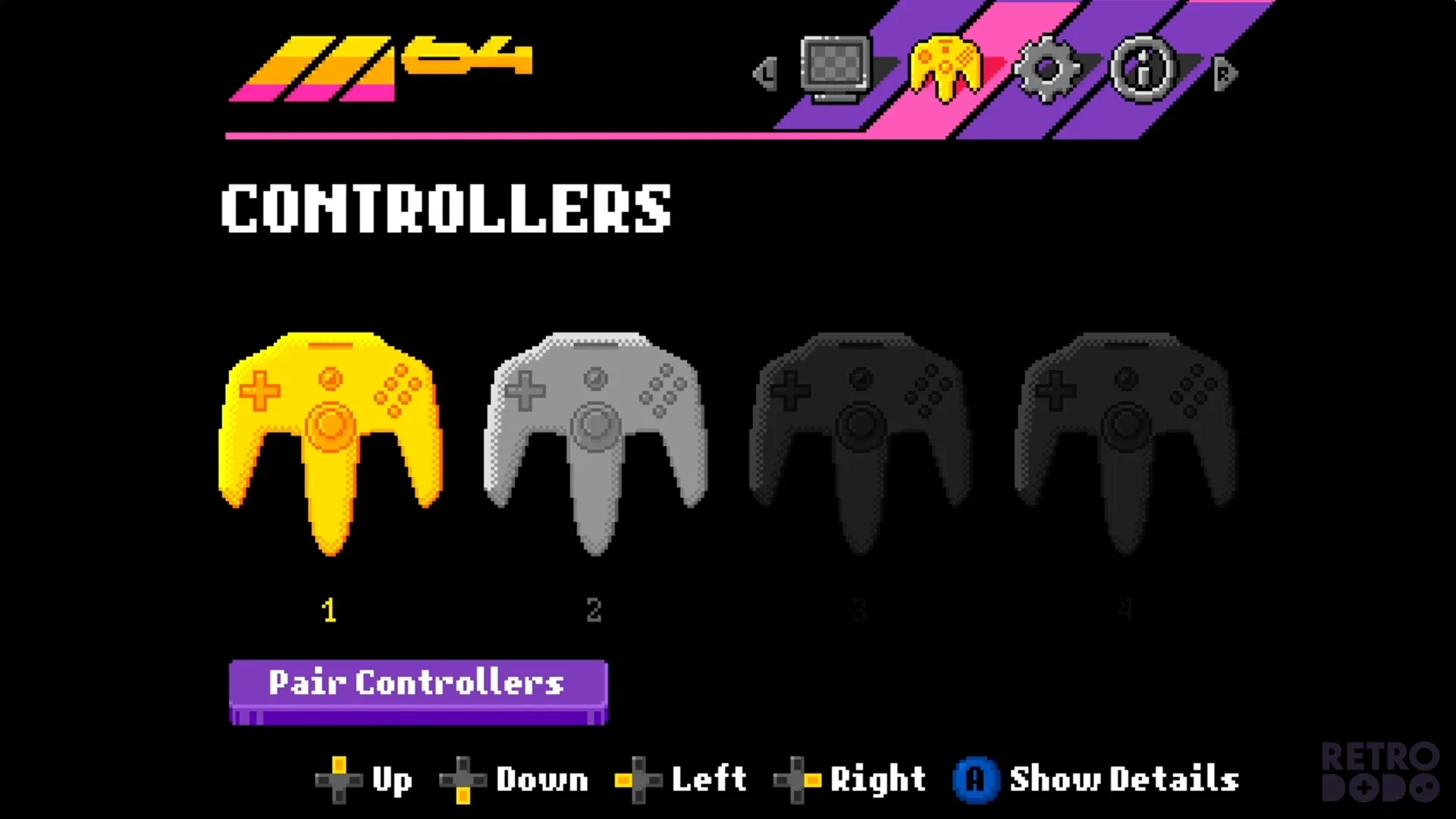
The controller section is pretty simple; it allows you to pair up to 4 Bluetooth wireless controllers to this device, and will even show when one is plugged in so that you can't pair it with the slot that's already taken.
Simply press "pair controllers", and you'll see the next available controller port LED lights spin around, which means it's in pairing mode. Simply connect your controller by pressing the pairing button, and it will automatically connect.
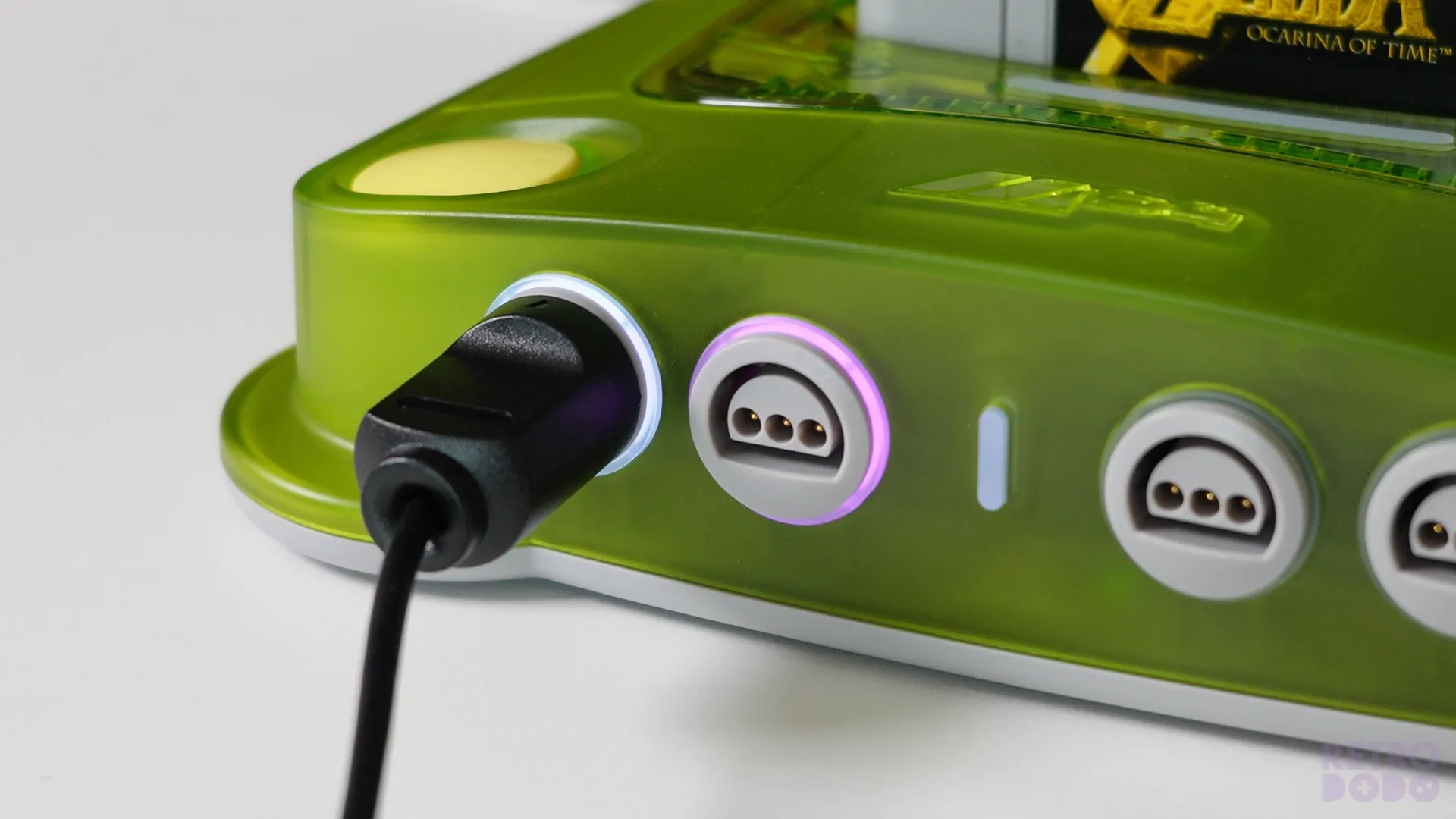
The LED light around your controller port will light up fully, indicating it has successfully paired.
System Settings
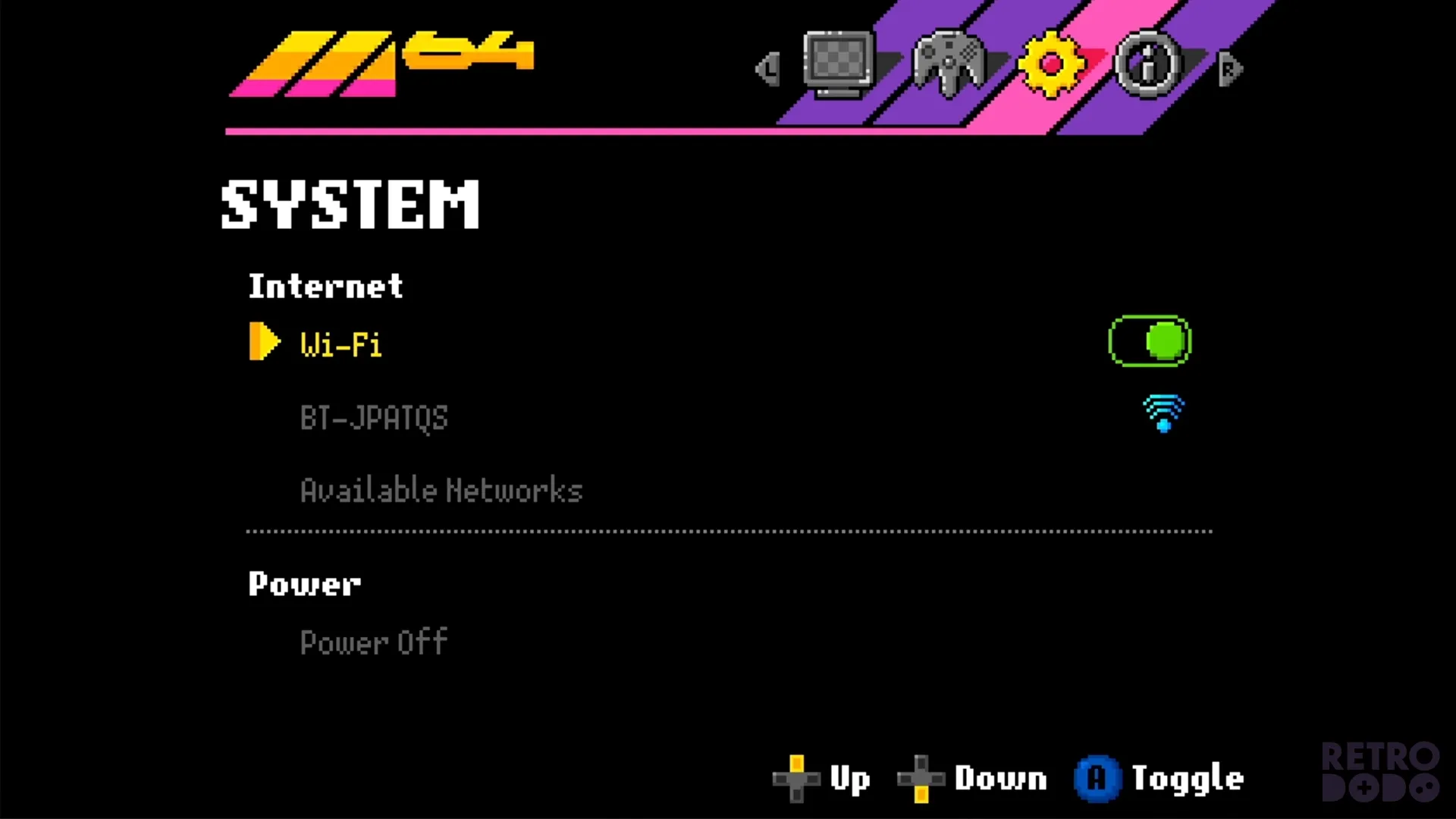
The only thing here on my prototype unit is the ability to connect it to Wi-Fi, which, as mentioned, means you can update the firmware wirelessly, but you do that in the About menu.
You can also power off the device in this menu.
About
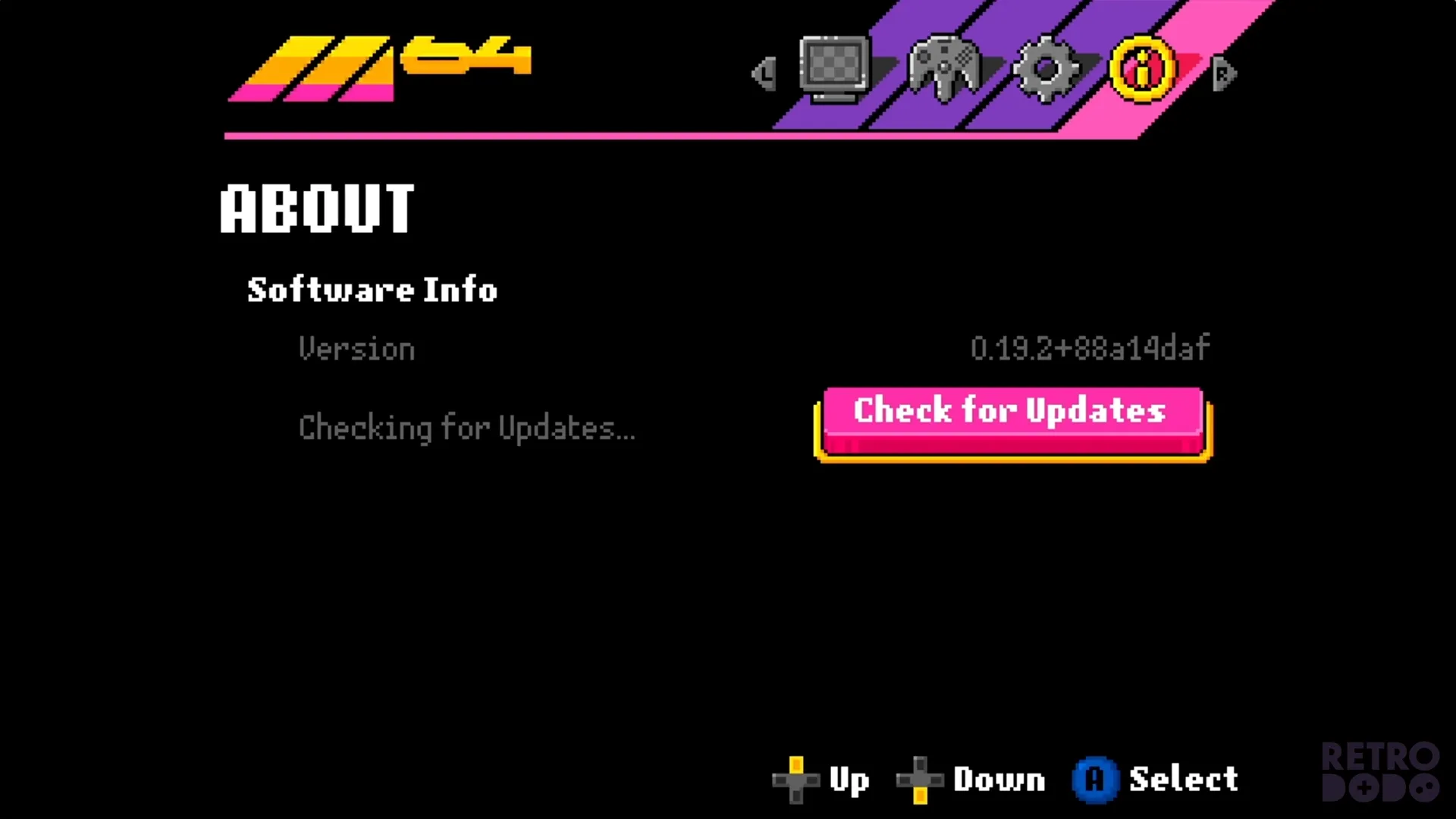
Then, finally, there's an about section which shares software info, and the ability to check for updates and install them if available.
It's a super simple menu, and there will be a lot more updates coming to this menu at launch and constant developments made once the device has been launched.
Gameplay Quality
Look, this is an FPGA console, meaning it's designed to be identical to the Nintendo 64 in terms of gaming replication. So this isn't going to do anything "better" than the original in that sense, or anything better than the Analogue 3D either.
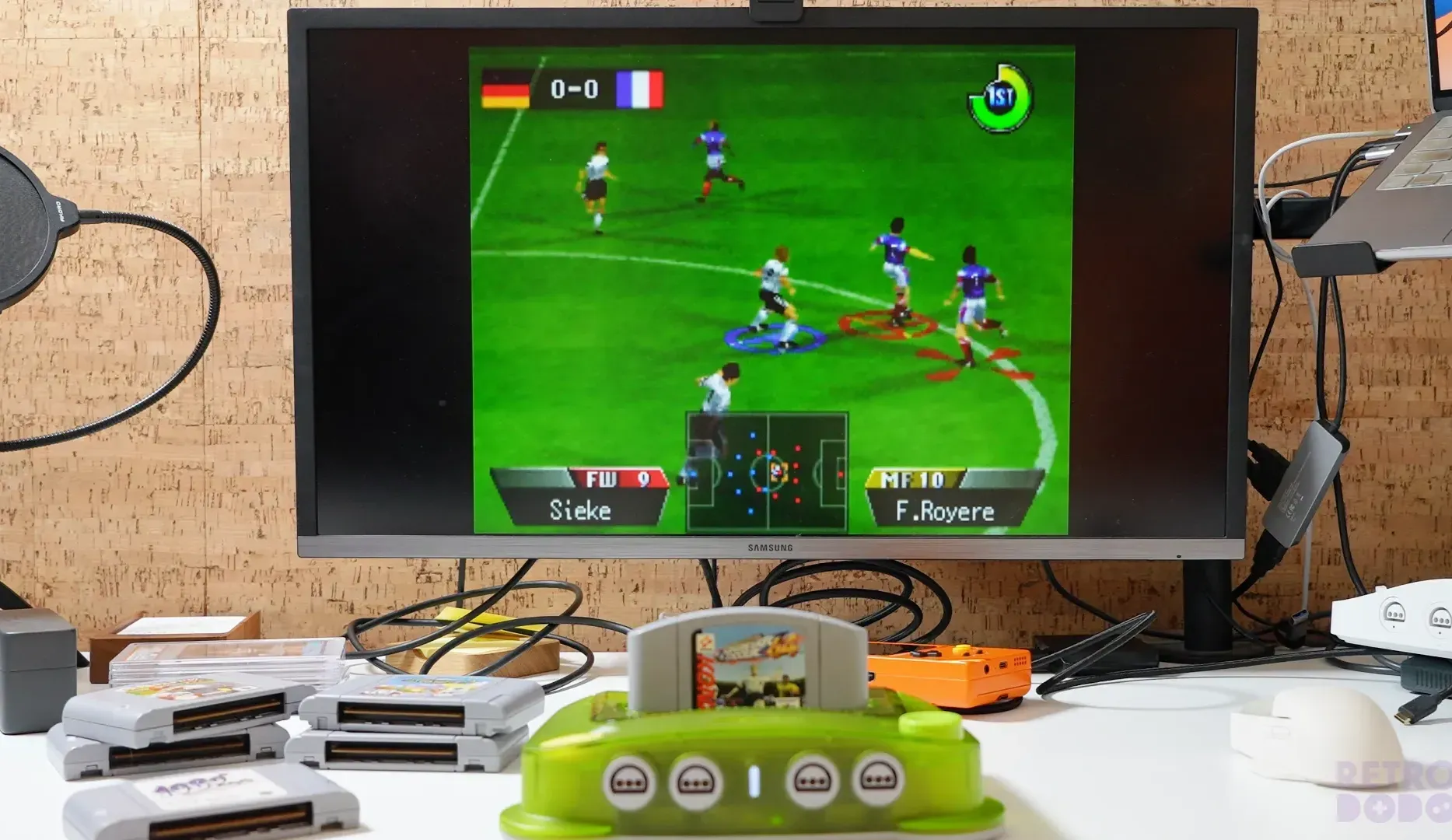
Gameplay is... gameplay. This prototype runs my original cartridges very well, with no major visible hiccups, and zero worry, as expected from a high-quality FPGA console.
The technology allows you to upscale it to 720p, 1080p and 4K resolutions using modern TVs automatically, but it's not going to make anything look "better"; it simply adapts to your modern TV naturally while making things look a tad sharper, but still retro in a sense that it's pixelated AF like it was back in the day.
This in itself is quite hard to do; FPGA technology has adapted quickly over the years, and there have been many issues with interlacing and making emulation work flawlessly from a hardware perspective. But we're here, and FPGA Nintendo 64 emulation is close to perfect.
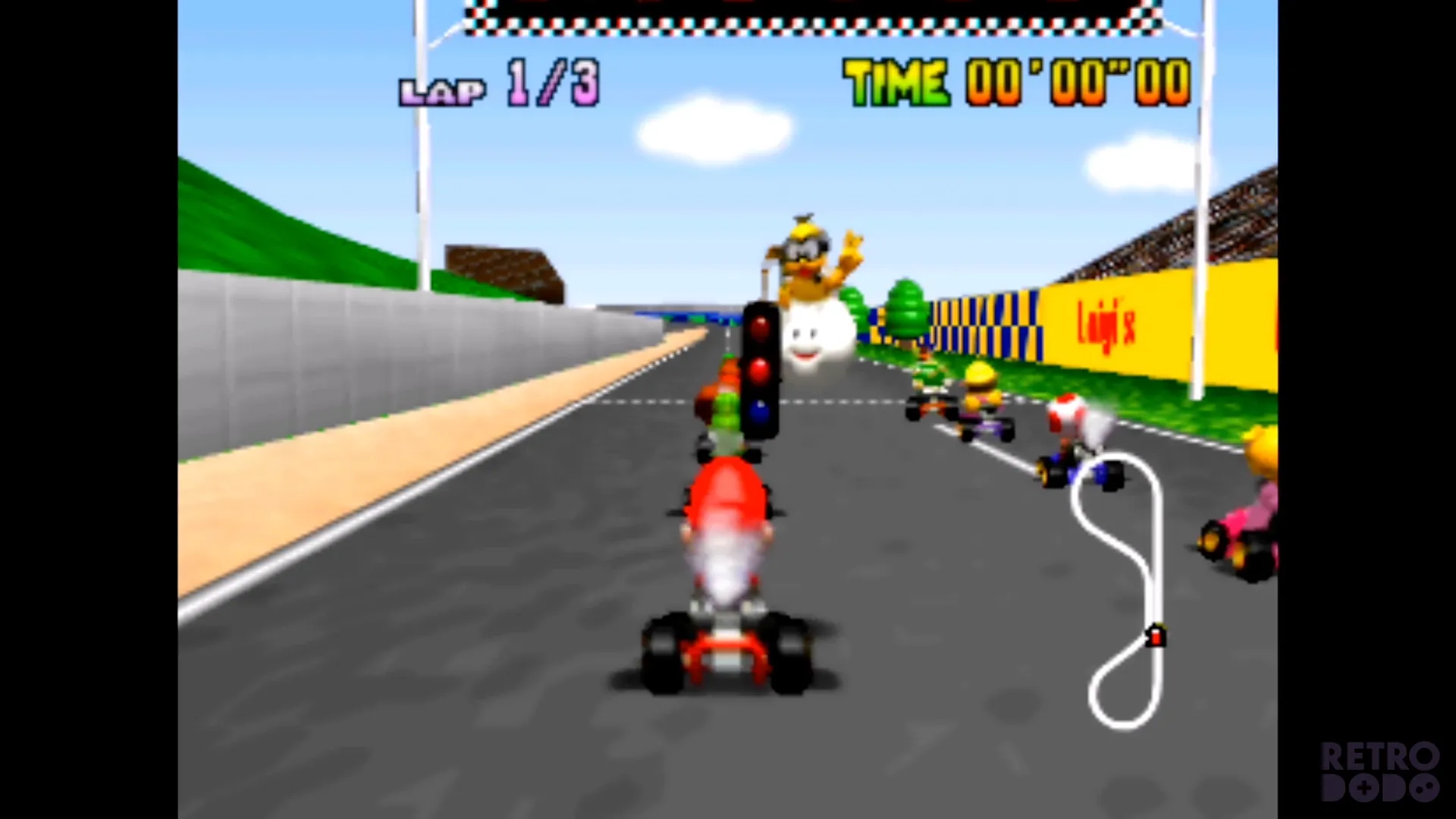
This prototype showed a few frame rate drops a couple of times throughout my time testing it, which was to be expected and will be ironed out at launch, but that aside its as if this is real Nintendo hardware, which is boring, but that's what it's meant to do.
The magic is in ModRetro's extra modern features that add to the nostalgic experience and modernise this beautiful console in a way that makes gaming even more fluid and enjoyable.
This means upscaling to 1080p or 4K resolutions without it breaking the cartridge and adding integer or bilinear scaling for those who want certain gaming styles.
Another big one for me is how quickly this boots into a game, in a few seconds you're in and ready to play, no waiting for things to load or boot, no loud fans trying to speed things up.
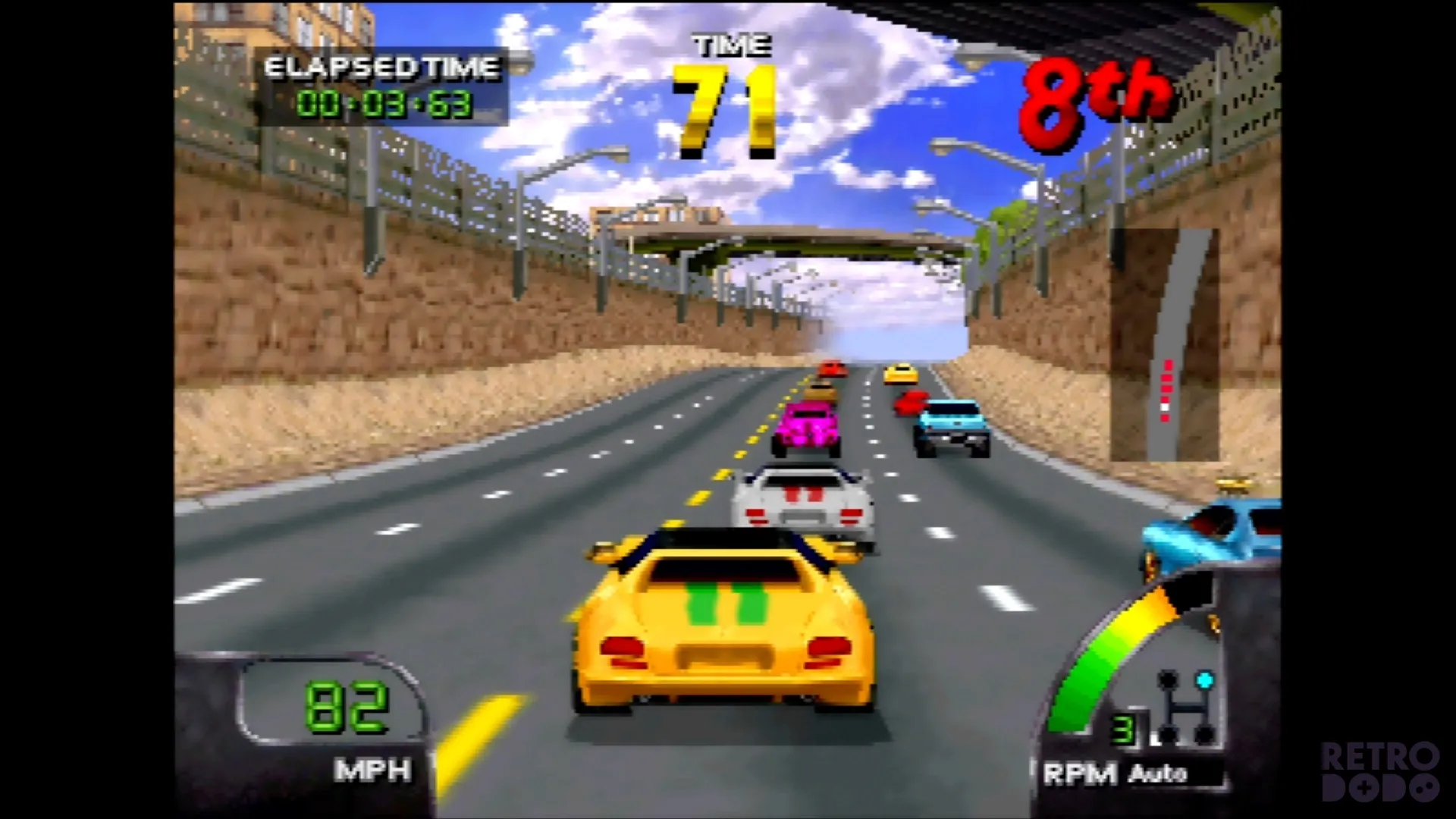
Compare this to the Analogue 3D, which takes far longer, and that alone is a great reason to snag an M64 over a 3D. It's dead silent too, I have not noticed any fans, loud noises or weird heating snaps coming from this console.
My prototype doesn't have updated software that allows me to look at things like CRT effects, overclocking or Everdrive compatibility, so that will have to wait for my full review in the future.
However, gameplay-wise, on a very basic level works great on the M64 with no major issues of the retro visuals being upscaled to 4K resolutions. It feels very plug-and-play friendly, which is exactly what you want from a console like this, and paired with the simple menu system and easy-to-sync controllers, it's just an absolute breeze to use.
The elephant in the room
This device isn't for everyone, even if you love the console, and I wouldn't be doing my job if I didn't mention that ModRetro has ties with Anduril, a company in the USA that creates drones and devices for the US military.
So, although your money isn't technically going to the creation of weapons that both protect and destroy, it's supporting Palmer Luckey, who is the man behind both ModRetro and Anduril.
The overlap became evermore evident recently when ModRetro announced an Anduril edition of the Chromatic handheld, made from their drone metal.
Some of you won't like that they are affiliated, some of you won't care. That's not for me to decide for you; you spend your money as you please, but it's my duty to inform you, respectfully and to do your own research on both companies before you make a purchase decision to see if you are comfortable supporting that.
Again, not my place to say, but it is to inform.
Upcoming Updates & Products
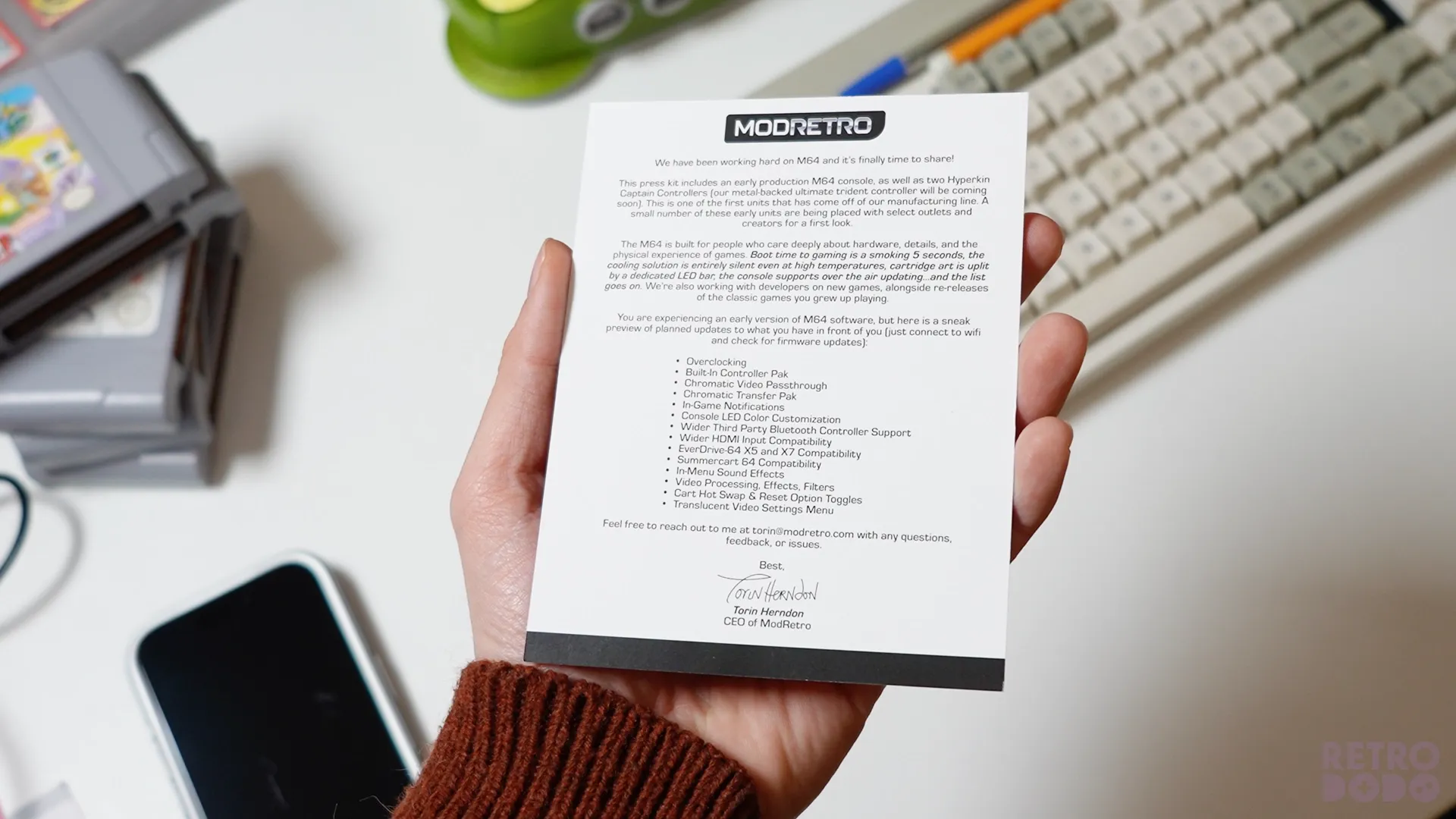
There's a whole bunch of new features and updates coming to the M64 after launch, for example:
- Overlcocking
- Save States - this requires an extremely hardened core to be stable, which means ModRetro need to see what happens to software in the hands of thousands of people so that they can fix the early bugs/glitches before offering the feature of save states. Because they'd hate to launch it early with bugs, and gamers love precious save states.
- Built-In Controller Pak
- Chromatic Video Passthrough (yes you will be able to paly GB/GBC games on here)
- Chromatic Transfer Pak
- In-Game Notifications
- Console LED Colour Customisation
- Wider Third-Party Bluetooth Controller Support
- Wider HDMI Input Compatibility
- EverDrive-64 X5 and X7 Compatibility
- Summercart 64 Compatibility
- In-Menu Sound Effects
- Video Processing, Effects, Filters
- Cart Hot Swap & Reset Option Toggles
- Translucent Video Settings
- Brightness Settings For Cartridge Light
- Physical M64 to CRT Adapter
It's also worth noting that ModRetro don't just make hardware, they are fans of bringing new retro games to life, just take a look at the many games they have released for the Chromatic, some of them even featuring in our best Gameboy Colour games list, they're that good.
And although you don't exclusively need a M64 to buy their upcoming Nintendo 64 games, it's simply another reason that ModRetro know what they're doing and wants to not only help you explore old games but new games for old consoles too, which excites me as they have plans to re-release classic N64 games too.
Initial Thoughts
Overall, the ModRetro M64 is a remarkable modern take on one of Nintendo's best home consoles, crafted with passion in an extravagant way for gamers, by gamers.
It's clear ModRetro doesn't follow the rules, is happy to cross the line in more ways than one, and their consoles and business show that.
They took their time crafting this, and due to their patience, they have an upper hand when compared to the Analogue 3D in both features and pricing, which will undoubtedly make this an easy purchase for many who have been on the fence.
I'll admit there are some features that I wanted to explore today, but ModRetro are working on it and has promised many of them will come at launch or in future updates, so we just have to be patient until then.
That said, this console is for those who want a modern, easy-to-use take on the Nintendo 64, with quality-of-life features that make exploring your N64 library even more enjoyable.
It's a serious FPGA N64 console, and ModRetro should be proud of what they have created. Playing on the M64 and experiencing modern, retro tech like this brings out my inner child in a way that makes me somewhat emotional, and that, for me, is a big win and why I highly recommend this to Nintendo 64 fans who want to go back to exploring this remarkable console.
I honestly don't think any other company can beat ModRetro when it comes to creating retro tech that plays authentic cartridges. It's fun, it's reliable, it's perfectly crafted, and most importantly, it's exciting, something the gaming industry has sorely missed over the last few years.
Update 26th February 2025
ModRetro has made a small firmware update to our prototype sample, here's the new and changed features:
Added
• A welcome screen now appears the first time you power on the console.
• Pressing the power button now resets the core.
• Overlay menus now support scrolling.
• When enabling Wi-Fi for the first time, you’ll be prompted to consent to sending device data to our servers.
• The “About” screen has been reorganized to show the device serial number, and firmware updates can now be installed from an SD card via the menu.
• The firmware update screen now displays rotating quips while you wait.
• If the main FPGA image is missing or corrupted, the system automatically rolls back to the factory image (when available; early units don't have this support; our launch units will).
• Overlay display settings now persist across power cycles.
Changed
• Reduced Cartridge Bar brightness to lower power consumption and heat output.
• Shortened the power button hold time required to turn off the console.
• Simplified the version information shown in the about menu.
• The overlay now uses a transparent background.
• The “Cartridge Not Detected” screen now appears during cartridge hot swaps as well.
Fixed
• Opening the overlay now properly resets its menu state.
• Wired and wireless port states are now correctly restored after a core reset.
• Multiple fixes to Bluetooth module firmware updates.
• Fixed an issue where the menu could be opened from unintended controllers.
• Fixed an issue where 8BitDo controllers would not function after a reboot.
• Fixed an issue where 8BitDo controllers would not disconnect when powering off the console.


